Introducción
Thank you for choosing the Keychron K1 Ultra-Slim Mechanical Keyboard. This manual provides detailed instructions on setting up, operating, and maintaining your keyboard to ensure optimal performance and longevity. The Keychron K1 is a versatile 87-key tenkeyless layout keyboard designed for both wireless (Bluetooth) and wired (USB) connectivity, featuring low-profile Gateron mechanical switches and white LED backlighting.

Image: Keychron K1 Ultra-Slim Tenkeyless Layout Mechanical Keyboard overview.
Contenido del paquete
Antes de comenzar, asegúrese de que todos los artículos estén presentes en su paquete:
- Teclado mecánico Keychron K1
- Cable USB tipo C
- Extractor de teclas
- Switch Puller (if hot-swappable version)
- Extra Keycaps for Windows and Mac operating systems

Imagen: de arriba hacia abajo view of the Keychron K1 mechanical keyboard, showing the 87-key tenkeyless layout.
Configuración
1. Carga inicial
For optimal performance, it is recommended to fully charge the keyboard before first use. Connect the provided USB Type-C cable to the keyboard's USB-C port and the other end to a USB power source (e.g., computer USB port, wall adapter). The battery indicator LED will show charging status.
2. Modos de conectividad
The Keychron K1 supports both Bluetooth wireless and USB wired connections.
Conexión Bluetooth:
- Ensure the keyboard's mode switch (located on the side/back) is set to "BT" (Bluetooth).
- Para ingresar al modo de emparejamiento, mantenga presionado Fn + 1 (para el dispositivo 1), Fn + 2 (para el dispositivo 2), o Fn + 3 (for Device 3) for 4 seconds until the corresponding key (1, 2, or 3) flashes rapidly.
- On your device (computer, tablet, smartphone), enable Bluetooth and search for "Keychron K1".
- Select the keyboard from the list of available devices to complete pairing. The flashing light will become solid once connected.
- Para cambiar entre dispositivos emparejados, simplemente presione Fn + 1, Fn + 2, o Fn + 3.

Image: Diagram illustrating how the Keychron K1 keyboard connects to up to three Bluetooth devices (e.g., desktop, laptop, tablet) using Fn+1, Fn+2, and Fn+3.
Conexión por cable:
- Set the keyboard's mode switch to "Cable" (or "USB").
- Connect the USB Type-C cable from the keyboard to your computer's USB port. The keyboard will be recognized automatically.
3. Compatibilidad del sistema operativo
The Keychron K1 is compatible with both Mac and Windows operating systems. Use the OS switch (located on the side/back) to select the appropriate layout for your system. Extra keycaps for both operating systems are included for customization.
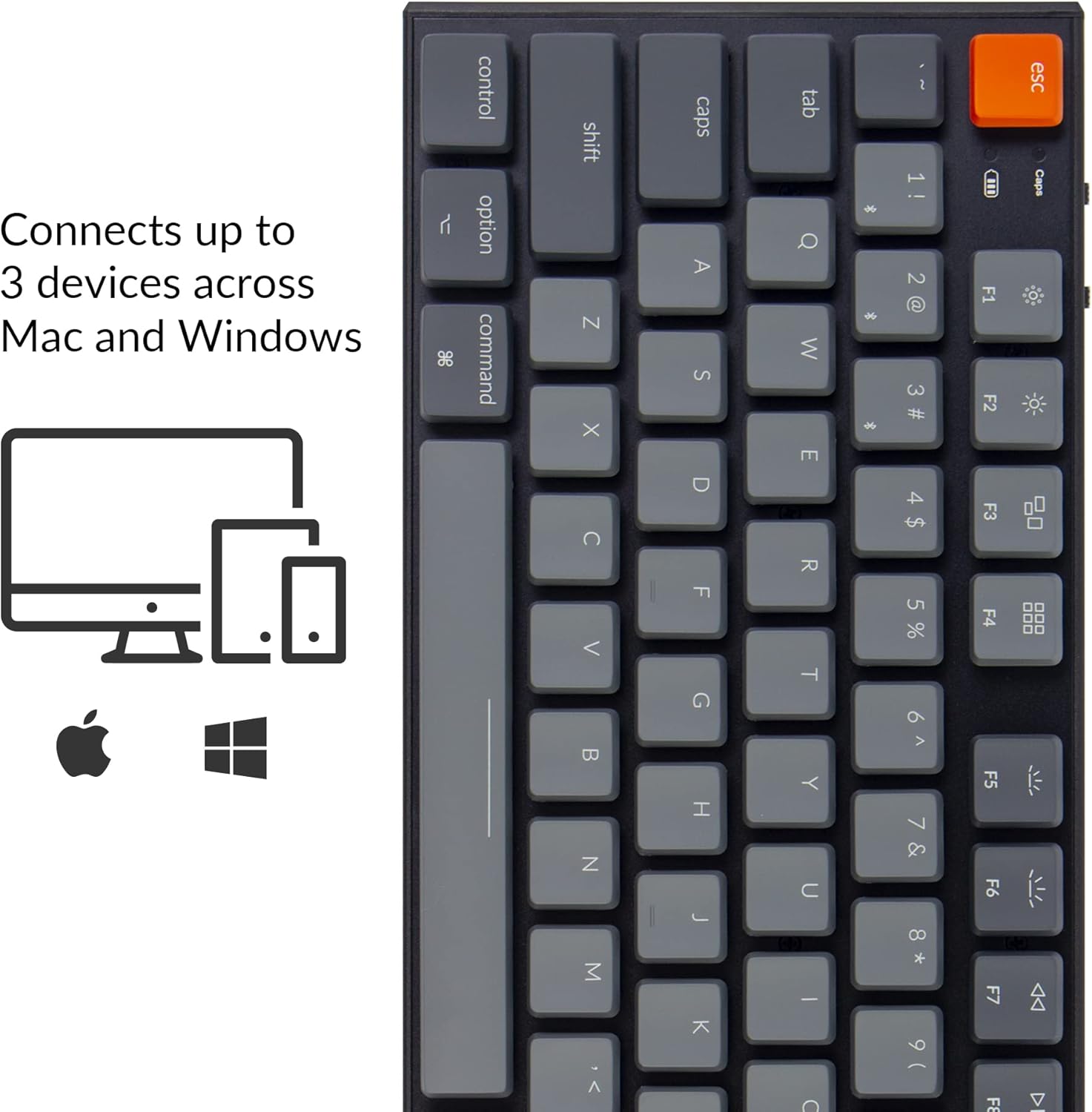
Image: Visual representation of the Keychron K1's compatibility with Mac and Windows operating systems, connecting to up to 3 devices.
Instrucciones de funcionamiento
1. Funciones clave
The K1 features an 87-key tenkeyless layout. Many keys have dual functions accessible via the Fn llave.
- Teclas multimedia: Access media controls (play/pause, volume up/down, mute) using Fn + F7 a Fn + F12.
- Control de luz de fondo: Adjust backlight brightness and effects using Fn + F5 (decrease brightness), Fn + F6 (increase brightness), and Fn + Light Bulb key (change backlight effect).
- Rollover de N teclas (NKRO): In wired mode, the keyboard supports N-Key Rollover, allowing all keys to be registered simultaneously. In wireless mode, it supports 6-Key Rollover (6KRO).

Image: The Keychron K1 keyboard with its white LED backlight illuminated, showcasing the key layout.
2. Indicador de batería
The battery indicator LED (located near the Esc key) provides information on battery status:
- Rojo (intermitente): Low battery. Please charge the keyboard.
- Verde (fijo): Completamente cargado.
- Orange (solid): Cargando.

Imagen: Primer plano view of the top-left corner of the Keychron K1 keyboard, highlighting the orange Esc key and the battery indicator light.
Mantenimiento
1. Limpieza
Para limpiar el teclado, apáguelo y desconéctelo de cualquier dispositivo. Use un paño suave y sin pelusa ligeramente seco.ampened with water or a mild cleaning solution. For dust and debris between keycaps, use compressed air or the provided keycap puller to remove keycaps and clean underneath. Avoid excessive moisture.
2. Cuidado de la batería
The Keychron K1 is equipped with a 2000 mAh Lithium Polymer battery. To prolong battery life:
- Evite descargar completamente la batería periódicamente.
- Guarde el teclado en un lugar fresco y seco si no lo utiliza durante períodos prolongados.
- Cargue el teclado utilizando una fuente de alimentación USB estándar de 5 V.
Solución de problemas
| Problema | Posible causa | Solución |
|---|---|---|
| El teclado no se conecta mediante Bluetooth | Keyboard not in pairing mode; device Bluetooth off; interference; already connected to 3 devices. | Ensure keyboard is in BT mode and pairing mode (Fn+1/2/3 held for 4s). Check device Bluetooth. Try forgetting and re-pairing the device. Ensure no more than 3 devices are paired. |
| Keys not responding in wired mode | Keyboard not in Cable mode; faulty USB cable; loose connection. | Set keyboard to "Cable" mode. Try a different USB port or cable. Ensure cable is securely connected. |
| La luz de fondo no funciona o está tenue | Backlight turned off or set to lowest brightness; low battery. | Increase brightness using Fn+F6. Change backlight effect using Fn+Light Bulb key. Charge the keyboard. |
| Keyboard randomly disconnects | Low battery; Bluetooth interference; distance from device. | Charge the keyboard. Reduce distance to device. Minimize other wireless interference. |
Presupuesto
| Característica | Detalle |
|---|---|
| Modelo | K1-A2 |
| Disposición | Tenkeyless (87 Keys) |
| Tipo de interruptor | Bajo-Profile Gateron Mechanical Blue Switch |
| Cambiar la vida útil | Hasta 50 millones de pulsaciones de teclas |
| Conectividad | Bluetooth 5.1 (Broadcom chipset) & USB Type-C Wired |
| Capacidad de la batería | Polímero de litio de 2000 mAh |
| Duración de la batería | Up to 110 hours (with backlight off) |
| Iluminar desde el fondo | LED blanco |
| Dimensiones (L x An x Al) | 13.98 x 5.31 x 1.02 pulgadas (355 x 135 x 26 mm) |
| Peso | 2.27 libras (1.03 kg) |
| Compatibilidad del sistema operativo | Mac, Windows, iOS, Android |

Image: Diagram showing the ultra-slim profile and dimensions of the Keychron K1 keyboard.

Imagen: Primer plano view of the Keychron K1 keyboard with several keycaps removed, revealing the low-profile Gateron Mechanical Blue switches and their specifications.
Garantía y soporte
Keychron products are manufactured with high-quality standards. For warranty information, technical support, or service inquiries, please visit the official Keychron webSitio web o contacte directamente con el servicio de atención al cliente. Conserve su recibo de compra como comprobante para reclamaciones de garantía.
Keychron oficial Websitio: www.keychron.com


