Introducción
Gracias por la compraasing the Fenton FT210LED Party Speaker. This manual provides essential information for the safe and correct operation of your device. Please read it thoroughly before use and retain it for future reference.
The FT210LED is a versatile portable party speaker designed for various audio needs, featuring Bluetooth connectivity, a built-in MP3 player, AUX input, and a microphone for karaoke. Its integrated battery and trolley system ensure portability, while colorful LED lighting enhances the atmosphere.
Instrucciones de seguridad importantes
- Lea atentamente todas las instrucciones antes de utilizar el dispositivo.
- Conserve este manual para futuras consultas.
- No exponga la unidad a la lluvia ni a la humedad para evitar incendios o descargas eléctricas.
- Asegúrese de que la fuente de alimentación voltage coincide con los requisitos especificados en la unidad.
- No abra la casing. No hay piezas que el usuario pueda reparar en el interior. Encargue cualquier reparación a personal cualificado.
- Evite colocar la unidad cerca de fuentes de calor o bajo la luz solar directa.
- Limpiar únicamente con un paño seco.
- No bloquee ninguna abertura de ventilación.
- Utilice únicamente accesorios especificados por el fabricante.
- Disconnect the unit during lightning storms or when unused for long periods.
Contenido del paquete
Al desembalar, asegúrese de que todos los elementos enumerados a continuación estén presentes y en buenas condiciones:
- Fenton FT210LED Party Speaker
- Micrófono con cable
- Mando a distancia
- Cable de alimentación
- Manual de usuario (este documento)

Figura 1: The Fenton FT210LED speaker shown with its accompanying remote control, power cable, and wired microphone.
Configuración
1. Carga de la batería
The FT210LED features an integrated rechargeable battery for portable use. Before first use, fully charge the speaker.
- Connect the provided power cable to the speaker's power input and a suitable wall outlet (230V / 50Hz).
- La luz indicadora de carga se iluminará.
- Allow several hours for a full charge. The indicator light may change or turn off when fully charged (refer to the specific behavior of your unit's indicator).
El altavoz se puede utilizar mientras se carga.
2. Colocación del altavoz
The FT210LED is designed for portability and can be used in various locations. It features a trolley system for easy transport.
- Using the Trolley System: Extend the retractable handle and tilt the speaker to roll it on its integrated wheels.
- En un trípode: The speaker is equipped with a hat (pole mount) for placement on a standard speaker tripod (not included). Ensure the tripod is stable and rated for the speaker's weight (11.55 kg).

Figura 2: The base of the speaker, illustrating the wheels, retractable handle, and the pole mount for tripod placement.
Instrucciones de funcionamiento
Panel de control sobreview

Figura 3: The main control panel located on the rear of the speaker, featuring media player controls, volume, tone adjustments, and input ports.

Figura 4: Un detallado view of the input section and control knobs on the speaker's rear panel.
Familiarize yourself with the control panel (Figures 3 & 4) before operation. Key controls include:
- Interruptor de alimentación: Enciende y apaga el altavoz.
- Interruptor de luz: Controla la iluminación LED.
- Reproductor multimedia: USB/MicroSD slots, display, and playback controls (Play/Pause, Next, Previous, Mode).
- Perilla de volumen: Ajusta el volumen maestro general.
- Perilla de agudos: Ajusta las frecuencias altas.
- Perilla de graves: Ajusta las frecuencias bajas.
- Perilla de volumen del micrófono: Ajusta el volumen del micrófono.
- Perilla de eco: Ajusta el efecto de eco del micrófono.
- Entrada de micrófono: Jack de 6.3 mm para conexión de micrófono.
- Entrada auxiliar: Conector de 3.5 mm para dispositivos de audio externos.
- CC 12 V externa: Input for external 12V power source (e.g., car battery, not for charging).
1. Encendido / apagado
Localizar el FUERZA switch on the control panel and toggle it to the ON Posición para encender el altavoz. Cambiar a APAGADO Apagar.
2. Conexión Bluetooth
Stream audio wirelessly from your smartphone, tablet, or laptop.
- Encienda el altavoz.
- Presione el MODO button on the control panel or remote control until "Bluetooth" or "BT" appears on the display. The speaker will enter pairing mode, indicated by a flashing Bluetooth icon or sound.
- En su dispositivo, habilite Bluetooth y busque los dispositivos disponibles.
- Select "Fenton FT210LED" from the list.
- Once connected, the speaker will emit a confirmation sound, and the Bluetooth indicator will stop flashing.
- Ahora puedes reproducir audio desde tu dispositivo a través del altavoz.
3. Reproducción USB/MicroSD
Reproducir audio MP3 files directly from a USB flash drive or MicroSD card.
- Inserte una unidad flash USB en el USB port or a MicroSD card into the MicroSD ranura.
- The speaker will automatically switch to USB/MicroSD mode and begin playing audio. If not, press the MODO Botón para seleccionar la entrada correcta.
- Utilice los controles de reproducción (REPRODUCIR/PAUSA, PRÓXIMO, ANTERIOR) on the control panel or remote control to manage playback.
4. Entrada AUX
Conecte dispositivos de audio externos mediante un cable de audio de 3.5 mm.
- Conecte un extremo de un cable de audio de 3.5 mm (no incluido) al AUX IN puerto del altavoz.
- Conecte el otro extremo al conector de auriculares o a la salida de audio de su dispositivo externo (por ejemplo, reproductor de MP3, TV).
- Presione el MODO botón hasta que aparezca "AUX" en la pantalla.
- Adjust the volume on both the speaker and your external device.
5. Uso del micrófono (karaoke)
The speaker comes with a wired microphone for karaoke or public address.
- Conecte el micrófono con cable al ENTRADA DE MICRÓFONO conector en el panel de control.
- Ensure the microphone's ON/OFF switch is in the ON posición.
- Ajuste el volumen del micrófono con el VOLUMEN DEL MICRÓFONO perilla.
- Aplicar un efecto de eco utilizando el ECO perilla.

Figura 5: The wired microphone, model DM-100, with its power switch.
6. Iluminación LED
The integrated colorful LED lights on the woofers can be turned on or off.
- Localizar el LUZ switch on the control panel.
- Cambie el interruptor a ON to activate the LED lights.
- Cambie el interruptor a APAGADO to deactivate the LED lights.

Figura 6: The speaker with its LED lights active, displaying blue and purple hues.

Figura 7: Un ángulo view del orador muestraasing its dynamic green and blue LED lighting.
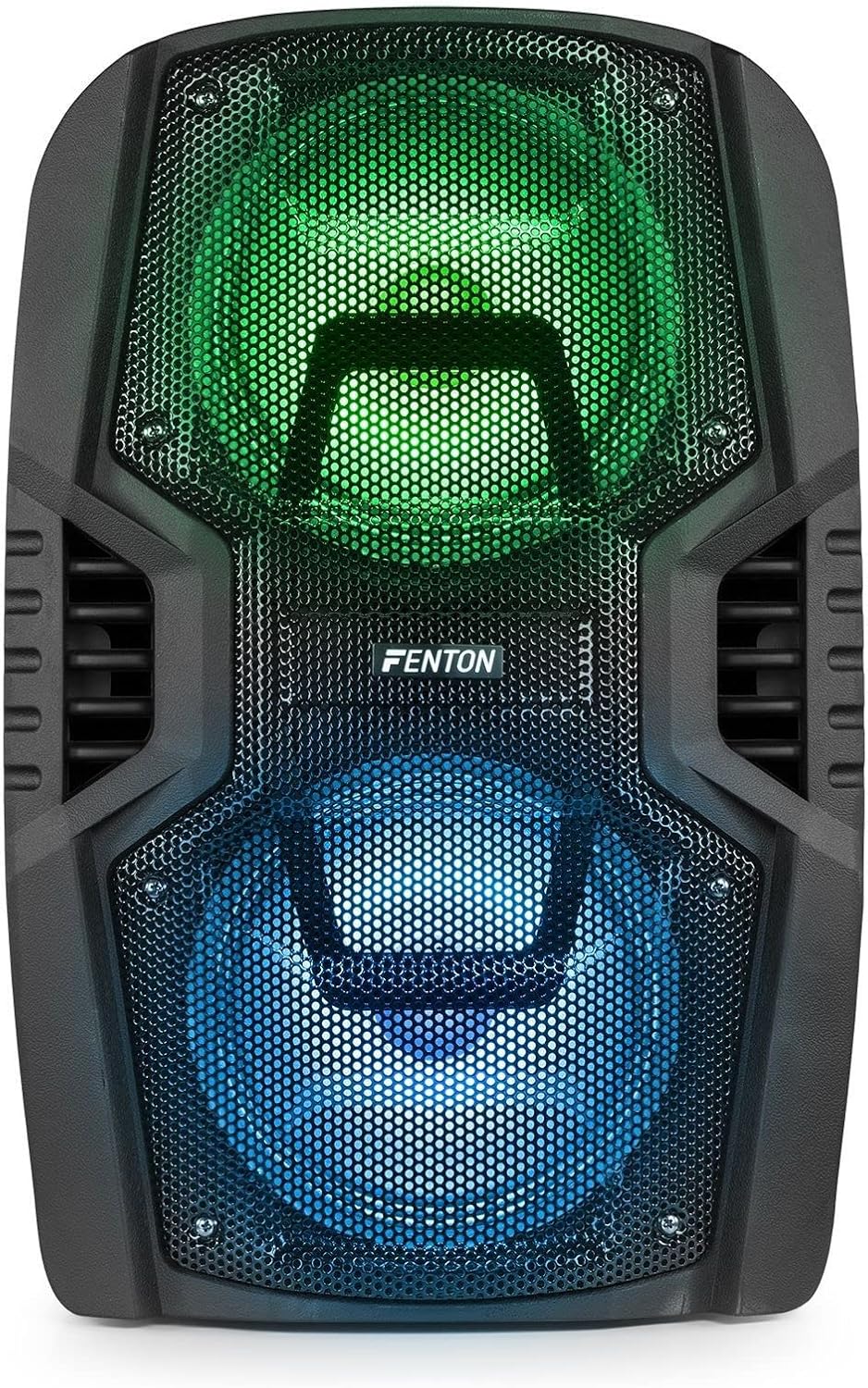
Figura 8: The front of the speaker with its LED lights displaying vibrant green and blue colors.

Figura 9: The speaker positioned in a room with low lighting, demonstrating the atmospheric effect of its blue LED lights.
Mantenimiento
- Limpieza: Utilice un paño suave y seco para limpiar el exterior del altavoz. No utilice limpiadores abrasivos, ceras ni disolventes.
- Almacenamiento: Cuando no utilice el altavoz durante períodos prolongados, guarde el altavoz en un lugar fresco y seco, alejado de la luz solar directa y de temperaturas extremas.
- Cuidado de la batería: Para prolongar la vida útil de la batería, evite descargarla por completo con frecuencia. Recárguela periódicamente si el altavoz se guarda durante un periodo prolongado.
- Ventilación: Asegúrese de que las aberturas de ventilación estén libres de polvo y residuos para evitar el sobrecalentamiento.
Solución de problemas
| Problema | Posible causa | Solución |
|---|---|---|
| Sin poder | Battery discharged; Power cable not connected; Power switch OFF. | Charge the battery; Connect power cable securely; Turn power switch ON. |
| Sin sonido | Volumen demasiado bajo; Modo de entrada incorrecto seleccionado; Dispositivo no conectado correctamente. | Increase volume; Select correct input (Bluetooth, USB, AUX); Reconnect device. |
| Bluetooth no emparejado | Speaker not in pairing mode; Device Bluetooth OFF; Too far from speaker. | Ensure speaker is in BT mode; Enable Bluetooth on device; Move device closer (within 10m). |
| El micrófono no funciona | Microphone OFF; Mic Vol too low; Microphone not connected. | Turn microphone ON; Increase Mic Vol; Connect microphone securely. |
| Las luces LED no funcionan | Light switch OFF. | Turn Light switch ON. |
Presupuesto
| Marca | Fenton |
| Número de modelo | FT210LED (170.022) |
| Potencia de salida | 700 W |
| Respuesta de frecuencia | 50 Hz - 18000 Hz |
| woofer | Doble de 10 pulgadas |
| Batería | 7.4 V / 3 Ah |
| Vol. De conexióntage | 230 V / Hz 50 |
| Entradas de audio | Bluetooth, USB, MicroSD, AUX (3.5mm), Wired Microphone (6.3mm) |
| Características especiales | Integrated LED lighting, Trolley system, Echo effect for microphone |
| Dimensiones del producto (L x An x Al) | 48.5 x 39.5 x 75.5 cm |
| Peso del artículo | 11.55 kilogramos |
| Fabricante | Tronios BV |
Garantía y soporte
Para obtener información sobre la garantía o asistencia técnica, consulte la documentación proporcionada al momento de la compra o póngase en contacto con su distribuidor. Conserve el comprobante de compra para cualquier reclamación de garantía.


