VTech CS2051 Cordless Phone User Manual
Model: CS2051 | Brand: VTech
Introducción
This user manual provides comprehensive instructions for the setup, operation, maintenance, and troubleshooting of your VTech CS2051 Cordless Phone system. Please read this manual thoroughly before using your new phone to ensure proper functionality and to take full advantage de sus características.
The VTech CS2051 is a DECT cordless phone system designed for home and office use, featuring two handsets and an integrated answering machine. It offers advanced features such as call blocking, ECO mode for energy efficiency, and a clear backlit display.
Configuración
Contenido del paquete
Asegúrese de que todos los artículos estén presentes en el paquete:
- 1 x Unidad base
- 2 x teléfonos inalámbricos
- 2 x Handset Chargers (for additional handsets)
- 2 baterías recargables NiMH
- 1 x Adaptador de corriente para unidad base
- 1 x cable de línea telefónica
- Manual de usuario (este documento)

Image: The VTech CS2051 cordless phone system, showing the main base unit with one handset docked, and a second standalone handset with its charger.
Instalación de la batería
- Abra la tapa del compartimiento de la batería en la parte posterior de cada teléfono.
- Insert the supplied NiMH rechargeable battery, observing the correct polarity (+ and -).
- Cierre la tapa del compartimento de la batería.
Conexión de la unidad base
- Conecte un extremo del cable de la línea telefónica al conector TEL LINE de la unidad base.
- Conecte el otro extremo del cable de la línea telefónica a la toma telefónica de pared.
- Connect the small end of the power adapter to the POWER jack on the base unit.
- Conecte el extremo grande del adaptador de corriente a una toma eléctrica estándar.
- Place the main handset on the base unit to charge.
Connecting Additional Handset Chargers
- Connect the power adapter for each additional charger to the POWER jack on the charger.
- Conecte el adaptador de corriente a una toma de corriente estándar.
- Place the additional handset(s) on their respective chargers to charge.
Allow the handsets to charge for at least 16 hours before initial use to ensure optimal battery performance.
Instrucciones de funcionamiento
Realizar y recibir llamadas
- Hacer una llamada: Pick up a handset, dial the number, and press the Llamar botón.
- Para recibir una llamada: Cuando suene el teléfono, presione el Llamar botón.
- Hands-Free (Speakerphone): Durante una llamada, presione el Vocero Botón para activar el altavoz.

Image: A VTech CS2051 handset with a speech bubble indicating hands-free communication, demonstrating the ease of making or receiving calls without holding the handset.
Adjusting Volume and Ringtones
You can adjust the handset's earpiece volume during a call using the navigation buttons. Ringtone volume and melody can be customized through the handset's menu settings.

Image: A VTech CS2051 handset on its base, with a visual representation of sound waves emanating from it, indicating adjustable ringtone volume and melody settings.
Bloqueo de llamadas
The VTech CS2051 allows you to block unwanted and intimidating calls. You can block up to 30 numbers by adding them to a blacklist. Refer to the handset menu for instructions on adding numbers to the call block list.
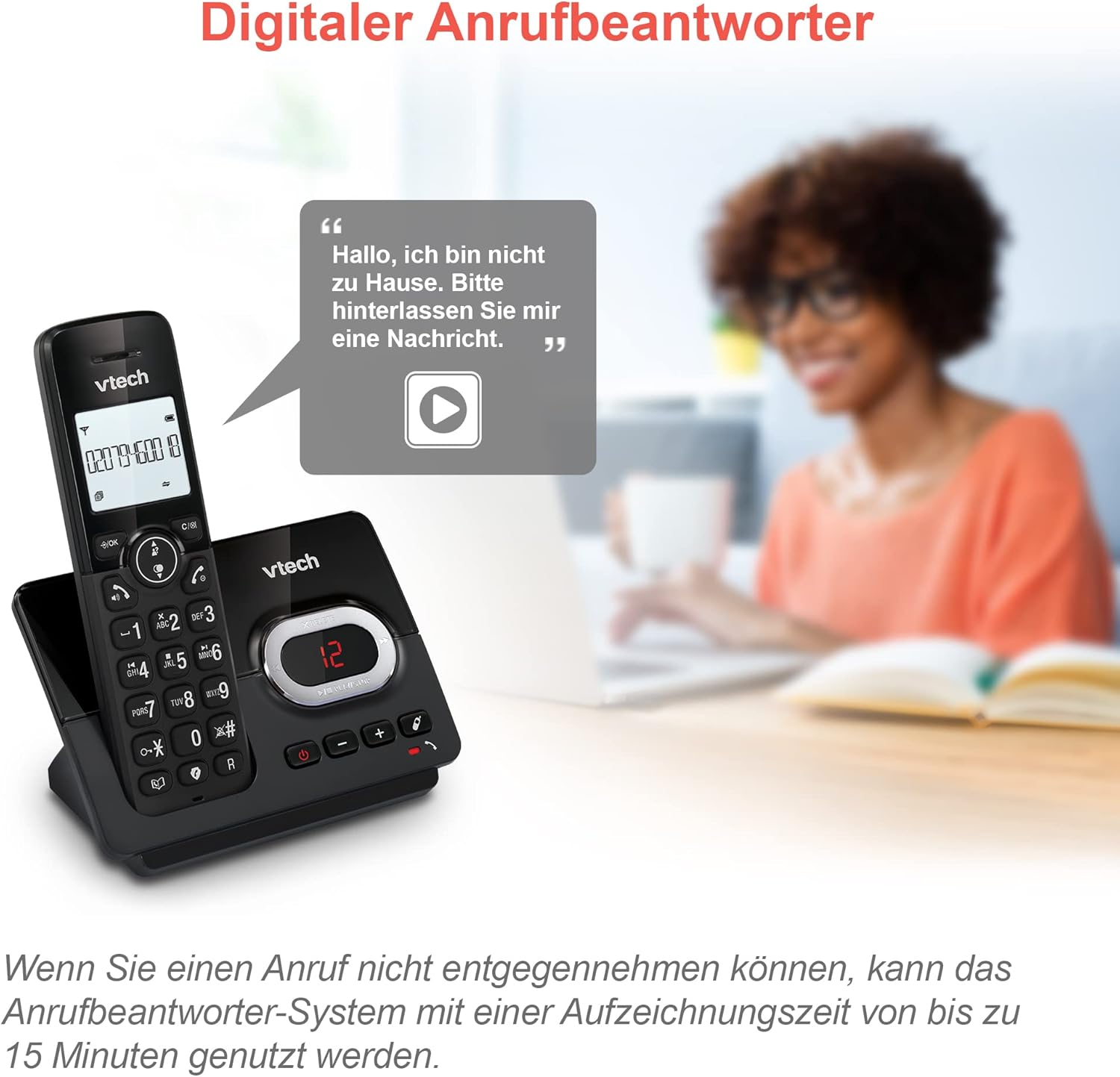
Image: A VTech CS2051 handset next to a television screen, with a "No Entry" symbol over a phone icon, illustrating the call blocking feature for unwanted and unknown calls.
Contestador automático
The integrated answering machine offers up to 15 minutes of recording time. It will automatically answer calls when you are unavailable. The digital message counter on the base unit indicates the number of new messages.
- Reproduciendo mensajes: Presione el REPRODUCIR/DETENER botón en la unidad base.
- Grabación de mensaje saliente: Access the answering machine settings via the handset menu.

Image: A VTech CS2051 handset on its base, with a speech bubble showing a voicemail message, highlighting the digital answering machine function with up to 15 minutes of recording time.
Phonebook and Redial
- Directorio telefónico: Store up to 30 names and numbers in the integrated phonebook for quick dialing.
- Rellamada Easily redial the last 10 numbers called by pressing the Redial button.
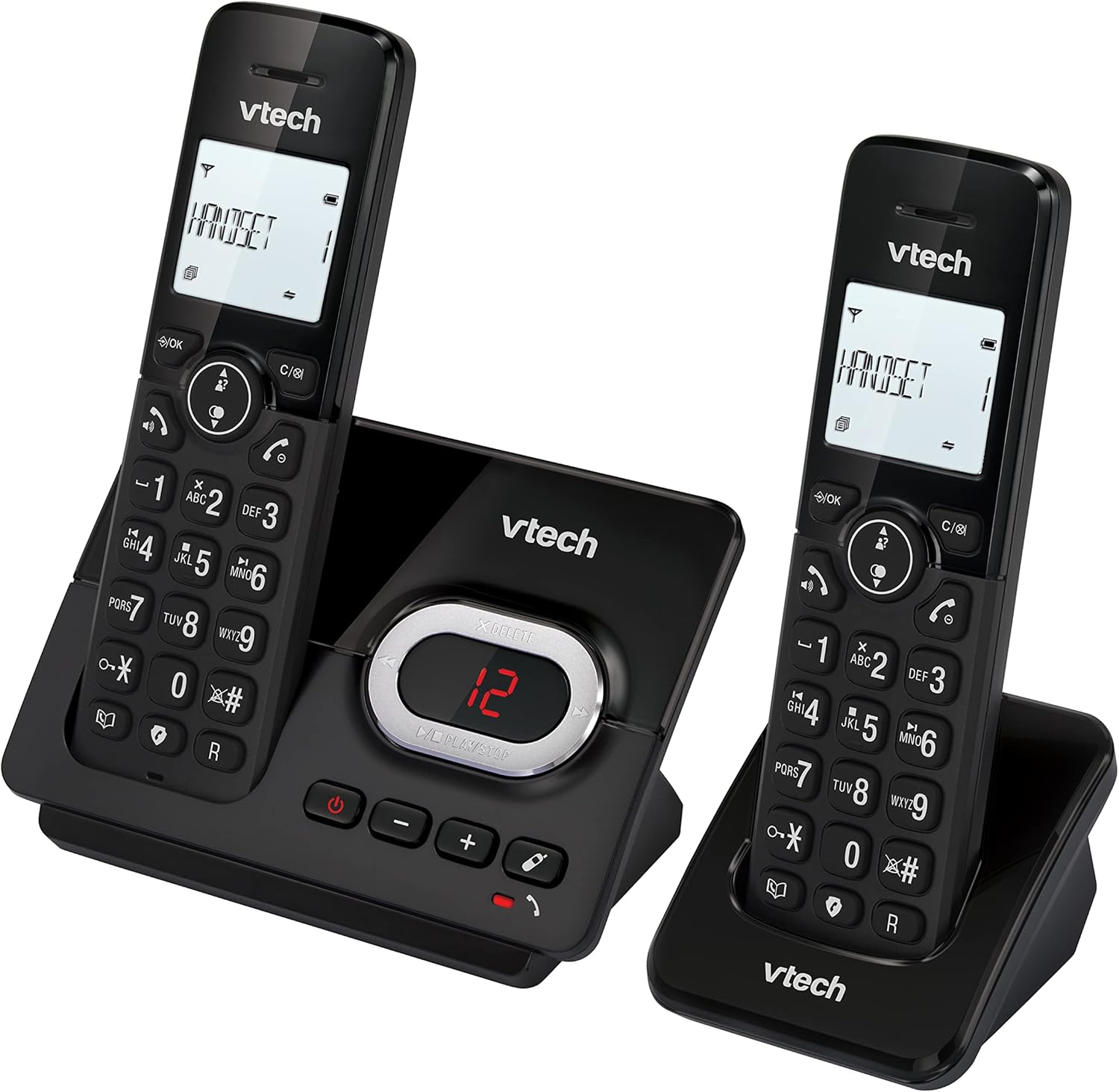
Image: A VTech CS2051 handset on its base, with an overlay showing a phonebook interface, indicating the ability to store up to 30 names and numbers.
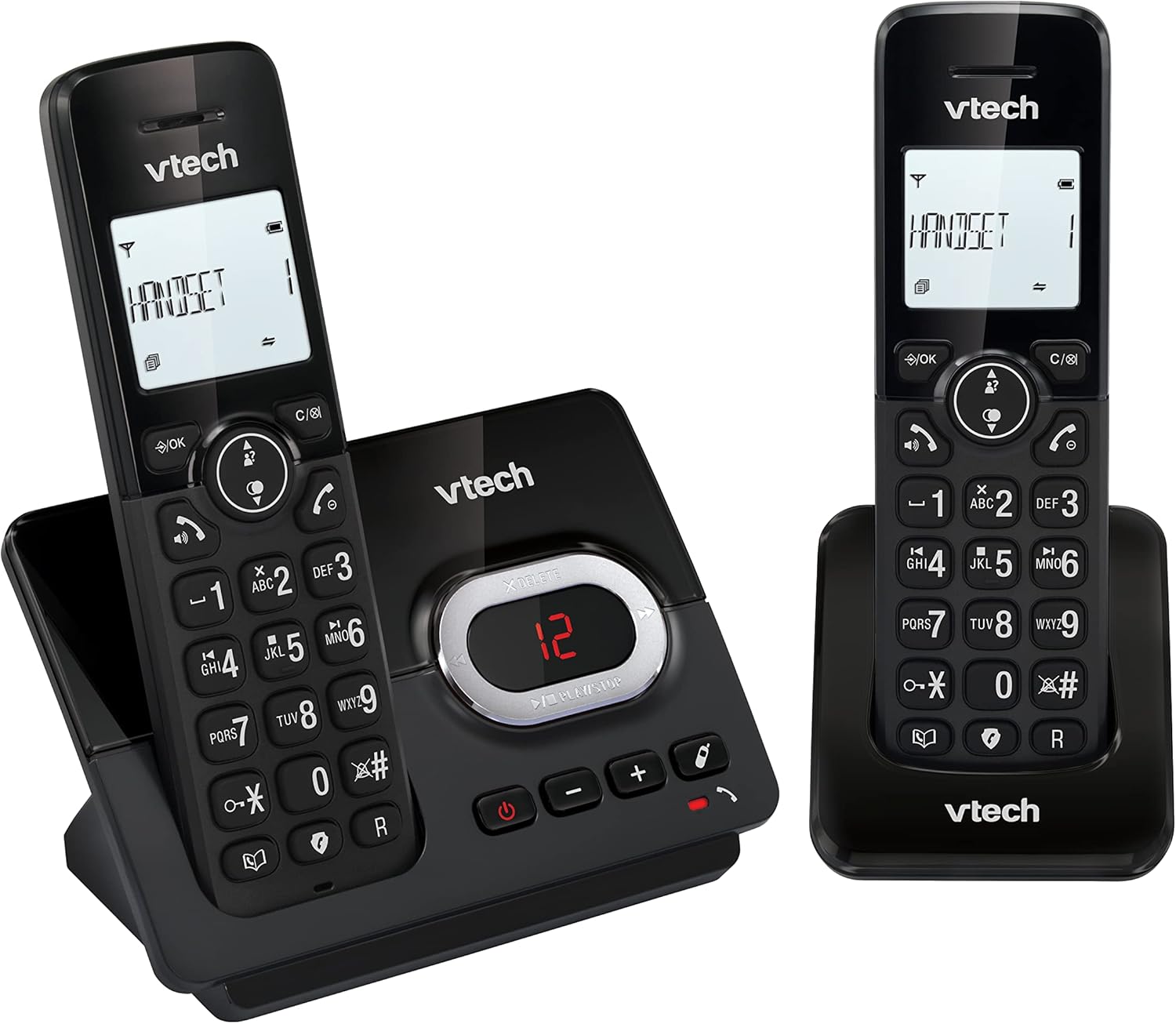
Image: A close-up of the VTech CS2051 handset's navigation buttons, with a circle highlighting the redial button, indicating the ability to redial the last 10 numbers.
Identificador de llamadas y llamada en espera
With Caller ID and Call Waiting features, you can see who is calling before you answer. The handset display shows the caller's name, number, time, and date of incoming calls.

Image: A VTech CS2051 handset on its base, with the screen displaying caller information, illustrating the Caller ID and Call Waiting features that show who is calling.
Modo ecologico
The handset automatically adjusts the radio frequency power based on its distance from the base unit. In full ECO mode, there is no transmission power in standby mode, contributing to energy saving.
Mantenimiento
- Limpieza: Clean the phone and base unit with a soft, damp Paño. No utilice aerosoles de limpieza ni productos químicos agresivos.
- Cuidado de la batería: Use only the supplied rechargeable NiMH batteries. If the phone will not be used for an extended period, remove the batteries from the handsets.
- Colocación: Place the base unit and chargers in a dry, stable location away from direct sunlight, heat sources, and moisture. Ensure adequate ventilation.
Solución de problemas
| Problema | Posible causa / solución |
|---|---|
| Sin tono de marcado |
|
| El teléfono no se carga |
|
| Mala calidad de llamada / Estática |
|
| El contestador automático no graba |
|
Presupuesto
- Modelo: CS2051
- Tecnología: DECT 6.0
- Mostrar: LCD retroiluminado de 1.8 pulgadas
- Contestador automático: Digital, hasta 15 minutos de tiempo de grabación
- Capacidad de la agenda: 30 entradas (nombres y números)
- Capacidad de bloqueo de llamadas: Hasta 30 números
- Memoria de identificación de llamadas: Almacena las últimas 20 llamadas
- Tipo de batería: NiMH rechargeable battery (included)
- Rango: Hasta 300 metros (campo abierto)
- Color: Negro
- Peso: 660 Grams (approximate, for the system)
- Dispositivos compatibles: Analog telephone networks, router with analog connection
Garantía y soporte
VTech products are manufactured to high quality standards. For warranty information, please refer to the warranty card included in your product packaging or visit the official VTech webSitio web de su región. Conserve el recibo de compra como comprobante.
For technical support or service inquiries, please contact VTech customer support. Contact details can typically be found on the VTech websitio o en el embalaje del producto.
Recursos en línea: For the latest information, FAQs, and support, please visit the official VTech support websitio.


