1. Introducción
Gracias por la compraasing the Audizio Monza DAB+ FM Radio with Bluetooth. This manual provides essential information for the safe and correct operation of your device. Please read it thoroughly before use and retain it for future reference.
The Audizio Monza is a versatile portable radio offering DAB+ digital radio, FM radio, and Bluetooth connectivity for wireless audio streaming. It features a 2.4-inch full-color display, alarm functions, and a universal headphone output.
2. Instrucciones de seguridad
- No exponga la unidad a la lluvia ni a la humedad para evitar descargas eléctricas.
- No abra la carcasa; en su interior no hay piezas que el usuario pueda reparar.
- Utilice únicamente el adaptador de corriente proporcionado.
- Mantenga la unidad alejada de fuentes de calor y luz solar directa.
- Asegúrese de que haya una ventilación adecuada alrededor de la unidad.
- Limpiar únicamente con un paño seco.
3. Contenido del paquete
- Audizio Monza DAB+ FM Radio
- Adaptador de corriente
- Manual de usuario (este documento)
4. Producto terminadoview
4.1 Controles del panel frontal
The front panel features a 2.4-inch full-color display, control buttons, and a central rotary knob for navigation and volume control.

Un frente claro view of the Audizio Monza radio, showing the digital radio display tuned to 'NPO Radio 2' with current time and signal strength indicator. The control knobs and buttons are visible.
4.2 Conexiones del panel posterior
The rear panel includes the power input and a headphone jack.

The back panel of the Audizio Monza radio, indicating the DC 9V power input and a 3.5mm headphone jack. This illustrates the universal headphone output feature, which mutes the speakers when headphones are connected.
5. Configuración
5.1 Conexión de alimentación
- Connect the supplied power adapter to the DC 9V input on the rear of the radio.
- Conecte el adaptador de corriente a una toma de pared adecuada.
5.2 Encendido inicial y selección de idioma
- Presiona el boton de poder (U) para encender la radio.
- The display will prompt you to select a language. Use the rotary knob to navigate and press OK para confirmar su selección.
5.3 Ajuste de la antena
Extienda completamente la antena telescópica para una recepción óptima de radio DAB+ y FM. Ajuste su posición para obtener la mejor calidad de señal.
6. Instrucciones de funcionamiento
Selección de 6.1 modos
Presione el MODO button to switch between DAB+ Radio, FM Radio, and Bluetooth modes.
6.2 Funcionamiento de la radio DAB+
- Select DAB+ Radio mode using the MODO botón.
- The radio will automatically perform a full scan for available DAB+ stations upon first use or if no stations are found. To initiate a scan manually, press the ESCANEAR botón.
- Use the rotary knob to browse through the list of available stations. Press OK para seleccionar una estación.
- Para guardar una estación como preestablecida, mantenga presionada la tecla PROGRAMAR Botón. Use el botón giratorio para seleccionar un número preestablecido (1-10) y presione OK Para confirmar.
- Para recuperar una estación preestablecida, presione brevemente la tecla PROGRAMAR botón, luego use la perilla giratoria para seleccionar el ajuste preestablecido deseado y presione OK.
6.3 Funcionamiento de la radio FM
- Seleccione el modo de radio FM usando el MODO botón.
- Para buscar automáticamente la siguiente estación disponible, presione el botón ESCANEAR botón.
- To manually tune, rotate the rotary knob.
- Saving and recalling FM presets follows the same procedure as DAB+ presets (see 6.2).
6.4 Funcionamiento de Bluetooth
- Seleccione el modo Bluetooth usando el MODO button. The display will show "Bluetooth Connected" or "Bluetooth Pairing".
- On your Bluetooth-enabled device (e.g., smartphone, MP3 player, laptop), enable Bluetooth and search for available devices.
- Select "Audizio Monza" from the list of devices.
- Una vez emparejado, puede transmitir audio desde su dispositivo a la radio.
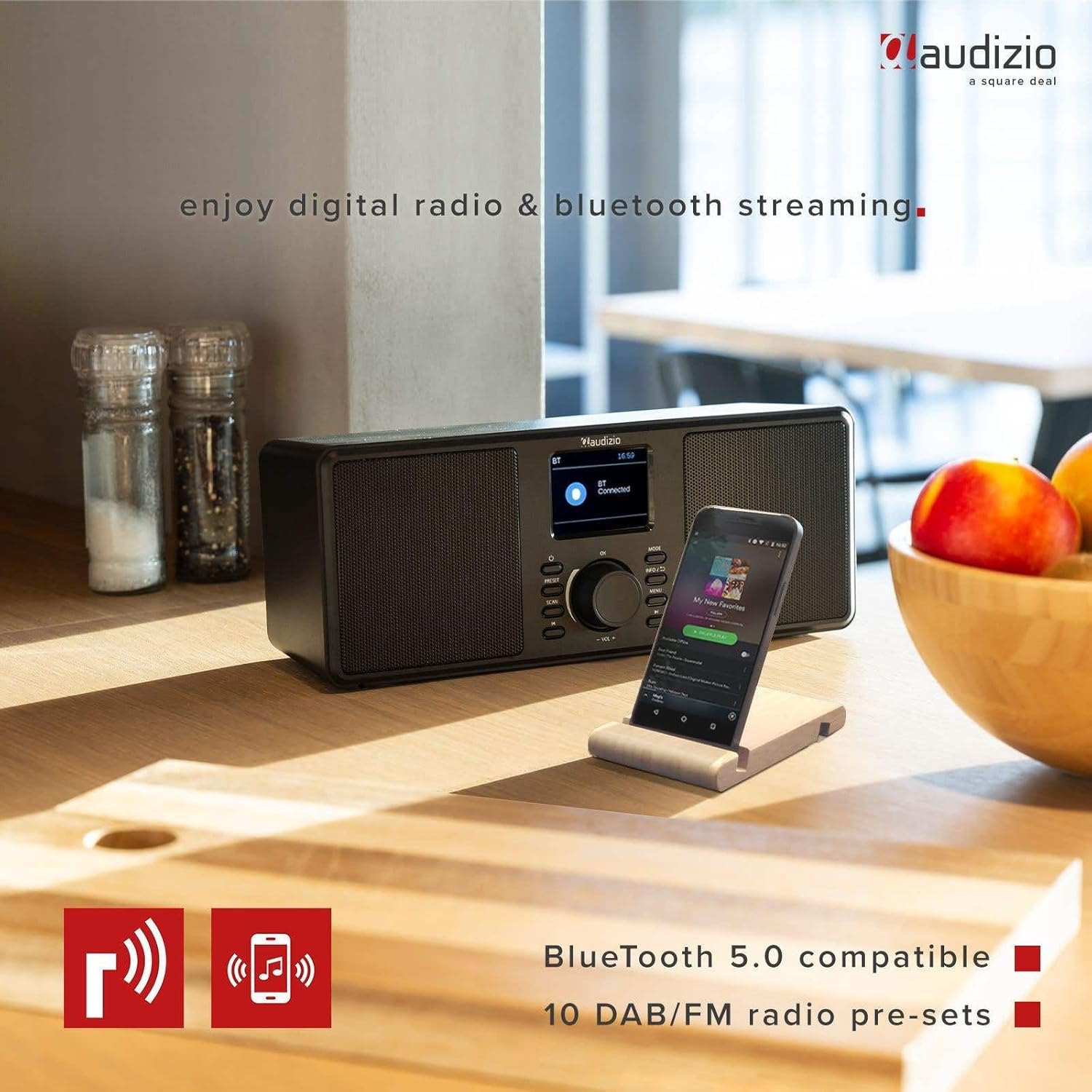
The Audizio Monza radio shown next to a smartphone, illustrating its Bluetooth streaming capability for playing music from mobile devices. The image highlights Bluetooth 5.0 compatibility and 10 DAB/FM radio pre-sets.
6.5 Función de alarma y repetición
The radio includes an alarm function with DAB/FM/buzzer wake-up options.

A close-up of the radio's screen displaying detailed alarm settings, including Alarm 2 status (Off), frequency (Daily), wake-up time (06:00), source (Digital Radio), preset (Last Listened), and duration (60 minutes).
- Presione el MENÚ button and navigate to the Alarm settings.
- Follow the on-screen prompts to set the alarm time, source (DAB, FM, or Buzzer), frequency (Daily, Weekdays, Weekends, Once), and duration.
- Cuando suene la alarma, presione el DORMITAR botón (a menudo integrado con el OK botón o un botón dedicado) para silenciarlo temporalmente.
- Para apagar la alarma, presione el FUERZA botón.
6.6 Uso de auriculares
Connect 3.5mm headphones to the headphone jack on the rear panel. The radio's speakers will automatically mute when headphones are connected.
7. Mantenimiento
7.1 Limpieza
Wipe the radio's surface with a soft, dry, lint-free cloth. Do not use abrasive cleaners, waxes, or solvents as they may damage the finish.
7.2 Almacenamiento
If storing the radio for an extended period, disconnect it from the power outlet and store it in a cool, dry place away from direct sunlight and extreme temperatures.
8. Solución de problemas
| Problema | Posible causa | Solución |
|---|---|---|
| Sin poder | Adaptador de corriente no conectado o defectuoso. | Asegúrese de que el adaptador de corriente esté conectado de forma segura a la radio y a una toma de corriente que funcione. |
| No hay recepción de radio / Mala calidad de sonido | Antenna not extended or poorly positioned. Weak signal. | Fully extend and adjust the telescopic antenna. Try moving the radio to a different location. Perform a new station scan. |
| El Bluetooth no se conecta | Radio not in Bluetooth mode. Device not in pairing mode or out of range. | Ensure the radio is in Bluetooth mode. Make sure your device's Bluetooth is on and in pairing mode. Move your device closer to the radio. |
| No hay sonido de los altavoces | Volumen demasiado bajo. Auriculares conectados. | Sube el volumen. Desconecte los auriculares si no los usa. |
| Radio presets not saving | Procedimiento de guardado incorrecto. | Asegúrese de mantener presionado el PROGRAMAR button to save, and then press OK to confirm the preset number. |
9. Especificaciones
| Característica | Especificación |
|---|---|
| Marca | Audizio |
| Modelo | Monza (102.420) |
| Dimensiones (L x An x Al) | 36 x 14.5 x 15.5 cm |
| Peso | 1.4 kilogramos |
| Tamaño de la pantalla | 2.4 pulgadas |
| Tecnología de sintonizador | DAB+, FM |
| Bandas de radio compatibles | VHF II (87.5-108 MHz), VHF III (174-240 MHz) |
| Tecnología de conectividad | Bluetooth |
| Interfaz de hardware | Audio de 3.5 mm |
| Speaker Output Power (Max) | 50 vatios |
| Fuente de poder | Battery (external power adapter required) |
| Frecuencia | 60 Hz |
| Característica especial | Portátil |
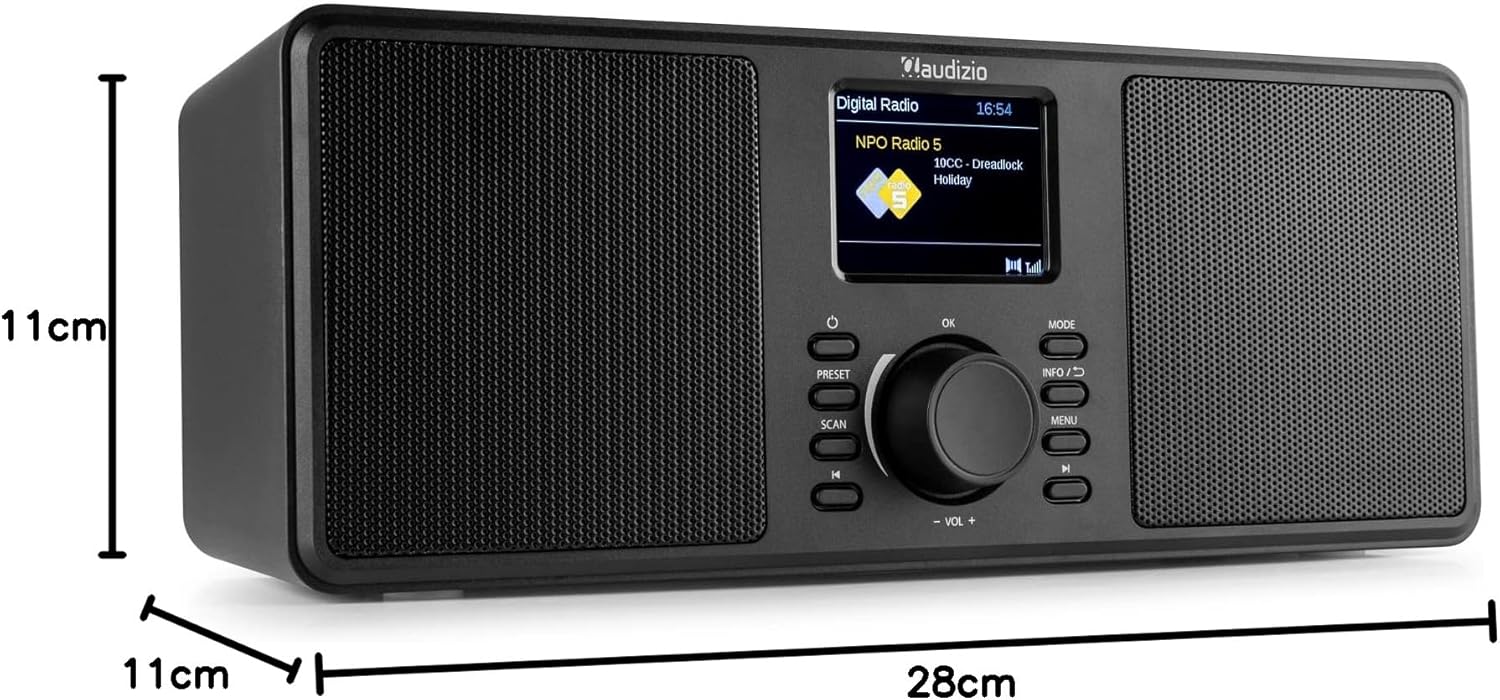
An image illustrating the physical dimensions of the Audizio Monza radio: 28cm width, 11cm height, and 11cm depth.
10. Garantía y soporte
10.1 Información de garantía
Warranty terms and conditions are typically provided with your purchase documentation or can be found on the official Audizio webSitio web. Conserve su comprobante de compra para cualquier reclamación de garantía.
10.2 Atención al cliente
For technical support or service inquiries, please refer to the contact information provided in your purchase documentation or visit the official Audizio websitio para obtener detalles de su servicio al cliente.