Introducción
The Crosley Voyager Record Player is designed to combine classic vinyl listening with modern audio technology. This portable turntable supports multiple record speeds and features built-in speakers, Bluetooth connectivity for both input and output, and various audio ports for versatile use. This manual provides essential information for setting up, operating, and maintaining your record player.
¿Qué hay en la caja?
- CR8017B-BK Turntable Unit
- Adaptador de 45 RPM
- Adaptador de corriente
Características del producto
- Three-Speed Belt-Drive Turntable: Reproduce discos de 33 1/3, 45 y 78 RPM.
- Control de tono ajustable: Ajuste la velocidad de reproducción.
- Palanca de señalización: Gently lowers and raises the needle.
- Bluetooth In: Stream digital music from your device to the turntable's built-in speakers.
- Salida Bluetooth: Connect the turntable wirelessly to external Bluetooth speakers.
- Built-in Dynamic Full-Range Stereo Speakers: Salida de audio integrada.
- Entrada auxiliar: Conecte fuentes de audio externas mediante un cable de audio de 3.5 mm.
- Salida RCA: Connect to an external stereo system for enhanced audio.
- Toma de auriculares: Para escucha privada.
- Diseño de maleta portátil: Compact and easy to transport with a carry handle.

Image: Key features of the Crosley Voyager turntable, highlighting the 3-speed selector, compact and portable design, and built-in stereo speakers.
Configuración
- Desembalaje del plato giratorio: Carefully remove all components from the packaging. Ensure all packing materials are removed from the turntable platter and tonearm.
- Coloque el plato giratorio: Position the turntable on a flat, stable surface away from direct sunlight, heat sources, or excessive vibration.
- Conecte la electricidad: Insert the power adaptor into the DC 12V input jack on the back of the turntable, then plug the adaptor into a wall outlet.
- Quitar el protector del lápiz: Gently remove the white plastic stylus protector from the needle.
- Encendido inicial: Gire la perilla de ENCENDIDO/VOLUMEN en sentido horario para encender la unidad. El indicador de encendido se iluminará.

Image: Rear panel of the turntable, displaying the DC 12V power input, RCA Line Out, and Aux In ports for external connections.
Instrucciones de funcionamiento
Reproducción de discos
- Seleccionar velocidad: Set the speed selector switch (33, 45, or 78 RPM) to match the record you are playing. Use the included 45 RPM adapter for 7-inch records with large center holes.
- Registro de lugar: Coloque un disco en el plato giratorio.
- Desbloquear brazo: Suelte el clip del brazo.
- Raise Tonearm: Levante la palanca de señal para levantar el brazo.
- Posición del brazo: Manually move the tonearm over the desired track of the record.
- Brazo inferior: Gently lower the cueing lever to place the stylus on the record. The platter will begin to spin.
- Ajustar el volumen: Gire la perilla de ENCENDIDO/VOLUMEN para ajustar el nivel de sonido.
- Ajustar el tono: Utilice la perilla de control PITCH para ajustar la velocidad de reproducción si es necesario.
- Fin de la reproducción: When the record finishes, the tonearm will automatically return to its rest position (if auto-stop is enabled). Lift the tonearm, return it to the rest, and secure the clip.
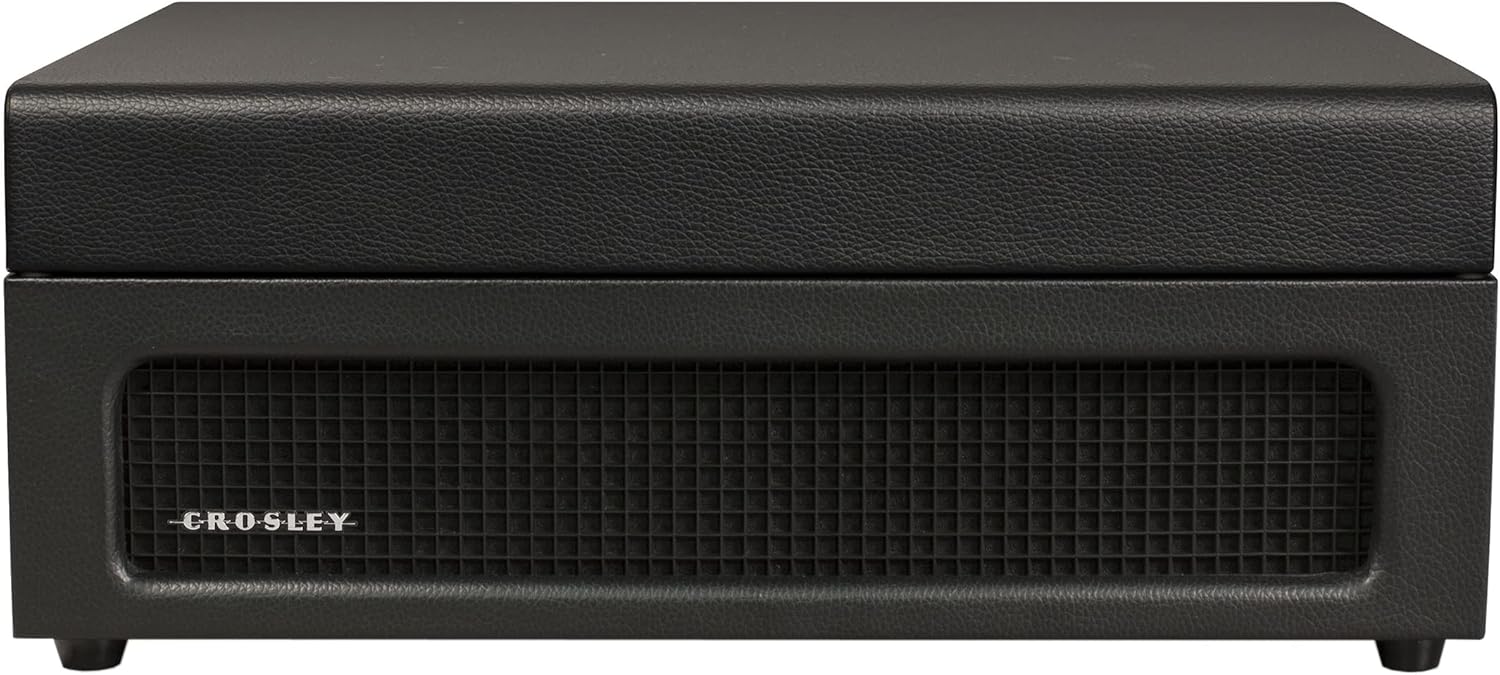
Imagen: de arriba hacia abajo view of the turntable with a record spinning, illustrating the tonearm in position and the control panel.
Entrada Bluetooth (transmisión a tocadiscos)
- Seleccionar modo Bluetooth: Slide the PHONO/BT switch to the BT position. The Bluetooth indicator light will flash blue.
- Emparejar dispositivo: On your Bluetooth-enabled device (e.g., smartphone, tablet), search for "Crosley Voyager" in the Bluetooth settings and pair. Once connected, the indicator light will glow solid blue.
- Tocar música: Start playing music on your device. The audio will stream through the turntable's built-in speakers.
- Ajustar el volumen: Control the volume using both your device and the turntable's POWER/VOLUME knob.
Image: The turntable with a smartphone icon and Bluetooth logo, indicating the ability to stream digital music through its built-in speakers.
Bluetooth Output (Streaming from Turntable)
- Habilitar el emparejamiento en el altavoz externo: Ponga su altavoz Bluetooth externo en modo de emparejamiento.
- Seleccionar el modo de salida Bluetooth: Slide the PHONO/BT switch to the BT position. The Bluetooth indicator light will flash blue.
- Iniciar emparejamiento: The turntable will automatically search for and connect to the nearest Bluetooth speaker in pairing mode. Once connected, the indicator light will glow solid blue.
- Reproducir registro: Place a record and begin playback as described above. The audio will now stream to your external Bluetooth speaker.

Image: The turntable with a Bluetooth logo, illustrating its capability to stream vinyl audio to external Bluetooth speakers (speaker not included).
Using Aux Input or Headphone Jack
- Entrada auxiliar: Connect an external audio device (e.g., MP3 player) to the AUX IN port on the back of the turntable using a 3.5mm audio cable. The audio will play through the turntable's speakers.
- Toma de auriculares: For private listening, plug headphones into the headphone jack on the front panel. The built-in speakers will be muted.
Mantenimiento
- Limpieza del lápiz óptico: Use a soft brush to gently clean the stylus (needle) from back to front. Avoid touching the stylus with your fingers.
- Limpieza del plato giratorio: Wipe the turntable cabinet with a soft, dry cloth. Do not use harsh chemicals or abrasive cleaners.
- Cuidado de registros: Mantenga los discos limpios y sin polvo. Guárdelos verticalmente en sus fundas para evitar que se deformen.
- Reemplazo de la aguja: The stylus has a limited lifespan. If sound quality deteriorates, replace the stylus. Consult Crosley support for compatible replacement styli.
Solución de problemas
If you experience issues with your Crosley Voyager turntable, please refer to the following common solutions:
- Sin energía: Ensure the power adaptor is securely connected to both the turntable and a working wall outlet. Check if the POWER/VOLUME knob is turned on.
- Sin sonido:
- Check the POWER/VOLUME knob and turn it up.
- If using Bluetooth output, ensure the external speaker is powered on and paired correctly.
- If using RCA output, verify connections to your stereo system and its input selection.
- Si utiliza auriculares, asegúrese de que estén completamente enchufados.
- Ensure the stylus protector has been removed.
- Sonido saltado o distorsionado:
- Limpie el disco y la aguja.
- Asegúrese de que el plato giratorio esté sobre una superficie estable y nivelada.
- Check if the record is warped or damaged.
- Verify the correct speed setting (33 1/3, 45, or 78 RPM) is selected.
- Problemas de emparejamiento de Bluetooth:
- Ensure the turntable is in the correct Bluetooth mode (input or output).
- Make sure your device or external speaker is in pairing mode and within range.
- Try restarting both the turntable and the Bluetooth device.
Presupuesto
| Dimensiones del producto: | 12 x 14.5 x 6 pulgadas |
| Peso del artículo: | 7.25 libras |
| Velocidad máxima de rotación: | 78 RPM |
| Material: | Plástico |
| Estilo: | Bluetooth In/Out |
| Color: | Negro |
| Nombre del modelo: | Viajero |
| Dispositivos compatibles: | Altavoz, Auriculares |

Image: Detailed diagram illustrating the overall dimensions of the Crosley Voyager turntable.
Vídeo oficial del producto
Vídeo: Un vídeo oficial del producto que muestraasing the Crosley CR8017B-BK Voyager Record Player, highlighting its design and features.
Garantía y soporte
Crosley products are proudly designed in the USA and come with USA-based customer support. For warranty information, technical assistance, or replacement parts, please visit the official Crosley webSitio web o contacte con el departamento de atención al cliente. Conserve el recibo de compra para reclamaciones de garantía.
Advertencia sobre la Proposición 65: Este producto puede contener sustancias químicas que el estado de California reconoce como causantes de cáncer, defectos congénitos u otros daños reproductivos. Para obtener más información, visite www.P65Warnings.ca.gov.