1. Introducción
This manual provides essential information for setting up, operating, maintaining, and troubleshooting your HP Pavilion 15 Laptop. Designed for everyday computing, this laptop features an 11th Gen Intel Core i3-1115G4 Processor, 16 GB RAM, and a 512 GB PCIe SSD, running on Windows 10. Please read this manual thoroughly to ensure optimal performance and longevity of your device.

Figura 1.1: The HP Pavilion 15 Laptop in a typical usage environment, demonstrating its compact design suitable for various settings.
2. Configuración
2.1 Desembalaje e inspección inicial
Retire con cuidado todos los componentes del embalaje. Compruebe que todos los artículos enumerados a continuación estén presentes y sin daños.

Figura 2.1: Contents of the box, including the HP 15 Laptop, 45 W Smart AC power adapter, and setup poster. The image also details the laptop's dimensions and port locations.
- Portátil HP 15
- Adaptador de alimentación de CA inteligente de 45 W
- Póster de instalación
2.2 Conexión del adaptador de corriente
Conecte el adaptador de CA al puerto de alimentación de la laptop y luego a una toma de corriente. Se recomienda cargar completamente la batería antes del primer uso.
2.3 Encendido inicial y configuración del sistema operativo
Presiona el botón de encendido para encender la laptop. Sigue las instrucciones en pantalla para completar la configuración de Windows 10 Home, incluyendo la selección de idioma, la conexión de red y la creación de la cuenta de usuario.
3. Operación de su computadora portátil
3.1 Teclado y panel táctil
La HP Pavilion 15 cuenta con un teclado de tamaño completo con teclado numérico integrado para una entrada de datos eficiente. El panel táctil admite gestos multitáctiles para la navegación.
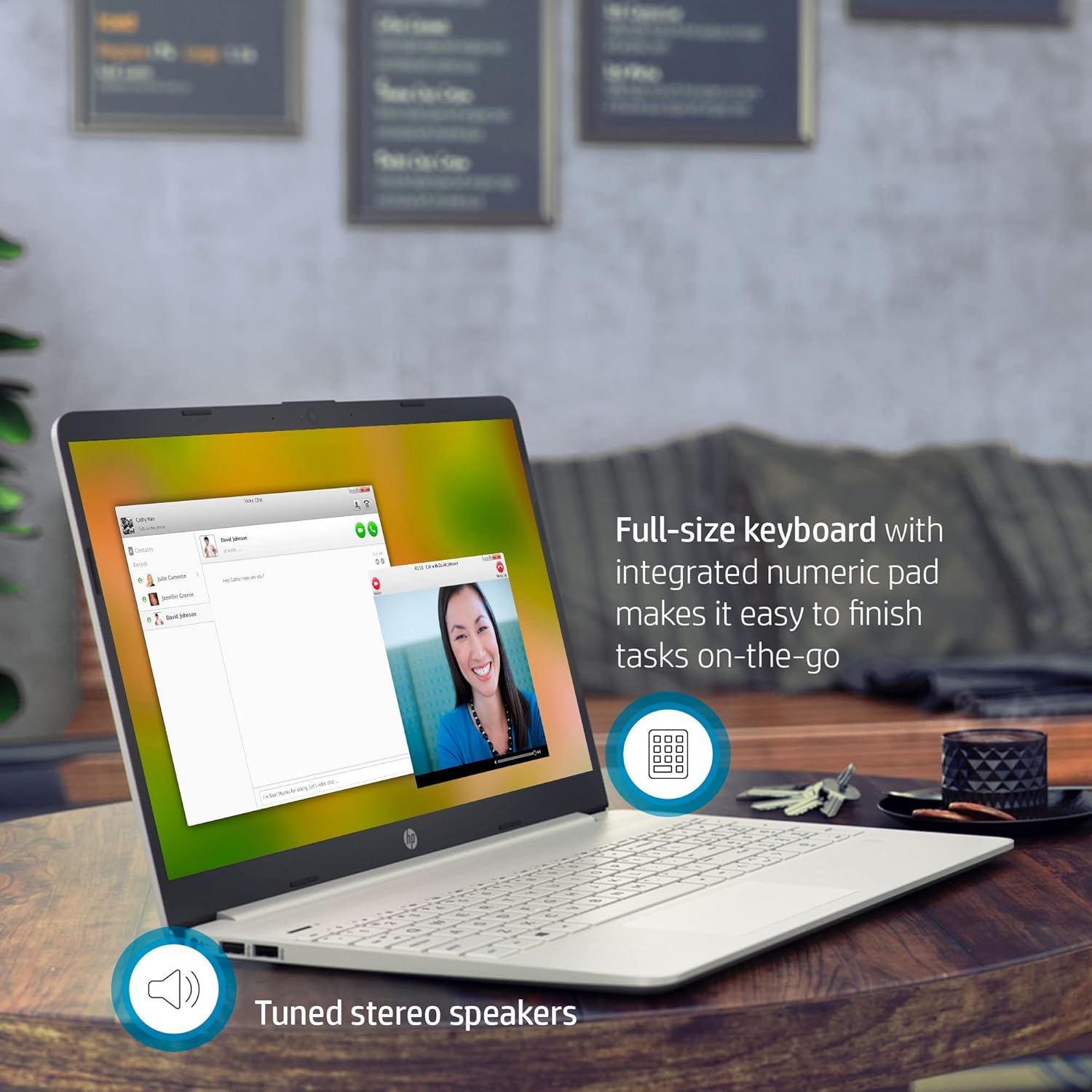
Figura 3.1: The HP Pavilion 15 Laptop showcasing its full-size keyboard with numeric pad and the location of the tuned stereo speakers.
3.2 Conexión de dispositivos externos (puertos)
Su computadora portátil está equipada con varios puertos para conectar dispositivos externos:
- 1 SuperSpeed USB Type-C® 5Gbps signaling rate: Para transferencia de datos de alta velocidad y conexión de dispositivos USB-C compatibles.
- 2 SuperSpeed USB Type-A 5Gbps signaling rate: Para conectar dispositivos USB estándar como ratones, teclados o unidades externas.
- 1 HDMI 1.4b: Para conectar a pantallas o proyectores externos.
- 1 pin inteligente de CA: Para conectar el adaptador de corriente.
- 1 Combo de auriculares y micrófono: Para entrada y salida de audio.
- Lector de tarjetas multimedia SD multiformato: Para leer tarjetas de memoria SD.
3.3 Conectividad inalámbrica
The laptop supports Intel Wireless Wi-Fi for internet access and Bluetooth for connecting wireless peripherals.
- Wifi: Access network settings in Windows to connect to available Wi-Fi networks.
- Bluetooth: Enable Bluetooth in Windows settings to pair with devices such as headphones or speakers.
3.4 Cámara y audio
The HP Pavilion 15 includes an HP True Vision Camera with a dual array digital microphone, ideal for video conferencing and online communication. Tuned stereo speakers provide clear audio output.

Figura 3.2: The HP Pavilion 15 Laptop in use for a video call, demonstrating the HP True Vision Camera and the edge-to-edge HD micro-edge display.
3.5 Gestión de la batería
The laptop is designed to provide up to 11 hours of battery life under optimal conditions. To maximize battery longevity:
- Ajuste el brillo de la pantalla a un nivel cómodo.
- Cierre las aplicaciones que no utilice.
- Utilize Windows power-saving modes.
- Evite temperaturas extremas.
4. Mantenimiento
4.1 Limpieza de su computadora portátil
- Utilice un paño suave y sin pelusa ligeramente seco.ampLimpiar con agua o con un limpiador de pantalla.
- Para el teclado y el chasis, utilice un paño suave. Evite productos químicos agresivos.
- Utilice periódicamente aire comprimido para limpiar el polvo de las rejillas de ventilación.
4.2 Actualizaciones de software
Actualice periódicamente su sistema operativo Windows y sus controladores para garantizar la seguridad y un rendimiento óptimo. Acceda a Windows Update desde el menú Configuración.
4.3 Gestión del almacenamiento
Repita periódicamenteview y eliminar lo innecesario files to maintain sufficient free space on your 512 GB PCIe SSD, which contributes to faster system performance.
5. Solución de problemas
5.1 Problemas comunes y soluciones
- La computadora portátil no enciende: Asegúrese de que el adaptador de corriente esté bien conectado y que la batería tenga suficiente carga. Pruebe con otra toma de corriente.
- Sin pantalla: Conecte un monitor externo para comprobar si el problema está en la pantalla del portátil. Reinícielo.
- Problemas de conectividad Wi-Fi: Comprueba si el Wi-Fi está habilitado en la configuración de Windows. Reinicia el router y la laptop.
- Rendimiento lento: Cierre las aplicaciones innecesarias, verifique si hay malware y asegúrese de tener suficiente espacio de almacenamiento libre.
Para obtener una solución de problemas más detallada, consulte el soporte de HP. website or the Windows Help documentation.
6. Especificaciones
| Característica | Detalle |
|---|---|
| Nombre del modelo | Pabellón HP 15 |
| Procesador | Intel Core i3-1115G4 de 11.ª generación (hasta 4.1 GHz) |
| Gráficos | Gráficos Intel UHD (integrados) |
| RAM | Memoria SDRAM DDR16 de 4 GB |
| Almacenamiento | Unidad de estado sólido PCIe NVMe M.2 de 512 GB |
| Mostrar | Pantalla HD de 15.6 pulgadas (1366 x 768), microborde y antirreflejo |
| Sistema operativo | Windows 10 Home (64 bits) |
| Puertos | 1x SuperSpeed USB Type-C, 2x SuperSpeed USB Type-A, 1x HDMI 1.4b, 1x AC Smart Pin, 1x Headphone/Mic Combo, Multi-format SD Card Reader |
| Conectividad inalámbrica | Wi-Fi inalámbrico Intel, Bluetooth |
| Cámara | HP True Vision Camera with dual array digital microphone |
| Audio | High Definition Audio, Tuned stereo speakers |
| Duración de la batería | Hasta 11 horas (promedio) |
| Dimensiones (LxAnxAl) | 14.11 x 9.53 x 0.71 pulgadas (35.84 x 24.21 x 1.80 cm) |
| Peso | 3.72 libras (1.69 kg) |
| Color | Plata natural |
7. Información de garantía
Your HP Pavilion 15 Laptop is covered by a standard manufacturer's warranty. Specific warranty terms and conditions may vary by region and purchase date. Please refer to the warranty documentation included with your product or visit the official HP support website for detailed information regarding your warranty coverage, including duration and service options.
8. Atención al cliente
Para obtener asistencia técnica, descargas de controladores o más soporte, visite el soporte oficial de HP. webSitio. También puede encontrar preguntas frecuentes y foros de la comunidad allí.
- Soporte HP Websitio: soporte.hp.com
- Documentación en línea: Access additional manuals and guides specific to your model.