Introducción
Welcome to the user manual for your new KONIX Electric Keyboard Piano, Model PJ61Z. This portable 61-key electronic keyboard is designed for beginners and experienced musicians alike, offering touch-sensitive keys, Bluetooth MIDI connectivity, and a wide array of tones and rhythms. This manual provides essential information on setting up, operating, maintaining, and troubleshooting your keyboard to ensure a fulfilling musical experience.
Producto terminadoview
The KONIX PJ61Z keyboard features 61 standard-sized, touch-sensitive keys, allowing for expressive play. It integrates modern connectivity options and a rich sound library to support various musical styles and learning methods.
Características principales:
- 61 teclas sensibles al tacto: Provides dynamic response based on key pressure.
- Función MIDI Bluetooth: Seamlessly connect to music apps like Garage Band, Perfect Piano, and Pop Piano for interactive learning and creation.
- Amplia biblioteca de sonidos: Includes 129 tones, 128 rhythm patterns, and 30 built-in demo songs.
- Múltiples modos de jugabilidad: Features dual keyboards, split function, teaching mode, dual voice, record, playback, chord metronome, and transpose functions.
- Diseño portátil: Lightweight and compact, ideal for travel and practice anywhere.
- Fuente de alimentación dual: Operates on a built-in rechargeable Lithium battery or via USB charging.
Componentes:
The package typically includes the KONIX PJ61Z keyboard, a sustain pedal, a USB charging cable, a power adapter, and a portable carrying bag.

Image: The KONIX PJ61Z keyboard shown with its included accessories: a carrying bag, sustain pedal, USB cable, and power adapter. A tablet displaying a music app is positioned above the keyboard, indicating its connectivity features.
Configuración
1. Powering On Your Keyboard:
- Energía de la batería: The keyboard has a built-in rechargeable Lithium battery. Ensure it is charged for portable use. A full charge provides approximately 6-8 hours of playtime.
- Carga USB: Connect the provided USB cable to the keyboard's USB/DC 5V port and the other end to the power adapter, a computer, or a power bank. Plug the adapter into a wall outlet.
- Localizar el Botón de encendido (ON/OFF switch) on the side panel of the keyboard. Slide it to the 'ON' position to power on the device.
2. Conexión de accesorios:
- Pedal de sostenido: Insert the sustain pedal cable into the Puerto de pedal de sustain on the side of the keyboard. This allows you to sustain notes as you play.
- Auriculares: For private practice, connect standard 3.5mm headphones to the Toma de auriculares. This will mute the internal speakers.
- External Audio Input (Aux-In): Utilice el Puerto de entrada auxiliar to connect an external audio source (e.g., smartphone, MP3 player) and play along with your favorite music through the keyboard's speakers.
- USB/MIDI Connection: El USB/MIDI Port allows you to connect the keyboard to a computer or other smart devices for MIDI data transfer, enabling music editing and creation.

Imagen: Un detalle view of the KONIX PJ61Z keyboard's side panel, highlighting the various ports: Headphone Jack, Aux-In Port, Sustain Pedal Port, USB/MIDI Port, and the Power Button (ON/OFF switch). Each port is clearly labeled with an icon and text description.
Instrucciones de funcionamiento
1. Funciones básicas:
- Control de volumen: Use the 'Vol' buttons (Up/Down arrows) on the control panel to adjust the overall volume.
- Selección de tono: Press the 'Tone' button and use the Up/Down arrows to cycle through the 129 available tones. The display will show the current tone number.
- Selección de ritmo: Press the 'RHY' button and use the Up/Down arrows to select from the 128 rhythm patterns.
- Canciones de demostración: Press the 'Demo' button to play one of the 30 built-in demo songs. Use the Up/Down arrows to select different songs.
- Dynamics (Touch Sensitivity): The keyboard features touch-sensitive keys. The volume and timbre of the sound will vary based on how hard you press the keys. This feature is automatically active.
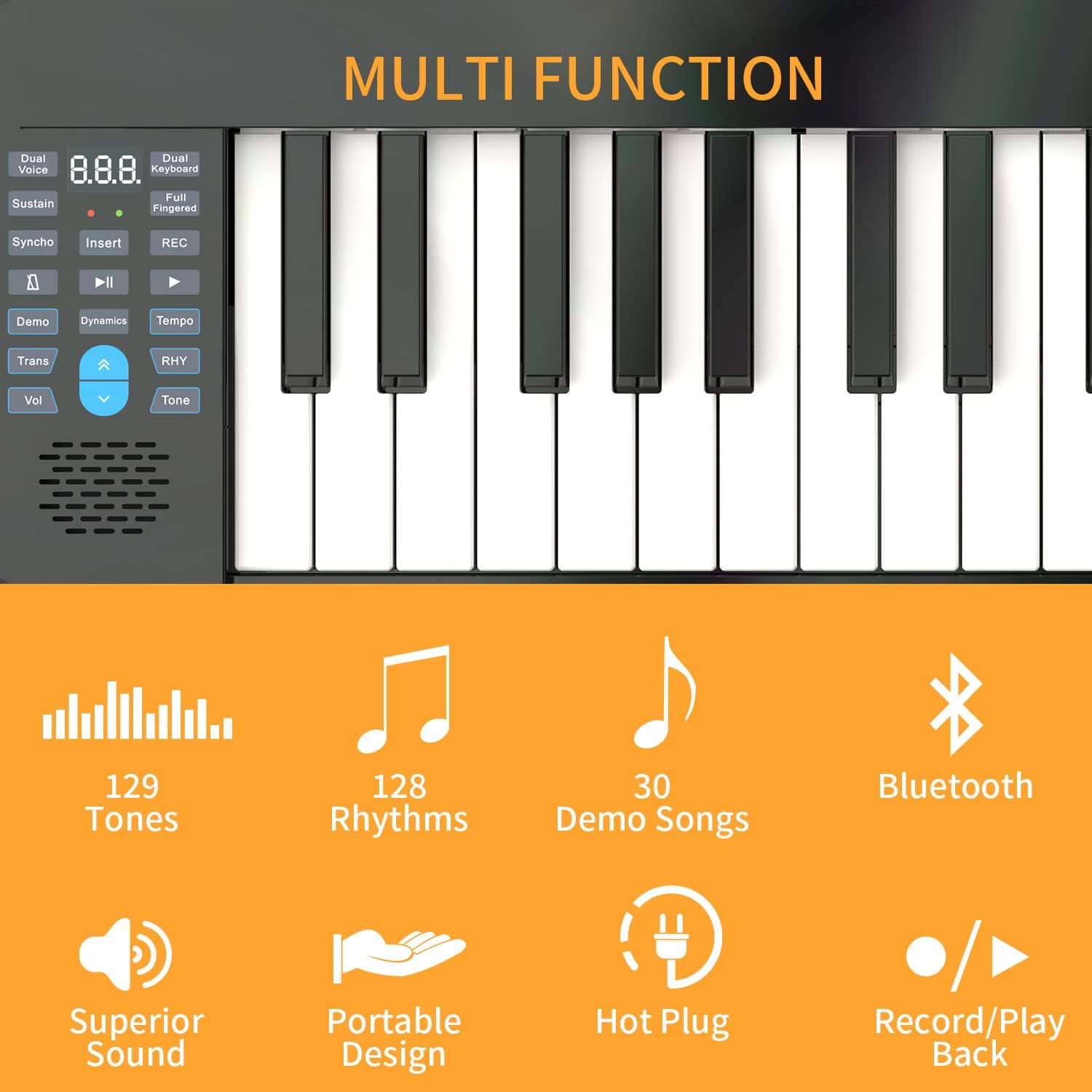
Imagen: Un primer plano view of the KONIX PJ61Z keyboard's control panel, showing buttons for Dual Voice, Sustain, Synchro, Demo, Transpose, Volume, Tone, Rhythm, and the display. Icons indicate features like 129 Tones, 128 Rhythms, 30 Demo Songs, Bluetooth, Superior Sound, Portable Design, Hot Plug, and Record/Playback.
2. Funciones avanzadas:
- Función MIDI Bluetooth:
- Ensure Bluetooth is enabled on your smart device (tablet, smartphone, computer).
- On your device, open a compatible piano learning app (e.g., Garage Band, Perfect Piano, Pop Piano).
- Within the app's settings, search for and connect to the KONIX keyboard via Bluetooth MIDI.
- Once connected, you can use the keyboard to control the app's sounds and features, enhancing your learning and playing experience.
- Grabación y reproducción: Press the 'Record' button to begin recording your performance. Press 'Playback' to listen to your recorded piece.
- Voz dual: This function allows you to layer two different tones simultaneously. Refer to the specific button on the control panel.
- Función dividida: Divides the keyboard into two sections, each with its own tone, useful for duets or teaching.
- Modo de enseñanza: Engage teaching mode to follow along with built-in lessons or app-based tutorials.
- Transponer: Adjust the pitch of the entire keyboard up or down in semitone steps without changing your finger positions.

Image: An illustration demonstrating the MIDI functionality of the KONIX keyboard. It shows the keyboard connected wirelessly to a tablet, and wired to a desktop computer and a smartphone, all running music software like Garageband, Perfect Piano, and Pop Piano. This highlights the keyboard's versatility in connecting with various intelligent devices for music creation and practice.
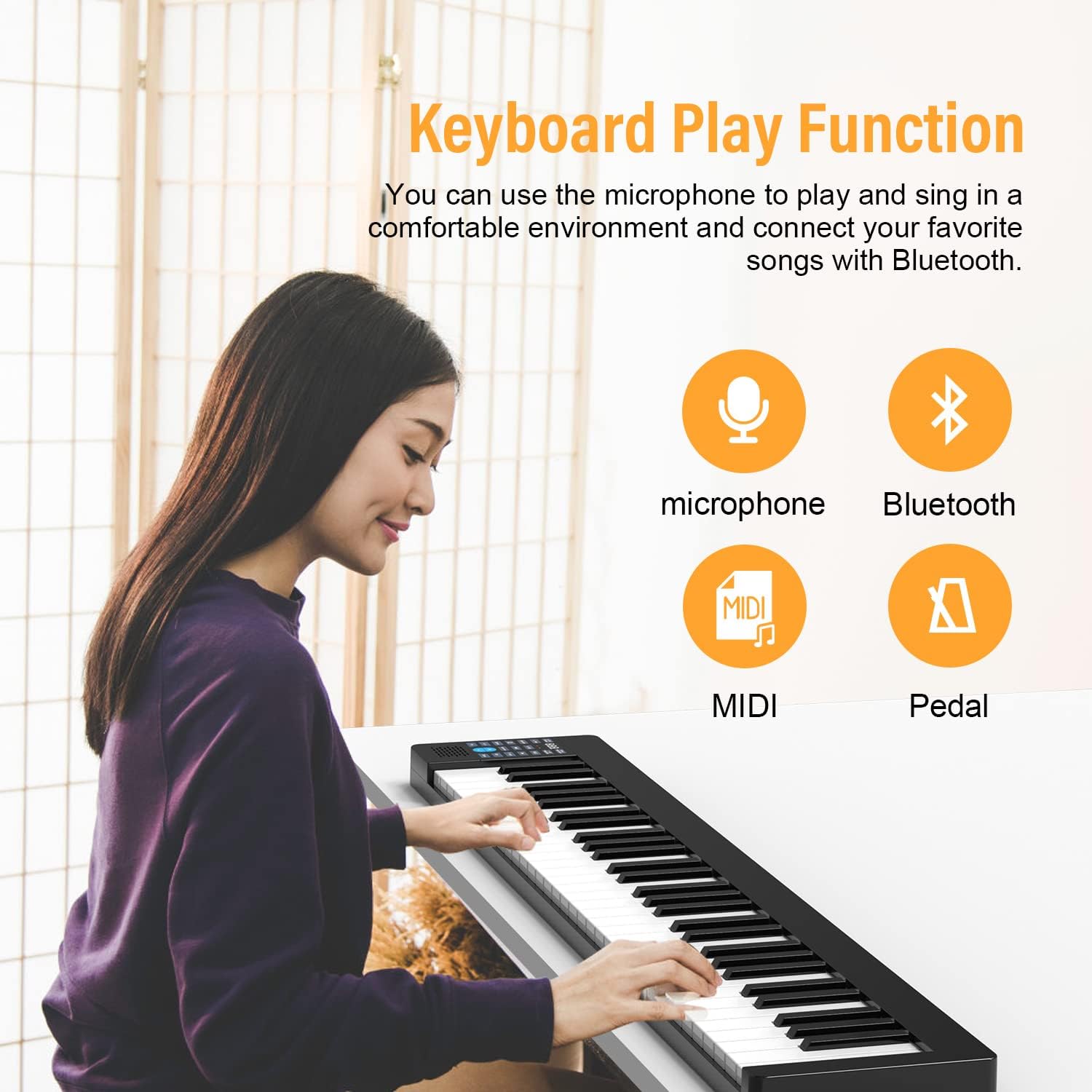
Image: A person playing the KONIX keyboard, with icons indicating Microphone, Bluetooth, MIDI, and Pedal functions. This illustrates the various ways the keyboard can be used for performance and connectivity.
Mantenimiento
- Limpieza: Utilice un paño suave y seco para limpiar la superficie del teclado. Para la suciedad difícil, utilice un paño ligeramente seco.amp cloth can be used, but ensure no moisture enters the keys or control panel. Avoid abrasive cleaners or solvents.
- Almacenamiento: When not in use, store the keyboard in its provided carrying bag to protect it from dust and scratches. Keep it in a cool, dry place away from direct sunlight and extreme temperatures.
- Cuidado de la batería: Para prolongar la vida útil de la batería, evite descargarla completamente con frecuencia. Si la va a guardar durante un período prolongado, cárguela aproximadamente al 50 % y recárguela cada pocos meses.
- Manejo: Handle the keyboard with care. Avoid dropping it or placing heavy objects on it, as this can damage the internal components or keys.
Solución de problemas
If you encounter issues with your KONIX keyboard, please refer to the following common troubleshooting steps:
| Problema | Posible causa | Solución |
|---|---|---|
| No hay sonido en los altavoces/auriculares. |
|
|
| Problemas de conexión MIDI Bluetooth. |
|
|
| Keys not responding or inconsistent touch sensitivity. |
|
|
| Corta duración de la batería. |
|
|
If the problem persists after trying these solutions, please contact KONIX customer support for further assistance.
Presupuesto
| Característica | Detalle |
|---|---|
| Nombre del modelo | PJ61Z |
| Número de llaves | 61 |
| Tipo de clave | Sensible al tacto |
| Tonos | 129 tipos |
| Patrones rítmicos | 128 tipos |
| Canciones de demostración | 30 incorporados |
| Conectividad | Bluetooth MIDI, USB, 3.5mm Headphone Jack, Aux-In |
| Fuente de poder | Built-in Rechargeable Lithium Battery, Corded Electric (USB) |
| Tipo de batería | Se requiere 1 batería de iones de litio |
| Peso del artículo | 7.73 libras (aprox. 3.5 kg) |
| Dimensiones del paquete | 38.8 x 8.8 x 4 pulgadas (aprox. 98.5 x 22.4 x 10.2 cm) |
| Color | Negro |
| Software compatible | Garage Band, Perfect Piano, Pop Piano |
Garantía y soporte
For information regarding warranty coverage, returns, or technical support, please refer to the documentation included with your purchase or visit the official KONIX website. You may also contact KONIX customer service directly for assistance with any product-related inquiries.
KONIX Official Store: Visit the KONIX Store on Amazon


