1. Introducción
The SONOFF MINI R3 is a compact and powerful smart switch designed to transform your traditional appliances and lighting into smart devices. With a maximum load current of 16A, it offers robust control for various home applications. This manual provides detailed instructions for installation, operation, and troubleshooting to ensure a seamless smart home experience.

The SONOFF MINI R3 Smart Switch, a compact device designed for smart home integration, shown alongside its retail packaging. The packaging highlights compatibility with eWeLink app, Google Assistant, and Alexa.
2. Producto terminadoview y características
The MINI R3 offers a range of features for comprehensive home automation:
- Maximum Load Current 16A: Capaz de manejar aparatos de alta potencia.
- Control remoto eWeLink: Enables control via a 3-button smart scene controller (e.g., SONOFF S-MATE).
- No Neutral Wire Solution: Can be installed in switch boxes without a neutral wire when paired with S-MATE.
- Open REST API: Allows integration with existing home automation systems like Home Assistant via LAN.
- Control de voz: Compatible with Amazon Alexa, Google Assistant, and Alice.
- Funciones de programación y temporizador: Automate device operation based on time.
- Modo DIY: Para una personalización avanzada.
- Tamaño compacto: Designed for easy installation in standard switch boxes.
- Seguridad certificada: TUV, CE, and FCC certified for reliability and safety.

An infographic detailing the main features of the SONOFF MINI R3: 16A maximum load, eWeLink-Remote control capability, a solution for installations without a neutral wire, and TUV Rheinland certification for safety and quality. Additional icons indicate control anywhere, DIY mode, schedule, voice control, group control, compact size, inching mode, and LAN control.
¿Qué hay en la caja?
- Interruptor inteligente x 1
- Mounting base x 1
- Guía rápida x 1
3. Configuración e instalación
3.1 Diagrama de cableado
Ensure power is OFF before wiring. Follow the appropriate wiring diagram for your setup. The MINI R3 supports both neutral wire and no-neutral wire solutions (when paired with S-MATE).

A visual explanation of how the SONOFF MINI R3 and S-MATE work together. The S-MATE connects to an ordinary wall switch, acting as a remote controller, and communicates with the MINI R3 via eWeLink-Remote signal. The S-MATE is battery-powered, eliminating the need for a neutral wire in the switch box.
3.2 Instalación de la aplicación
Download the eWeLink app to control your SONOFF MINI R3. The app is available on both Android and iOS platforms.
Scan the QR code or visit the link below to download:
Descargar la aplicación eWeLink

The side of the SONOFF Smart Switch packaging, providing instructions to download the eWeLink App via QR code or direct links to Google Play and App Store, and stating 'MADE IN CHINA'.
3.3 Emparejamiento de su dispositivo
Follow the in-app instructions to pair your MINI R3 with the eWeLink app. For pairing with S-MATE, ensure both devices are powered on and follow the specific pairing mode instructions in the app.

Un lado a lado view of the SONOFF MINI R3 and the S-MATE, emphasizing their combined solution for switch boxes without a neutral wire. Key benefits highlighted are 16A capacity, no neutral wire solution, and ability to retain existing switches.
4. Instrucciones de funcionamiento
4.1 Control básico de encendido y apagado
Once paired, you can turn the connected device on or off directly from the eWeLink app. You can also use the physical switch if an S-MATE is connected.
4.2 Remote Control (eWeLink-Remote)
The MINI R3 acts as an eWeLink-Remote gateway. When paired with an S-MATE, you can control the MINI R3 and other smart devices even without an internet connection (LAN control).

A technical diagram illustrating two control methods for the S-MATE: controlling devices built into the 'eWeLink-Remote gateway' (MINI R3) when no internet is available, and triggering other smart devices in a smart scene via cloud connection.
4.3 Control de voz
Integrate your MINI R3 with popular voice assistants for hands-free control:
- Amazon Alexa: Link your eWeLink account in the Alexa app.
- Asistente de Google: Link your eWeLink account in the Google Home app.
- Alicia: (Specific regional support may vary)

Una muestra de collageasing the home automation capabilities: controlling devices remotely via the eWeLink app, using Siri voice control (with a note about HomeKit temporary non-support), integrating with Alexa, Google Assistant, and Alice, and setting up smart scenes for automated actions like temperature-based fan control.
4.4 Programación y escenas inteligentes
Use the eWeLink app to set schedules for your devices to turn on/off automatically. Create smart scenes to trigger actions based on various conditions (e.g., turn on lights when motion is detected, or control a fan based on temperature).
4.5 DIY Mode and LAN Control
For advanced users, the MINI R3 supports DIY mode and LAN control, allowing integration with local home automation platforms without relying on cloud services.
5. Mantenimiento
The SONOFF MINI R3 requires minimal maintenance. Ensure the device is kept in a dry environment and away from extreme temperatures. Periodically check wiring connections for security. Firmware updates will be pushed via the eWeLink app; ensure your device is updated for optimal performance and security.
6. Solución de problemas
If you encounter issues with your SONOFF MINI R3, consider the following common problems and solutions:
- Dispositivo sin conexión: Check Wi-Fi connectivity. Ensure the device is within range of your router. Restart the device and router.
- Fallo de emparejamiento: Ensure the device is in pairing mode. Check your Wi-Fi password and network type (2.4GHz only).
- No Neutral Wire Issue: If your switch box lacks a neutral wire, ensure you are using the SONOFF S-MATE for proper functionality.
- Physical Switch Not Responding (with S-MATE): Check the battery in the S-MATE. Ensure the S-MATE is correctly paired with the MINI R3.
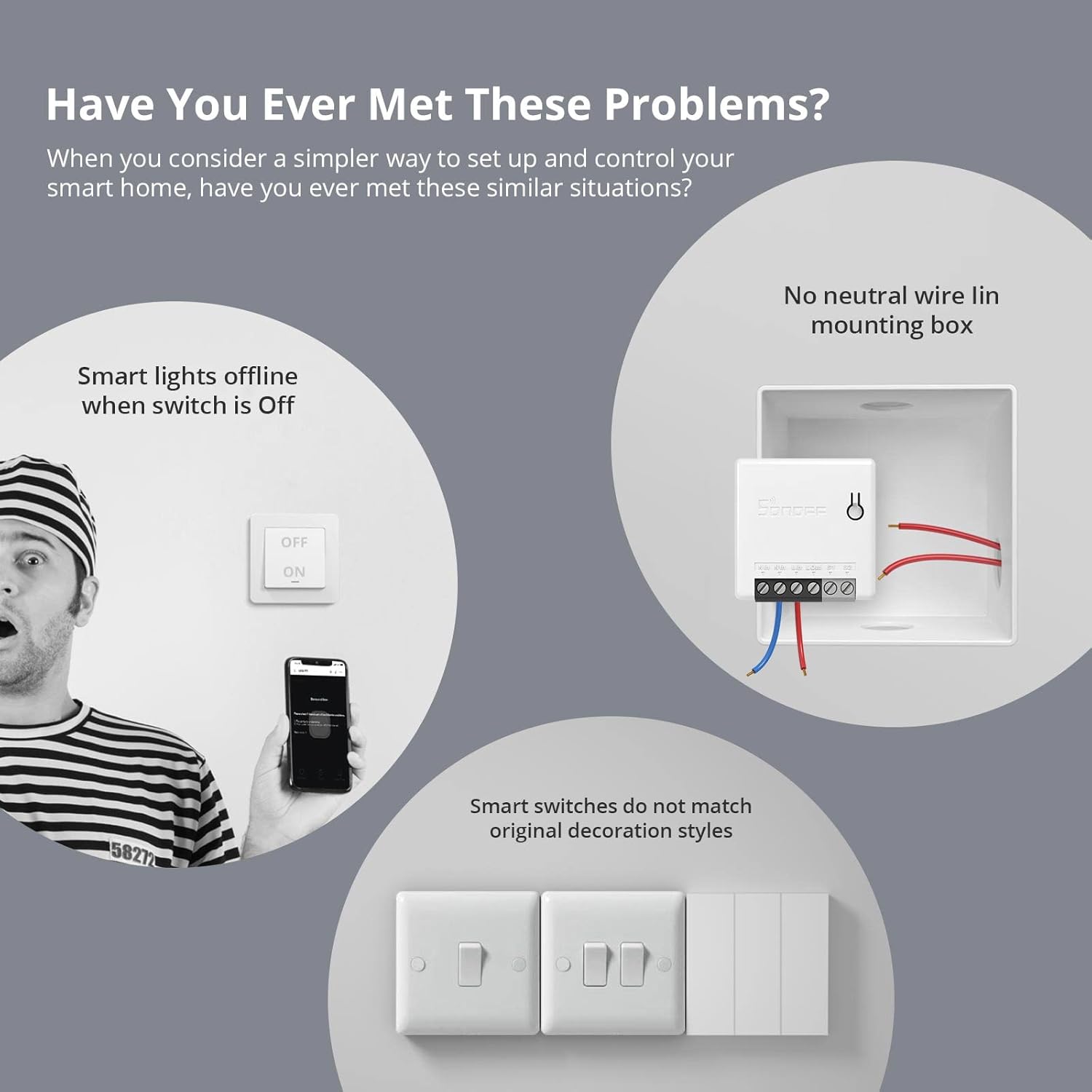
Illustrations depicting common issues users face with smart home setups, such as smart lights going offline when the physical switch is off, the absence of a neutral wire in the mounting box, and smart switches not matching existing decor styles.
For further assistance, refer to the eWeLink app's help section or contact SONOFF support.
7. Especificaciones
| Atributo | Valor |
|---|---|
| Fabricante | SONOFF |
| Número de modelo | MINIR3 |
| Número de pieza | MINIR3 |
| Vol de entradatage | 100-240 V ~ 50/60 Hz |
| Vol de salidatage | 100-240 V ~ 50/60 Hz |
| Max. Corriente de carga | 16A |
| Máxima potencia | 3840 W |
| Estándar Wi-Fi | IEEE 802.11 b / g / n 2.4GHz |
| Color | Blanco |
| Casing Material | Plástico |
| Dimensiones del producto | 5.4 x 4.5 x 2.4 cm |
| Peso del artículo | 50 gramos |
| Certificaciones | CE, TUV, FCC |
| Tipo de montaje | Montaje en pared |
8. Información de seguridad
Always ensure power is disconnected before performing any installation or maintenance. This device should be installed by a qualified electrician in accordance with local electrical codes. Do not expose the device to moisture or extreme temperatures. For indoor use only.
9. Garantía y soporte
For warranty information and technical support, please visit the official SONOFF website or contact their customer service. Details can often be found on the product packaging or the quick guide included with your device.
Fabricante: Tecnologías Co., Ltd. de Shenzhen Sonoff
Websitio: sonoff.tech
Correo electrónico de servicio: soporte@itead.cc


