1. Producto terminadoview
The Bluedio S6 Wireless Earbuds are designed for an immersive audio experience, featuring advanced Bluetooth 5.1 technology, extended battery life, and a secure fit ideal for sports and active lifestyles. The included charging case with dual LED displays provides convenient power management.

Image: Bluedio S6 Wireless Earbuds and their charging case, showcasing the LED battery display.
2. Contenido del paquete
Por favor verifique que todos los artículos estén presentes en su paquete:
- Bluedio S6 Wireless Earbuds (Left and Right)
- Estuche de carga con pantalla LED
- Cable de carga USB-C
- Múltiples tamaños de tapones para los oídos (S, M, L)
- Manual de usuario (este documento)

Image: The complete package contents of the Bluedio S6 earbuds.
3. Guía de configuración
3.1 Carga inicial
Before first use, fully charge the earbuds and the charging case. Connect the provided USB Type-C cable to the charging case and a compatible USB power source. The LED display on the case will indicate the charging status and battery level.

Image: Visual representation of the Bluedio S6 earbuds and charging case, highlighting battery life and charging duration.
3.2 Emparejamiento con su dispositivo
- Encendido y emparejamiento automático: Open the charging case and remove both S6 earbuds. They will automatically power on and attempt to pair with each other.
- Activar Bluetooth: On your mobile phone or other Bluetooth-enabled device, go to the Bluetooth settings and turn on Bluetooth.
- Select "S6": In the list of available Bluetooth devices, search for and select "S6" to connect.
- Confirmación: Una vez conectado, escuchará una confirmación audible y los auriculares estarán listos para usar.
- Reconexión automática: After the initial successful connection, the S6 earbuds will automatically connect to the last paired device when removed from the charging case.

Image: The Bluedio S6 earbuds automatically pairing with a mobile device upon removal from the charging case.

Image: An earbud illustrating the advanced Bluetooth 5.1 chip for stable signal transmission.
4. Instrucciones de funcionamiento
4.1 Cómo usar los auriculares
The Bluedio S6 earbuds feature earhooks for a secure and comfortable fit, especially during physical activities. Gently place the earbud into your ear canal and adjust the earhook over your ear until it feels stable and comfortable.

Image: A user wearing the Bluedio S6 earbuds, highlighting their design for sports and secure fit.
4.2 Controles táctiles
The S6 earbuds are equipped with smart touch controls on each earbud for easy management of music and calls. Refer to the following table for common operations:
| Acción | Función |
|---|---|
| Un solo toque (I/D) | Reproducir/Pausar música, Responder/Finalizar llamada |
| Doble toque (auricular derecho) | Subir volumen |
| Doble toque (auricular izquierdo) | Bajar volumen |
| Triple toque (auricular derecho) | Pista siguiente |
| Triple toque (auricular izquierdo) | Pista anterior |
| Mantener pulsado (2 segundos) | Rechazar llamada |
| Mantener pulsado (5 segundos) | Encendido/apagado |
| Mantener pulsado (1 segundo) | Activar Asistente de Voz |

Image: Visual guide to the touch control functions on the Bluedio S6 earbuds.
4.3 Gestión de llamadas
With the built-in microphone, you can easily manage calls directly from your earbuds without needing to access your phone.
- Responder llamada: Toque una vez cualquiera de los auriculares.
- Finalizar llamada: Toque una vez cualquiera de los auriculares durante una llamada.
- Rechazar llamada: Mantenga presionado cualquiera de los auriculares durante 2 segundos.

Image: A user demonstrating the convenience of answering calls directly with the Bluedio S6 earbuds.
5. Mantenimiento
5.1 Carga de los auriculares y el estuche
To charge the earbuds, place them back into the charging case. The earbuds will automatically begin charging. The LED display on the case shows the individual battery levels of the left and right earbuds, as well as the case's remaining power. To charge the case, connect it to a USB power source using the provided Type-C cable.
- Earbuds playtime on a single charge: Approximately 9 hours.
- Tiempo total de reproducción con estuche de carga: hasta 42 horas.
- Charging time for case: Approximately 2 hours.


Image: Icons illustrating key features: LED battery display, 600mAh charging case, and Type-C charging port.
5.2 Limpieza y almacenamiento
To ensure longevity and optimal performance, regularly clean your earbuds and charging case. Use a soft, dry, lint-free cloth to wipe down the surfaces. For the eartips, you may remove them and clean with a damp cloth, ensuring they are completely dry before reattaching. Store the earbuds in their charging case when not in use to protect them from dust and damage.
- Evite el uso de limpiadores o disolventes abrasivos.
- Do not submerge the earbuds or case in water. While water-resistant, they are not designed for submersion.
- Mantener alejado de temperaturas extremas.
6. Solución de problemas
If you encounter any issues with your Bluedio S6 earbuds, please refer to the following common solutions:
6.1 Earbuds Not Pairing with Each Other or Device
- Asegúrese de que ambos auriculares estén completamente cargados.
- Place both earbuds back into the charging case, close the lid, wait a few seconds, then open the lid and remove them again. This often resets the pairing.
- On your device, forget or delete "S6" from your Bluetooth device list. Then, repeat the pairing process from Section 3.2.
- Ensure your device's Bluetooth is enabled and within range (typically 10 meters/33 feet).
6.2 No hay sonido o el volumen es bajo
- Check the volume level on both your earbuds (using touch controls) and your connected device.
- Asegúrese de que los auriculares estén correctamente colocados en sus oídos y que las almohadillas proporcionen un buen sellado.
- Try playing different audio sources to rule out an issue with the specific media.
- Reconnect the earbuds by placing them in the case and taking them out again.
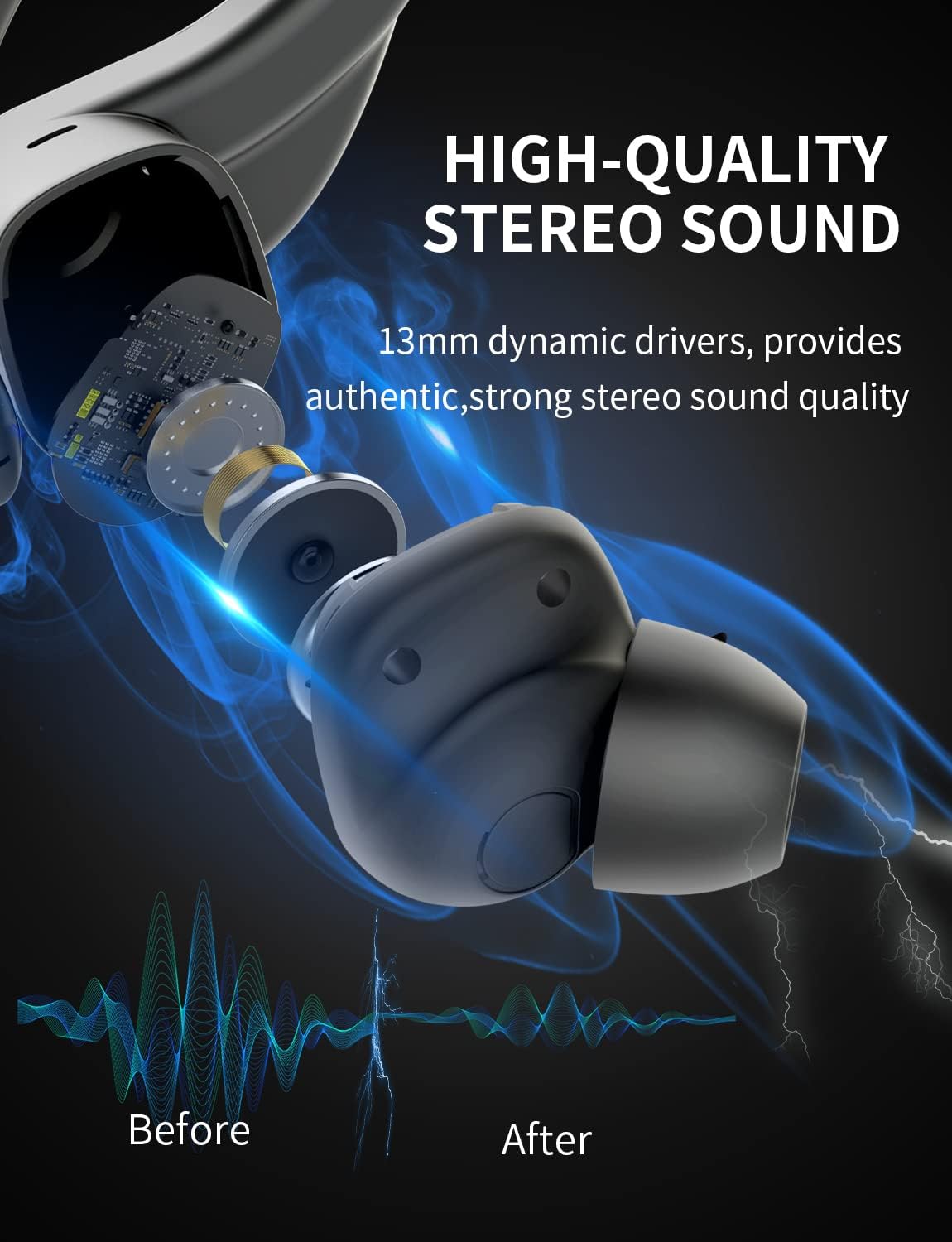
Imagen: Un interno view of the earbud, highlighting the 13mm dynamic drivers responsible for high-quality stereo sound.
6.3 El estuche de carga no se carga
- Verifique que el cable USB tipo C esté conectado de forma segura tanto al estuche como a la fuente de alimentación.
- Pruebe con un puerto USB o adaptador de corriente diferente.
- Asegúrese de que el cable de carga no esté dañado.
7. Especificaciones
Detailed technical specifications for the Bluedio S6 Wireless Earbuds:
| Característica | Detalle |
|---|---|
| Nombre del modelo | S6 |
| Tecnología de conectividad | Inalámbrico (Bluetooth 5.1) |
| Tecnología de comunicación inalámbrica | Bluetooth |
| Componentes incluidos | Estuche de carga inalámbrica |
| Material | Plástico |
| Usos específicos del producto | Deporte |
| Dispositivos compatibles | Celulares, Tabletas, Portátiles |
| Peso del artículo | 117 gramos |
| Nivel de resistencia al agua | Waterproof (Note: typically means splash/sweat resistant, not submersible) |
| Rango de frecuencia | 20 Hz-20000 Hz |
| Formato de micrófono | Incorporado |
| Duración media de la batería (auriculares) | 9 horas (una sola carga) |
| Tiempo total de juego con estuche | Hasta 42 horas |
| Capacidad de la batería del estuche de carga | 600mAh (from A+ content image) |
| Colocación de orejas | In Ear (with earhooks) |
| Color | Negro |
8. Garantía y soporte
Bluedio products are manufactured to high quality standards. For warranty information and customer support, please refer to the warranty card included in your product packaging or visit the official Bluedio webSitio. Conserve su recibo de compra como comprobante de compra para cualquier reclamación de garantía.
For further assistance, you may also contact Bluedio customer service through their official channels.


