1. Introducción
Welcome to the DEERC DE65 Remote Control Car instruction manual. This guide provides essential information for setting up, operating, and maintaining your 1:16 scale RC monster truck with a 1080P HD camera. Please read thoroughly before first use.

Figure 1: DEERC DE65 Remote Control Car and accessories.
2. Características principales
- Cámara 1080P HD: Capture high-definition video and photos with First-Person View (FPV) transmission. The camera features a 45° adjustable angle for optimal shots.

Figure 2: 1080P HD Camera with adjustable angle.
- Rendimiento de alta velocidad: Achieve speeds up to 25 km/h. Enjoy precise handling with full proportional steering and throttle. Advanced shock absorbers and a tough ABS chassis ensure durability on various terrains. Equipped with a superior bumper and anti-slip tires for top performance.

Figure 3: Durable construction and high-performance components.
- Sleek Sporty Design with LED Lights: Features an aerodynamic look with LED chassis lights and headlights for thrilling nighttime adventures.

Figure 4: LED chassis lights and headlights.
- Opciones de control doble: Control the car using the 2.4GHz radio remote control (up to 328 feet range) or the mobile app via Wi-Fi (up to 262 feet range).
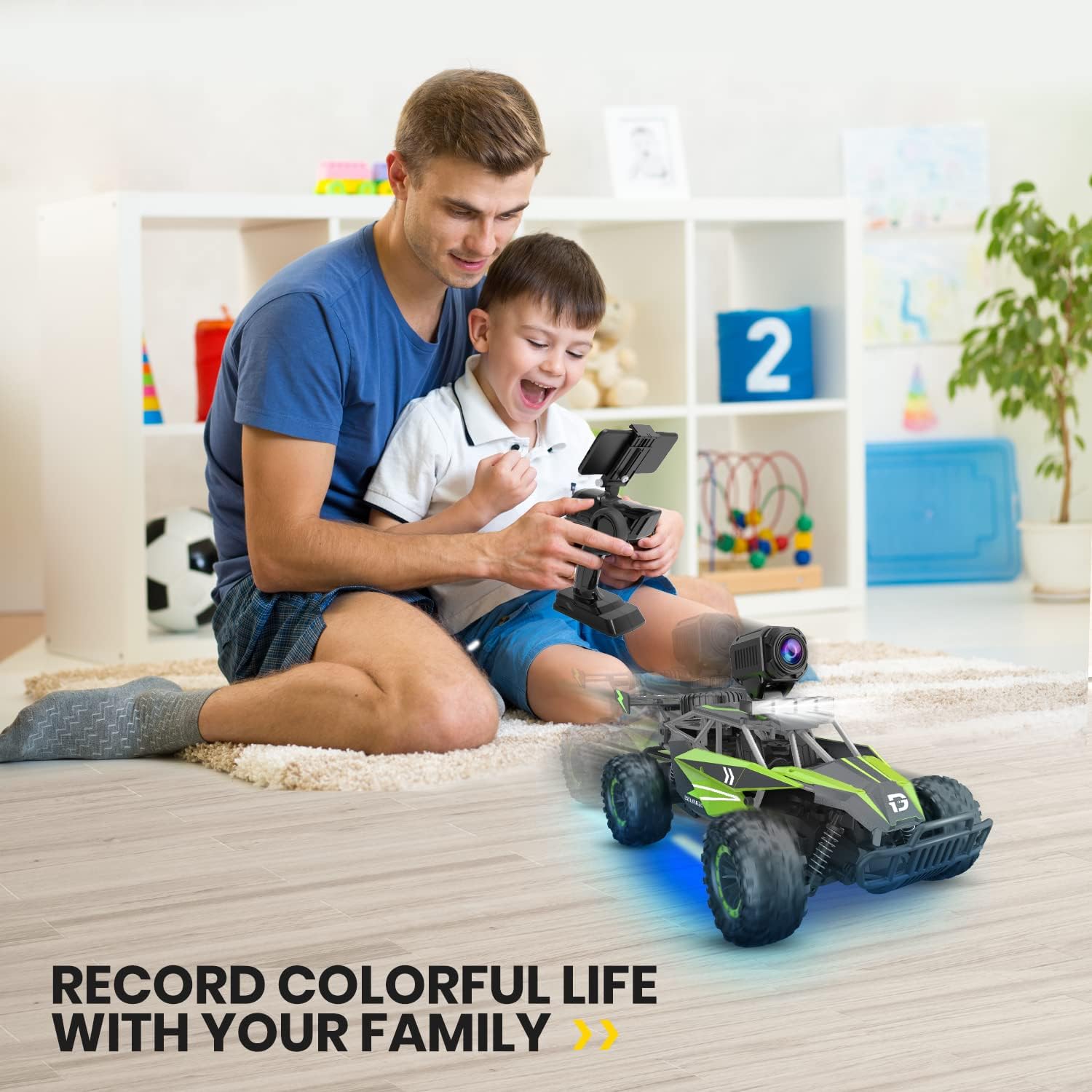
Figure 5: Remote Control System.
- Extended Playtime with Dual Batteries: Includes two 7.4V 1000mAh high-quality Li-ion batteries, providing over 30 minutes of playtime per battery.

Figure 6: Dual battery system for extended play.
3. Configuración
3.1. Battery Installation (Car)
- Localice el compartimiento de la batería en la parte inferior del automóvil.
- Unscrew the battery compartment cover and open it.
- Connect one of the provided 7.4V 1000mAh Li-ion battery packs to the car's power connector.
- Carefully place the battery inside the compartment and close the cover. Secure with the screw.
For a visual guide on battery installation, refer to the video below.
Video 1: RC car with camera, battery install assembly. This video demonstrates the process of installing the battery in the DEERC RC car, including opening the compartment and connecting the battery.
3.2. Instalación de la batería (control remoto)
- Ubique el compartimiento de la batería en la parte posterior del control remoto.
- Unscrew and open the cover.
- Inserte 4 pilas AA de 1.5 V (no incluidas) en el compartimento, asegurándose de la polaridad correcta.
- Close the cover and secure with the screw.
3.3. Configuración de la cámara
- Attach the 1080P HD camera to the designated slot on top of the car.
- Connect the camera's power cable to the corresponding port on the car.
- Download the "DEERC D2" app on your smartphone by scanning the QR code provided in the manual or searching your app store.
- Turn on the RC car. On your smartphone, go to Wi-Fi settings and connect to the car's Wi-Fi network (usually named "DEERC-1080P-XXXX").
- Open the "DEERC D2" app. The live FPV feed from the camera should now be visible.
For a visual guide on setting up the camera and app controls, refer to the video below.
Video 2: RC car with camera, how to set up the app and controls. This video guides users through connecting the camera to the app and utilizing the app's control features.
4. Operando
4.1. Conducción del coche RC
- Turn on both the RC car and the remote control. They should automatically pair (indicated by solid lights on the car).
- Utilice el volante del control remoto para girar el coche hacia la izquierda o hacia la derecha.
- Pull the accelerator trigger to move the car forward. Push the trigger forward to engage reverse and brake.
- If the car veers to one side when driving straight, use the steering trim adjustment located on the underside of the car to correct its path.
4.2. Using the 1080P HD Camera
- Once the camera is set up and connected to the app (as per Section 3.3), you will see a live feed on your smartphone.
- Use the controls within the app to record videos or take photos.
- Adjust the camera's physical angle (up to 45°) to capture different perspectives.
See the DEERC DE65 in action with its 1080P HD camera in the video below.
Video 3: DEERC DE65 Remote Control Car with 1080P HD. This video showcases the car's driving capabilities and the quality of its 1080P camera footage.
5. Mantenimiento
5.1. Bateria cargando
- Connect the provided USB charging cable to the battery pack.
- Plug the USB end into a compatible USB power source (e.g., computer, USB wall adapter).
- The indicator light on the USB cable will show charging status (refer to manual for specific light indications).
5.2. Limpieza y almacenamiento
- After use, gently wipe down the car with a damp cloth to remove dirt and debris. Do not immerse the car in water.
- Guarde el coche RC y sus componentes en un lugar fresco y seco, alejado de la luz solar directa y de temperaturas extremas.
- For long-term storage, remove all batteries from both the car and the remote control to prevent leakage.
6. Solución de problemas
- El coche no responde:
- Asegúrese de que tanto el automóvil como el control remoto estén encendidos.
- Check battery levels in both the car and remote control. Recharge or replace as needed.
- Verify that the car and remote are properly paired. If not, turn both off and on again to re-initiate pairing.
- Camera not connecting/no live feed:
- Confirm the camera is securely attached and its power cable is properly connected to the car.
- Ensure your smartphone is connected to the car's Wi-Fi network (DEERC-1080P-XXXX) and not your home Wi-Fi.
- Restart the DEERC D2 app and/or your smartphone.
- Car veers to one side:
- Adjust the steering trim control located on the underside of the car until it drives straight.
7. Especificaciones
| Atributo | Valor |
|---|---|
| Dimensiones del producto | 13.19 x 7.68 x 6.89 pulgadas |
| Peso del artículo | 3.12 libras |
| Número de modelo del artículo | DE65 |
| Baterías | 2 baterías de iones de litio (incluidas) |
| Fabricante | DEERC |
| Fecha de primera disponibilidad | 23 de marzo de 2022 |
Figura 7: Especificaciones del producto.
8. Información de garantía
For detailed warranty information regarding your DEERC DE65 RC Car, please refer to the warranty card included in the product packaging. You may also visit the official DEERC webSitio para conocer los términos y condiciones de garantía más actualizados.
9. Atención al cliente
If you encounter any issues or have questions not covered in this manual, please contact DEERC customer support. Contact information can typically be found on the product packaging, the official DEERC websitio, o a través de su punto de compra.


