Introducción
Thank you for choosing the DAREU EK815 Wireless Mechanical Gaming Keyboard. This manual provides detailed instructions for setting up, operating, and maintaining your keyboard to ensure optimal performance and longevity. Please read this manual thoroughly before using the product.

Image: The DAREU EK815 keyboard integrated into a typical gaming workstation, showcasing its design and backlighting.
Contenido del paquete
Asegúrese de que todos los artículos estén presentes en el paquete:
- DAREU EK815 Wireless Mechanical Gaming Keyboard
- Extractor de teclas
- Tarjeta de garantía
- Cable USB (para conexión por cable y carga)
Características del producto
- Iluminación RGB ajustable: Customize your gaming atmosphere with various rainbow light effects and modes.
- Construcción duradera: Features double-shot keycaps for enhanced durability and an aluminum alloy metal panel for resistance against rust, falls, sweat, and corrosion.
- Interruptores mecánicos: Available with Brown, Red, or Blue mechanical switches, tested for over 50 million keystrokes for long-lasting performance.
- Anti-efecto fantasma: Advanced anti-ghosting technology ensures simultaneous key presses are registered accurately without conflict, enhancing gaming precision.
- Llaves programables: Utilize a dedicated driver to customize key functions and lighting effects to suit your preferences.
- Multimedia Function Buttons: Quick access to essential operations, saving time during use.
Tipos de interruptores mecánicos
The DAREU EK815 keyboard is available with different mechanical switch types, each offering a distinct typing and gaming experience.
Interruptores marrones

Imagen: Detallada view of a brown mechanical switch, highlighting its tactile bump and specifications like 4mm key stroke travel, 50±4G key elastic force, and 65 million keystroke life.
Brown switches offer a tactile bump without an audible click, providing feedback for typing and gaming without being overly loud.
Interruptores azules

Imagen: Detallada view of a blue mechanical switch, illustrating its clicky feedback mechanism and specifications.
Blue switches are known for their distinct tactile bump and audible click, providing clear feedback with each keypress.
Interruptores rojos

Imagen: Detallada view of a red mechanical switch, showing its linear actuation and specifications.
Red switches are linear, meaning they have a smooth, consistent keystroke without a tactile bump or audible click, ideal for fast-paced gaming.
Configuración
- Desembalaje del teclado: Retire con cuidado el teclado y todos los accesorios del embalaje.
- Conéctese a través de USB: Plug the USB cable into the keyboard's port and connect the other end to an available USB port on your computer. The keyboard will automatically install necessary drivers.
- Posicionamiento: Place the keyboard on a stable, flat surface. Adjust the integrated foot pads for your preferred typing angle.
- Sistema de organización de cables: Utilize the three cable routing outlets on the underside of the keyboard to manage the USB cable neatly.
Instrucciones de funcionamiento
Uso básico del teclado
The DAREU EK815 functions as a standard mechanical keyboard. Simply connect it to your computer, and it will be ready for use. The anti-ghosting technology ensures that multiple key presses are registered accurately, which is beneficial for gaming.
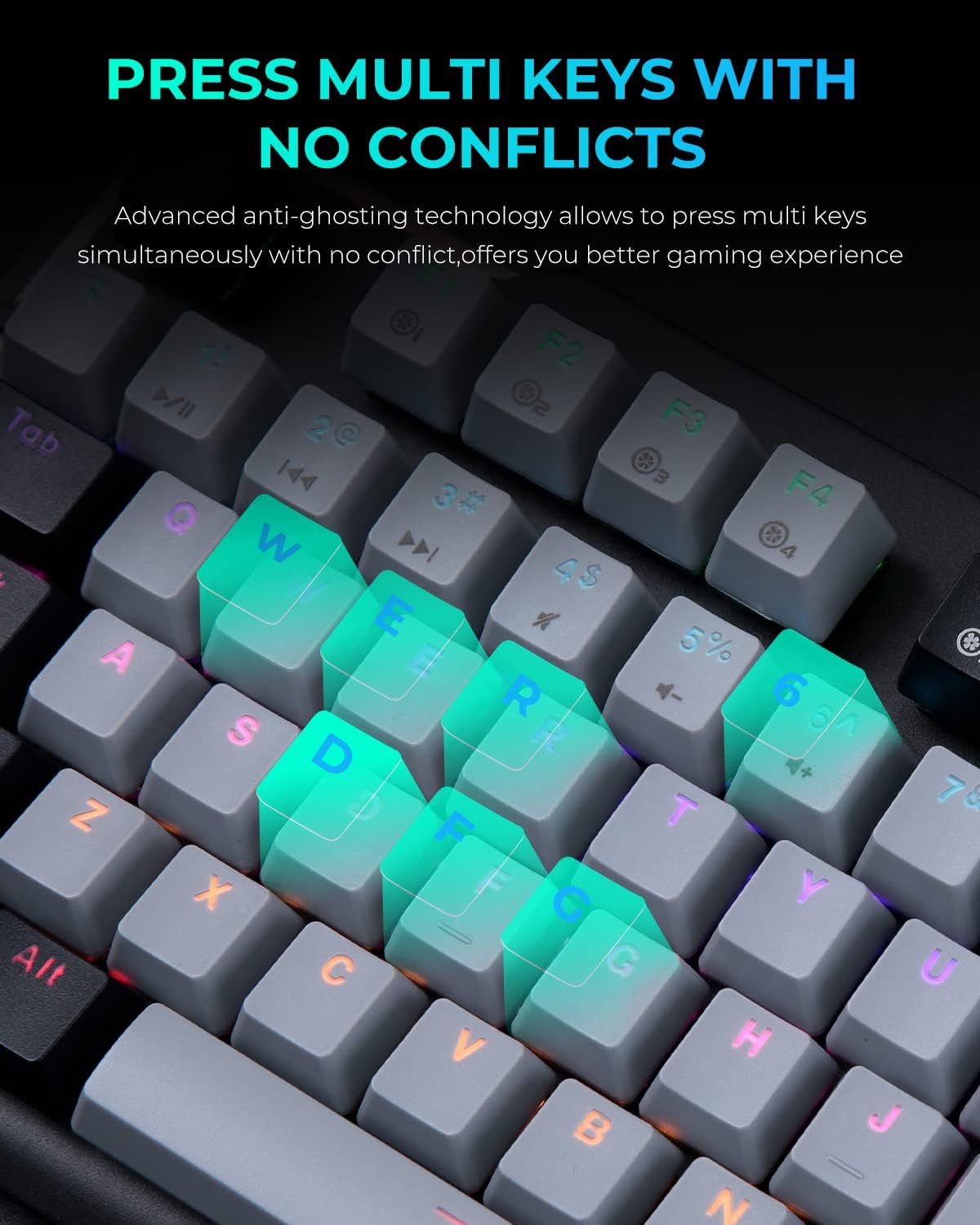
Image: A close-up of the keyboard with several keys (Q, W, E, R, D, F, G) illuminated, illustrating the anti-ghosting feature that allows simultaneous key presses without conflict.
Ajuste de la iluminación RGB
The keyboard features multiple RGB lighting modes. Use the following shortcut keys to adjust the lighting effects:
- FN+F11: Cycle through various light modes.
- FN + Re Pág / Av Pág: Ajustar la velocidad de la iluminación.
- FN + = / -: Ajustar los niveles de brillo.
- FN + Ins / Del: Adjust sidelight speed.
- FN + Inicio: Toggle sidelight mode.

Image: The DAREU EK815 keyboard displaying its vibrant RGB flank rainbow backlighting, illustrating the customizable lighting effects.
Using Shortcut Keys and Programmable Functions
The keyboard features dedicated shortcut keys and programmable functions to enhance efficiency. Use the FN key in combination with other keys for quick access to multimedia controls and lighting adjustments.

Image: A visual guide detailing the shortcut key combinations (FN + F-keys, FN + PgUp/PgDn, etc.) for controlling lighting effects and other functions on the DAREU EK815 keyboard.
For advanced customization, download the official DAREU driver from the manufacturer's website. This software allows you to remap keys and create custom lighting profiles.
Mantenimiento
- Limpieza: Use a soft, dry cloth to wipe the keyboard surface. For deeper cleaning, use the provided keycap puller to remove keycaps and clean underneath with compressed air or a small brush.
- Prevención de derrames: While the keyboard features an aluminum alloy panel for durability, avoid exposing it to excessive liquids. In case of a spill, disconnect the keyboard immediately and allow it to dry completely before reconnecting.
- Almacenamiento: Guarde el teclado en un lugar fresco y seco, alejado de la luz solar directa y de temperaturas extremas cuando no lo utilice durante períodos prolongados.
Solución de problemas
- El teclado no responde:
- Asegúrese de que el cable USB esté conectado de forma segura tanto al teclado como a la computadora.
- Intente conectar el teclado a un puerto USB diferente.
- Reinicie su computadora.
- La iluminación no funciona o es incorrecta:
- Check if the lighting is turned off or set to a very low brightness using the FN + = / - shortcuts.
- Cycle through different lighting modes using FN + F11.
- Ensure the keyboard's software (if installed) is up to date and correctly configured.
- Claves que no se registran:
- Clean the affected keycap and switch area for any debris.
- If using custom key bindings, reset them to default via the keyboard software.
Presupuesto
| Dimensiones del producto | 17.72 x 5.51 x 1.57 pulgadas |
| Peso del artículo | 2.29 libras |
| Número de modelo del artículo | EK815 |
| Tecnología de conectividad | USB |
| Descripción del teclado | Mecánico |
| Usos recomendados | Juegos, Oficina |
| Características especiales | Backlit, Customizable Display Keys, Ergonomic, RGB, Water Resistant |
| Soporte de color de retroiluminación de teclado | RGB |
| Material | Aluminio |
Garantía y soporte
El teclado mecánico para juegos DAREU EK815 viene con un Garantía de 1 años Desde la fecha de compra. Esta garantía cubre defectos de fabricación y garantiza que el producto cumple con los estándares de calidad.
If you encounter any quality issues or require technical assistance within the warranty period, please contact DAREU customer support. Refer to the warranty card included in your package for specific contact details and warranty terms.
For the latest drivers and support information, please visit the official DAREU websitio.