1. Introducción y másview
The iGPSPORT iGS320 is a lightweight and ultra-thin cycling computer designed to enhance your riding experience. It features a 2.4-inch anti-glare screen with automatic backlight for clear visibility in various conditions. With advanced integrated body technology, it offers high waterproof (IPX7) and anti-fog performance.
This device supports multiple automatic control functions, including automatic start recording, pause, and laps. It provides accurate GPS positioning through a stronger positioning chip, supporting GPS, BeiDou, QZSS, Galileo, and Glonass satellite systems. The iGS320 is compatible with various sensors via BLE5.0/ANT+ and allows seamless data synchronization with third-party platforms like Strava and TrainingPeaks.
Enjoy extended rides with its impressive 72-hour battery life, providing approximately two months of use with one hour of cycling per day.
2. Contenido del paquete
Por favor verifique que todos los artículos estén presentes en su paquete:
- Ciclocomputador iGPSPORT iGS320
- Cable USB tipo C
- Soporte de bicicleta estándar
- Manual de usuario (este documento)
3. Guía de configuración
3.1 Carga inicial
Before first use, fully charge your iGS320 using the provided Type-C cable. Connect the cable to the device's Type-C port and a standard USB power adapter (not included). The battery indicator on the screen will show charging progress.
3.2 Montaje del dispositivo
Use the standard bike mount to securely attach the iGS320 to your bicycle's handlebar or stem. Ensure the mount is firmly tightened to prevent movement during your ride.
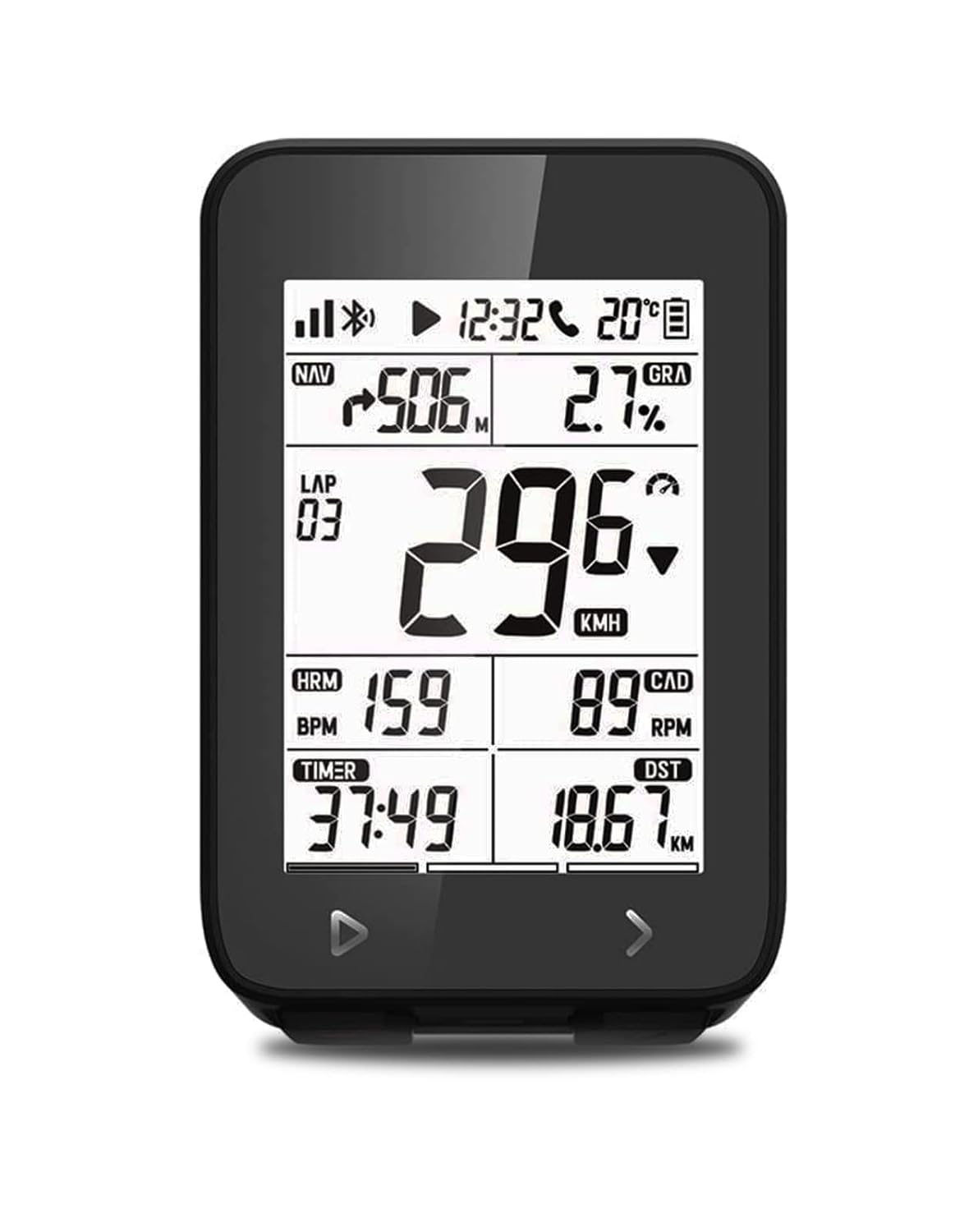
The iGS320 cycling computer securely mounted on a bike, showing its clear display with speed, distance, and other data.
3.3 Encendido / Apagado
- Para encender: Mantenga presionado el botón de encendido (generalmente ubicado en el costado o en la parte inferior) durante unos segundos hasta que la pantalla se ilumine.
- Para apagar: Press and hold the power button until a power-off prompt appears, then confirm.
3.4 Sensor Pairing (BLE5.0/ANT+)
The iGS320 is compatible with various external sensors such as speed, cadence, and heart rate monitors. To pair a sensor:
- Ensure the sensor is active and within range of the iGS320.
- Navigate to the device's settings menu (refer to the on-screen prompts or user interface for button navigation).
- Select 'Sensor Pairing' or a similar option.
- El dispositivo buscará los sensores disponibles. Seleccione el suyo de la lista para completar el emparejamiento.

The iGS320 supports connection with multiple external sensors via Bluetooth 5.0 and ANT+ for comprehensive data collection.
3.5 App Installation and Data Synchronization
Download the official iGPSPORT app from your smartphone's app store (Google Play Store or Apple App Store). This app allows you to manage device settings, view ride data, and synchronize your activities.
- After your ride, turn off the iGS320. The next time you turn it on, it will automatically attempt to sync data to your phone app via Bluetooth 5.0.
- From the iGPSPORT app, you can then easily synchronize your data to third-party platforms such as Strava or TrainingPeaks.
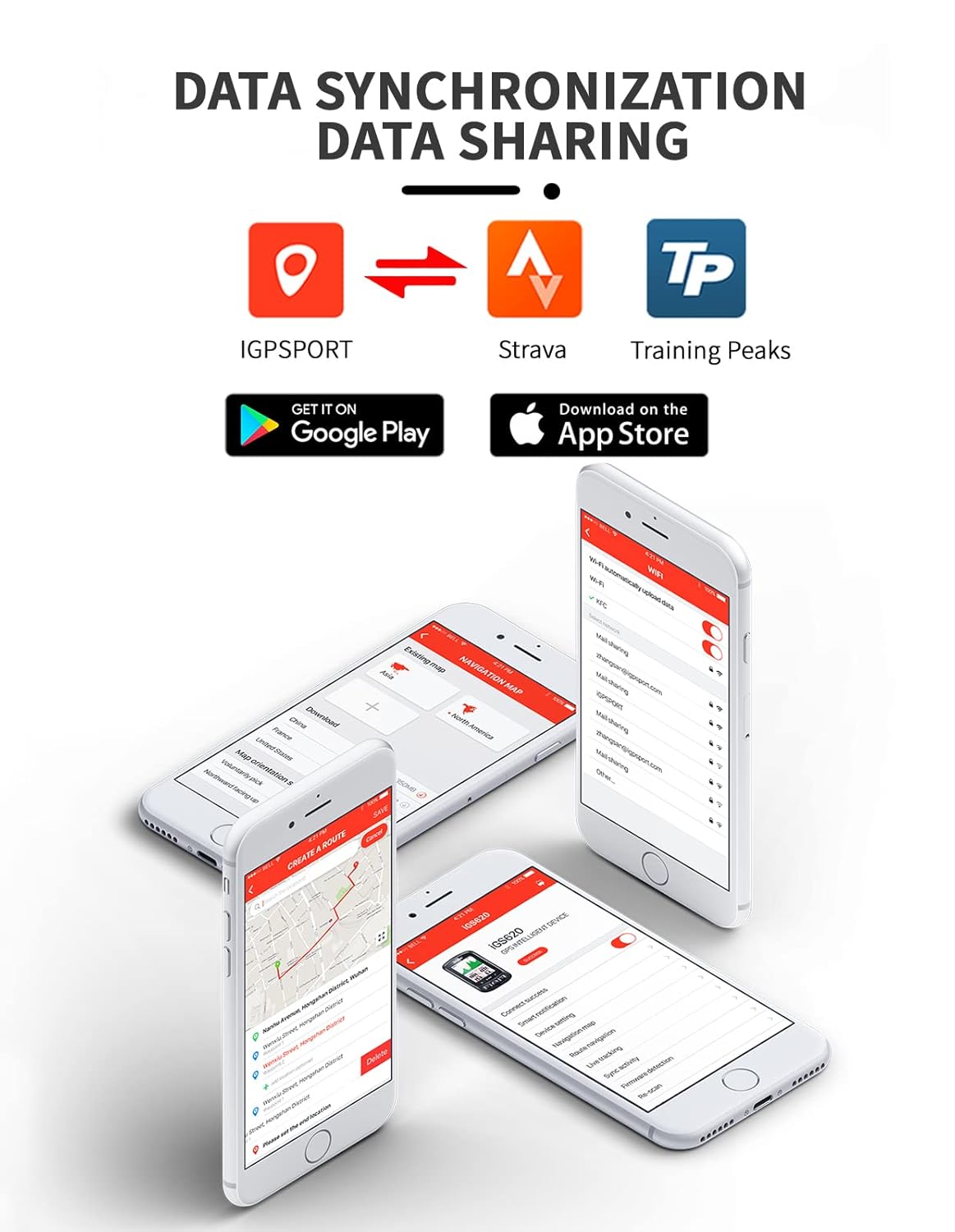
The iGPSPORT app facilitates data synchronization and sharing with popular cycling platforms like Strava and TrainingPeaks.
4. Instrucciones de funcionamiento
4.1 Pantalla y navegación
The iGS320 features a 2.4-inch segment code screen with automatic backlight, ensuring clear visibility in various lighting conditions. Use the physical buttons (typically located at the bottom) to navigate through different data screens and menus.
4.2 Funcionalidad GPS
Equipped with stronger positioning chips, the iGS320 supports multiple global navigation satellite systems (GPS, BeiDou, Galileo, QZSS, Glonass) for fast and accurate positioning. It provides turn, distance, and heading prompts to assist with navigation.

The iGS320 utilizes a 5-satellite positioning system for enhanced accuracy and faster data acquisition.
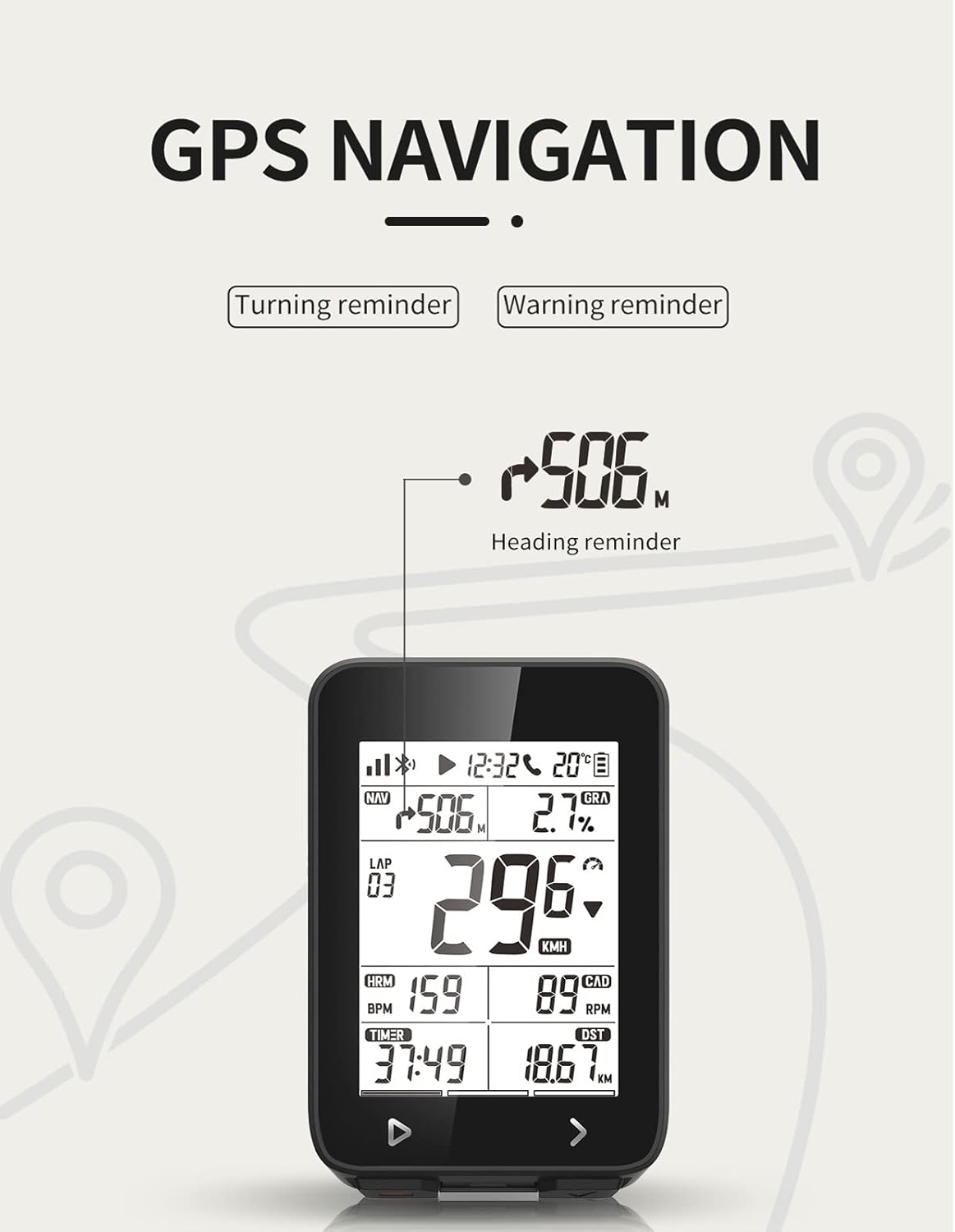
The device provides clear heading reminders and navigation prompts during your ride.
4.3 Automatic Control Functions
The iGS320 supports over 10 automatic control functions, including:
- Automatic start recording
- Automatic pause
- Automatic laps
- And more, configurable via the device settings or companion app.
4.4 Call Reminder
When a call comes in on your connected smartphone, the iGS320 will display an icon flashing on its screen to notify you, ensuring you don't miss important calls during your ride.
4.5 Data Tracking and Sharing
The device records comprehensive cycling data. After your ride, you can view detailed statistics on the iGPSPORT app. You can also share your location, route, or cycling data with friends and family, allowing them to check your location anytime via computer or smartphone.

Track your rides and view detailed statistics on the iGPSPORT app, including maps, speed, distance, and elevation.
5. Mantenimiento
5.1 Limpieza y cuidado
The iGS320 has an IPX7 waterproof rating, meaning it can withstand splashes, rain, and brief immersion. To clean the device, wipe it with a soft, damp paño. Evite utilizar productos químicos fuertes o materiales abrasivos que puedan dañar la pantalla oasing.

The iGS320 is IPX7 waterproof, making it resistant to water splashes and rain.
5.2 Duración de la batería y carga
The iGS320 offers an impressive 72 hours of battery life. For optimal battery longevity, charge the device using the provided Type-C cable and avoid extreme temperatures during charging and storage. The working temperature range is -10°C to 50°C.
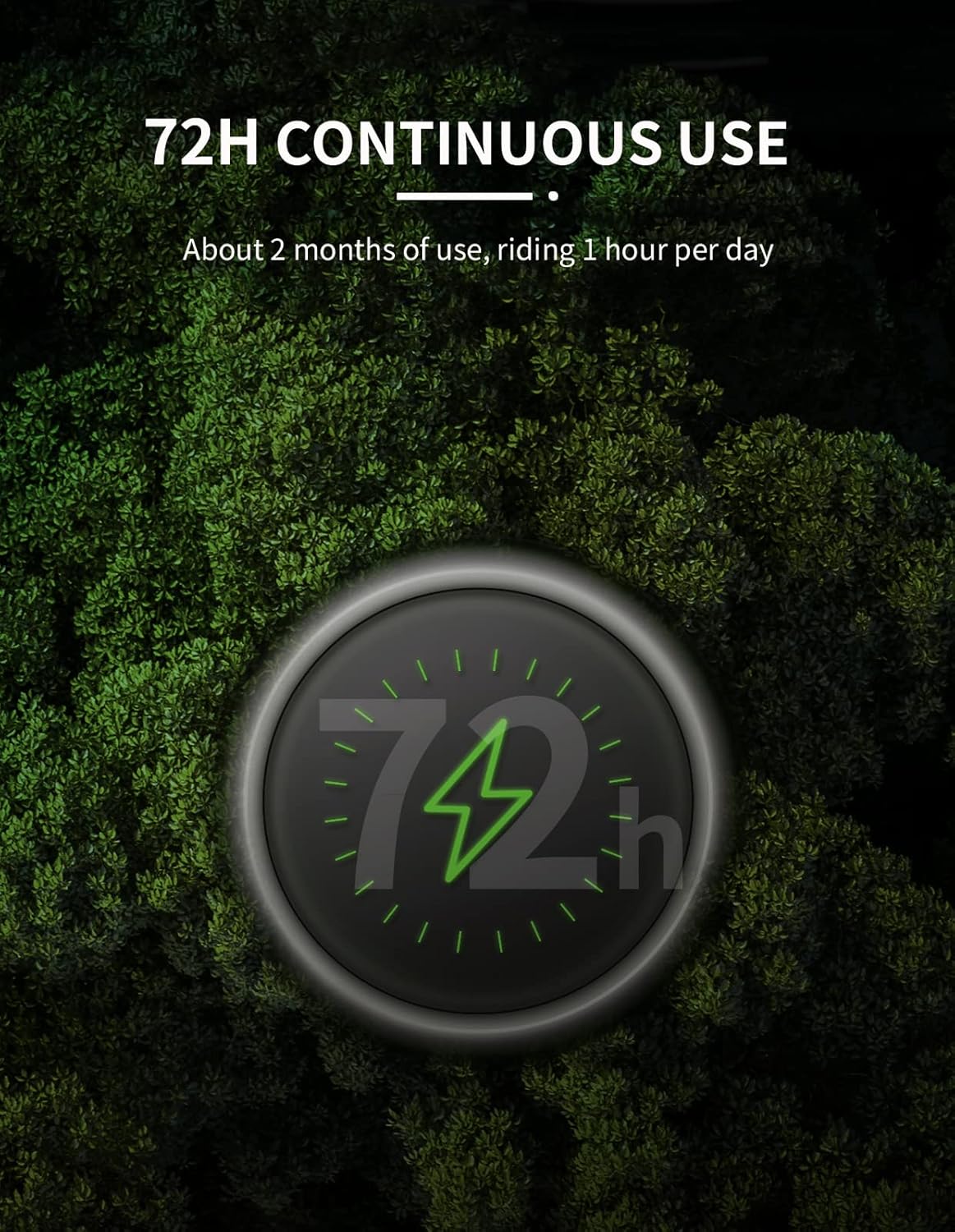
The iGS320 provides up to 72 hours of continuous use on a single charge.
6. Solución de problemas
6.1 El dispositivo no se enciende
- Asegúrese de que el dispositivo esté completamente cargado. Conéctelo a una fuente de alimentación con el cable tipo C.
- Mantenga presionado el botón de encendido durante al menos 5 a 10 segundos.
6.2 Problemas con la señal GPS
- Asegúrese de estar en un área abierta y despejada. view del cielo.
- Allow sufficient time for the device to acquire a GPS signal, especially during first use or after a long period of inactivity.
- Asegúrese de que el firmware del dispositivo esté actualizado a través de la aplicación iGPSPORT.
6.3 Problemas de sincronización de datos
- Ensure Bluetooth is enabled on your smartphone and the iGS320.
- Make sure the iGPSPORT app is open and running in the background.
- Try restarting both the iGS320 and your smartphone.
- Verify that the iGS320 is paired correctly with your phone in the app.
6.4 Inaccurate Speed/Cadence Readings
- Check that your external speed/cadence sensors are properly installed and have fresh batteries.
- Ensure the sensors are correctly paired with the iGS320.
- Calibrate the wheel circumference in the device settings if using a speed sensor.
7. Especificaciones
| Característica | Especificación |
|---|---|
| Marca | iGPSPORT |
| Número de modelo | iGS320 |
| Tamaño de pantalla | 2.4 pulgadas |
| Tipo de pantalla | Pantalla LCD |
| Tecnología de conectividad | Bluetooth 5.0/ANT+ |
| GNSS (GPS) | GPS+BeiDou+QZSS+Galileo+Glonass |
| Duración de la batería | 72 horas |
| Clasificación de impermeabilidad | IPX7 |
| Temperatura de trabajo | -10°C ~ 50°C |
| Interfaz | Tipo-C USB |
| Capacidad de memoria | Approx. 400 hours of data |
| Dimensiones del producto | 5.1L x 8.7W x 1.5H Centímetros |
| Peso del artículo | 74 gramos |
| Color | Negro |
| Fabricante | iGPSPORT |
| País natal | Porcelana |
8. Garantía y soporte
8.1 Información de garantía
The iGPSPORT iGS320 Bike Computer comes with a one-year warranty from the date of purchase. This warranty covers manufacturing defects and ensures a satisfying experience. Please retain your proof of purchase for warranty claims.
8.2 Atención al cliente
If you have any concerns, questions, or require technical assistance, please contact iGPSPORT customer support. Refer to the official iGPSPORT websitio o el embalaje del producto para obtener la información de contacto más actualizada.


