1. Introducción
Welcome to the Desktronic HOME-ONE Height-Adjustable Desk user manual. This guide provides essential information for the safe assembly, operation, and maintenance of your new electric standing desk. Please read these instructions carefully before use and retain them for future reference.

2. Información importante de seguridad
Para garantizar un funcionamiento seguro y evitar daños, observe las siguientes pautas de seguridad:
- Ensure all components are securely fastened before operating the desk.
- No exceda la capacidad máxima de peso de 120 kilogramos (264 libras).
- Mantenga a los niños y a las mascotas alejados del escritorio durante el ajuste de altura.
- Ensure there are no obstructions in the desk's path during movement to prevent damage or injury.
- Only use the provided power adapter and connect to a grounded outlet.
- Do not open or attempt to repair the motor or control unit. Contact customer support for assistance.
- Evite derramar líquidos sobre el panel de control o los componentes eléctricos.
3. Contenido del paquete
Verify that all parts are present before beginning assembly. If any parts are missing or damaged, please contact Desktronic customer support.
- Desktop Surface (160 x 80 cm)
- Estructura del escritorio (patas y travesaño)
- Control Panel with USB/USB-C Ports
- Adaptador de corriente y cable
- Assembly Hardware (Screws, Washers, Allen Keys)
- Accesorios para la gestión de cables
- Manual de usuario

4. Instrucciones de montaje
The Desktronic HOME-ONE desk is designed for straightforward assembly. A step-by-step guide and all necessary tools are included. Assembly typically takes approximately 25 minutes.
- Desempaquetar componentes: Retire con cuidado todas las piezas del embalaje y colóquelas sobre una superficie limpia y suave para evitar rayones.
- Fijar las patas a la barra transversal: Secure the desk legs to the central crossbar using the provided screws and Allen key. Ensure all connections are firm.
- Montar el escritorio: Carefully place the desktop upside down on a soft surface. Align the assembled frame with the pre-drilled holes on the desktop. Secure the frame to the desktop using the appropriate screws.
- Instalar el panel de control: Coloque el panel de control en la parte inferior del escritorio en la ubicación designada.
- Conectar cables: Connect the motor cables to the control panel and the power adapter to the control panel. Route cables neatly using the included cable management accessories.
- Escritorio de posiciones: With assistance, carefully flip the desk upright and place it in its desired location. Ensure the power cable is accessible.


5. Instrucciones de funcionamiento
5.1 Panel de control terminadoview
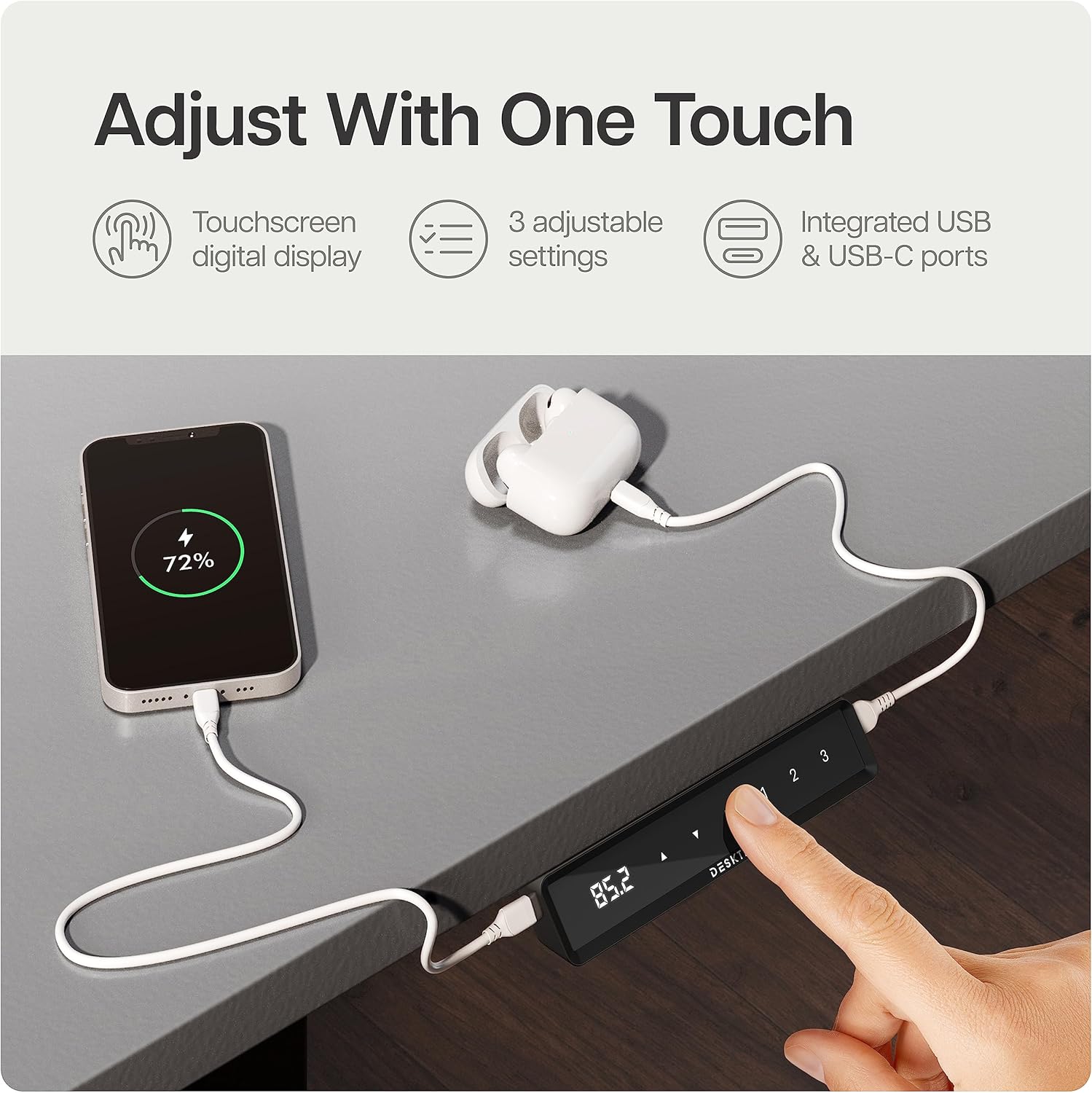
Your Desktronic desk features an intuitive touchscreen control panel with a digital display, height adjustment buttons, and memory presets. It also includes integrated USB-C and USB-A ports for convenient device charging.
5.2 Ajuste de la altura del escritorio
- Connect the desk to a power outlet. The digital display will illuminate.
- Presione el Up or Abajo arrow buttons on the control panel to adjust the desk to your desired height. The display will show the current height in centimeters.
- Suelte el botón una vez alcanzada la altura deseada. El escritorio se detendrá automáticamente.
5.3 Ajustes preestablecidos de memoria
The control panel allows you to save up to three preferred height settings for quick adjustment.
- Ajuste el escritorio a la altura deseada utilizando los botones Arriba/Abajo.
- Presione el M button (Memory). The display will flash 'S-'.
- Dentro de 3 segundos, presione uno de los botones preestablecidos (1, 2, o 3) to save the current height to that position. The display will show 'S-1', 'S-2', or 'S-3' to confirm.
- To use a saved preset, simply press the corresponding preset button (1, 2, o 3). El escritorio se moverá automáticamente a la altura guardada.
5.4 Función de bloqueo para niños
To prevent accidental adjustments, the desk features a child lock.
- Activar: Mantenga pulsado el M button for approximately 5 seconds until 'LOC' appears on the display. All buttons will now be locked.
- Desactivar: Mantenga pulsado el M button again for approximately 5 seconds until 'LOC' disappears from the display. The desk is now unlocked.
5.5 Sistema anticolisión
The desk is equipped with an anti-collision system that detects objects in its path during height adjustment. If an obstruction is detected, the desk will automatically stop and reverse slightly to prevent damage.
6. Características principales del producto
The Desktronic HOME-ONE desk incorporates several design and functional elements for enhanced user experience:
- TÜV SÜD Certified Motor: Ensures reliable and smooth height adjustments.
- Marco de acero robusto: Features extra-wide 70 x 70 mm height-adjustable table legs made of reinforced steel for superior stability.
- Integrated USB-C / USB Ports: Conveniently located on the control panel for charging devices.
- Sistema anticolisión: Se detiene y retrocede automáticamente si se detecta una obstrucción durante el movimiento.
- Bloqueo para niños: Prevents unintended height adjustments.
- Esquinas redondeadas: Designed for safety and comfort.
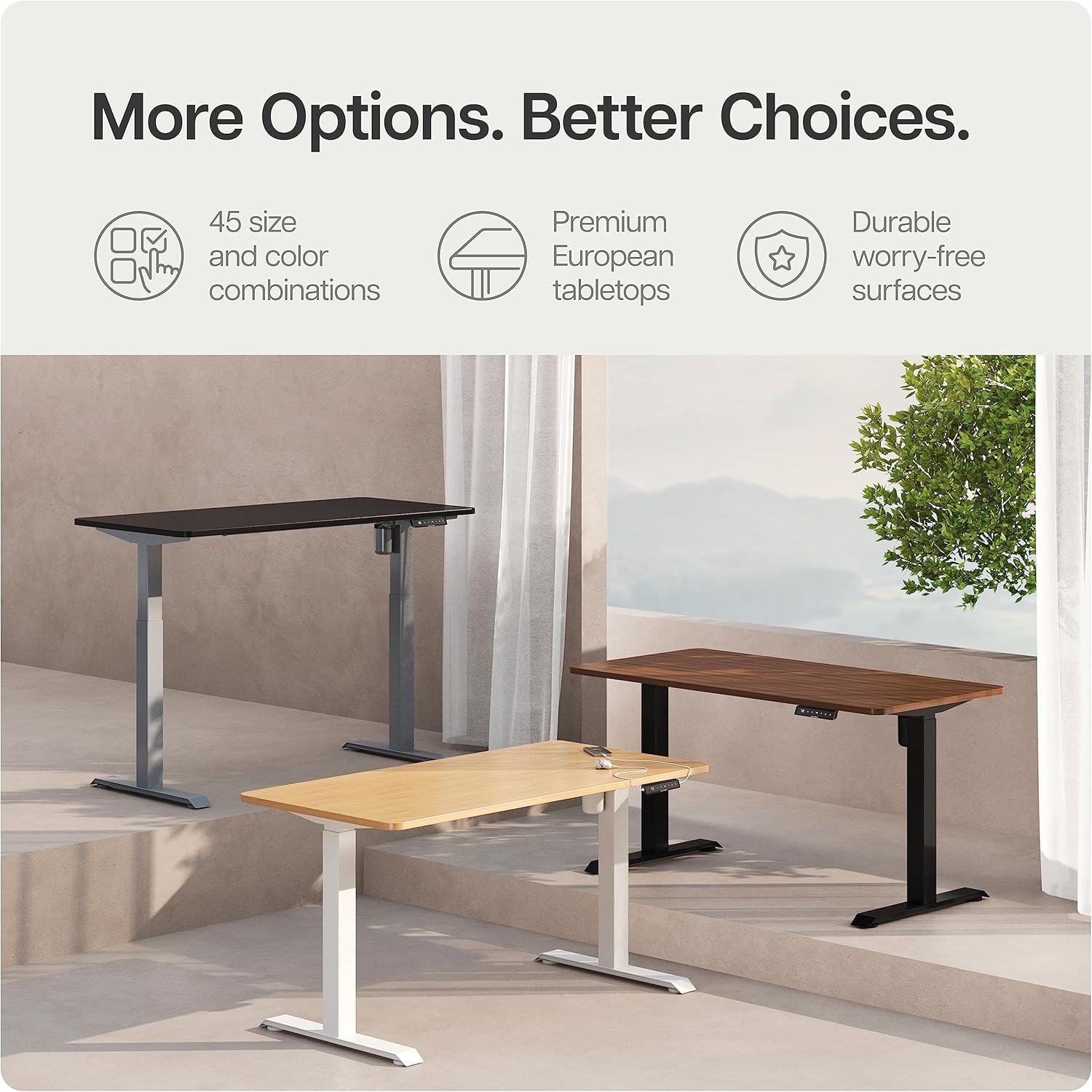
- Durable Desktop: Made from 25 mm FSC melamine resin-coated chipboard and laminate.

7. Cuidado y mantenimiento
Proper care will ensure the longevity and optimal performance of your Desktronic desk.
- Limpieza: Limpie la superficie del escritorio y el marco con un paño húmedo.amp paño. Evite limpiadores abrasivos o productos químicos fuertes que puedan dañar el acabado.
- Inspección: Revise periódicamente todos los tornillos y conexiones para asegurarse de que estén bien apretados. Vuelva a apretarlos si es necesario.
- Sistema de organización de cables: Asegúrese de que los cables no queden atrapados ni enredados, ya que esto podría afectar el funcionamiento del escritorio o causar daños.
- Condiciones ambientales: Evite exponer el escritorio a temperaturas extremas o alta humedad.
8. Guía de solución de problemas
If you encounter issues with your desk, refer to the table below for common problems and solutions. If the problem persists, contact customer support.
| Problema | Posible causa | Solución |
|---|---|---|
| El escritorio no se mueve. | No power, child lock active, or motor error. | Check power connection. Deactivate child lock. Unplug and replug power to reset. |
| El escritorio se mueve de manera desigual o hace un ruido inusual. | Carga desigual, conexiones sueltas u obstrucción. | Distribute weight evenly. Check all screws. Ensure no obstructions. |
| Se muestra código de error. | Falla del sistema. | Unplug the desk for 10 minutes, then reconnect. If the error persists, contact support. |
| El sistema anticolisión se activa con frecuencia. | Sensitivity too high or actual obstruction. | Ensure no objects are in the desk's path. Consult manual for sensitivity adjustment (if applicable). |
9. Especificaciones del producto
| Característica | Especificación |
|---|---|
| Número de modelo | HOME-ONE |
| Tamaño de escritorio | 160 x 80 centímetros |
| Altura mínima | 72 centímetros |
| Altura máxima | 120 centímetros |
| Peso del artículo | 40 kilogramos |
| Recomendación de peso máximo | 120 kilogramos |
| Material base | Metal (acero aleado) |
| Tipo de material superior | FSC Melamine Resin-Coated Chipboard |
| Mecanismo de elevación | Eléctrico |
| Características especiales | Electric Height Adjustment, Built-in USB Port, Anti-collision System, Child Lock |
| Fabricante | Desktronic |
10. Garantía y atención al cliente
Desktronic stands behind the quality of its products. The HOME-ONE Height-Adjustable Desk comes with a Garantía total de 5 año covering both the frame and electronics.
For warranty claims, technical assistance, or any questions regarding your Desktronic desk, please contact our customer support team. Refer to your purchase documentation or the Desktronic official websitio para detalles de contacto.


