1. Introducción
This manual provides detailed instructions for the operation and maintenance of your Coby CVR42BK Portable Cassette Player and Recorder. Please read this manual thoroughly before using the device to ensure proper function and longevity.
2. Contenido del paquete
Verifique que todos los artículos que se enumeran a continuación estén presentes en su paquete:
- Coby CVR42BK Portable Cassette Player and Recorder
- Micrófono de brazo externo
- Adaptador de CA de 120V
- Manual de usuario (este documento)

Figure 2.1: Included items in the Coby CVR42BK package.
3. Producto terminadoview
The Coby CVR42BK is a portable cassette player and recorder designed for both playback and one-touch recording. It features a built-in handle for portability and includes an external boom microphone for enhanced recording quality.

Figure 3.1: Coby CVR42BK Portable Cassette Player and Recorder.
3.1 Controles e indicadores
Familiarize yourself with the controls and ports on your device:
- Botón de play: Inicia la reproducción del casete.
- Botón de grabación: Activates recording function (requires a blank cassette).
- Botón de avance rápido: Avanza la cinta rápidamente.
- Botón de rebobinado: Rebobina la cinta rápidamente.
- Stop/Eject Button: Stops playback/recording and opens the cassette compartment.
- Control de volumen: Ajusta el volumen de reproducción.
- Toma de auriculares (3.5 mm): Para escucha privada.
- Entrada de micrófono externo: Connects the included boom microphone.
- Puerto del adaptador de CA: For connecting the 120V AC adapter.
- Compartimento de la batería: Holds 4 C batteries for portable power.
4. Configuración
4.1 Encendido del dispositivo
The CVR42BK can be powered by either the included AC adapter or 4 C batteries (not included).
- Alimentación CA: Connect the 120V AC adapter to the AC adapter port on the device and then plug it into a standard wall outlet.
- Energía de la batería: Open the battery compartment on the underside of the unit. Insert 4 C batteries, ensuring correct polarity (+/-). Close the compartment securely.

Figure 4.1: Power options for the CVR42BK.
4.2 Carga de una cinta de casete
- Presione el Detener / Expulsar Botón para abrir la puerta del compartimento del casete.
- Insert a cassette tape with the open edge facing upwards and the tape side facing you.
- Cierre suavemente la puerta del compartimiento del casete hasta que encaje en su lugar.

Figure 4.2: Loading a cassette tape.
5. Instrucciones de funcionamiento
5.1 Reproducción de una cinta de casete
- Asegúrese de que haya una cinta de casete cargada (consulte la Sección 4.2).
- Presione el Jugar Botón. La cinta comenzará a reproducirse.
- Ajustar el Control de volumen a su nivel de escucha deseado.
- Para avanzar rápidamente, presione el botón Avance rápido Botón. Para rebobinar, presione el Rebobinar botón.
- Para detener la reproducción, presione el Detener / Expulsar botón.
- Para escuchar en privado, conecte los auriculares al conector de auriculares de 3.5 mm.
5.2 Recording Audio (One-Touch Recording)
The CVR42BK features one-touch recording and Automatic Level Control (ALC) to optimize recording levels.
- Load a blank or recordable cassette tape into the device. Note: Re-using older cassettes may affect sound quality. New cassettes are recommended for optimal results.
- Presione el Registro botón. El Jugar button will also engage simultaneously. The device will begin recording audio from its built-in microphone or the connected external microphone.
- Para detener la grabación, presione el Detener / Expulsar botón.
- The device includes an auto-stop feature that will automatically stop recording when the tape reaches its end.
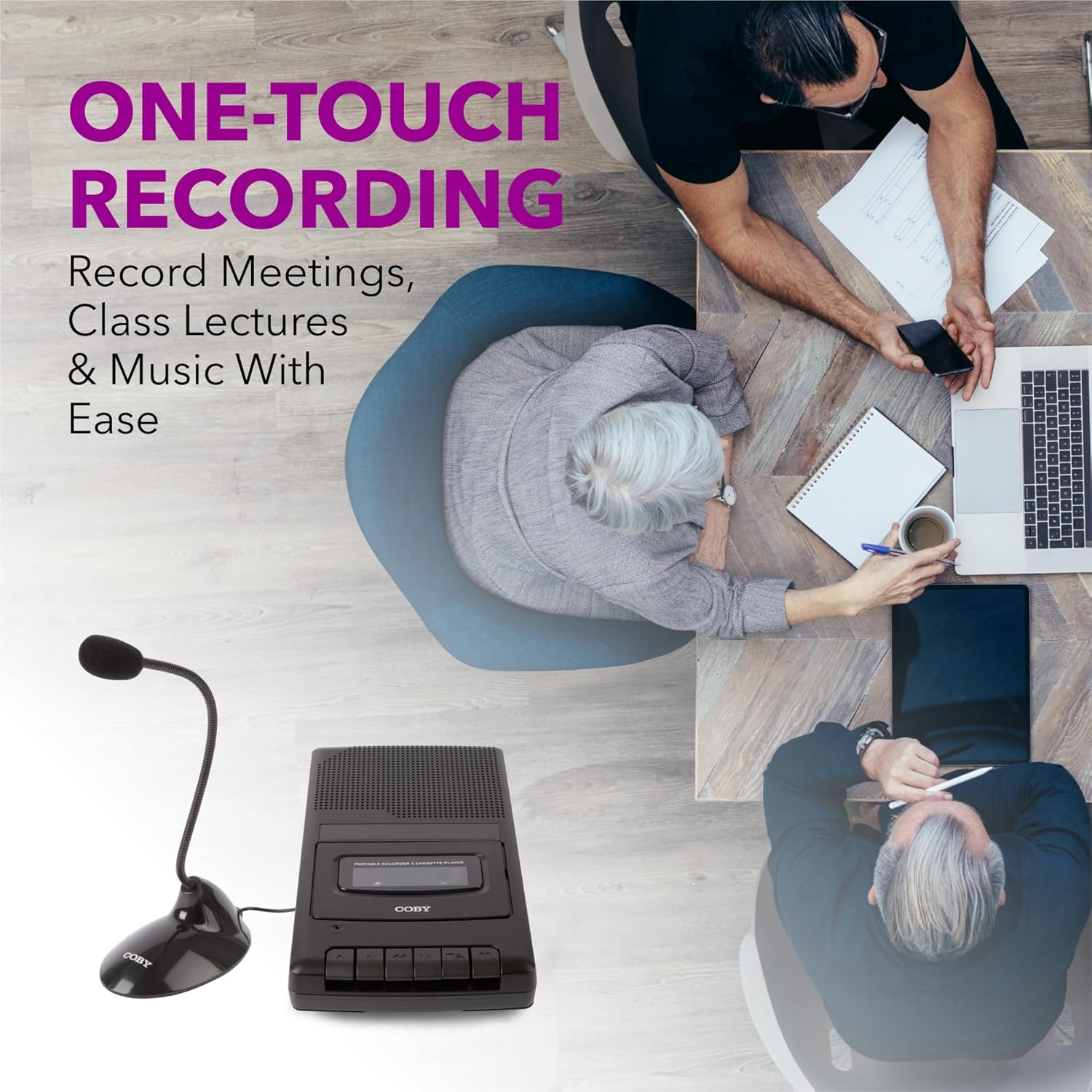
Figure 5.1: Using the CVR42BK for recording.
5.3 Using the External Boom Microphone
For higher quality recordings, especially for lectures or meetings, connect the included external boom microphone.
- Locate the external microphone input port on the CVR42BK.
- Plug the external boom microphone into this port.
- Position the microphone appropriately for the sound source you wish to record.
- Proceed with recording as described in Section 5.2. The device will automatically prioritize the external microphone when connected.

Figure 5.2: External boom microphone in use.
6. Mantenimiento
- Limpieza: Utilice un paño suave y seco para limpiar el exterior de la unidad. No utilice limpiadores líquidos ni disolventes.
- Limpieza del cabezal de la cinta: Periodically clean the tape heads with a specialized cassette head cleaning kit to ensure optimal sound quality and prevent tape damage.
- Almacenamiento: When not in use for extended periods, remove batteries to prevent leakage. Store the device in a cool, dry place away from direct sunlight and extreme temperatures.
- Cuidado del casete: Guarde las cintas de casete en sus estuches para protegerlas del polvo y de daños físicos. Evite exponerlas a campos magnéticos fuertes.
7. Solución de problemas
| Problema | Posible causa | Solución |
|---|---|---|
| Sin poder | El adaptador de CA no está conectado o está defectuoso; las baterías están agotadas o insertadas incorrectamente. | Check AC adapter connection and power outlet. Replace batteries or ensure correct polarity. |
| No hay sonido durante la reproducción | Volume too low; headphones connected; tape head dirty; tape damaged. | Increase volume. Disconnect headphones. Clean tape heads. Try a different tape. |
| La grabación no funciona | Tape is write-protected; tape is full; microphone not connected or faulty. | Ensure the write-protect tab on the cassette is intact. Use a blank tape. Check microphone connection. |
| Mala calidad de sonido | Dirty tape heads; old or damaged cassette tape; external interference. | Clean tape heads. Use a new or known-good cassette tape. Move away from electronic devices. |
| La cinta no se mueve | Tape jammed; mechanism fault. | Gently open compartment and check for tape jams. If problem persists, contact support. |
8. Especificaciones
| Número de modelo | CVR42BK |
| Fuente de poder | 120V AC Adapter (included) or 4 x 'C' Batteries (not included) |
| Características | Automatic Level Control (ALC), One-Touch Recording, Fast Forward, Rewind, Volume Control, Auto-Stop |
| Micrófono | Built-in microphone, External Boom Microphone (included) |
| Toma de auriculares | 3.5mm estéreo |
| Dimensiones del producto (L x An x Al) | 10.2 x 5.83 x 1.97 pulgadas (25.9 x 14.8 x 5 cm) |
| Peso del artículo | 1.75 libras (0.79 kg) |
| Código Postal | 810071491450 |
9. Garantía y soporte
Para obtener información sobre la garantía o asistencia técnica, consulte la tarjeta de garantía incluida con su producto o visite el sitio web oficial de Coby. webSitio. Conserve su recibo de compra como comprobante de compra para cualquier reclamación de garantía.
Fabricante: Cumbre Electrónica LLC


