1. Producto terminadoview
The Prolink DL-7203E is a portable LTE Mobile Wi-Fi device designed to provide high-speed wireless connectivity on the go. It functions as a 4G router, allowing multiple devices to connect to the internet via a SIM card. Additionally, it features a built-in power bank function for charging other devices.
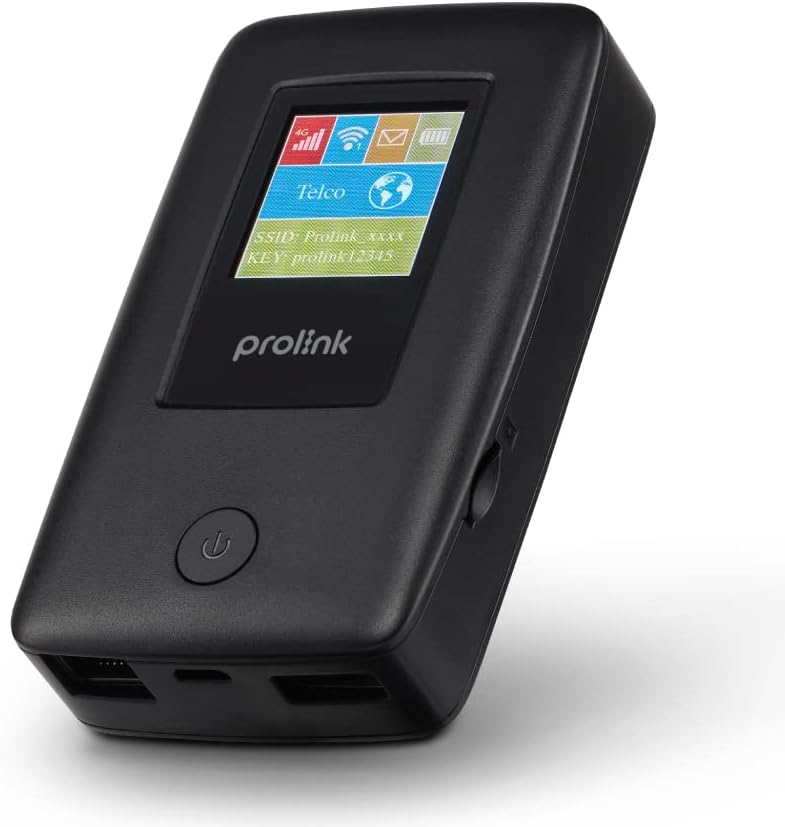
Figure 1.1: Prolink DL-7203E LTE Mobile Wi-Fi device.

Figure 1.2: Key features and capabilities of the Prolink DL-7203E.
Contenido del paquete
- Prolink DL-7203E LTE Mobile Wi-Fi Device
- Cable de carga USB
- Guía de inicio rápido (no incluida en este manual)
2. Disposición del dispositivo
Familiarize yourself with the various components and ports of your DL-7203E device.

Figura 2.1: Frente y lateral view of the Prolink DL-7203E with labeled components.
- LCD Screen Indicator: Displays signal strength, battery level, Wi-Fi status, and network information.
- Ranura para tarjeta SIM: Inserte su tarjeta Nano SIM aquí.
- RJ45 LAN/WAN Port: For wired Ethernet connection to devices or an existing network.
- Puerto de carga (USB-C): Connect the provided USB cable for charging the device.
- Puerto USB tipo A (salida): Used for the power bank function to charge other devices.
- Botón de encendido: Mantenga presionado para encender/apagar el dispositivo.
3. Guía de configuración
3.1 Inserción de la tarjeta SIM
- Asegúrese de que el dispositivo esté apagado.
- Localice la ranura de la tarjeta SIM en el costado del dispositivo.
- Inserte con cuidado la tarjeta Nano SIM en la ranura hasta que encaje. Asegúrese de que la orientación sea la correcta, como se indica en el dispositivo.
- Cierre la tapa de la ranura de la tarjeta SIM, si corresponde.
3.2 Carga del dispositivo
- Connect the provided USB charging cable to the USB-C charging port on the DL-7203E.
- Conecte el otro extremo del cable a un adaptador de corriente USB (no incluido) o al puerto USB de una computadora.
- The battery indicator on the LCD screen will show charging status. A full charge provides up to 25 hours of connectivity.
3.3 Encendido / Apagado
- Para encender: Mantenga presionado el botón de Encendido hasta que se ilumine la pantalla LCD.
- Para apagar: Mantenga presionado el botón de encendido hasta que el dispositivo se apague.

Figure 3.1: The Auto APN feature enables plug-and-play functionality in over 185 countries.
4. Operación
4.1 Conexión de dispositivos a través de Wi-Fi
- Ensure the DL-7203E is powered on and has an active internet connection (indicated by the signal icon on the LCD).
- En su dispositivo con Wi-Fi habilitado (teléfono inteligente, computadora portátil, tableta), busque redes Wi-Fi disponibles.
- Select the SSID (network name) displayed on the DL-7203E's LCD screen.
- Enter the Wi-Fi Key (password) also displayed on the LCD screen.
- Your device should now be connected to the internet. The DL-7203E supports up to 16 Wi-Fi devices simultaneously.

Figure 4.1: Share internet connection with up to 16 devices simultaneously.
4.2 Uso como banco de energía
The DL-7203E can double as a portable power bank to charge your mobile devices.
- Connect your mobile device's charging cable to the USB Type-A output port on the DL-7203E.
- The DL-7203E will begin charging your device.

Figure 4.2: The DL-7203E can charge your devices on the go.
4.3 Connecting via LAN/WAN Port
The RJ45 port allows for wired connectivity.
- Modo LAN: Connect a device (e.g., laptop, desktop) to the DL-7203E via an Ethernet cable for a wired internet connection.
- Modo PÁLIDO: Connect the DL-7203E to an existing wired network (e.g., hotel Ethernet) to share that internet connection wirelessly.
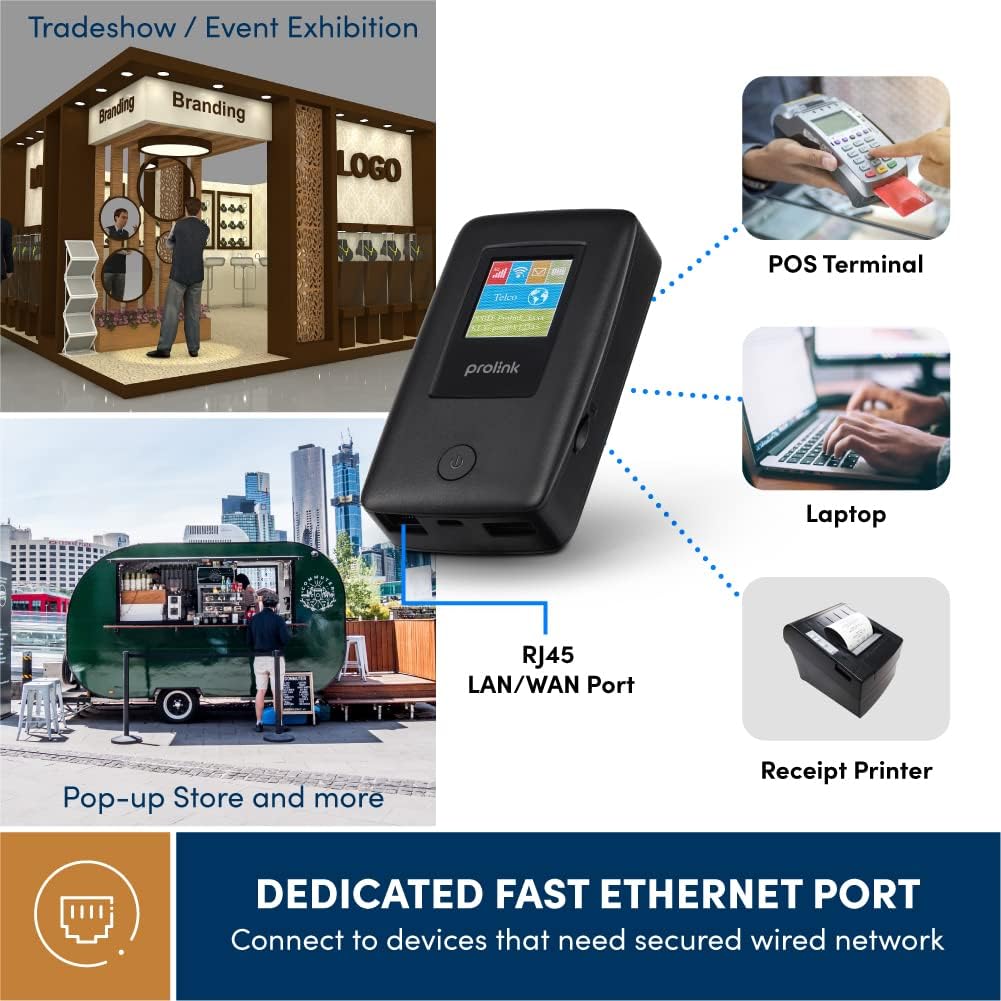
Figure 4.3: Utilize the dedicated Ethernet port for secured wired network connections.
4.4 File Sharing via MicroSD Card
The built-in microSD card slot supports up to 64GB, allowing for easy file intercambio.
- Inserte una tarjeta microSD en la ranura designada.
- Access the shared content wirelessly from connected devices through the device's web interface or the mProMifi App.

Figure 4.4: Share media content wirelessly across your network via a microSD card.
4.5 Using the mProMifi App
For enhanced control and monitoring, download the mProMifi App (available for devices with P/N: LTE-DL7203E-E, S/N starting from "265201" or later). The app allows you to manage settings, view connected devices, and monitor data usage.
5. Características principales
- Conexión rápida: Enjoy high-speed connectivity of up to 150Mbps via LTE and up to 300Mbps via Wi-Fi hotspot.
- Mayor duración de la batería: Equipped with a 5200mAh (or 6000mAh for updated models) battery, providing up to 25 hours of continuous connectivity.
- Acceso multiusuario: Share your internet connection with up to 16 Wi-Fi enabled devices simultaneously.
- Apto para viajes: Supports automatic APN configuration for over 185 countries, making it ideal for international travel.
- Función del banco de energía: Charge your smartphones and other USB-powered devices on the go.
- Puerto Ethernet: Provides a reliable wired connection for devices without wireless capabilities or for sharing an existing wired network.
- Ranura para tarjeta microSD: Supports up to 64GB for convenient wireless file intercambio.

Figure 5.1: Enjoy extended connectivity with up to 25 hours of battery life.

Figure 5.2: The compact design allows you to stay connected wherever you are.
6. Mantenimiento
- Limpieza: Utilice un paño suave y seco para limpiar el dispositivo. Evite limpiadores líquidos o aerosoles.
- Cuidado de la batería: To prolong battery life, avoid exposing the device to extreme temperatures. If storing for a long period, charge the battery to about 50% before storage.
- Almacenamiento: Guarde el dispositivo en un lugar fresco y seco, lejos de la luz solar directa y la humedad.
7. Solución de problemas
Problemas comunes y soluciones
| Problema | Posible causa | Solución |
|---|---|---|
| Sin conexión a Internet | No SIM card inserted, SIM card not activated, poor signal, incorrect APN settings. | Ensure SIM is correctly inserted and active. Move to an area with better signal. The device has Auto APN, but if issues persist, check network provider settings. |
| No se puede conectar al Wi-Fi | Contraseña de Wi-Fi incorrecta, dispositivo demasiado lejos del enrutador, Wi-Fi deshabilitado. | Verify Wi-Fi password. Move closer to the DL-7203E. Ensure Wi-Fi is enabled on the device. |
| Battery Not Charging / Draining Quickly | Faulty cable/adapter, high usage, old battery. | Try a different USB cable and power adapter. Reduce the number of connected devices or usage time. Contact support if battery life significantly degrades. |
| Device Freezes / Unresponsive | Fallo del software. | Perform a soft reset by holding the power button until the device restarts. If persistent, a factory reset might be needed (refer to advanced settings via web interfaz). |
8. Especificaciones
| Característica | Detalle |
|---|---|
| Nombre del modelo | DL-7203E (LTE-DL7203E) |
| Marca | Enlace pro |
| Comunicación inalámbrica | 4G LTE, Wi-Fi (802.11ac) |
| Velocidad de Wi-Fi | Hasta 300 Mbps |
| Velocidad LTE | Hasta 150 Mbps |
| Capacidad de la batería | 5200mAh (updated models 6000mAh) |
| Duración de la batería | Hasta 25 horas |
| Máximo de usuarios de Wi-Fi | 16 |
| Tipo de tarjeta SIM | Nano SIM |
| Puertos | RJ45 LAN/WAN, USB-C Charging, USB Type-A Output |
| Compatibilidad con MicroSD | Hasta 64 GB |
| Dimensiones (L x An x Al) | 15.4 x 9.2 x 4.4 cm |
| Peso | 161 gramos |
| Color | Negro |
9. Garantía y soporte
Prolink products come with a local warranty and technical support. For any inquiries or assistance, please contact Prolink support.

Figure 9.1: Prolink Official Store support information.
- Soporte por correo electrónico: soporte@prolink2u.com
- Soporte telefónico: (65) 6357 0666
- For the most up-to-date support information, please visit the official Prolink website or your regional Prolink support page.


