Introducción
The Edifier MG300 Computer Sound Bar is designed to enhance your audio experience for desktop computers, gaming, and multimedia consumption. It features dual full-range drivers, a built-in microphone, RGB lighting, and versatile connectivity options including Bluetooth 5.3 and USB. This manual provides detailed instructions for setup, operation, and maintenance to ensure optimal performance.
Contenido del paquete
Verifique el contenido del paquete para asegurarse de que todos los artículos estén presentes:
- Edifier MG300 Computer Sound Bar
- Cable USB
- Manual de usuario
Producto terminadoview
The Edifier MG300 is a compact sound bar designed to fit under your computer monitor, saving desktop space. It integrates audio and lighting features for an immersive experience.
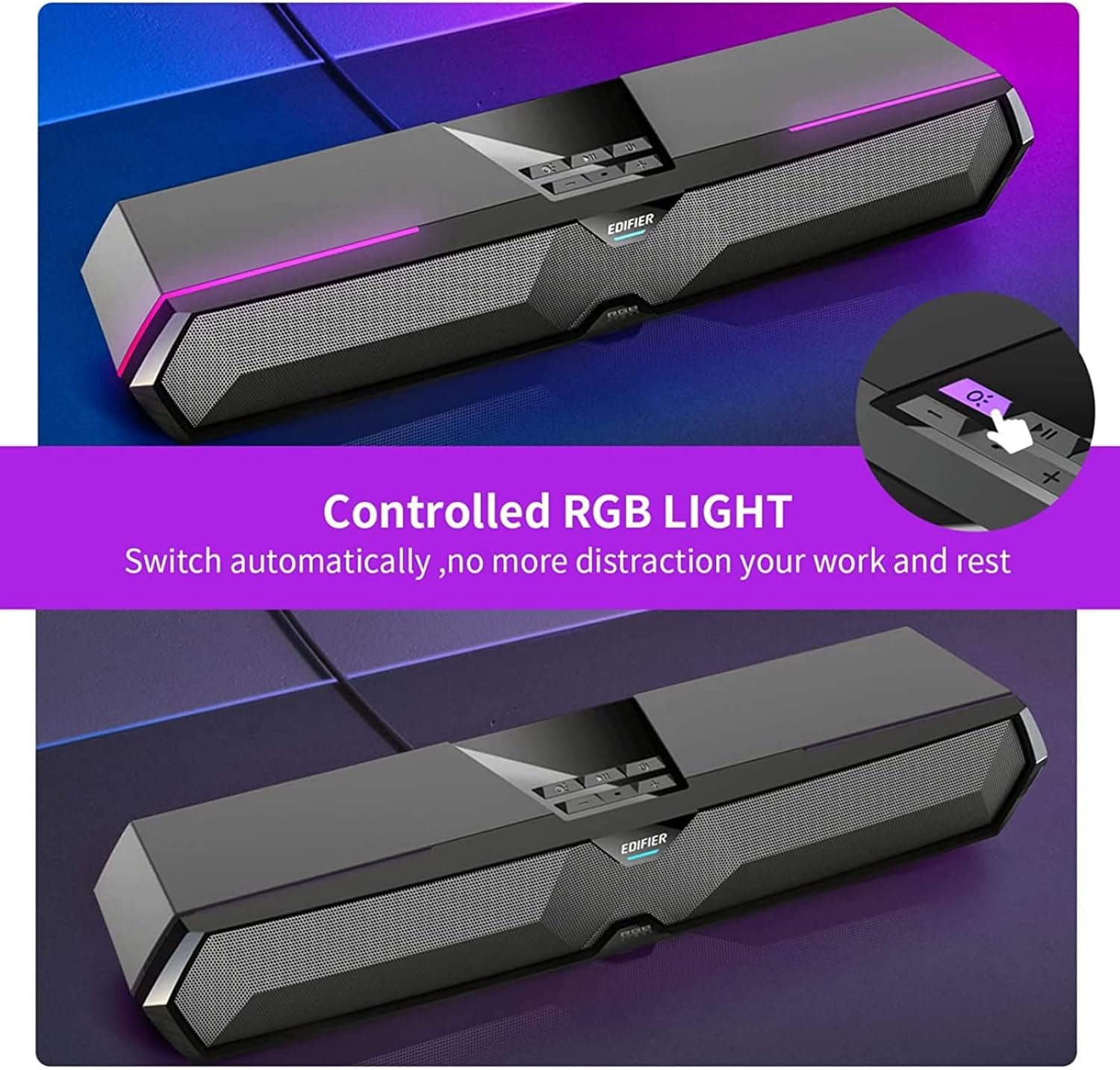
Figure 1: Edifier MG300 Sound Bar with dimensions. The sound bar measures approximately 16.5 inches in width, 5 inches in depth, and 4 inches in height.

Figure 2: The compact design of the Edifier MG300 Sound Bar allows it to be placed efficiently under a computer monitor, optimizing desktop space. The image shows the sound bar positioned beneath a monitor on a wooden stand.

Figure 3: The Edifier MG300 Sound Bar features powerful yet pure sound, delivered by dual high-quality 52mm drivers and two mica fiber diaphragms, ensuring clear and rich audio output.
Configuración y conectividad
The MG300 offers both USB and Bluetooth connectivity for versatile use with various devices.
USB Connection (for PC/Desktop)
- Insert the USB cable from the sound bar into an available USB port on your computer.
- The sound bar will automatically power on.
- Your computer should automatically install the necessary USB audio streaming driver.
- Once the driver is installed, the sound bar is ready to use.
- In your computer's sound settings, select "Speaker (EDIFIER MG300)" as the output device.
Note: In USB audio streaming mode, the speaker does not support volume sync. Adjust speaker volume and computer volume separately.
Conexión Bluetooth (para teléfonos inteligentes/tabletas)
- Press the input mode switch button on the sound bar to switch to Bluetooth input. The blue LED indicator will blink rapidly, indicating pairing mode.
- On your mobile device, enable Bluetooth and search for "EDIFIER MG300" in the list of available devices.
- Select "EDIFIER MG300" to connect. The blue LED will become solid once connected.
- To disconnect Bluetooth or clear pairing records, press and hold the input mode switch button.
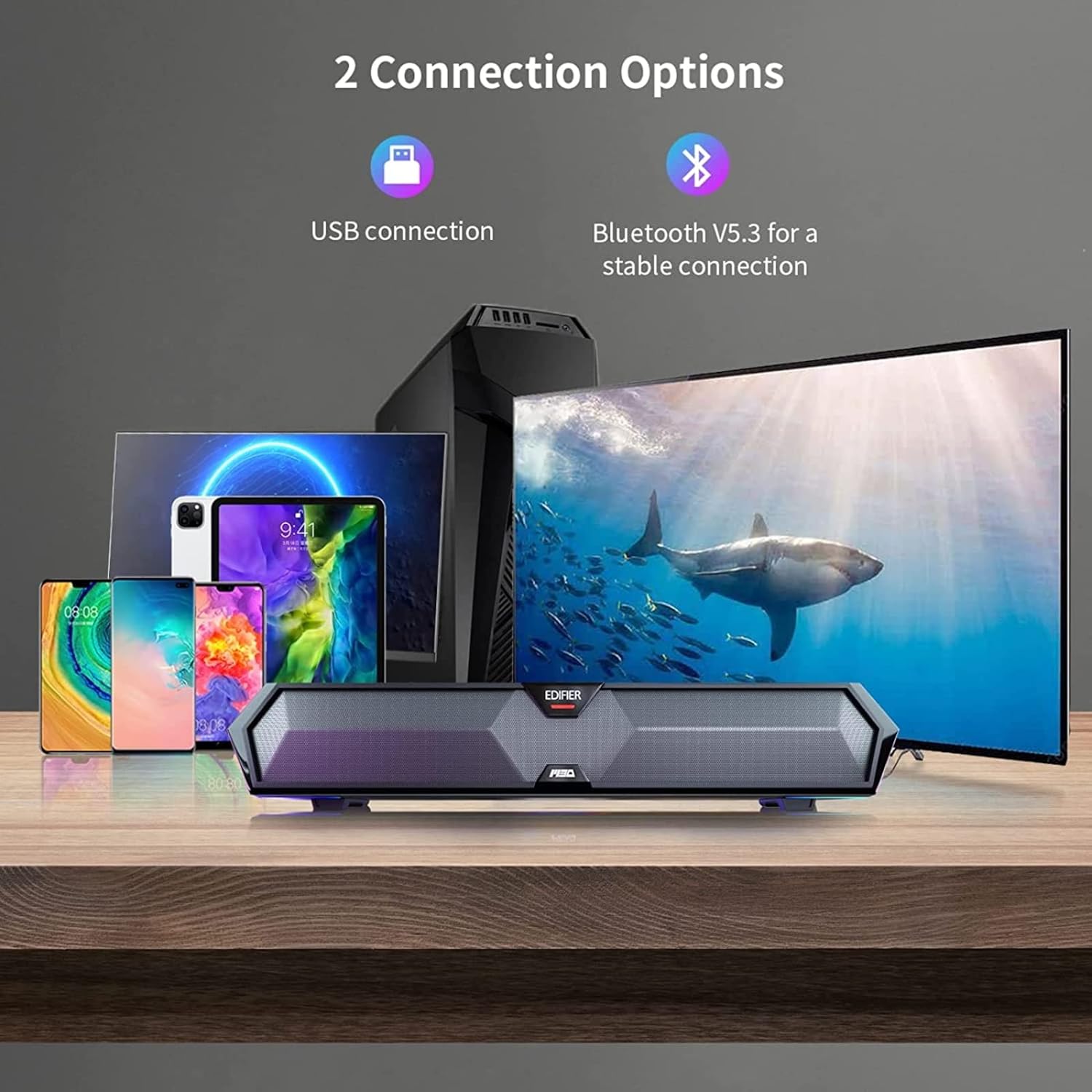
Figure 4: The Edifier MG300 Sound Bar supports two primary connection methods: USB for computers and Bluetooth 5.3 for mobile devices such as smartphones and tablets, ensuring stable and versatile audio streaming.
Instrucciones de funcionamiento
Controles
The control buttons are located on the top of the sound bar:
- Encendido/apagado: Mantenga presionado para encender/apagar.
- Interruptor de modo de entrada: Press to switch between USB (red LED) and Bluetooth (blue LED) modes. Press and hold to disconnect Bluetooth and clear pairing records.
- Reproducir/Pausa: Presione para reproducir o pausar el audio.
- Subir volumen (+): Presione para aumentar el volumen. Mantenga presionado para la siguiente pista.
- Bajar volumen (-): Presione para disminuir el volumen. Mantenga presionado para ir a la pista anterior.
- Interruptor de efecto de luz: Press to cycle through RGB lighting effects. Press and hold to turn off light effect.
Efectos de iluminación RGB
The sound bar features 6 RGB lighting effects to enhance your gaming or listening environment. You can cycle through these effects or turn them off as desired.
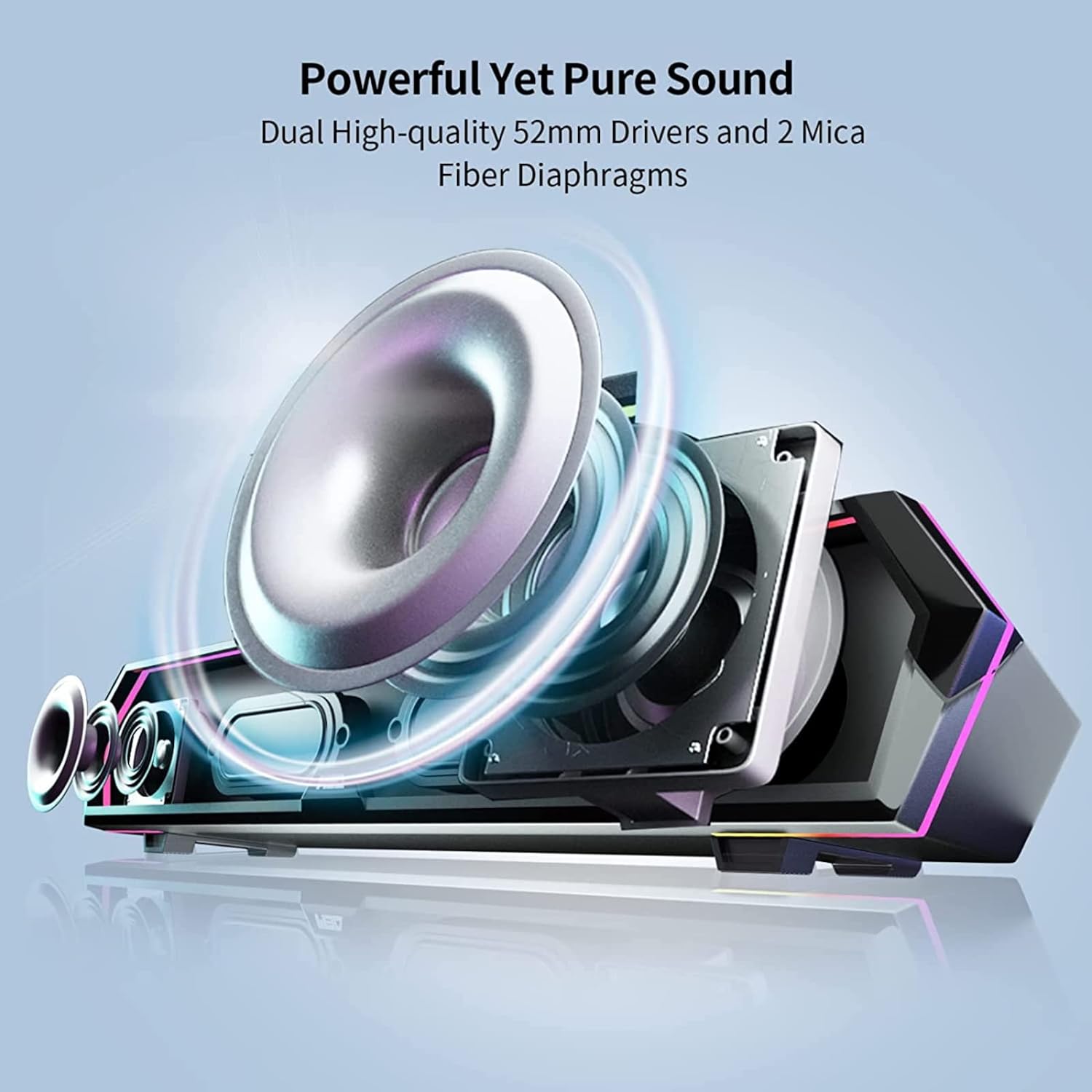
Figure 5: The Edifier MG300 Sound Bar features customizable RGB lighting. Users can switch between various lighting effects by pressing the dedicated light effect switch button located on the top panel.
Micrófono incorporado
The MG300 includes a cleverly hidden microphone, integrated into the top silicone protective sleeve. This design helps isolate vibration interference from the speaker, ensuring clear communication during calls or gaming sessions.

Figure 6: The Edifier MG300 Sound Bar features a hidden microphone, strategically placed to minimize interference and ensure clear voice pickup during gaming or communication. The image depicts a user in a gaming scenario, utilizing the microphone for in-game chat.
Modos de sonido
The sound bar is equipped with optimized sound effects for different scenarios:
- Modo de juego: Tuned for immersive gaming audio, highlighting environmental details and enhancing realism.
- Modo música: Optimized for clear and balanced audio reproduction for music listening.

Figure 7: The Edifier MG300 Sound Bar is equipped with distinct sound effects for game and music modes, professionally tuned to suit various scenarios. The image illustrates the sound bar in a gaming setup and a music listening setup.
Mantenimiento y cuidado
- Keep the sound bar away from heat sources, direct sunlight, humidity, and water.
- Do not disassemble or attempt to repair the unit yourself. Contact qualified service personnel if needed.
- Limpie la superficie con un paño suave y seco. Evite usar limpiadores abrasivos o disolventes.
- Asegure una ventilación adecuada alrededor de la unidad.
Solución de problemas
If you encounter any issues with your Edifier MG300 Sound Bar, please refer to the following common solutions:
| Problema | Posible causa | Solución |
|---|---|---|
| Sin sonido | Speaker is off, volume is too low, incorrect input selected, or cable not connected properly. | Ensure speaker is powered on. Increase volume. Select correct input mode (USB/Bluetooth). Check USB cable connection. Verify computer sound output settings. |
| No se puede conectar a través de Bluetooth | Bluetooth no habilitado en el dispositivo, el altavoz no está en modo de emparejamiento o el dispositivo está demasiado lejos. | Enable Bluetooth on your device. Press input mode button to enter Bluetooth pairing mode (blue LED blinking). Ensure device is within 10 meters of the speaker. Try clearing pairing records on the speaker and re-pairing. |
| Ruido procedente de los altavoces | Interference from other audio devices or poor signal quality. | Move the speaker away from other electronic devices. Ensure the audio source is not generating noise. If using Bluetooth, try moving closer to the speaker. |
Presupuesto
- Nombre del modelo: MG300
- Tipo de altavoz: Barra de sonido
- Material: Plástico
- Dimensiones del producto: 5" de profundidad x 16.5" de ancho x 4" de alto
- Peso del artículo: 2.55 libras (1.16 kilogramos)
- Potencia máxima de salida del altavoz: 5 vatios (2.5 W + 2.5 W)
- Tamaño del controlador de audio: 52 Millimeters (2 x 52mm full-frequency drivers)
- Configuración del canal de sonido envolvente: 2.0
- Relación señal / ruido: 85 dB
- Tecnología de conectividad: Bluetooth 5.3, USB
- Tecnología de comunicación inalámbrica: Bluetooth 5.3
- Alcance de Bluetooth: 50 pies
- Característica especial: Micrófono incorporado, iluminación RGB
- Método de control: Botones táctiles
- Fuente de energía: Eléctrico con cable (alimentado por USB)
- Dispositivos compatibles: Desktop, Smartphones, Tablets
Vídeo oficial del producto
Vídeo 1: Producto oficial terminadoview of the Edifier MG300 Sound Bar, showcasing its design, RGB lighting, and connectivity features. This video highlights the sound bar's capabilities in a gaming environment.
Garantía y soporte
The Edifier MG300 Sound Bar comes with a Limited Warranty. For detailed warranty information, product support, or any queries, please visit the official Edifier websitio o póngase en contacto con su servicio de atención al cliente.
- Tipo de garantía: Limitado
- Soporte en línea: Visita www.edificador.com for English support.
- For specific regional support, please check the relevant country page on the Edifier websitio.