Introducción
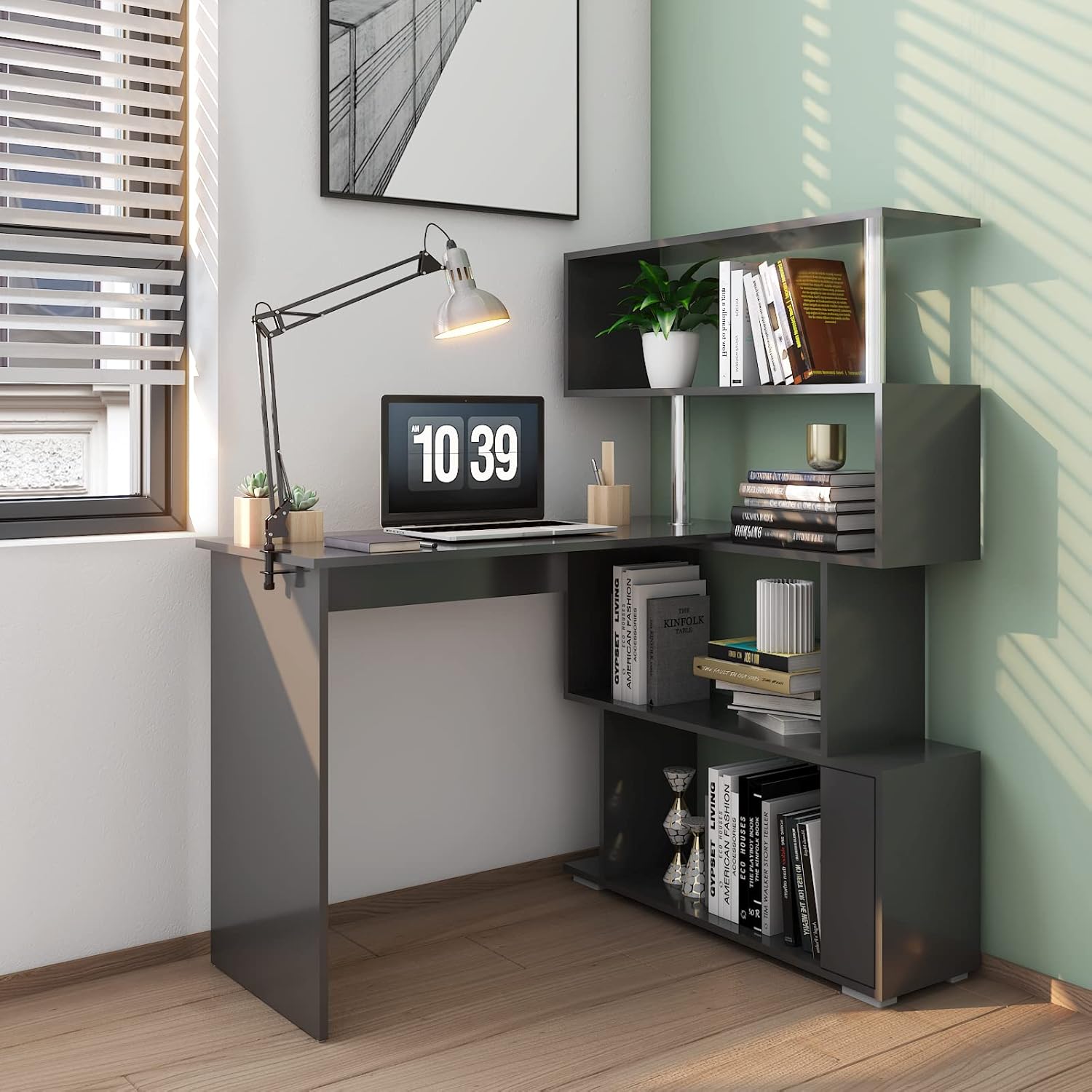
This manual provides detailed instructions for the assembly, operation, and maintenance of your Mondeer 41.7" L Shaped Desk with 4-Tier Storage Shelves. Please read all instructions carefully before beginning assembly and retain this manual for future reference. Proper assembly and care will ensure the longevity and stability of your desk.
Información importante de seguridad
- Monte siempre el escritorio sobre una superficie suave y limpia para evitar arañazos.
- Asegúrese de que todos los tornillos y fijaciones estén bien apretados antes de usar. Revíselos periódicamente y ajústelos según sea necesario.
- Do not overload the desk or shelves. Refer to the specifications for maximum weight recommendations.
- Mantenga las piezas pequeñas y los materiales de embalaje fuera del alcance de los niños y las mascotas para evitar riesgos de asfixia.
- For enhanced stability, especially in the L-shape configuration, consider installing the included anti-tip wall anchors.
- Utilice el escritorio sobre una superficie nivelada para evitar que se tambalee y se vuelque.

Contenido del paquete
Before beginning assembly, carefully unpack all components and verify that all parts and hardware are present and undamaged. Refer to the parts list provided in your packaging for a complete inventory. If any parts are missing or damaged, please contact customer support.
- Panel superior del escritorio
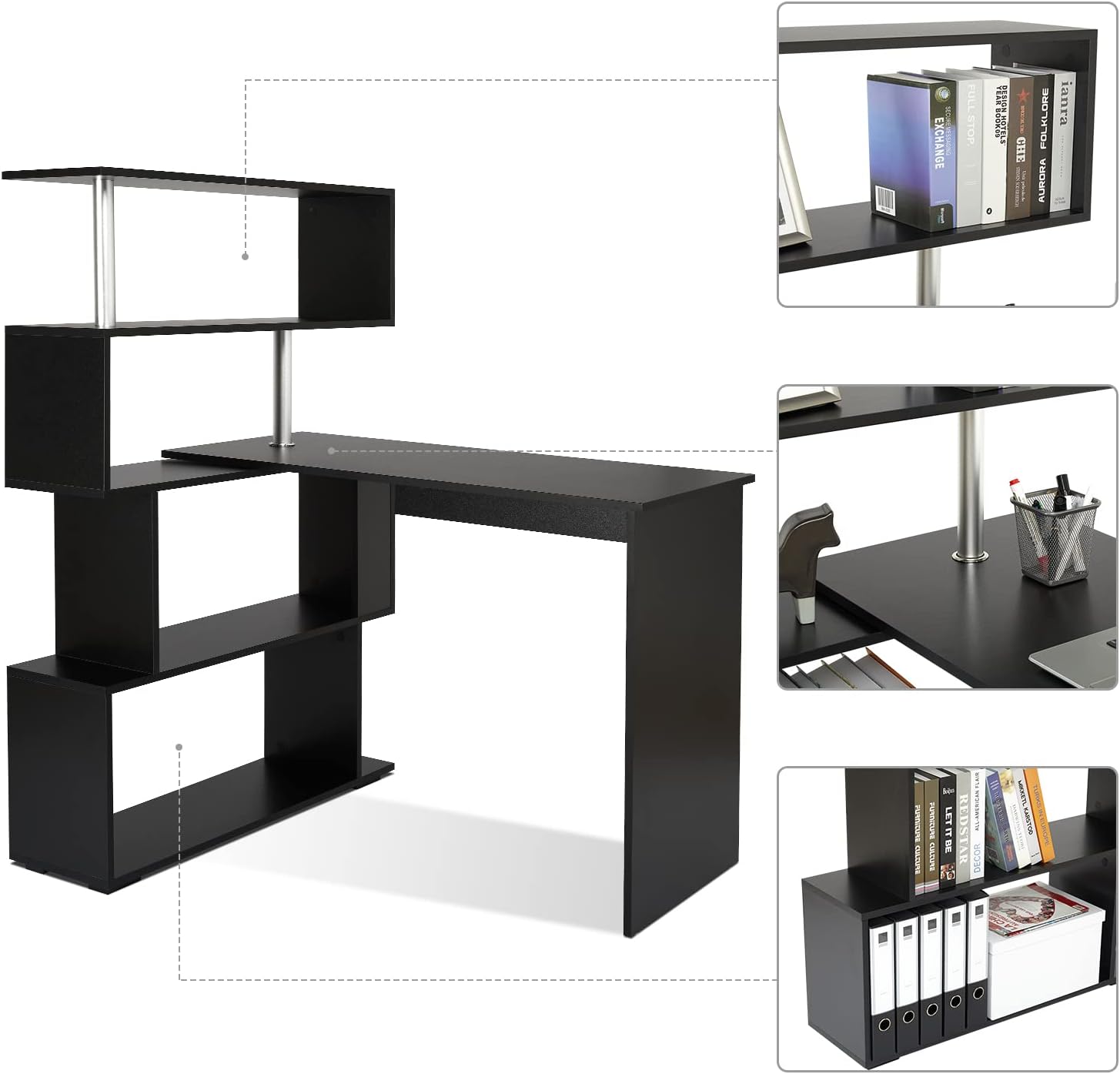
- Shelf Unit Panels (4 tiers)
- Support Legs/Panels
- Rotating Mechanism Components
- Hardware Pack (screws, dowels, connectors, wall anchors)
- Herramientas de montaje (por ejemplo, llave Allen)
Configuración y montaje
Follow these steps to assemble your Mondeer L-Shaped Desk. It is recommended to have two people for assembly to ensure ease and safety.
- Prepare el área: Clear a spacious, flat area for assembly. Lay down a blanket or cardboard to protect the desk components and your floor.
- Identificar piezas: Separate and identify all desk panels and hardware using the provided parts list and diagrams.
- Assemble the Main Desk Section: Attach the desk legs/panels to the main desk top panel using the specified hardware. Ensure all connections are firm.
- Assemble the 4-Tier Storage Shelf Unit: Construct the shelving unit by connecting the shelf panels and vertical supports. Pay attention to the orientation of each panel.
- Connect Desk and Shelf Unit: Carefully align and attach the main desk section to the storage shelf unit. This connection typically involves the rotating mechanism. Ensure the mechanism is installed correctly to allow smooth rotation.
- Conexiones seguras: Double-check all screws and fasteners to ensure they are fully tightened. Do not overtighten.
- Posicionamiento del escritorio: Move the assembled desk to its desired location. Adjust the configuration as needed (see Operating Instructions).
- Install Wall Anchors (Optional but Recommended): For added stability, especially if the desk will be in an L-shape or if there are children in the household, install the anti-tip wall anchors as shown in Figure 1.

Instrucciones de funcionamiento
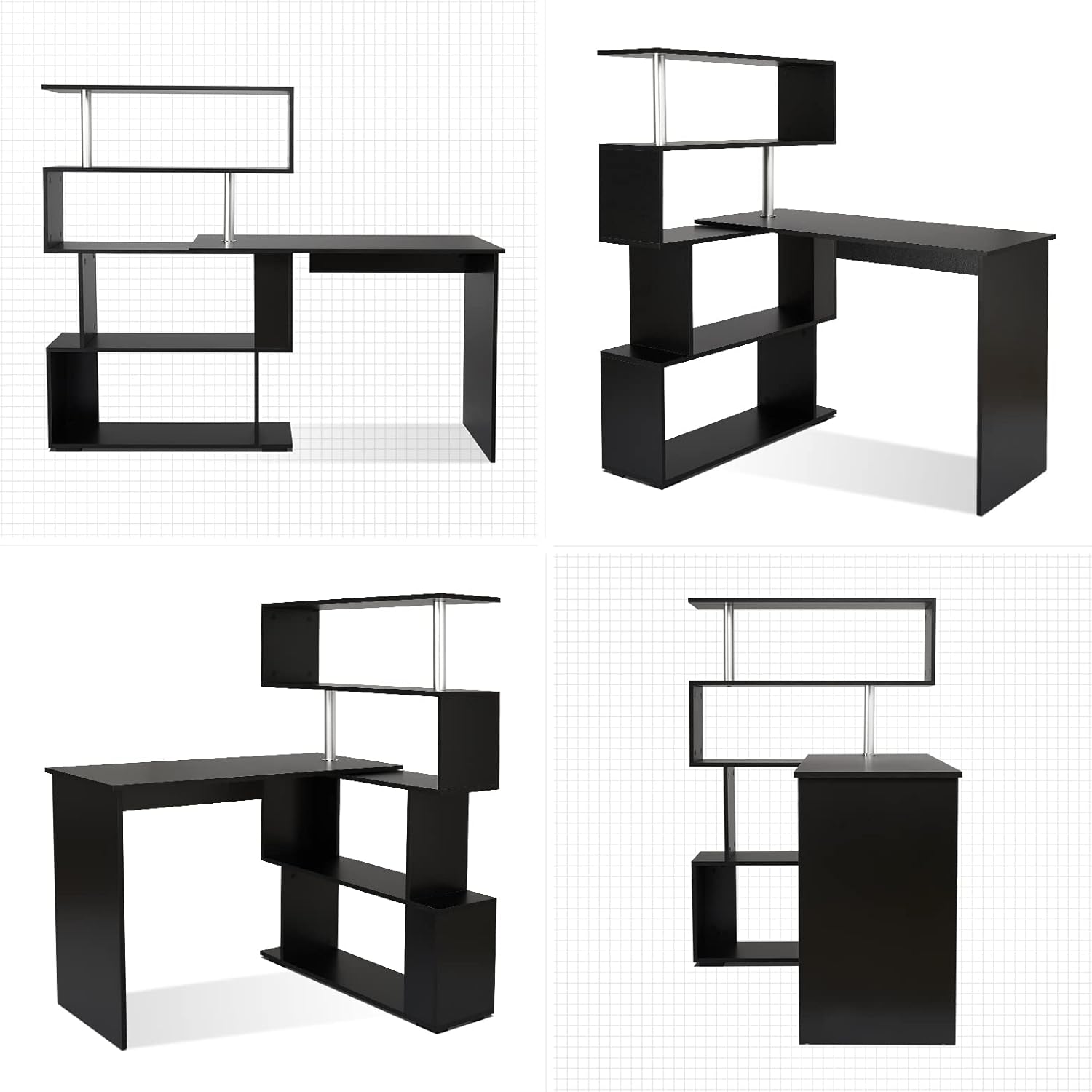
The Mondeer L-Shaped Desk features a unique 360° rotating design, allowing for flexible configuration to suit various spaces and needs.
Adjusting the Desk Configuration
To change the desk's shape from an L-shaped corner desk to a straight desk, or any angle in between, gently rotate the desk section relative to the shelving unit. Ensure the area around the desk is clear of obstructions to allow for smooth movement. The rotation mechanism is designed for ease of use.

Utilizando estantes de almacenamiento
The integrated 4-tier storage shelves provide ampel espacio para organizar libros, files, office supplies, and decorative items. Arrange items to maintain balance and avoid overloading any single shelf.
Mantenimiento
Proper care and maintenance will help preserve the appearance and functionality of your desk.
- Limpieza: Limpie las superficies con un paño suave yamp paño. Evite utilizar limpiadores abrasivos, productos químicos fuertes o disolventes, ya que pueden dañar el acabado.
- Derrames: Limpie inmediatamente cualquier derrame para evitar manchas o daños en el material de madera.
- Comprobación del hardware: Periodically inspect all screws, bolts, and connections. Re-tighten any loose hardware to maintain stability.
- Protección: Use coasters under drinks and protective pads under hot items to prevent heat marks and moisture damage.

Solución de problemas
Si encuentra algún problema con su escritorio, consulte los siguientes problemas y soluciones comunes:
- El escritorio se tambalea:
Solución: Ensure all assembly screws are fully tightened. Verify the desk is placed on a level surface. If the desk is in an L-shape, consider installing the anti-tip wall anchors for additional stability. - Difficulty Rotating the Desk:
Solución: Check for any obstructions around the rotating mechanism. Ensure the mechanism is clean and free of debris. Do not force the rotation; it should move smoothly. - Piezas faltantes o dañadas:
Solución: If you discover any missing or damaged parts upon unpacking, do not proceed with assembly. Contact Mondeer customer support immediately with your model number and a description of the issue.
Especificaciones del producto
| Característica | Detalle |
|---|---|
| Marca | Mondeer |
| Número de modelo | H1071CD07BK |
| Dimensiones generales (forma de L) | Approx. 61.8 inches (W) x 17.7 inches (D) x 51.4 inches (H) |
| Overall Dimensions (Straight) | Approx. 75.6 inches (W) x 17.7 inches (D) x 51.4 inches (H) |
| Dimensiones de la superficie del escritorio | Approx. 41.7 inches (W) x 17.7 inches (D) x 29.7 inches (H) |
| Dimensiones de la estantería | Approx. 33.9 inches (W) x 17.7 inches (D) x 51.4 inches (H) |
| Color | Negro |
| Tipo de material superior | Madera |
| Material base | Acero aleado |
| Material de las patas de los muebles | Acero inoxidable |
| Peso del artículo | 27 kilogramos (59.5 libras) |
| Número de estantes | 4 |
| Recomendación de peso máximo | 50 kilogramos |

Garantía y soporte
Información de garantía
This product is covered by a 30-day easy return policy. Please refer to your purchase documentation for specific terms and conditions regarding returns and exchanges.
Atención al cliente
For assistance with assembly, missing parts, troubleshooting, or any other product-related inquiries, please contact Mondeer US customer support. You can find contact information and additional resources on the official Mondeer store page on Amazon: