Introducción
Thank you for choosing the HTC Neckband Headphones. These headphones are designed to provide a superior audio experience with advanced features such as Bluetooth 5.0 connectivity, Active Noise Cancellation (ANC), and Environmental Noise Cancellation (ENC) for clear calls. With an IPX5 waterproof rating and up to 16 hours of playtime, they are suitable for various activities, from daily commutes to intense workouts.

Image: The HTC Neckband Headphones in red, showcasing their ergonomic design and in-ear earbuds.
Información de seguridad
- Evite escuchar música a volúmenes altos durante períodos prolongados para evitar daños auditivos.
- No utilice los auriculares en situaciones en las que la incapacidad de escuchar sonidos ambientales pueda resultar peligrosa (por ejemplo, al conducir, andar en bicicleta o caminar en el tráfico).
- Mantenga los auriculares secos. No los exponga a temperaturas ni humedad extremas.
- Utilice únicamente el cable de carga proporcionado o un equivalente certificado.
- Deseche el producto de manera responsable de acuerdo con las regulaciones locales.
Contenido del paquete
- HTC Neckband Headphones
- Cable de carga USB-C
- Puntas para los oídos de varios tamaños
- Manual de usuario
Producto terminadoview
The HTC Neckband Headphones feature a flexible neckband design with integrated controls and magnetic earbuds for secure storage. The earbuds are designed for comfortable in-ear fit, and the neckband rests lightly around your neck.
Controles e indicadores

Imagen: Detallada view of the control panel on the neckband, indicating buttons for On/Off, Volume +, Volume -, ANC Noise Reduction, Type-C charging port, and LED indicator.
- Botón de encendido/apagado: Enciende o apaga los auriculares.
- Volumen + Botón: Increases volume, next track (long press).
- Volumen - Botón: Decreases volume, previous track (long press).
- Botón ANC: Activa o desactiva la cancelación activa de ruido.
- Puerto de carga tipo C: Para cargar el dispositivo.
- Indicador LED: Muestra el estado de energía, el estado de carga y el modo de emparejamiento.
Configuración
1. Carga de los auriculares
Before first use, fully charge your headphones. Connect the provided USB Type-C charging cable to the charging port on the neckband and the other end to a USB power source. The LED indicator will show charging status. A full charge takes approximately 1 hour and 50 minutes, providing up to 16 hours of playtime.
2. Emparejamiento Bluetooth
- Asegúrese de que los auriculares estén apagados.
- Press and hold the On/Off button until the LED indicator flashes rapidly (usually blue and red), indicating pairing mode.
- En tu dispositivo (teléfono inteligente, tableta, etc.), activa el Bluetooth y busca dispositivos disponibles.
- Select "HTC Neckband Headphones" from the list of devices.
- Una vez conectado, el indicador LED normalmente mostrará una luz azul fija o parpadeará lentamente.
Instrucciones de funcionamiento
Encendido/apagado
- Para encender: Mantenga presionado el botón de encendido/apagado durante aproximadamente 3 segundos hasta que se encienda el indicador LED.
- Para apagar: Mantenga presionado el botón de encendido/apagado durante aproximadamente 5 segundos hasta que el indicador LED se apague.
Reproducción de música
- Reproducir/Pausa: Pulse el botón de encendido/apagado una vez.
- Sube el volumen: Presione el botón Volumen +.
- Bajar volumen: Presione el botón de volumen -.
- Pista siguiente: Mantenga presionado el botón Volumen +.
- Pista anterior: Mantenga presionado el botón de volumen -.
Gestión de llamadas
- Responder/Finalizar llamada: Pulse el botón de encendido/apagado una vez.
- Rechazar llamada: Mantenga presionado el botón de encendido/apagado.
- Volver a marcar el último número: Double-press the On/Off button.
Cancelación activa de ruido (ANC)
The ANC feature reduces ambient noise, allowing for a more immersive audio experience. The headphones also feature Environmental Noise Cancellation (ENC) for clearer voice calls.

Image: HTC Neckband Headphones with visual representation of sound waves, highlighting the ANC + ENC Noise Reduction feature for pure music enjoyment.
- Activar/Desactivar ANC: Press the ANC button once. The LED indicator may change to confirm activation/deactivation.
Usando los auriculares
For optimal comfort and sound quality, ensure the earbuds fit snugly in your ears. The neckband is designed to rest comfortably around your neck. The magnetic design of the earbuds allows them to securely attach to each other when not in use, preventing tangling and ensuring they stay in place around your neck.

Image: A woman wearing the red HTC Neckband Headphones comfortably around her neck and in her ears while exercising, demonstrating the secure fit.

Image: A man and a woman wearing HTC Neckband Headphones, illustrating the comfortable and secure fit. Inset shows different ear tip sizes (L and S) for customization.
Mantenimiento y cuidado
- Limpieza: Limpie suavemente los auriculares con un paño suave.amp paño. No utilice productos químicos agresivos ni materiales abrasivos.
- Almacenamiento: When not in use, store the headphones in a cool, dry place, away from direct sunlight and extreme temperatures. The magnetic earbuds help keep them tidy.
- Resistencia al agua: The headphones are IPX5 waterproof, meaning they are resistant to sweat and light splashes of water. Do not submerge them in water or expose them to heavy rain.

Image: A man exercising, wearing the HTC Neckband Headphones, with an overlay indicating IPX5 Waterproof Design, suitable for sweat and light rain.
Solución de problemas
- Los auriculares no se encienden: Asegúrese de que los auriculares estén completamente cargados.
- Sin sonido: Check if the headphones are paired correctly and the volume is turned up on both the headphones and your device.
- Problemas de emparejamiento: Make sure the headphones are in pairing mode (flashing LED). Turn off Bluetooth on other nearby devices to avoid interference. Try unpairing and re-pairing.
- Mala calidad de llamada: Asegúrese de que el micrófono no esté obstruido. Compruebe que la señal Bluetooth sea fuerte.
Presupuesto
| Característica | Especificación |
|---|---|
| Marca | HTC |
| Nombre del modelo | Neckband Headphones Bluetooth 5.0 ANC |
| Tecnología de comunicación inalámbrica | Bluetooth |
| Nivel de resistencia al agua | IPX5 (impermeable) |
| Capacidad de la batería | 130mAh (approximate, inferred from image) |
| Tiempo de juego de música | Up to 16 hours (inferred from product title and image) |
| Call Duration Time | Up to 10 hours (inferred from image) |
| Tiempo de espera | Up to 180 days (inferred from image) |
| Tiempo de carga | Approx. 1 hour 50 minutes (inferred from video) |
| Material | Caucho, silicona |
| Peso del artículo | 9.1 onzas |
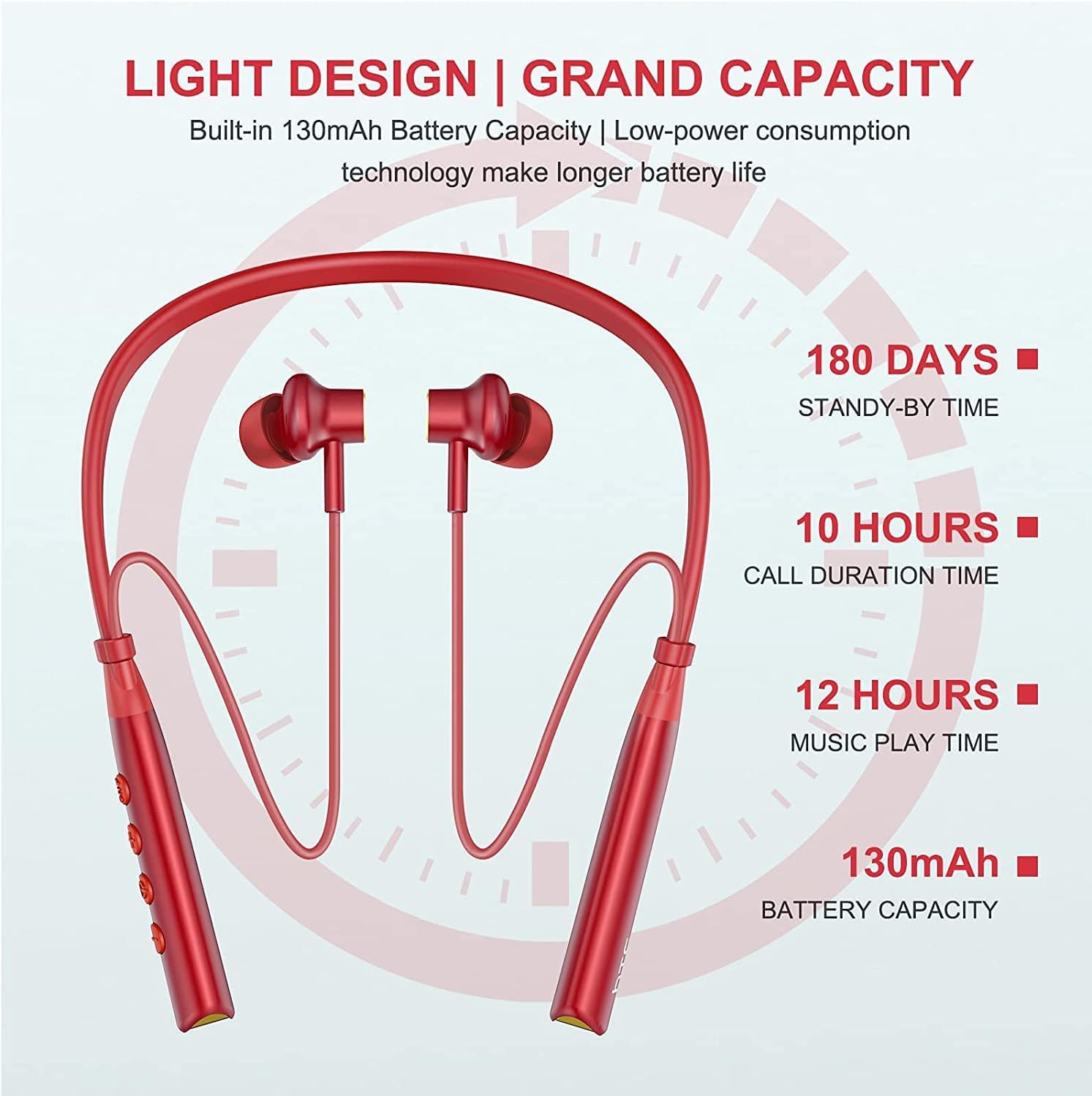
Image: Visual representation of battery specifications, including 180 days standby, 10 hours call duration, 12 hours music playtime, and 130mAh battery capacity.
Garantía y soporte
HTC products are manufactured to the highest quality standards. For warranty information or technical support, please refer to the official HTC website or contact your local customer service representative. Keep your purchase receipt for warranty claims.
Guía de vídeo del producto
Video: An official product video demonstrating the features and usage of the HTC Wireless Neckband Bluetooth Headphones, including pairing, controls, and comfort.