1. Introducción
Gracias por la compraasing the BYINTEK R17 Pro Portable Smart 3D DLP Projector. This manual provides essential information for safe and effective use of your device. Please read it thoroughly before operation and retain it for future reference.
The BYINTEK R17 Pro is a versatile portable projector featuring Android 9.0 OS, 4K decoding support, 3D capabilities, and a built-in battery, making it ideal for various entertainment and presentation needs. It also supports multiple languages including English, Russian, Arabic, Korean, Japanese, French, German, Italian, Spanish, Chinese, Vietnamese, Polish, and Traditional Chinese.
2. Información de seguridad
- No mire directamente a la lente del proyector cuando la lamp Está encendido.
- Mantenga el proyector alejado del agua u otros líquidos para evitar descargas eléctricas.
- No bloquee las aberturas de ventilación para evitar el sobrecalentamiento.
- Utilice únicamente el adaptador de corriente proporcionado por el fabricante.
- Evite colocar el proyector sobre superficies inestables.
- No intente desmontar ni reparar el proyector usted mismo. Contacte con personal de servicio técnico cualificado.
- Guarde el proyector en un lugar fresco y seco cuando no esté en uso.
3. Contenido del paquete
Verifique el contenido del paquete al desembalarlo para asegurarse de que todos los elementos estén presentes:
- BYINTEK R17 Pro Projector
- Adaptador de corriente
- Mando a distancia
- Manual de usuario (este documento)
- Cable HDMI (puede variar según la región)

Imagen: Un lado detallado view of the BYINTEK R17 Pro projector, highlighting its compact and portable design.
4. Guía de configuración
4.1 Encendido / Apagado
- Conecte la electricidad: Plug the power adapter into the projector's DC input port and then into a power outlet.
- Encendido: Presione el botón de encendido del proyector o del control remoto. La luz indicadora se encenderá.
- Apagado: Presione el botón de encendido nuevamente. Confirme el apagado si se le solicita.
4.2 Colocación y proyección
Position the projector on a stable, flat surface. Ensure there are no obstructions in front of the lens. The ideal projection distance ranges from 1 to 8 meters, producing a screen size of 30 to 300 inches.
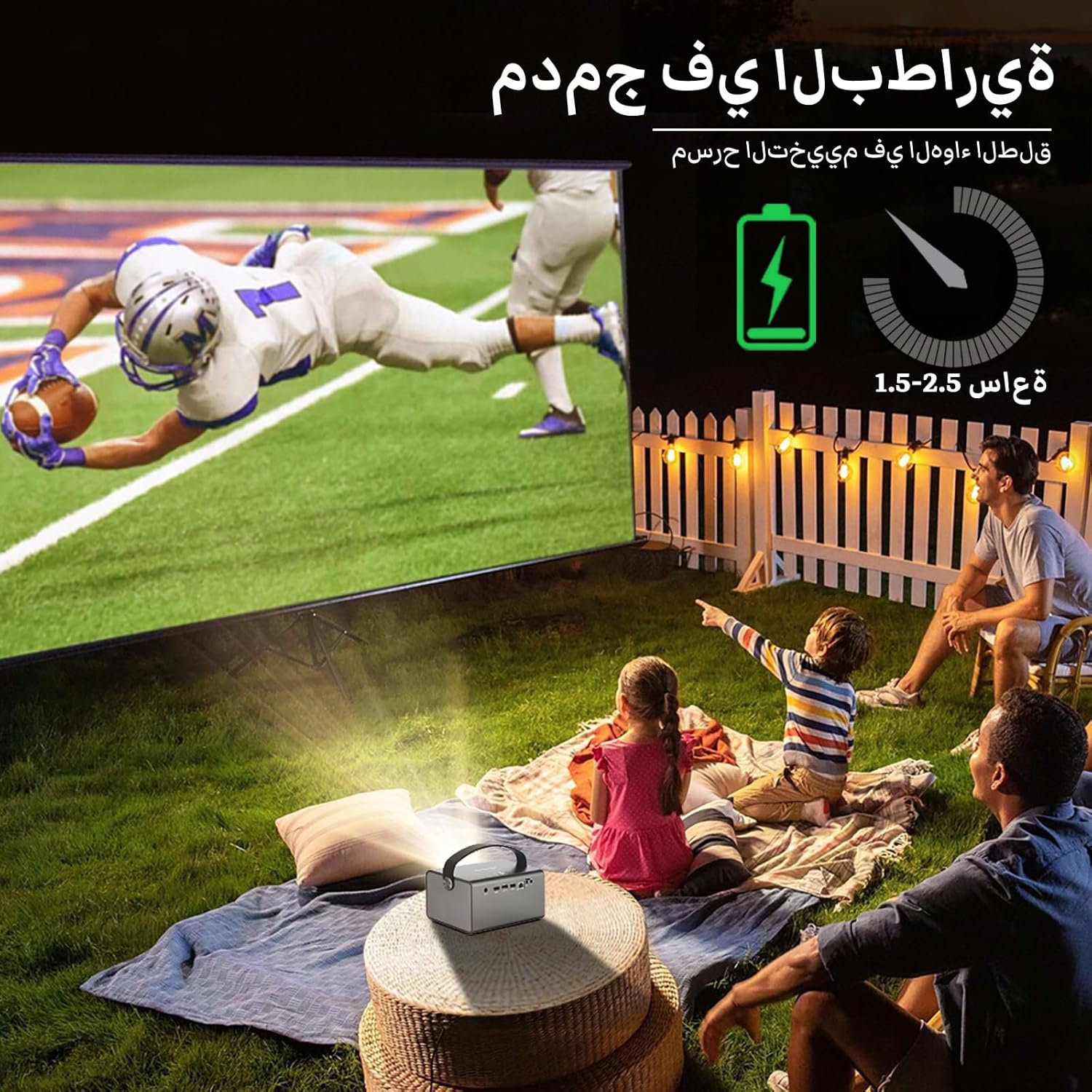
Image: The BYINTEK R17 Pro projector in an outdoor setting, demonstrating its portable use for entertainment. The image shows a football game projected onto a large screen, with people watching comfortably. This highlights the projector's battery life and suitability for outdoor events.
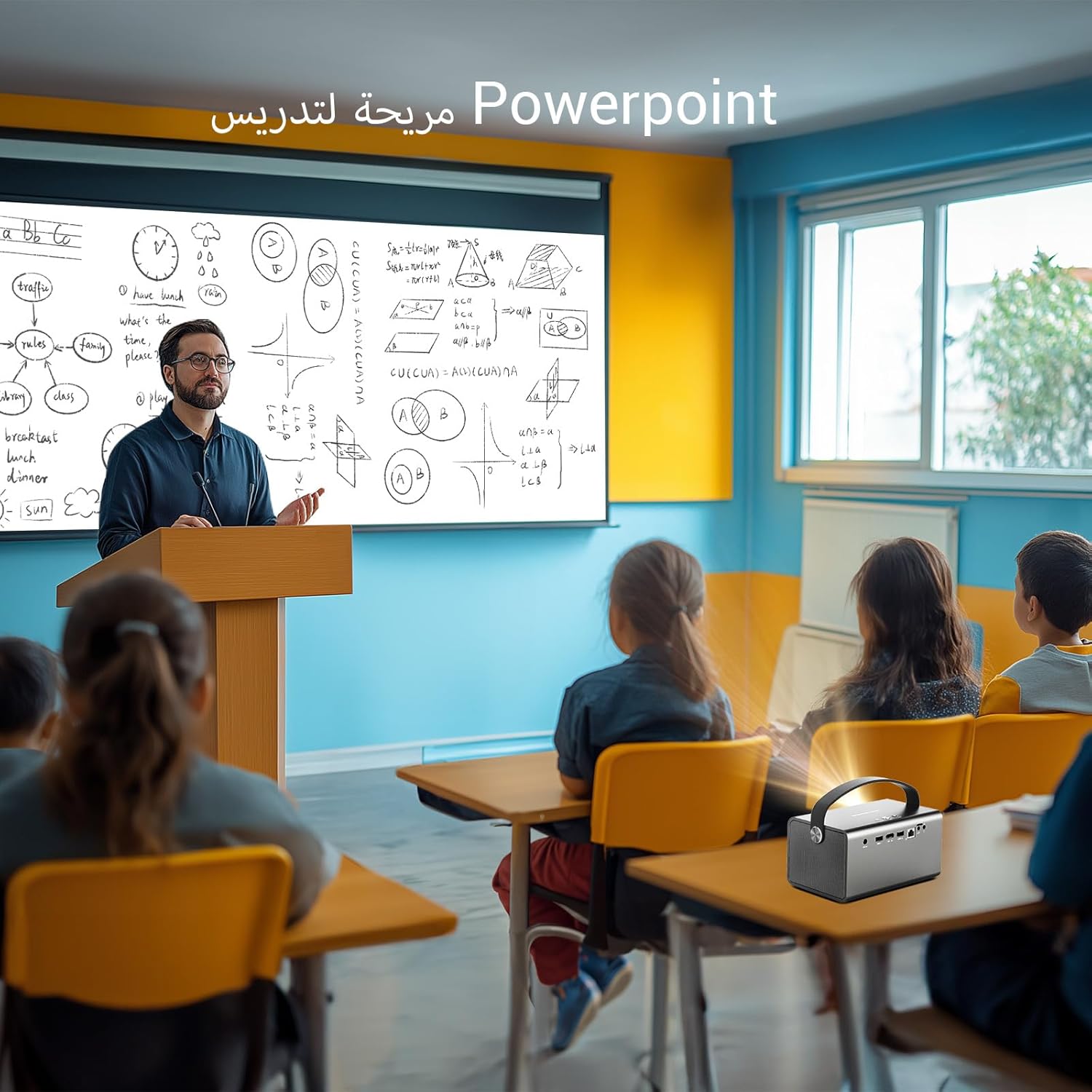
Image: The BYINTEK R17 Pro projector being used in a classroom to display a PowerPoint presentation. This illustrates its utility for educational purposes and presentations in various environments.
4.3 Enfoque y corrección trapezoidal
- Enfoque eléctrico: Use the remote control to adjust the focus until the image is clear.
- Corrección trapezoidal automática: The projector supports automatic vertical keystone correction.
- Corrección trapezoidal manual: For side projections or specific adjustments, use the manual keystone correction feature via the settings menu. This includes corner keystone correction.
5. Operación
5.1 Navegación por el sistema Android 9.0
The BYINTEK R17 Pro runs on Android 9.0, providing a smart interface. Use the remote control or a connected air mouse to navigate through menus, launch applications, and adjust settings.
- Pantalla de inicio: Access pre-installed apps and system settings.
- Tienda de aplicaciones: Download additional applications for streaming, productivity, or gaming.
- Ajustes: Configure Wi-Fi, Bluetooth, display, sound, and other system preferences.
5.2 Reproducción de medios
The projector supports various media formats and sources:
- Almacenamiento USB: Connect a USB drive or SSD (up to 32GB) to play videos, music, or view fotos.
- Transmisión en linea: Use pre-installed or downloaded streaming apps via Wi-Fi.
- Contenido 3D: The projector supports Blu-ray 3D. Ensure your 3D content and glasses are compatible.

Image: A couple enjoying a Blu-ray 3D movie projected by the BYINTEK R17 Pro. The image showcases the projector's ability to display immersive 3D content with vivid colors.
5.3 Screen Mirroring (Wi-Fi Display)
Mirror your smartphone, tablet, or computer screen wirelessly to the projector using Airplay, Miracast, or DLNA (Eshare app is pre-installed).
- Asegúrese de que tanto su dispositivo como el proyector estén conectados a la misma red Wi-Fi.
- Open the Eshare app on the projector.
- On your mobile device, activate screen mirroring (e.g., Airplay for iOS, Smart View/Screen Cast para Android).
- Seleccione el proyector de la lista de dispositivos disponibles.

Image: The BYINTEK R17 Pro projector wirelessly displaying a racing game from a smartphone. This demonstrates the screen mirroring feature for gaming and mobile content.
6. Conectividad
The BYINTEK R17 Pro offers multiple connectivity options:
- HDMI2.0: Connect external devices like game consoles (e.g., PS4), computers, Blu-ray players, or TV boxes. Supports up to 4K input.
- USB 2.0 / USB 3.0: For connecting USB storage devices, external mice, game controllers, or 2.4GHz air mice.
- Salida de audio: Conecte parlantes o auriculares externos para obtener un audio mejorado.
- Wi-Fi (2.4 GHz/5 GHz): For internet access and wireless screen mirroring.
- Bluetooth 5.0: For connecting Bluetooth speakers, headphones, or other compatible accessories.
7. Mantenimiento
7.1 Limpieza de la lente
Utilice un paño suave y sin pelusa, especialmente diseñado para lentes ópticas. No utilice limpiadores abrasivos ni aplique demasiada fuerza, ya que esto puede rayar la lente.
7.2 Limpieza del cuerpo del proyector
Wipe the exterior of the projector with a soft, dry cloth. Avoid using chemical cleaners that may damage the finish.
7.3 Almacenamiento
When not in use for extended periods, store the projector in its original packaging or a protective case in a cool, dry, dust-free environment.
8. Solución de problemas
| Problema | Posible causa | Solución |
|---|---|---|
| No se muestra ninguna imagen | La alimentación no está conectada; la fuente de entrada es incorrecta; la tapa del lente está puesta. | Check power connection; select correct input source (HDMI, USB, etc.); remove lens cap. |
| La imagen es borrosa | Enfoque no ajustado; proyector demasiado lejos/cerca. | Adjust electric focus using the remote; reposition the projector within optimal distance. |
| La imagen está distorsionada (forma trapezoidal) | Se necesita corrección trapezoidal. | Use auto or manual keystone correction in settings. |
| Sin sonido | Volume too low; external speakers not connected/configured; audio output muted. | Increase volume; check external speaker connection; unmute audio. |
| Problemas de conexión wifi | Contraseña incorrecta; fuera de rango; problemas con el enrutador. | Verify password; move closer to router; restart router and projector. |
| Projector shuts down unexpectedly | Overheating; low battery. | Ensure ventilation is clear; charge the battery or connect to power. |
9. Especificaciones
| Característica | Detalle |
|---|---|
| Marca | Por Intek |
| Modelo | R17 Pro |
| Motor ligero | TI 0.47 inch DMD WVGA |
| Fuente de luz | OSRAM RGB 3LED |
| Vida ligera | 50,000 horas |
| Brillo | Lúmenes 750 ANSI |
| Relación de contraste | 10,000:1 |
| Resolución nativa | 1280 x 800 (supports up to 4K input) |
| Relación de aspecto | 16: 10 / 16: 9 / 4: 3 |
| Fuera de eje | 100% |
| Relación de proyección | 1.2:1 |
| Tamaño de proyección | 30 - 300 pulgadas |
| Distancia de proyección | 1 - 8 metros |
| Modo de enfoque | Electric Motor Focus |
| Zoom | Zoom eléctrico remoto |
| Corrección trapezoidal | Auto/Manual Vertical, Manual Corner |
| Sistema operativo | Androide 9.0 |
| UPC | MTK Contex A53 Quad-core |
| GPU | Malí-G52 |
| RAM | 2 GB DDR3 |
| memoria de sólo lectura | Memoria EMMC de 32 GB |
| Wifi | Doble banda 2.4 GHz / 5 GHz |
| Bluetooth | Bluetooth 5.0 |
| Pantalla Wi-Fi | Airplay, Miracast, DLNA (Eshare pre-installed) |
| Batería | Built-in 11.1V 5200mAh (15600mAh equivalent) Lithium-ion, 1.5-2.5 hours life |
| Oradores | 2 altavoces estéreo de 5 W. |
| Puertos de entrada | HDMI 2.0 (supports 4K input), USB 2.0, USB 3.0 |
| Puertos de salida | Salida de audio |
| Dimensiones del producto | 19.3 x 12.3 x 10 cm |
| Peso del artículo | 2.34 kilogramos |
| Características especiales | Auto Focus, Built-in Wi-Fi Receiver, Built-in 3D Display, Portable, Built-in Speaker |
10. Garantía y soporte
BYINTEK products come with a standard manufacturer's warranty. Please refer to the warranty card included in your package for specific terms and conditions. For technical support, service, or warranty claims, please contact BYINTEK customer service or visit the official BYINTEK websitio.
BYINTEK has a service center in Saudi Arabia to provide professional after-sales service. For more information, please visit the Tienda BYINTEK en Amazon.


