1. Introducción
Thank you for choosing the realme TechLife Portable Room Air Purifier. This manual provides essential information for the safe and efficient operation, maintenance, and troubleshooting of your device. Please read this manual thoroughly before use and retain it for future reference.
2. Instrucciones de seguridad
Para reducir el riesgo de descarga eléctrica, incendio o lesiones, tenga en cuenta las siguientes precauciones de seguridad:
- Desenchufe siempre el purificador de aire antes de limpiarlo, realizar mantenimiento o cuando no esté en uso.
- No utilice la unidad si el cable o el enchufe están dañados. Si el cable o el enchufe están dañados, póngase en contacto con atención al cliente.
- No bloquee las entradas ni salidas de aire. Asegúrese de que haya suficiente espacio alrededor de la unidad para una ventilación adecuada.
- No utilice el purificador de aire en lugares húmedos o húmedos.amp entornos, como baños o lavanderías.
- Mantenga la unidad alejada de fuentes de calor, luz solar directa y materiales inflamables.
- Este aparato no está diseñado para ser utilizado por personas (incluidos niños) con capacidades físicas, sensoriales o mentales reducidas, o con falta de experiencia y conocimientos, a menos que hayan recibido supervisión o instrucciones sobre el uso del aparato por parte de una persona responsable de su seguridad.
- Only use genuine realme replacement filters.
3. Contenido del paquete
Verifique que todos los artículos estén presentes en el paquete:
- realme TechLife Portable Room Air Purifier Unit
- HEPA H12 Filter (pre-installed or separate)
- Adaptador de corriente
- Manual de usuario
4. Producto terminadoview
4.1 Componentes
The image below illustrates the main components of the realme TechLife Portable Room Air Purifier.
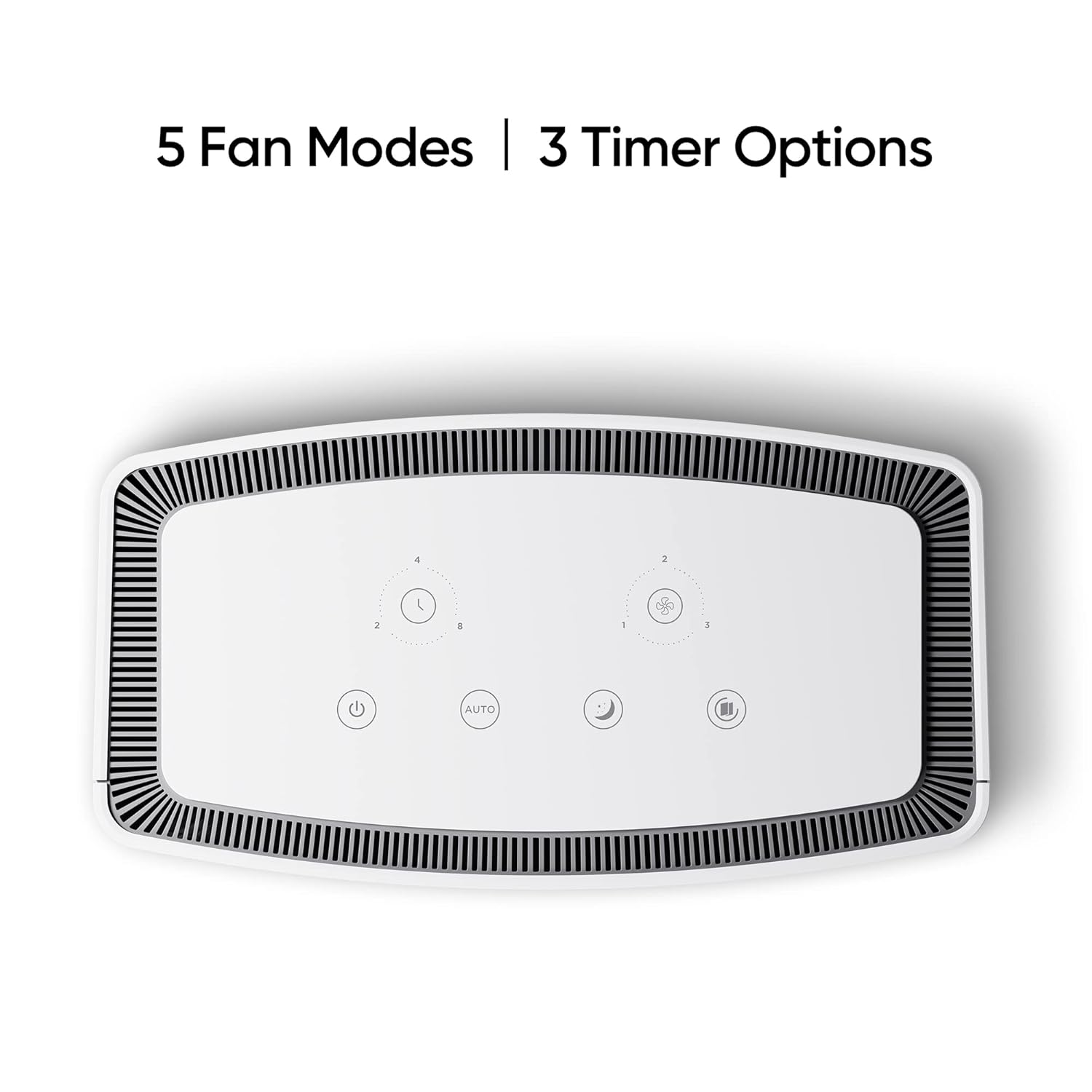
Figura 1: Frente view of the realme TechLife Portable Room Air Purifier. The unit is white with a sleek, minimalist design.
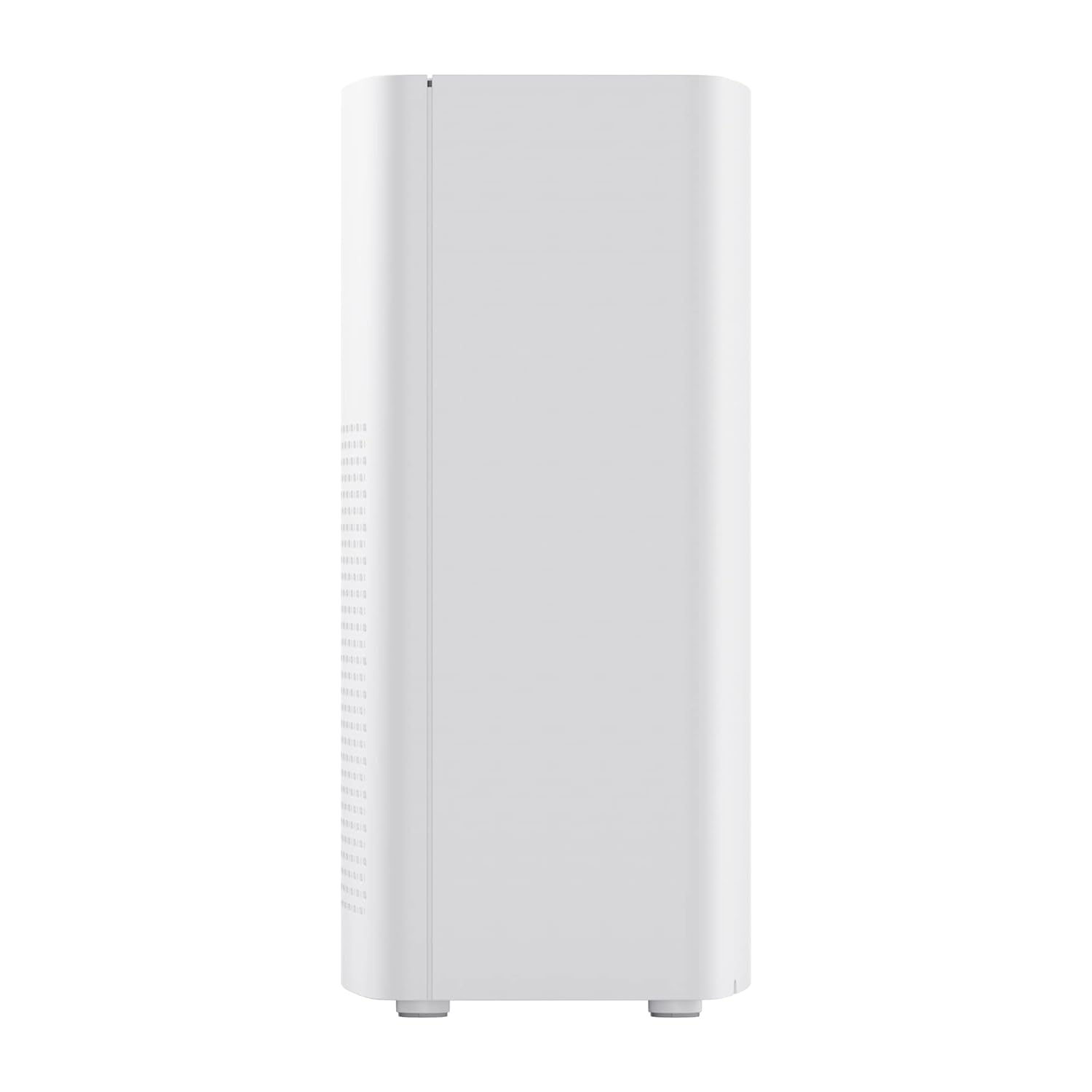
Figura 2: Lado view of the realme TechLife Portable Room Air Purifier, showing its compact and lightweight profile.
4.2 Panel de control
The control panel is located on the top of the air purifier and features touch-sensitive buttons for various functions.

Figura 3: De arriba hacia abajo view of the control panel, displaying touch buttons for power, auto mode, sleep mode, fan speed, and timer settings.
- Botón de encendido: Enciende o apaga la unidad.
- AUTO Mode Button: Activa el ajuste automático de la velocidad del ventilador según la calidad del aire.
- Botón de modo de suspensión: Sets the fan to its lowest speed for quiet operation.
- Botón de velocidad del ventilador: Cycles through manual fan speed settings (e.g., Level 1, 2, 3).
- Botón del temporizador: Establece la duración de funcionamiento (por ejemplo, 2, 4, 8 horas).
- Indicador de calidad del aire: Displays current air quality (color-coded).
5. Configuración
5.1 Instalación del filtro
The HEPA filter may be pre-installed or require installation before first use.
- Unpack the air purifier and place it on a stable, flat surface.
- Locate the filter compartment cover, usually at the bottom or rear of the unit.
- Open the cover and remove any plastic packaging from the HEPA filter.
- Inserte el filtro en el compartimento, asegurándose de que esté colocado correctamente.
- Cierre bien la tapa del compartimento del filtro.
5.2 Colocación
For optimal performance, place the air purifier in a location with good air circulation, away from walls or furniture that might obstruct airflow. Avoid placing it near windows or vents.
5.3 Conexión de alimentación
Connect the power adapter to the air purifier's power port, then plug the adapter into a standard electrical outlet.
6. Instrucciones de funcionamiento
6.1 Encendido y apagado
Presione el Botón de encendido once to turn the air purifier on. Press it again to turn the unit off.
6.2 Modos de velocidad del ventilador
- Modo automático: Presione el Botón AUTO. The purifier will automatically adjust its fan speed based on the detected air quality.
- Modo de sueño: Presione el Botón de modo de suspensión. The fan operates at its lowest speed for quiet purification, ideal for nighttime use.
- Velocidad del ventilador manual: Presione el Botón de velocidad del ventilador repeatedly to cycle through different fan speed levels (e.g., Level 1, Level 2, Level 3).
6.3 configuraciones de temporizador
Presione el Botón del temporizador repeatedly to set the desired operating duration (e.g., 2 hours, 4 hours, 8 hours). The unit will automatically turn off after the set time expires.
6.4 Indicador de calidad del aire
The air quality indicator light changes color to reflect the current air quality:
- Verde: buena calidad del aire
- Amarillo/Naranja: Calidad del aire moderada
- Rojo: Mala calidad del aire
7. Mantenimiento
7.1 Reemplazo del filtro
The HEPA filter has a limited lifespan and needs regular replacement to maintain purification efficiency. The filter life depends on usage and air quality. A filter replacement indicator light will typically illuminate when replacement is due.
- Desenchufe el purificador de aire de la toma de corriente.
- Abra la tapa del compartimiento del filtro.
- Retire el filtro viejo y deséchelo correctamente.
- Insert a new, genuine realme HEPA H12 replacement filter.
- Cierre bien la tapa del compartimento del filtro.
- Plug in the air purifier and reset the filter life indicator (refer to specific model instructions if available, usually by pressing and holding the filter button for a few seconds).
Note: Replacement filters may need to be purchased separately. Ensure availability of replacement filters for continued use of the product.
7.2 Limpieza de la unidad
Regular cleaning helps maintain performance and appearance.
- Limpie el exterior de la unidad con un paño suave y seco.
- No utilice limpiadores abrasivos, ceras o disolventes.
- Gently vacuum the air inlet and outlet grilles to remove dust accumulation.
8. Solución de problemas
Si tiene problemas con su purificador de aire, consulte la siguiente tabla para conocer los problemas y soluciones más comunes.
| Problema | Posible causa | Solución |
|---|---|---|
| La unidad no se enciende | No hay fuente de alimentación; Adaptador de corriente no conectado; Unidad dañada. | Check power cord and outlet; Ensure adapter is securely connected; Contact customer support if damaged. |
| Flujo de aire débil | Air inlets/outlets blocked; Filter clogged; Filter not installed correctly. | Clear obstructions; Replace filter; Reinstall filter correctly. |
| Ruido inusual | Foreign object inside; Unit not on a flat surface; Filter not seated correctly. | Unplug and check for obstructions; Place on a stable surface; Reinstall filter. |
| Indicador de calidad del aire siempre rojo/naranja | High pollution level; Sensor dirty; Sensor malfunction. | Allow more time for purification; Clean the sensor area (if accessible); Contact customer support. |
If the problem persists after trying these solutions, please contact realme customer support.
9. Especificaciones
Technical specifications for the realme TechLife Portable Room Air Purifier:
| Característica | Especificación |
|---|---|
| Marca | Realme |
| Modelo | TechLife Portable Room Air Purifier |
| Color | Blanco |
| Tipo de filtro | HEPA H12 |
| Filtración de contaminantes | 99.97% |
| Tipo de controlador | Control táctil |
| Características especiales | High Precision Air Quality Sensor, Lightweight |
| Peso del artículo | 5 kilogramo 780 gramo |
| Fuente de poder | Battery Powered (Please refer to product label for specific power input) |
10. Garantía y soporte
The realme TechLife Portable Room Air Purifier comes with a limited warranty. Please refer to the warranty card included with your product for detailed terms and conditions, including warranty period and coverage.
For technical support, service, or to purchase genuine replacement parts and filters, please visit the official realme website or contact realme customer service through the contact information provided in your warranty documentation.
Conserve su recibo de compra como comprobante de compra para reclamos de garantía.