Introducción
The Amazon Echo Show 8 (3rd Gen) is a smart display designed to enhance your daily life with its HD touchscreen, spatial audio, and integrated smart home hub. This manual provides essential information for setting up, operating, maintaining, and troubleshooting your device.
Las características principales incluyen:
- Immersive entertainment with spatial audio and an 8" HD touchscreen.
- Enhanced video calling with a 13 MP camera and noise reduction.
- Built-in smart home hub supporting Zigbee, Matter, and Thread.
- Adaptive Content for glanceable information and personalized experiences.
- Amazon Photos integration for a digital photo frame.
Configuración
Qué incluye
- Dispositivo Echo Show 8
- Adaptador de corriente (30 W) con cable (4.9 pies)
- Guía de inicio rápido
Requisitos del sistema
The Echo Show 8 requires a WiFi connection. The Alexa app is compatible with Fire OS, Android, and iOS devices, and is also accessible via a web browser. Certain skills and services may require subscriptions or additional fees.
Configuración inicial
- Connect the power adapter to your Echo Show 8 and plug it into a power outlet.
- Follow the on-screen instructions to connect to your WiFi network.
- Log in with your Amazon account.
- Complete the setup process, including language selection and personal preferences.
The device supports Amazon WiFi simple setup for easy connection to your network.
Cómo usar tu Echo Show 8
Control de voz con Alexa
Your Echo Show 8 is primarily controlled using your voice with Alexa. Simply say "Alexa" followed by your command or question. Alexa speaks English and Spanish.

Figura 1: The Echo Show 8 displaying a music interface, indicating voice control capabilities. Users can control music, shows, and other functions using voice commands.
Entretenimiento y medios
Enjoy content from Prime Video, Netflix, Fire TV Channels, Amazon Music, Apple Music, and Spotify on the 8" HD display with spatial audio. Say "Alexa, play [content]" or "Alexa, stream [music service]."

Figura 2: The Echo Show 8 showcasing a music playlist, highlighting its compatibility with various streaming services like Amazon Music, Spotify, Apple Music, Prime Video, Netflix, and Fire TV Channels.
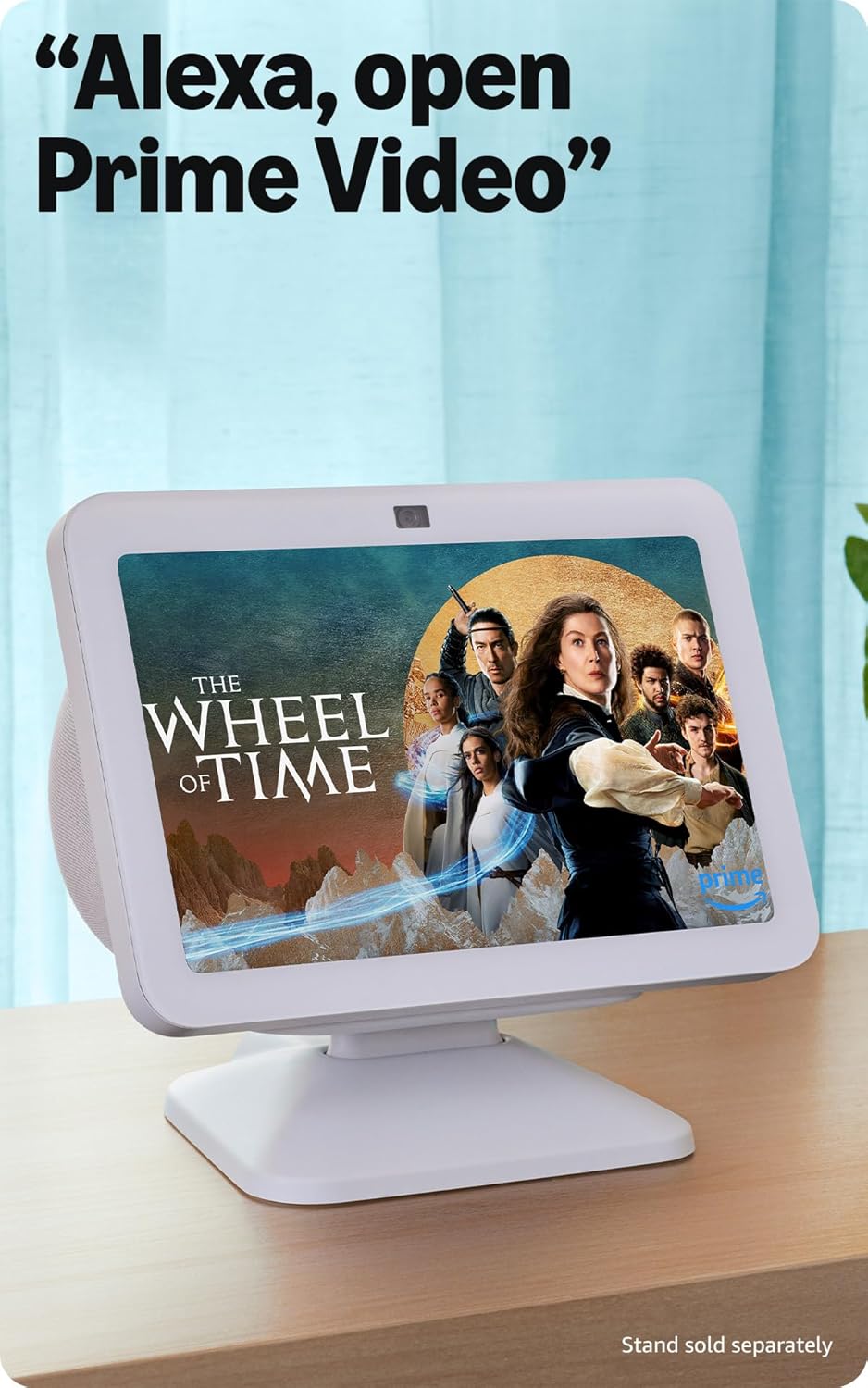
Figura 3: The Echo Show 8 displaying a video from Prime Video, demonstrating its capability to stream content from various platforms.
Control inteligente del hogar
The Echo Show 8 features a built-in smart home hub compatible with Zigbee, Matter, and Thread devices. You can pair and control smart cameras, lights, thermostats, and more using the display or your voice. Activate routines via motion detection.

Figura 4: The Echo Show 8 showing a smart home control interface, allowing users to manage connected devices like thermostats and lights directly from the screen.
Video Calling and Communication
Make hands-free video calls using your voice. The 13 MP camera features auto-framing and noise reduction for clearer conversations. Use the Top Connections widget for quick calls.
Exhibición de fotos
Turn your Echo Show 8 into a digital photo frame with Amazon Photos. Adaptive color technology ensures your photos look great in any lighting condition. You can also invite family and friends to share photos to your device.
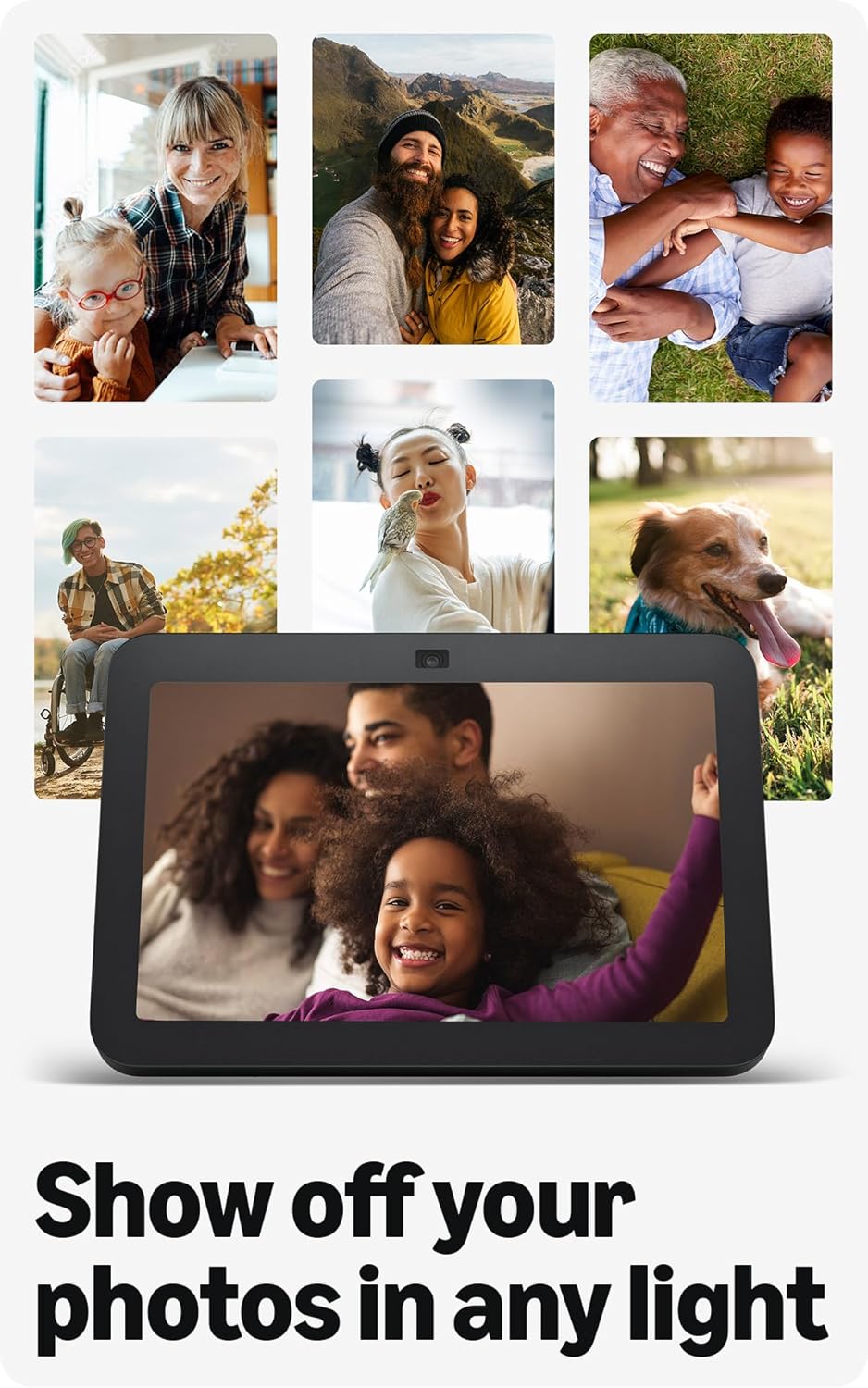
Figura 5: The Echo Show 8 displaying a collection of personal photos, demonstrating its use as a digital photo frame with adaptive color technology.
Contenido adaptable
Adaptive Content allows you to view glanceable information like calendars or reminders from a distance, and more detailed content when you are closer to the device. Shortcut icons on the home screen provide quick access to frequently used widgets.
Mantenimiento
Para garantizar un rendimiento óptimo y la longevidad de su Echo Show 8:
- Limpieza: Utilice un paño suave y sin pelusa para limpiar la pantalla y el exterior del dispositivo. Evite limpiadores o aerosoles abrasivos.
- Colocación: Coloque el dispositivo sobre una superficie estable y plana, lejos de la luz solar directa, fuentes de calor y humedad.
- Actualizaciones de software: Ensure your device receives regular software security updates. These are typically automatic when connected to Wi-Fi.
Solución de problemas
Si tiene problemas con su Echo Show 8, considere las siguientes soluciones comunes:
- Sin energía: Asegúrese de que el adaptador de corriente esté conectado de forma segura tanto al dispositivo como a una toma de corriente que funcione.
- Problemas de conectividad Wi-Fi: Check your router and internet connection. Try restarting both your router and the Echo Show 8. Ensure the device is within range of your Wi-Fi network.
- Alexa no responde: Verify that the microphone is not muted (check the microphone/camera off button). Speak clearly and ensure you are within hearing range of the device.
- La pantalla no responde: Intente reiniciar el dispositivo desenchufándolo durante unos segundos y volviéndolo a enchufar.
- Problemas con la cámara: Ensure the built-in camera shutter is open.

Figura 6: Un primer plano view of the Echo Show 8's top edge, illustrating the camera lens and the physical camera shutter for privacy control.
For more detailed troubleshooting or persistent issues, refer to the Amazon Alexa app help section or the official Amazon support websitio.
Presupuesto
| Tamaño | 7.9” x 5.5” x 4.2” (200 mm x 139 mm x 106 mm) |
| Peso | 36.6 oz (1034 gramos) |
| Mostrar | Pantalla táctil HD de 8.0” |
| Cámara | Cámara centrada de 13 MP con obturador incorporado |
| Conectividad WiFi | WiFi de doble banda (802.11a/b/g/n/ac) |
| Centro de hogar inteligente | Enrutador de bordes Zigbee + Matter + Thread |
| Conectividad Bluetooth | A2DP support for audio streaming, AVRCP for voice control of mobile devices |
| Audio | 2 controladores de neodimio de rango completo de 2” con radiador de graves pasivo |
| Procesador | SoC de ocho núcleos con motor de red neuronal Amazon AZ2 |
| Idioma | Alexa habla inglés y español |

Figura 7: The Echo Show 8 with its physical dimensions clearly marked, illustrating its compact size.
Funciones de privacidad
Amazon Echo Show 8 is designed with multiple layers of privacy controls:
- Tecnología Wake Word: The device only begins listening after detecting the wake word ("Alexa").
- Indicadores de transmisión: Los indicadores visuales muestran cuándo se transmite audio a la nube.
- Botón de apagado de micrófono/cámara: Un botón físico le permite desconectar electrónicamente los micrófonos y la cámara.
- Obturador de cámara incorporado: A physical shutter allows you to cover the camera lens.
- Gestión de grabación de voz: Capacidad para view y borra tus grabaciones de voz.
Para obtener más información, visita el Centro de privacidad de Alexa.
Funciones de accesibilidad
El Echo Show 8 incluye varias funciones de accesibilidad para personalizar Alexa según tus necesidades. Puedes acceder a ellas a través de Configuración → Accesibilidad en su dispositivo.
- Toca Alexa: Interactúe con Alexa mediante el tacto usando mosaicos en pantalla o un teclado.
- Escucha adaptativa: Proporciona más tiempo para terminar de hablar antes de que Alexa responda.
- Tarifa de conversación preferida: Control Alexa's speaking speed.
- Subtítulos de Alexa, subtítulos de llamadas, subtítulos ocultos: Text captions for supported content and calls.
- Mostrar y contar: Ayuda a los usuarios con discapacidad visual a identificar productos diciendo "Alexa, ¿qué estoy sosteniendo?"
- VozView Lector de pantalla: Provides audio feedback for visually impaired users.
- Lupa de pantalla: Acercar o alejar y desplazarse por la pantalla.
- Notificar cuando esté cerca: Reproduce sonidos de notificación cuando se detecta cerca del dispositivo.
- Lectura en voz alta de Kindle: Alexa puede leer libros Kindle en voz alta.
- Texto en tiempo real: Escriba texto en vivo durante una videollamada.
- Las configuraciones adicionales incluyen Inversión de color, Corrección de color y Solicitar sonido.
Garantía y soporte
Información de garantía
The Echo Show 8 (3rd Gen) includes a 1-year limited warranty and service. An optional 1-year extended warranty is available for U.S. customers and sold separately. This device, being a Certified Refurbished Amazon device, comes with the same limited warranty as a new device.
Atención al cliente
Para obtener más ayuda, soporte técnico o reclamos de garantía, visite el soporte oficial de Amazon. website or contact Amazon customer service. You can also find helpful resources within the Alexa app.


