1. Configuración
Follow these steps to set up your Logitech Signature M650 L Wireless Mouse.
1.1 Instalación de la batería
The mouse requires one AA battery. To install or replace the battery:
- Localice la tapa del compartimiento de la batería en la parte inferior del mouse.
- Deslice la tapa para abrirla.
- Inserte una batería AA, asegurándose de la polaridad correcta (+/-).
- Cierre bien la tapa del compartimento de la batería.

The underside of the mouse, revealing the battery compartment and the storage slot for the Logi Bolt USB receiver.
1.2 Conectividad
The mouse offers two connection options: Bluetooth Low Energy or the Logi Bolt USB receiver.
- Uso del receptor USB Logi Bolt: Plug the Logi Bolt USB receiver into an available USB port on your computer. The mouse should connect automatically.
- Usando Bluetooth: Turn on the mouse. On your computer, navigate to Bluetooth settings and select to add a new device. Choose the Logitech Signature M650 L from the list of available devices to pair.
1.3 Encendido y apagado
A power switch is located on the underside of the mouse. Slide the switch to the 'On' position to activate the mouse and to the 'Off' position to conserve battery when not in use.
2. Operación del ratón
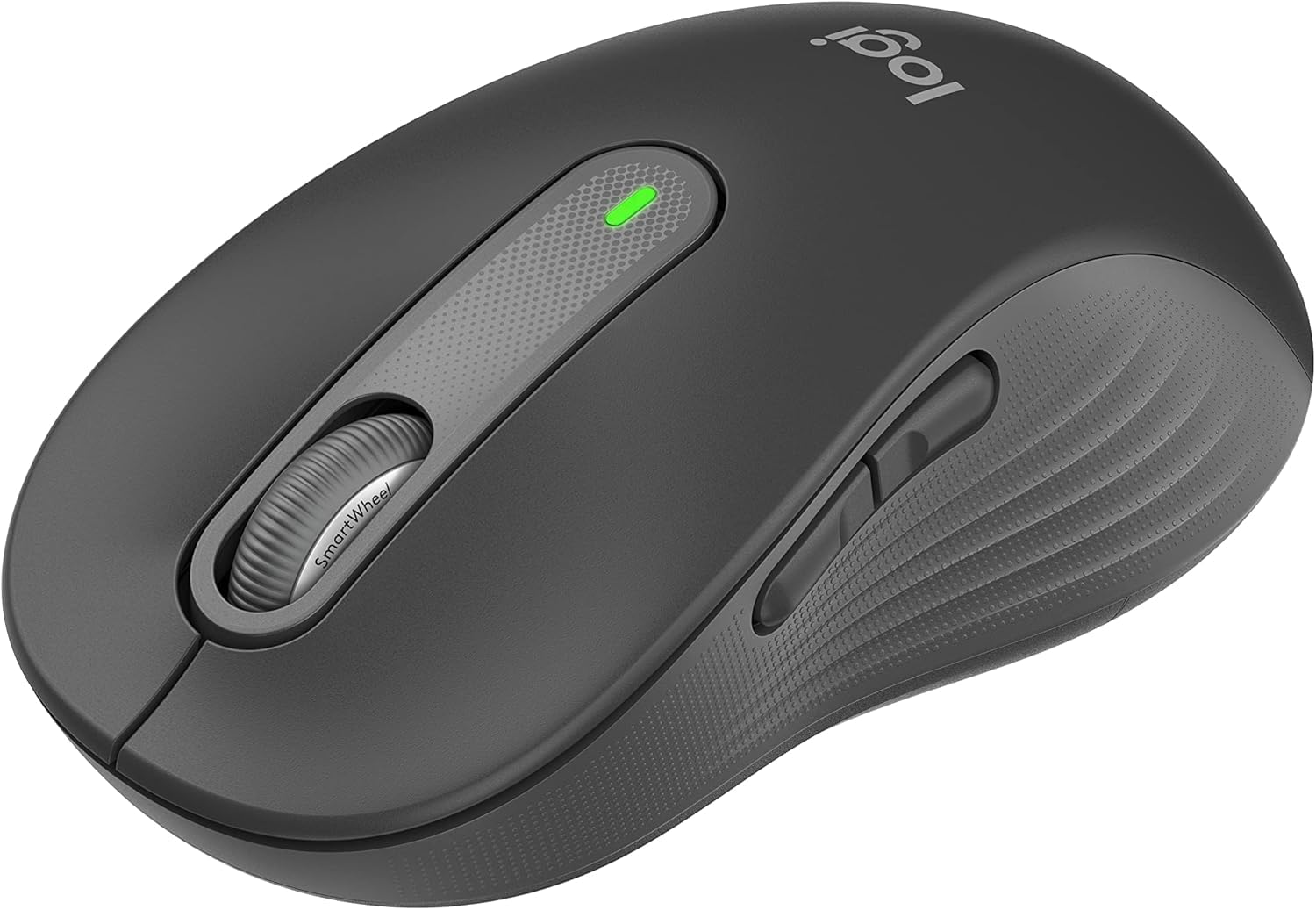
The Logitech Signature M650 L is designed for comfort and efficiency.
2.1 Desplazamiento con SmartWheel
The adaptive SmartWheel provides two modes of scrolling:
- Line-by-Line Precision: Para una navegación detallada en documentos y hojas de cálculo.
- Super-Fast Free Spin: Automatically switches to free spin mode for rapid scrolling through long web pages or documents with a flick of the finger.
2.2 Clics silenciosos
The mouse features SilentTouch technology, reducing click noise by 90% for a quieter work environment.

A user operating the Logitech Signature M650 L mouse, highlighting its silent click feature.
2.3 Botones laterales personalizables
The side buttons can be customized to perform various functions, such as navigating forwards and backwards in web browsers or activating specific application commands. Use the Logitech Options+ software to personalize these buttons.

The Logitech Options+ software interface, demonstrating how to customize the mouse's side buttons.
2.4 Diseño ergonómico
Designed for larger hands, the contoured shape, soft thumb area, and rubber side grips provide comfort during long hours of use.
3. Mantenimiento
Un mantenimiento adecuado garantiza la longevidad y el rendimiento óptimo de su mouse.
3.1 Limpieza
Para limpiar su mouse:
- Utilice un paño suave que no suelte pelusa.
- DampEnjuague el paño ligeramente con agua o un limpiador suave, no abrasivo.
- Wipe the surface of the mouse gently. Avoid getting moisture into openings.
- Para el sensor óptico, utilice un hisopo de algodón seco para eliminar con cuidado el polvo o los residuos.
3.2 Reemplazo de batería
Replace the AA battery when the mouse's indicator light signals low power or when performance degrades. Refer to section 1.1 for battery installation instructions.
4. Solución de problemas
Si tiene problemas con el mouse, pruebe las siguientes soluciones:
4.1 Problemas de conectividad
- Comprobar potencia: Ensure the mouse is turned on and has sufficient battery power.
- Re-reparar dispositivo: If using Bluetooth, try unpairing and re-pairing the mouse in your computer's Bluetooth settings. If using the USB receiver, try unplugging and re-inserting it into a different USB port.
- Interferencia: Move the mouse closer to your computer and away from other wireless devices that might cause interference.
4.2 Jumpy or Erratic Cursor
- Limpiar sensor: Asegúrese de que el sensor óptico en la parte inferior del mouse esté limpio y libre de residuos.
- Superficie: Use the mouse on a non-reflective, opaque surface. Highly reflective or transparent surfaces can interfere with tracking.
4.3 Los botones no responden
- Batería: Reemplace la batería si está baja.
- Software: If customizable buttons are not working, check the Logitech Options+ software for correct configuration.
5. Especificaciones
| Dimensiones del producto | 4.7 x 2.6 x 0.04 pulgadas |
| Peso del artículo | 3.92 onzas |
| Número de modelo del artículo | M650 |
| Baterías | Se requiere 1 batería AA (incluida) |
| Marca | Logitech |
| Color | Grafito |
| Tecnología de conectividad | Bluetooth, USB, Inalámbrico |
| Característica especial | Inalámbrico |
| Tecnología de detección de movimiento | Óptico |
6. Garantía y soporte
This product is a renewed item. Please refer to the seller's specific return policy for details. The typical return policy for renewed items is a 90-day refund/replacement period.
For further assistance or technical support, please visit the official Logitech support websitio o póngase en contacto con su servicio de atención al cliente.


