1. Introducción
Gracias por la compraasing the Sharp CP-SS30(BK) Active Bookshelf Speakers. These speakers are designed to provide superior sound reproduction with versatile connectivity options. Please read this manual carefully before using the product to ensure proper operation and to maximize your listening experience.
The CP-SS30(BK) features a robust plywood cabinet, 60W RMS (2 x 30W) two-way active sound, and multiple input options including Bluetooth v5.0, USB, Optical, Auxiliary, and RCA. It also includes an equalizer with preset and custom bass/treble adjustments, and a full-function remote control for convenience.
2. Información de seguridad
Please observe the following safety precautions to prevent damage to the product and to ensure your safety:
- No exponga los altavoces a la lluvia ni a la humedad.
- No bloquee ninguna abertura de ventilación.
- No lo instale cerca de fuentes de calor como radiadores, rejillas de calefacción, estufas u otros aparatos (incluidos ampificadores) que producen calor.
- Proteja el cable de alimentación para que no sea pisado ni aplastado, especialmente en los enchufes, receptáculos y en el punto donde sale del aparato.
- Utilice únicamente accesorios especificados por el fabricante.
- Desenchufe este aparato durante tormentas eléctricas o cuando no lo utilice durante períodos prolongados.
- Encargue todas las tareas de mantenimiento a personal técnico cualificado. Se requiere realizar el mantenimiento cuando el aparato haya sufrido algún daño, como por ejemplo si el cable de alimentación o el enchufe están dañados, si se ha derramado líquido o han caído objetos en el interior del aparato, si el aparato ha estado expuesto a la lluvia o la humedad, si no funciona con normalidad o si se ha caído.
3. Contenido del paquete
Por favor, compruebe que todos los artículos estén presentes y en buen estado:
- 2 x Sharp CP-SS30(BK) Bookshelf Speakers
- 1 x Control remoto (pilas incluidas)
- 1 x RCA Audio Cable (3 meters)
- 1 x AUX Audio Cable (1.2 meters)
- 1 x cable de alimentación (1.2 metros)
- 1 x cable de conexión de altavoz
- Documentación del usuario

Image: All components included in the Sharp CP-SS30(BK) package, including two speakers, remote control, and various cables.
4. Características del producto
The Sharp CP-SS30(BK) speakers offer a range of features for an enhanced audio experience:
- Potente salida de audio: 60W RMS (2 x 30W) two-way active speakers for clear and dynamic sound.
- Construcción Premium: Plywood cabinet design ensures superior sound reproduction and durability.
- Conectividad inalámbrica: Seamless audio streaming with Bluetooth v5.0.
- Múltiples entradas: Connect various devices via Bluetooth, USB, Optical, Auxiliary (AUX), and RCA inputs.
- Sonido personalizable: Built-in equalizer with five preset settings and independent bass and treble adjustment.
- Diseño moderno: Removable speaker grilles allow for a contemporary aesthetic.
- Control conveniente: Full-function remote control for easy operation from a distance.

Imagen: Frente view of the Sharp CP-SS30(BK) speakers with the remote control, showcasing su diseño y tamaño compacto.

Imagen: Un primer plano view of the front panel of one Sharp CP-SS30(BK) speaker with the grille removed, highlighting the tweeter, woofer, indicator light, and volume/input knob.
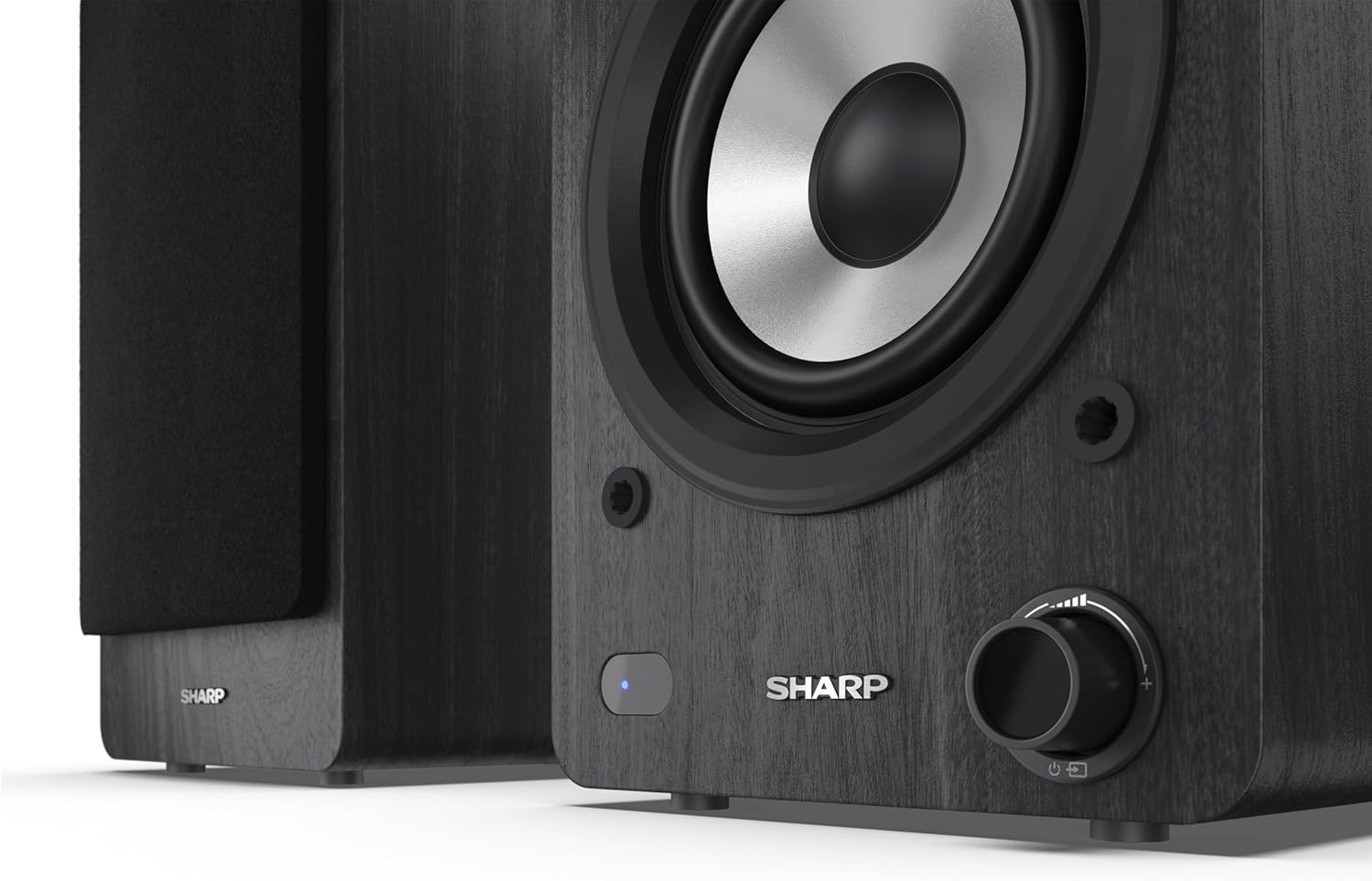
Image: A detailed shot of the control knob and the blue indicator light on the Sharp CP-SS30(BK) speaker, showing the subtle branding.
5. Configuración
5.1 Ubicación de los altavoces
For optimal sound quality, place the speakers on a stable, flat surface. Position them at an equal distance from your listening position, forming an equilateral triangle for the best stereo imaging. Ensure there is adequate space behind the speakers for ventilation and cable connections.
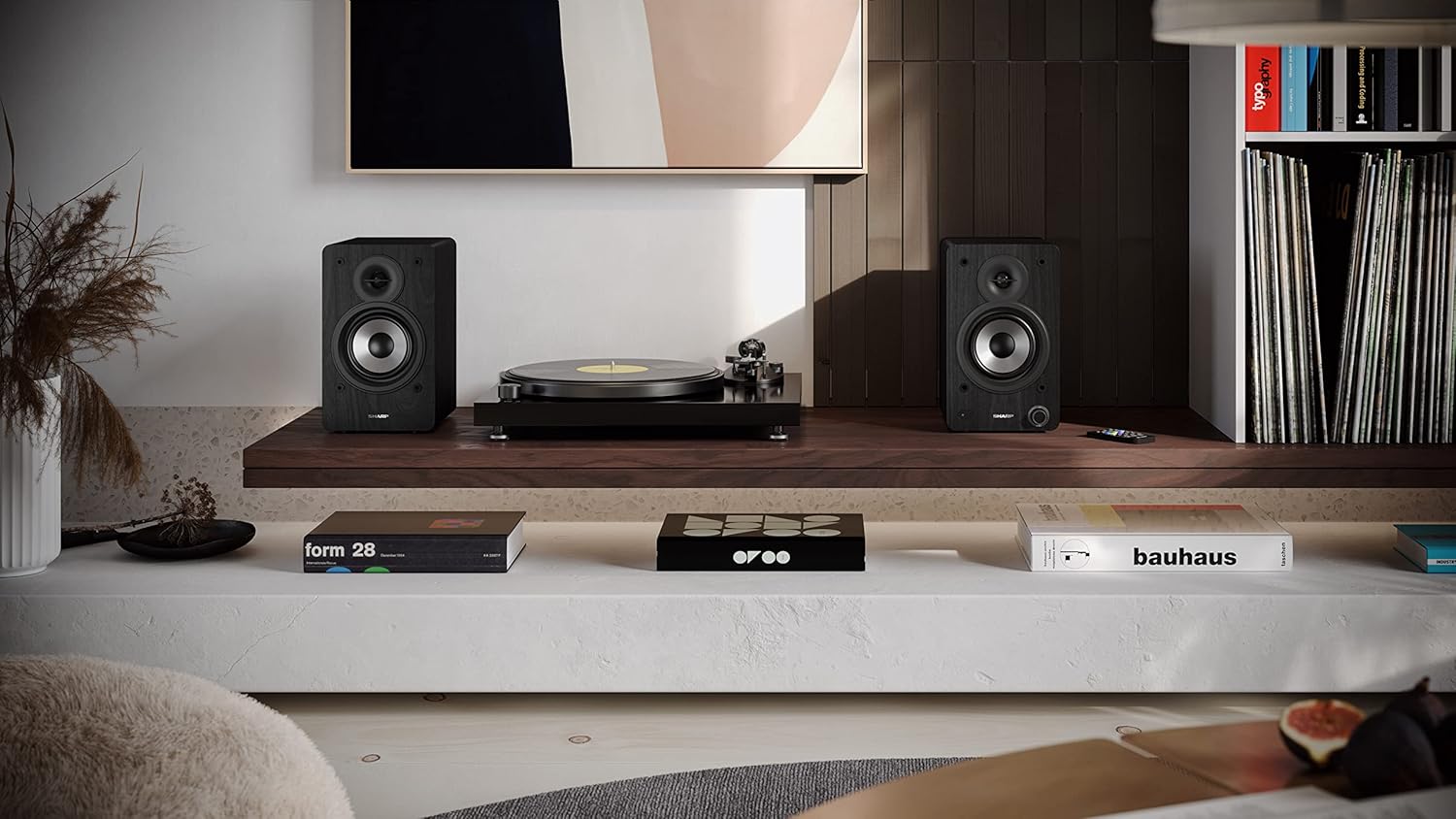
Image: The Sharp CP-SS30(BK) speakers positioned on a shelf in a living room setting, demonstrating a typical setup with a turntable.
5.2 Conexión de los altavoces
The CP-SS30(BK) consists of one active (main) speaker and one passive (secondary) speaker. Connect them using the provided speaker connection cable.
- Identify the active speaker (with controls and input ports) and the passive speaker.
- Connect one end of the speaker connection cable to the speaker terminals on the active speaker, ensuring correct polarity (+ to + and - to -).
- Connect the other end of the speaker connection cable to the speaker terminals on the passive speaker, maintaining correct polarity.

Image: The rear panel of the Sharp CP-SS30(BK) speakers, illustrating the various input ports (USB, Optical, RCA, AUX) and the speaker connection terminals.
5.3 Conexión de alimentación
- Asegúrese de que el interruptor de encendido del altavoz activo esté en la posición APAGADO.
- Connect the provided power cable to the AC input on the active speaker.
- Conecte el otro extremo del cable de alimentación a una toma de pared adecuada.
6. Instrucciones de funcionamiento
6.1 Encendido / Apagado
To power on the speakers, flip the power switch on the active speaker to the ON position. The indicator light on the front will illuminate. To power off, flip the switch back to OFF.
6.2 Selección de entrada
You can select the input source using the remote control or the knob on the front of the active speaker. Available inputs include Bluetooth, USB, Optical, Auxiliary (AUX), and RCA.
- Bluetooth: Select Bluetooth input. The indicator light will flash, indicating pairing mode. Buscar "SHARP CP-SS30(BK)" on your device and connect. The light will become solid once paired.
- USB: Inserte una unidad USB con audio files en el puerto USB del altavoz activo.
- Óptico: Connect an optical cable from your audio source (e.g., TV, game console) to the Optical input.
- Auxiliar: Connect an AUX cable from your audio source (e.g., smartphone, tablet) to the AUX input.
- rca: Connect RCA cables from your audio source (e.g., turntable, CD player) to the RCA inputs.
6.3 Control de volumen
Adjust the volume using the remote control's volume buttons or by rotating the knob on the front of the active speaker.
6.4 Ajustes del ecualizador
The speakers feature an equalizer to tailor the sound to your preference. Use the remote control to:
- Select from five preset equalizer modes (e.g., Flat, Rock, Pop, Classical, Jazz).
- Adjust bass and treble levels independently for a customized sound profile.
7. Mantenimiento
To ensure the longevity and optimal performance of your Sharp CP-SS30(BK) speakers, follow these maintenance guidelines:
- Limpieza: Utilice un paño suave y seco para limpiar las cajas acústicas. No utilice limpiadores líquidos ni aerosoles, ya que pueden dañar el acabado o los componentes internos.
- Rejillas: The speaker grilles are removable for cleaning. Gently pull them off to clean any dust accumulation on the drivers. Reattach them carefully.
- Ventilación: Ensure that the ventilation openings on the back of the active speaker are not obstructed to prevent overheating.
- Almacenamiento: Si va a almacenar los altavoces durante un período prolongado, desconéctelos de la alimentación y guárdelos en un lugar fresco y seco, alejado de la luz solar directa y de temperaturas extremas.
8. Solución de problemas
Si tiene algún problema con sus altavoces, consulte los siguientes problemas y soluciones comunes:
| Problema | Posible causa | Solución |
|---|---|---|
| Sin poder | Cable de alimentación no conectado; Toma de corriente no activa; Interruptor de encendido apagado. | Ensure power cable is securely connected. Check power outlet with another device. Flip power switch to ON. |
| Sin sonido | Incorrect input selected; Volume too low; Cables not connected properly; Source device issue. | Select the correct input source. Increase volume. Check all audio cables (RCA, AUX, Optical, USB) and speaker connection cable for secure fit and correct polarity. Test with a different audio source. |
| El emparejamiento de Bluetooth falló | Los altavoces no están en modo de emparejamiento; el dispositivo está demasiado lejos; hay interferencias. | Ensure Bluetooth input is selected and indicator light is flashing. Move device closer to speakers. Avoid strong electromagnetic interference. Try unpairing and re-pairing. |
| Sonido distorsionado | Volume too high; Source audio quality is poor; Speaker placement. | Reduce volume. Check the audio source quality. Adjust speaker placement to avoid reflections or resonance. |
| El control remoto no funciona | Batteries depleted; Obstruction between remote and speaker; Remote not pointed correctly. | Replace remote control batteries. Remove any obstructions. Point the remote directly at the active speaker's sensor. |
9. Especificaciones
| Característica | Detalle |
|---|---|
| Número de modelo | CP-SS30(BK) |
| Potencia de salida | 60 Watts RMS (2 x 30W) |
| Tipo de altavoz | Active Bookshelf, 2-Way |
| Material del gabinete | Madera (contrachapado) |
| Tecnología de conectividad | Bluetooth v5.0, USB, Optical, Auxiliary (AUX), RCA |
| Versión de Bluetooth | v5.0 |
| Modo de salida de audio | Estéreo (2.0 canales) |
| Respuesta de frecuencia | 60 Hz |
| Tipo de controlador | Botón, control remoto |
| Dimensiones del producto (cada altavoz) | 19D x 15.8W x 24.8H cm (7.5D x 6.2W x 9.8H pulgadas) |
| Peso del artículo | 4.3 kilogramos (9.5 libras) |
| Color | Negro |
| Usos recomendados | Gaming console, Music player, Smartphone/Tablet, Ambient sound system, Television |
| Dispositivos compatibles | Portátil, teléfono inteligente, tableta |

Image: Diagram showing the dimensions of one Sharp CP-SS30(BK) speaker (Height: 248mm, Width: 158mm, Depth: 190mm).
10. Garantía y soporte
Garantía: Este producto incluye una garantía de 1 años para repuestos disponibles desde la fecha de compra. Conserve su comprobante de compra para reclamaciones de garantía.
For technical support, troubleshooting assistance beyond this manual, or warranty inquiries, please contact Sharp customer service. Refer to the contact information provided in the user documentation included in your package or visit the official Sharp websitio.
Note: Software updates guaranteed until information is not available.


