1. Introducción
Gracias por la compraasing the ThermoPro TP717 Digital Meat Thermometer. This device is designed to help you achieve perfectly cooked meats every time, whether you're grilling, smoking, or baking. With its dual probes, preset temperatures, and alert functions, monitoring your food's internal temperature has never been easier or more accurate. Please read this manual thoroughly before use to ensure proper operation and care.
2. Producto terminadoview

Figure 1: ThermoPro TP717 Main Unit and Probes
Componentes:
- 1 x ThermoPro TP717 Main Unit
- 2 sondas de acero inoxidable para carne
- 1 x AAA Battery (pre-installed or included)
- 1 x Probe Clip (for ambient temperature monitoring)
Características principales:
- Large LCD display with touch-activated backlight
- Dual probe technology for monitoring two different temperatures simultaneously
- USDA preset temperatures for various meats and doneness levels
- Customizable temperature settings
- BBQ HI/LO temperature range alert
- Magnetic back, tabletop stand, and hanging hole for versatile placement
3. Configuración
- Instalación de la batería: Open the battery compartment on the back of the unit. Insert the included AAA battery, ensuring correct polarity (+/-). Close the compartment securely.
- Conexión de la sonda: Insert the stainless steel probes into the corresponding probe jacks (P1 and P2) on the side of the main unit. Ensure they are fully inserted for a secure connection.
- Encendido inicial: The unit will automatically power on once the battery is installed. If not, press the power button.
4. Operación
Setting Meat Type and Doneness (USDA Presets):
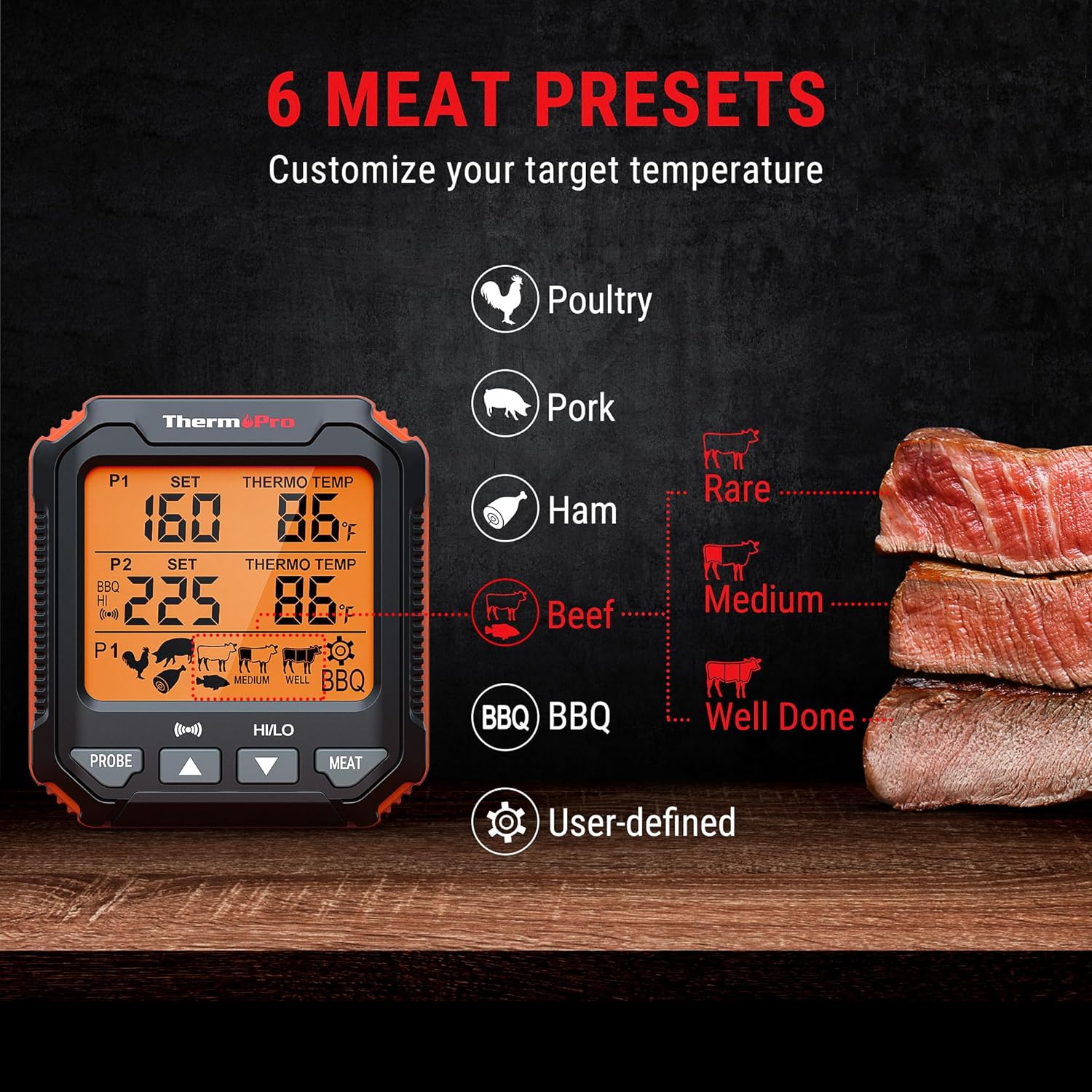
Figure 2: USDA Meat Presets and Doneness Levels
- Press the "MEAT" button to cycle through the 6 preset meat types: Poultry, Pork, Ham, Beef, BBQ, and User-defined.
- For Poultry, Pork, Ham, and Beef, you can further select the doneness level (Rare, Medium, Well Done) by pressing the "MEAT" button again after selecting the meat type.
- The target temperature for the selected meat and doneness will be displayed as "SET" temperature.
Configuración de temperatura personalizada:
- Select "User-defined" using the "MEAT" button.
- Press the "PROBE" button to select which probe (P1 or P2) you want to customize.
- Use the "UP" (▲) or "DOWN" (▼) buttons to adjust the desired target temperature. Hold the buttons for faster adjustment.
BBQ HI/LO Temperature Alert:

Figure 3: BBQ HI/LO Temp Alert
This feature is ideal for monitoring ambient temperatures in smokers or ovens.
- Press the "HI/LO" button to activate the BBQ HI/LO alert mode.
- The "HI" temperature will flash. Use the "UP" (▲) or "DOWN" (▼) buttons to set your desired high temperature limit.
- Press "HI/LO" again to switch to the "LO" temperature setting. Use the "UP" (▲) or "DOWN" (▼) buttons to set your desired low temperature limit.
- Press "HI/LO" a third time to confirm settings and exit. An alarm will sound if the temperature goes above the HI setting or below the LO setting.
Usando la luz de fondo:

Figure 4: Touchable Backlight Feature
Simply touch the ThermoPro logo on the display to activate the backlight. It will automatically turn off after 10 seconds to conserve battery power.
Selección de la unidad de temperatura:
To switch between Celsius (°C) and Fahrenheit (°F), locate the °C/°F button on the back of the unit and press it.
5. Características y beneficios
Highly Accurate Dual Probe System:

Figure 5: Fast and Accurate Temperature Readings
The TP717 features two high-precision probes with an accuracy of +/-1.8°F (+/-1°C), providing rapid temperature updates within 1 second. This allows for precise monitoring of two different cuts of meat or one meat and the ambient cooking temperature.
Opciones de colocación versátiles:
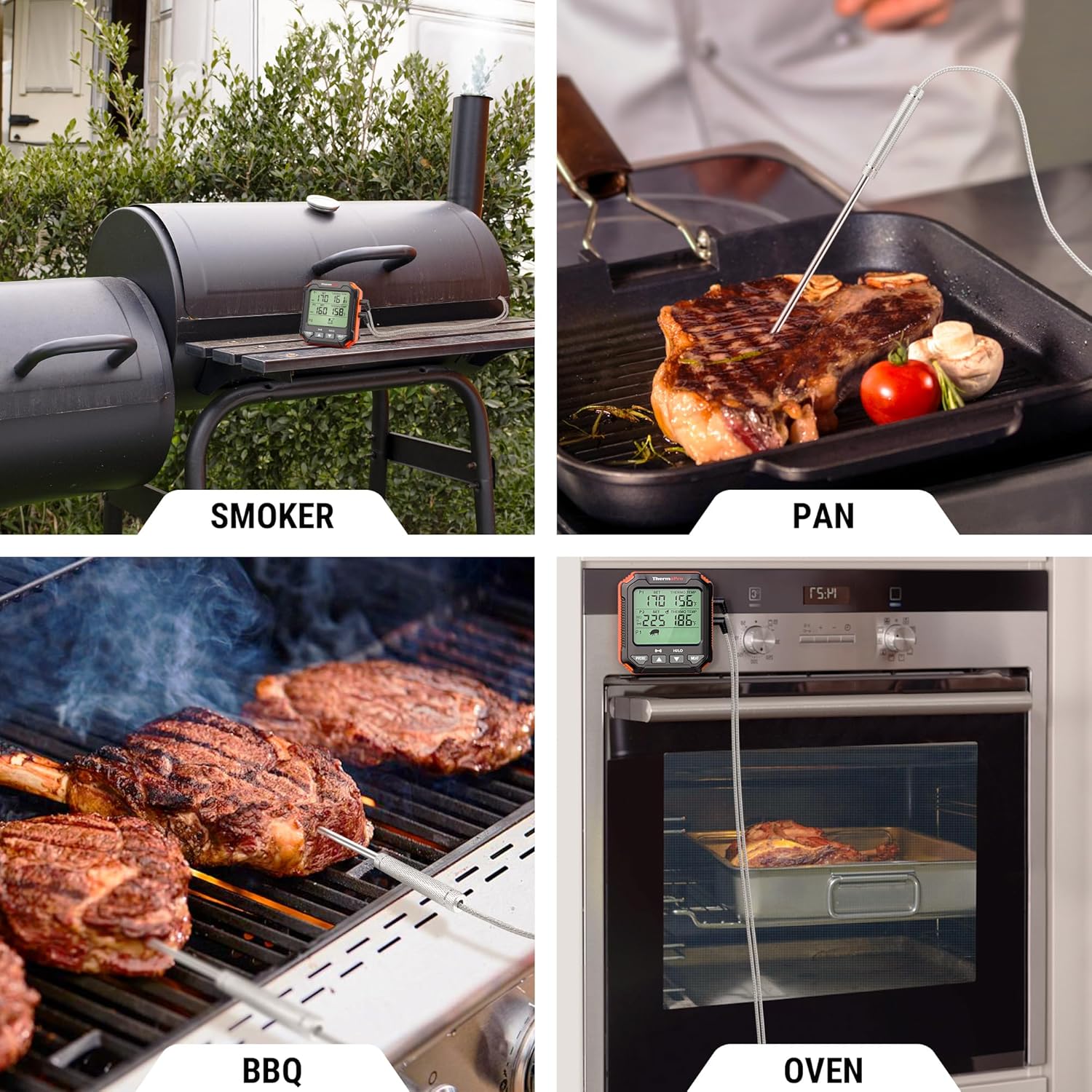
Figura 6: Múltiples opciones de ubicación
The unit is designed for convenience with a strong magnetic back for attaching to metal surfaces (like oven doors or grills), a foldable tabletop stand for countertop use, and a hanging hole for wall mounting.
6. Aplicaciones

Figura 7: Aplicaciones de cocina versátiles
The ThermoPro TP717 is suitable for a wide range of cooking scenarios, including:
- Interrogatorio intenso: Monitor steaks, chicken, and other meats on your outdoor grill.
- De fumar: Keep track of both meat and ambient smoker temperatures.
- Oven Roasting: Perfect for roasts, poultry, and casseroles cooked in the oven.
- Pan Frying: Ensure proper internal temperatures for pan-seared dishes.
7. Mantenimiento
- Limpieza: La unidad principal se puede limpiar con un paño húmedo.amp cloth. Do NOT immerse the main unit in water or place it in a dishwasher.
- Cuidado de la sonda: The stainless steel probes can be washed with soap and hot water. Ensure the probe connectors are dry before plugging them back into the main unit. Do NOT immerse the probe connectors in water.
- Almacenamiento: Store the thermometer and probes in a dry place when not in use. Remove the battery if storing for extended periods to prevent leakage.
8. Solución de problemas
| Problema | Posible causa | Solución |
|---|---|---|
| Display shows "LLL" or "HHH" | Probe not connected or temperature out of range. | Ensure probe is fully inserted. Check if temperature is within 14°F to 572°F (-10°C to 300°C). |
| Lecturas de temperatura inexactas | Probe not inserted correctly or damaged. | Re-insert probe firmly. Test probe in boiling water (212°F/100°C) or ice water (32°F/0°C). If still inaccurate, probe may need replacement. |
| No hay pantalla/La unidad no se enciende | Batería muerta o instalación incorrecta de la batería. | Replace battery with a new AAA battery. Check battery polarity. |
| La alarma no suena | Alarm volume too low or disabled. | Check if the alarm function is enabled and adjust volume if applicable (this model has a fixed alarm sound). |
9. Especificaciones
| Especificación | Valor |
|---|---|
| Marca | ThermoPro |
| Nombre del modelo | TP-16s |
| Rango de temperatura | 14 °F a 572 °F (-10 °C a 300 °C) |
| Precisión de temperatura | +/-1.8°F (+/-1°C) |
| Tiempo de respuesta | 2 segundos |
| Tipo de sonda | Acero inoxidable |
| Tipo de pantalla | LCD con luz de fondo |
| Fuente de poder | 1 pila AAA (incluida) |
| Características especiales | Dual Probe, USDA Presets, BBQ HI/LO Alert, Magnetic Back, Tabletop Stand, Hanging Hole |
| Certificaciones | NSF, CE, FCC |
| Cuidado del producto | Limpiar |
10. Garantía y soporte
ThermoPro provides a limited warranty for this product against defects in materials and workmanship. For detailed warranty information, product registration, or technical support, please visit the official ThermoPro website or contact their customer service directly. Contact information can typically be found on the product packaging or the ThermoPro websitio.
Websitio: www.comprarthermopro.com
Correo electrónico: servicio@buythermopro.com


