1. Introducción
Thank you for choosing the AONIMI 42800mAh Solar Charger Power Bank. This robust and versatile portable charger is designed to keep your devices powered in various environments, especially outdoors. Featuring a massive 42800mAh capacity, multiple output ports, and an integrated LED flashlight, it is an ideal companion for camping, hiking, travel, and daily use. This manual provides essential information on how to safely and effectively use and maintain your power bank.
2. Información de seguridad
Please read all safety instructions carefully before using the product to ensure safe and optimal performance.
- Do not expose the power bank to extreme temperatures (above 60°C/140°F) or direct sunlight for prolonged periods, as this may damage the battery.
- Avoid dropping, disassembling, or attempting to repair the device yourself. Refer to qualified service personnel for any repairs.
- Keep the power bank away from water, moisture, and flammable materials. While it is IP67 waterproof, prolonged submersion is not recommended.
- The solar charging feature is intended for emergency use only. For daily charging, always use a wall adapter and cable to ensure efficient and complete charging.
- This power bank features a built-in intelligent chip that protects against over-discharge, over-charge, short-circuit, and overheating.
- Use only certified charging cables and adapters to prevent damage to the power bank and connected devices.

Figure 2.1: Superior Safety Protection features of the power bank.
3. Contenido del paquete
Por favor revise el paquete para ver los siguientes artículos:
- 1 x AONIMI 42800mAh Solar Charger Power Bank
- Cable de carga 1 x USB-C
- 1 x Manual de usuario (este documento)

Figura 3.1: Contenido incluido en el paquete del producto.
4. Producto terminadoview
The AONIMI Solar Charger Power Bank is designed for durability and multi-device compatibility. It features a large solar panel on one side for emergency charging and multiple output ports for various devices.

Figura 4.1: Frente view of the AONIMI Solar Charger Power Bank.
Componentes clave:
- Panel solar: Located on the top surface, used for emergency solar charging.
- Puertos de salida USB-A (x4): Standard USB ports for charging most mobile devices.
- Puerto de entrada/salida USB-C (x1): A versatile port for both charging the power bank and charging compatible devices with Power Delivery (PD).
- Indicadores LED: Display the remaining battery capacity and charging status.
- Linterna led: Integrated high-brightness flashlight for illumination.
- Botón de encendido: Activa el banco de energía y controla la linterna.
5. Configuración
Before first use, it is crucial to fully charge your AONIMI Solar Charger Power Bank using a wall adapter.
Carga inicial:
- Conecte el cable USB-C provisto al puerto USB-C del banco de energía.
- Plug the other end of the USB-C cable into a compatible USB wall adapter (not included).
- Conecte el adaptador de pared a una toma de corriente.
- Los indicadores LED se iluminarán para mostrar el progreso de la carga. Los cuatro LED permanecerán fijos cuando la carga esté completa.
- Allow the power bank to charge completely before its first use. This ensures optimal battery performance and longevity.

Figure 5.1: Primary charging method via USB wall adapter (left) versus emergency solar charging (right).
6. Instrucciones de funcionamiento
6.1 Carga de dispositivos externos
The power bank can charge up to five devices simultaneously using its multiple output ports.
- Conecte el cable de carga de su dispositivo a uno de los puertos de salida USB-A o al puerto de entrada/salida USB-C del banco de energía.
- Conecte el otro extremo del cable a su dispositivo móvil.
- La batería externa comenzará a cargar tu dispositivo automáticamente. Los indicadores LED mostrarán el nivel de batería restante.
- Para detener la carga, simplemente desconecte su dispositivo.
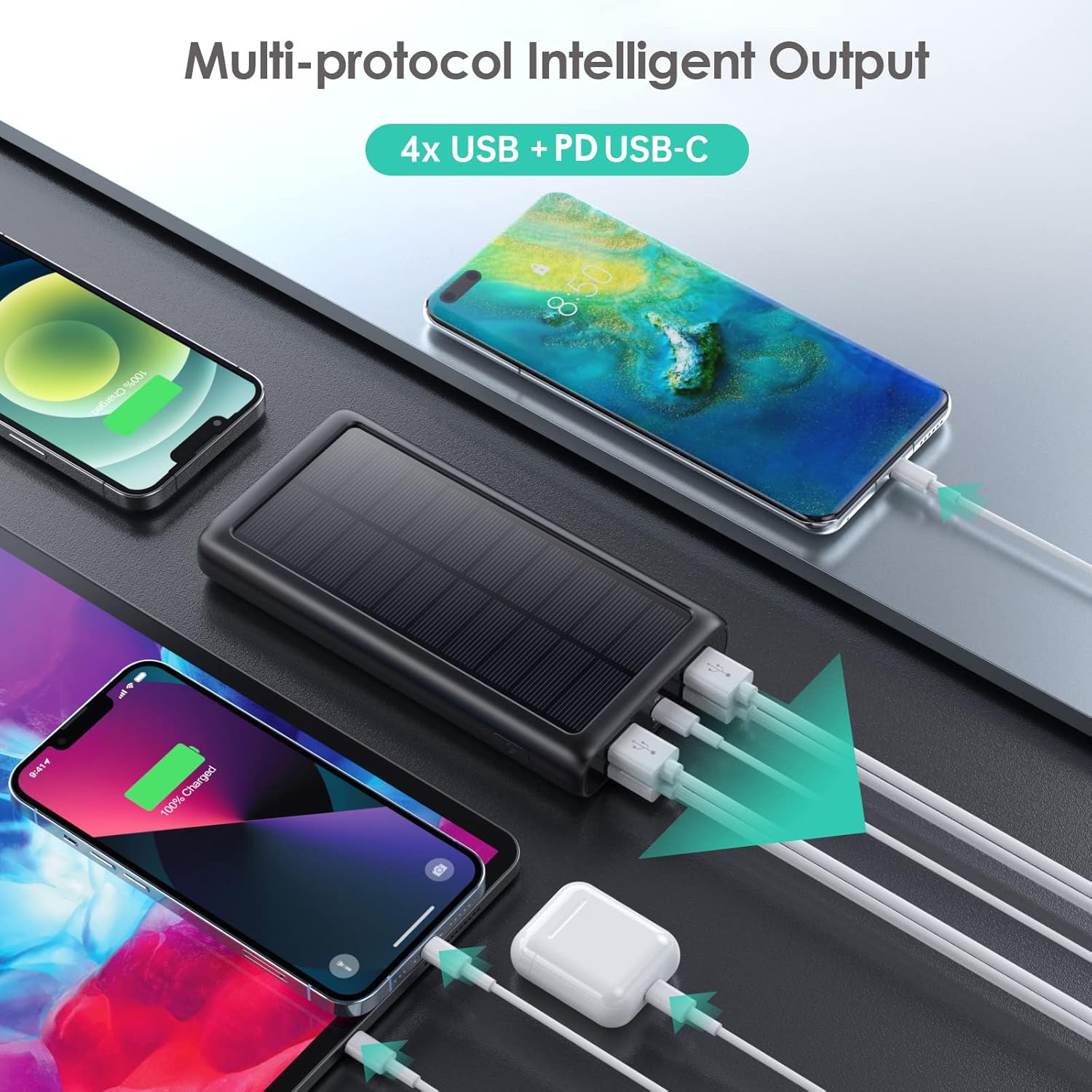
Figura 6.1: Carga de varios dispositivos simultáneamente.
6.2 Recarga del banco de energía
There are two ways to recharge your power bank:
A. Via USB-C Wall Adapter (Recommended)
This is the fastest and most efficient way to charge the power bank.
- Connect the USB-C cable to the power bank's USB-C port and a compatible wall adapter.
- The LED indicators will flash to show charging status and become solid when fully charged.
B. Via Solar Panel (Emergency Use Only)
The solar panel is designed for emergency power replenishment when no other power source is available. Due to variations in sunlight intensity and conversion rates, solar charging is significantly slower than wall charging.
- Place the power bank in direct sunlight. Ensure the solar panel is facing the sun.
- A green indicator light will illuminate to confirm solar charging is active.
- The LED battery indicators will show slow charging progress.
6.3 Uso de la linterna LED
The integrated LED flashlight is a useful feature for outdoor activities or emergencies.
- Para encender la linterna: Presione dos veces rápidamente el botón de encendido.
- Para recorrer los modos: Once the flashlight is on, single-press the power button to switch between Strong Light, SOS, and Strobe modes.
- Para apagar la linterna: Double-press the power button quickly again.

Figure 6.2: The LED flashlight in use, demonstrating its various modes.
7. Mantenimiento
El cuidado y mantenimiento adecuados prolongarán la vida útil de su banco de energía.
- Limpieza: Limpie la batería externa con un paño suave y seco. No utilice productos químicos agresivos ni limpiadores abrasivos.
- Almacenamiento: Store the power bank in a cool, dry place away from direct sunlight and extreme temperatures. If storing for long periods, charge it to about 50-75% capacity every 3 months to prevent battery degradation.
- Durabilidad: The power bank is IP67 rated, meaning it is protected against dust ingress and can withstand immersion in water up to 1 meter for 30 minutes. It is also shockproof. However, avoid intentional abuse or prolonged exposure to harsh conditions.

Figure 7.1: The power bank's IP67 waterproof, dustproof, and shockproof capabilities.
8. Solución de problemas
If you encounter issues with your power bank, please refer to the following common problems and solutions:
| Problema | Posible causa | Solución |
|---|---|---|
| El banco de energía no carga | Loose cable connection; faulty cable/adapter; power bank fully discharged. | Ensure cables are securely connected. Try a different USB-C cable and wall adapter. If fully discharged, it may take longer to initiate charging. |
| Devices not charging from power bank | Power bank is out of charge; loose cable connection; incompatible device. | Recharge the power bank. Ensure device charging cable is securely connected. Verify device compatibility (most USB/Type-C charged devices are supported). |
| Solar charging is very slow | Solar charging is an emergency feature; low sunlight intensity; panel not in direct sun. | This is normal. Solar charging is significantly slower than wall charging. Ensure the panel is in direct, strong sunlight. Use wall charging for primary power. |
| Linterna no funciona | Incorrect operation; power bank is out of charge. | Presione dos veces el botón de encendido rápidamente para activarlo. Asegúrese de que la batería externa tenga suficiente carga. |
9. Especificaciones
| Característica | Especificación |
|---|---|
| Número de modelo | HX200K3 |
| Capacidad de la batería | 42800 mAh |
| Entrada (Tipo C) | 5 V/3 A |
| Entrada (Panel solar) | Emergency power sources only |
| Salida (Tipo-C) | 5 V/3 A |
| Salida (USB-A x4) | 5V/2.1A (each) |
| Dimensiones | 16 x 8.23 x 2.54 cm (5.91 x 2.95 x 0.6 pulgadas) |
| Peso | 372 gramos |
| Clasificación de impermeabilidad | IP67 |
| Características especiales | LED Flashlight (Strong, SOS, Strobe), Multi-Protection System |
10. Garantía y soporte
AONIMI is committed to providing high-quality products and excellent customer service.
- This product comes with lifetime technical support.
- For any questions, concerns, or technical assistance, please contact AONIMI customer service.
- Please refer to your purchase platform or product packaging for specific warranty details and contact information.