1. Introducción
Thank you for choosing the LFF DAB/FM Digital Radio YT81107. This manual provides essential information for the safe and efficient use of your new radio. Please read these instructions carefully before operating the device and retain them for future reference.
Información de seguridad
- No exponga la unidad a la lluvia ni a la humedad para evitar incendios o descargas eléctricas.
- No abra la casing. Deje todo servicio a personal cualificado.
- Utilice únicamente el adaptador de corriente o las baterías especificadas.
- Evite temperaturas extremas, luz solar directa y ambientes polvorientos.
2. Producto terminadoview
The LFF DAB/FM Digital Radio YT81107 offers versatile listening options with DAB+ and FM radio, Bluetooth connectivity, and convenient features like a dual alarm and sleep timer. Its compact design and dual power options make it suitable for various environments.
Características principales
- DAB+ and FM Digital Radio Tuner
- Bluetooth Connectivity for Audio Streaming
- Pantalla LCD a todo color
- 60 Preset Stations (30 DAB+, 30 FM)
- Dual Alarm Clock Function
- Temporizador de sueño ajustable
- Conector para auriculares de 3.5 mm
- AC Power Adapter or Battery Operated (4x AA batteries, not included)

Figura 2.1: Frente view of the LFF DAB/FM Digital Radio highlighting its main features.
Controles y Componentes
Familiarize yourself with the buttons and ports on your radio:

Figura 2.2: Frente y parte superior view of the radio with labeled controls.
- Botón de encendido / modo: Turns the radio on/off and switches between modes (DAB, FM, Bluetooth).
- Botón de menú/información: Accesses menu settings or displays station information.
- Botón de alarma: Establece y gestiona alarmas.
- Botones preestablecidos (1-5): Acceda rápidamente a las estaciones favoritas guardadas.
- Volume Knob/Select: Gira para ajustar el volumen o navegar por los menús; presione para confirmar la selección.
- Tuning/Scroll Buttons: Navega a través de estaciones u opciones de menú.
- Mostrar: Full-color LCD screen.
- Vocero: Salida de audio integrada.
- Antena: Antena telescópica extensible para recepción de radio.
- Puerto de entrada de CC: Para conectar el adaptador de corriente CA.
- Toma de auriculares: Salida de 3.5 mm para escucha privada.
- Compartimento de la batería: Located on the back for 4x AA batteries.
3. Configuración
Encendido de la radio
Your radio can be powered by the included AC adapter or by batteries for portable use.
- Alimentación CA: Connect the supplied AC adapter to the DC IN port on the back of the radio and plug it into a standard wall outlet.
- Energía de la batería: Open the battery compartment on the back and insert 4x 1.5V AA (LR6) batteries (not included), ensuring correct polarity. Close the compartment securely.

Figure 3.1: Power options and physical dimensions of the radio.
Ajuste de antena
Para una recepción de radio óptima, extienda completamente la antena telescópica. Ajuste su posición para obtener la mejor calidad de señal.
4. Instrucciones de funcionamiento
Encendido/apagado y selección de modo
- Presione el Potencia/Modo Botón para encender o apagar la radio.
- While on, press the Potencia/Modo Presione el botón repetidamente para recorrer los modos disponibles: DAB, FM y Bluetooth.
Funcionamiento de la radio DAB/FM
Ensure the antenna is fully extended for best reception.

Figure 4.1: Radio reception ranges and preset capacity.
- Escaneo automático: En modo DAB o FM, mantenga presionado el botón Menú / Info button to initiate an automatic scan for available stations. The radio will store them automatically.
- Sintonización manual: Utilice el Tuning/Scroll Botones para ajustar manualmente la frecuencia.
- Selección de estaciones: Girar el Volume Knob/Select to browse through available stations. Press the knob to select a station.
- Guardar ajustes preestablecidos: To save a station, tune to the desired station, then press and hold one of the Botones preestablecidos (1-5) until the display confirms it's saved. You can save up to 30 DAB+ and 30 FM stations.
- Recuperación de preajustes: Presione brevemente uno de los Botones preestablecidos (1-5) para recuperar una estación guardada.
Modo Bluetooth
Conecte su teléfono inteligente, tableta u otro dispositivo con Bluetooth para transmitir audio de forma inalámbrica.
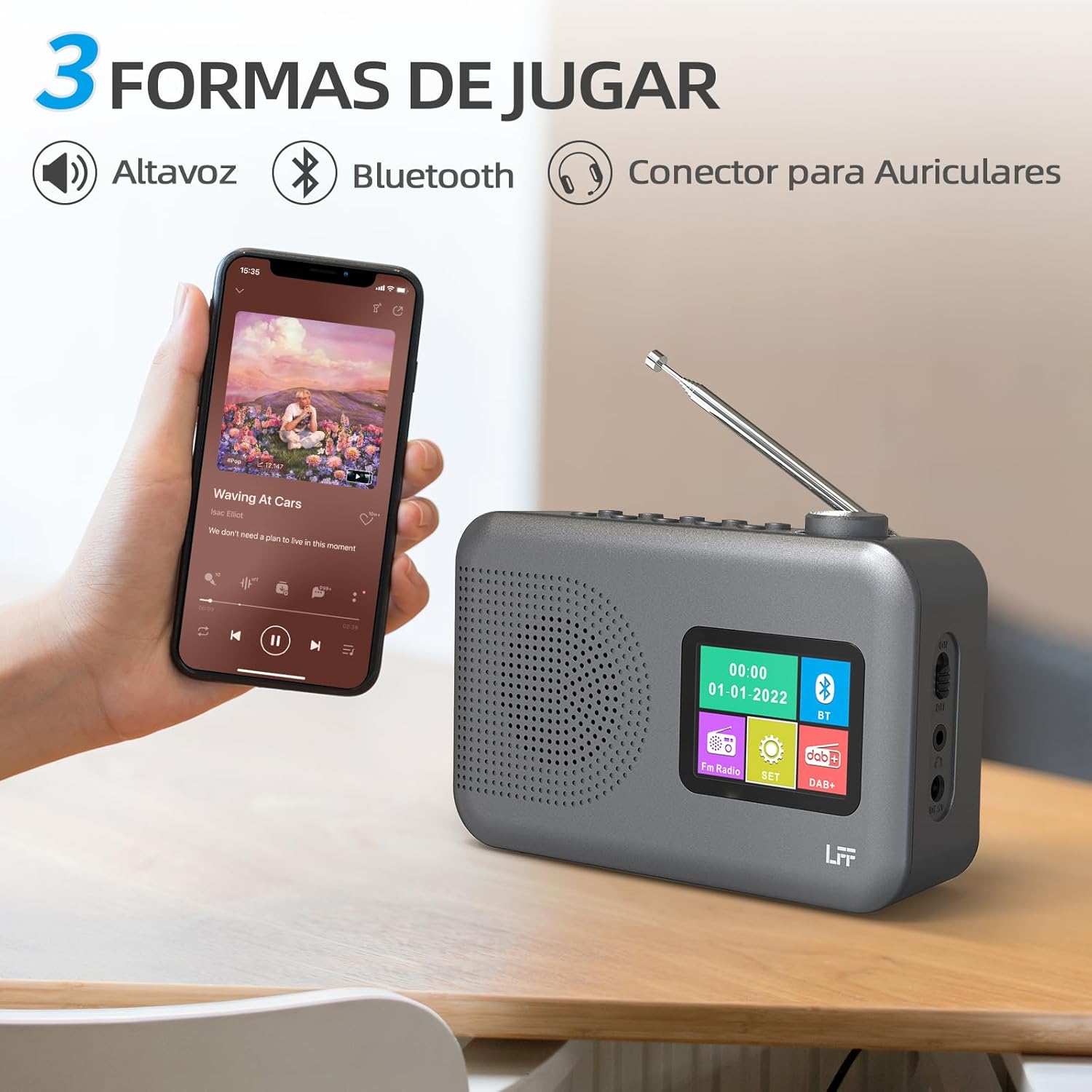
Figure 4.2: Bluetooth connectivity and audio playback options.
- Cambie la radio al modo Bluetooth usando el Potencia/Modo Botón. La pantalla mostrará "Emparejamiento Bluetooth" o algo similar.
- On your device, enable Bluetooth and search for "LFF YT81107" (or similar).
- Select the radio to pair. Once connected, you can play audio from your device through the radio's speaker.
- Ajuste el volumen usando la radio. Perilla de volumen or your connected device.
Función de despertador
Configurar hasta dos alarmas independientes.
- Presione el Alarma Botón para ingresar a la configuración de la alarma.
- Utilice el Tuning/Scroll botones y Volume Knob/Select to set the alarm time, source (DAB, FM, or buzzer), and frequency (daily, weekdays, weekends, once).
- Presione el Alarma Botón nuevamente para confirmar y activar la alarma.
- When an alarm sounds, press any button (except Power) to snooze, or press the Potencia/Modo para apagarlo.
Temporizador de sueño
El temporizador de apagado permite que la radio se apague automáticamente después de un período establecido.

Figure 4.3: Sleep timer function in use.
- Presione el Menú / Info botón para acceder al menú principal.
- Navigate to the "Sleep Timer" option using the Tuning/Scroll botones y presione el Volume Knob/Select.
- Select your desired duration (15, 30, 45, 60, 90, or 120 minutes) and confirm. The radio will automatically turn off after the selected time.
Uso de auriculares
For private listening, connect standard 3.5mm headphones to the headphone jack on the side of the radio. The internal speaker will be muted automatically.
Note: This radio does not support Bluetooth headphones. The 3.5mm headphone jack is for wired headphones only.
5. Mantenimiento
- Limpieza: Limpie la radio con un paño suave y seco. No utilice limpiadores abrasivos ni disolventes.
- Reemplazo de batería: If using batteries, replace all four AA batteries when the low battery indicator appears on the display or when performance degrades. Ensure proper disposal of old batteries.
- Almacenamiento: Si va a guardar la radio durante un período prolongado, retire las baterías para evitar fugas.
6. Solución de problemas
| Problema | Posible causa | Solución |
|---|---|---|
| Sin poder | El adaptador de CA no está conectado o está defectuoso; las baterías están agotadas o insertadas incorrectamente. | Check AC adapter connection and power outlet. Replace batteries or ensure correct polarity. |
| Mala recepción de radio | Antena no extendida; área de señal débil; interferencia. | Extienda y ajuste completamente la antena telescópica. Intente mover la radio a otra ubicación. |
| El Bluetooth no se conecta | Radio not in Bluetooth mode; device not in pairing mode; radio already connected to another device. | Ensure radio is in Bluetooth mode. Put your device in pairing mode. Disconnect from other Bluetooth devices. |
| La alarma no suena | Alarm not activated; volume too low; incorrect alarm settings. | Check alarm settings and ensure it is enabled. Increase volume. Verify alarm time and source. |
7. Especificaciones
| Característica | Detalle |
|---|---|
| Número de modelo | YT81107 |
| Marca | extensión LFF |
| Tecnología de ajuste | DAB+, FM |
| Bandas de radio compatibles | DAB+ (174.928 - 239.2 MHz), FM (87.5 - 108 MHz) |
| Conectividad | Bluetooth, conector para auriculares de 3.5 mm |
| Fuente de poder | AC Adapter (included), 4x 1.5V AA (LR6) Batteries (not included) |
| Dimensiones (L x An x Al) | 16.1 cm x 5.9 cm x 10.9 cm |
| Color | Gris |
| Características especiales | DAB Radio, DAB Plus Radio, DAB+ Radio, FM Radio, Color Display, Bluetooth, Dual Alarm, Sleep Timer |
| Dispositivos compatibles | Auriculares, reproductor de MP3, teléfono inteligente, computadora portátil, altavoz, tableta |
8. Garantía y soporte
LFF is committed to providing high-quality products. If you encounter any quality issues with your LFF DAB/FM Digital Radio YT81107, please contact us directly. Our customer support team is available to assist you and resolve any problems you may experience.
Consulte la documentación de compra para conocer los términos de garantía específicos y la información de contacto.


