1. Información importante de seguridad
Please read all safety instructions carefully before using the BYINTEK P70 Smart WiFi Projector. Keep this manual for future reference.
- Fuente de energía: Utilice únicamente el adaptador de corriente proporcionado. Asegúrese de que el voltage coincide con los requisitos del proyector.
- Seguridad de la batería: The projector contains a built-in lithium-ion battery. Do not expose to extreme temperatures, puncture, or disassemble.
- Ventilación: Asegúrese de que haya una ventilación adecuada alrededor del proyector para evitar el sobrecalentamiento. No bloquee las aberturas de ventilación.
- Calor: The projector may become warm during operation. This is normal. Avoid touching the lens or vents immediately after use.
- Exposición a la luz: No mire directamente a la lente del proyector cuando la lamp está encendido, ya que la luz brillante puede causar fatiga visual o daños en los ojos.
- Agua y humedad: Mantenga el proyector alejado del agua, la lluvia y la humedad excesiva. No lo utilice con las manos mojadas.
- Limpieza: Desconecte la alimentación antes de limpiar. Utilice un paño suave y seco. No utilice limpiadores líquidos ni en aerosol.
- Niños: Mantenga el proyector y sus accesorios fuera del alcance de los niños.
2. Producto terminadoview
The BYINTEK P70 is a portable smart DLP projector designed for versatile entertainment and presentation needs. It features an 8000mAh built-in battery, Android 9.0 operating system, auto-focus, and 3D support.
2.1 Contenido del paquete
- BYINTEK P70 Projector x 1
- Control remoto x 1
- Adaptador de corriente x 1
- Mini trípode x 1
- Bolsa de almacenamiento x 1
- Manual de usuario x 1
2.2 Características principales
- Diseño portátil: Compacto y liviano para fácil transporte.
- Batería incorporada: 8000mAh battery provides 1.5 to 3 hours of playback.
- Sistema operativo Android inteligente: Android 9.0 for app downloads, online streaming, and gaming.
- Enfoque automático: Automatic focus adjustment for clear images.
- Corrección trapezoidal 6D: Advanced keystone correction for flexible placement.
- Soporte 3D: Disfrute de contenido 3D inmersivo.
- Conectividad inalámbrica: Supports wireless screen mirroring from Android, iOS, and PC devices.
- Conectividad por cable: USB data cable sync for iOS and select Android devices.
- Tamaño de proyección grande: Hasta 200 pulgadas.
- 4K Playback: Supports up to 4K video input.
- LED largo Lamp Vida: 30,000 horas.
- Altavoces estéreo duales: Integrated 2x5W speakers for clear audio.

Image: Infographic detailing the BYINTEK P70's features including 4K support, DLP display, 6D keystone, 8000mAh battery, 3D, Type-C charge, 2G+32G memory, Android OS, and stereo speakers.
3. Configuración
3.1 Carga del proyector
Before first use, fully charge the projector. Connect the provided power adapter to the projector's Type-C port and plug it into a power outlet. The charging indicator will show the charging status.

Image: The BYINTEK P70 projector connected to a power bank via a Type-C cable, illustrating its portable charging capability.
3.2 Colocación inicial
Coloque el proyector sobre una superficie plana y estable. Para una óptima viewing, position it directly in front of your projection screen or wall. The included mini tripod can be used for angle adjustments.
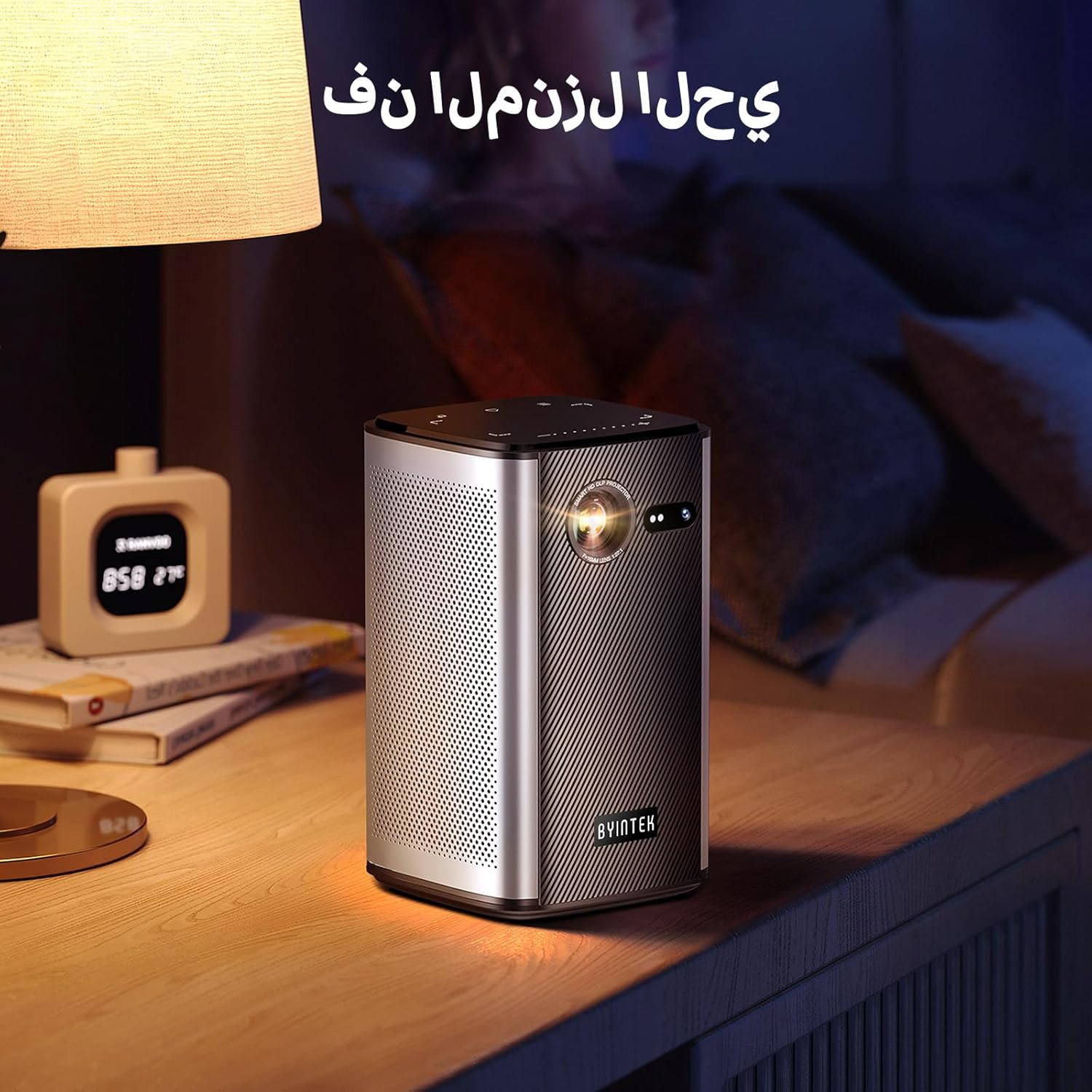
Image: The BYINTEK P70 projector placed on a bedside table, ready for indoor use.
3.3 Encendido / Apagado
Press and hold the power button on the projector or remote control to turn the device on or off.
3.4 Enfoque y corrección trapezoidal
The BYINTEK P70 features automatic focus. For keystone correction, navigate to the settings menu using the remote control. The 6D keystone correction allows for precise image adjustment, even with side projection.

Image: A visual representation of the projector's auto-focus feature, showing a clear image projected onto a wall.
4. Instrucciones de funcionamiento
4.1 Navegación por el sistema operativo Android
Use the remote control to navigate the Android 9.0 interface. The home screen provides access to pre-installed apps and settings. You can download additional applications from the app store.

Image: The projector displaying its Android operating system interface with various application icons like Miracast, Settings, AirPlay, Market, File Explorer, YouTube, and Netflix.
4.2 Duplicación de pantalla inalámbrica
The projector supports wireless screen mirroring for Android, iOS, and PC devices. Access the 'Miracast' or 'AirPlay' app on the projector's home screen and follow the on-screen instructions to connect your device.
4.3 Duplicación de pantalla con cable
For iOS devices and some Android devices, you can use a USB data cable for wired screen synchronization. Connect your device to the projector's USB port using its original data cable.
4.4 Reproducción 3D
The BYINTEK P70 supports 3D content. To enjoy 3D movies, ensure your media file is in a compatible 3D format (e.g., Blu-ray 3D, SBS, TNB) and use active shutter 3D glasses (sold separately).

Image: A family wearing 3D glasses, enjoying a 3D movie projected by the BYINTEK P70, showcasing its 3D capability.
4.5 Zoom digital
Adjust the image size from 50% to 100% using the digital zoom function on the remote control. This allows you to fit the image perfectly to your screen without moving the projector.
5. Mantenimiento
5.1 Limpieza de la lente
Utilice un paño suave y sin pelusa, especialmente diseñado para lentes ópticas, para limpiar con cuidado la lente del proyector. Evite usar materiales abrasivos o productos químicos agresivos.
5.2 Limpieza del exterior
Limpie el exterior del proyector con un paño suave y seco. No utilice limpiadores líquidos ni aerosoles directamente sobre el dispositivo.
5.3 Almacenamiento
When not in use, store the projector in a cool, dry place, away from direct sunlight and extreme temperatures. Use the provided storage bag to protect it from dust and scratches.
5.4 Cuidado de la batería
Para prolongar la vida útil de la batería, evite descargarla completamente con frecuencia. Si la va a guardar durante un período prolongado, cárguela aproximadamente al 50 % y recárguela cada pocos meses.
6. Solución de problemas
| Problema | Posible causa | Solución |
|---|---|---|
| No se proyecta ninguna imagen | Projector not powered on; input source not selected; cable not connected. | Ensure projector is on. Select correct input source (HDMI, USB, Wireless). Check cable connections. |
| La imagen es borrosa | Out of focus; projector too close/far from screen; lens dirty. | Allow auto-focus to adjust. Adjust projector distance. Clean the lens. |
| El control remoto no funciona | Batteries low/dead; remote not paired; obstruction. | Replace remote batteries. Ensure line of sight to projector's IR receiver. Re-pair remote if necessary (refer to specific pairing instructions in the full manual). |
| Sin sonido | Volume too low; external audio device connected; audio format not supported. | Increase projector volume. Disconnect external audio devices. Check audio format compatibility. |
| Problemas de duplicación inalámbrica | Poor Wi-Fi signal; device compatibility; firewall settings. | Ensure strong Wi-Fi signal. Check device compatibility with Miracast/AirPlay. Disable firewalls temporarily for testing. |
| El proyector se calienta demasiado | Ventilación bloqueada; uso prolongado en ambientes cálidos. | Asegúrese de que las rejillas de ventilación estén despejadas. Utilícelo en un área bien ventilada. Deje que el proyector se enfríe. |
7. Especificaciones
| Característica | Especificación |
|---|---|
| Marca | Por Intek |
| Número de modelo | P70 |
| Dimensiones del producto | 8.2 x 8.2 x 14.2 cm |
| Peso del artículo | 1.58 kilogramos |
| Batería | 1 Lithium Ion battery (included), 8000mAh, 29.6 Wh |
| Sistema operativo | Androide |
| Resolución de pantalla | 960 x 540 |
| Resolución máxima de pantalla | 4K Ultra HD Megapixel |
| Tecnología de conectividad | Wifi |
| Características especiales | Auto-focus, 3D Ready, Built-in Wi-Fi Receiver |
| Usos recomendados | Cine en casa |
| Tipo de pantalla | DLP |
| Factor de forma | Portátil |
| Tipo de montaje | Montaje para trípode |
| Puertos USB 3.0 | 1 |
| Puertos HDMI | 1 |
| Volumentage | 12 voltios |
| Quétage | 25 vatios |
| Fuente de poder | CA y batería |
8. Garantía y soporte
The BYINTEK P70 Smart WiFi Projector comes with a standard manufacturer's warranty. For specific warranty details, please refer to the warranty card included in your product packaging or contact BYINTEK customer support.
If you encounter any issues or have questions regarding your projector, please contact BYINTEK customer support through their official website or the contact information provided in your product documentation. Please have your model number (P70) and purchase details ready when contacting support.


