1. Introducción
Thank you for choosing the UGREEN Revodok USB C Hub 10Gbps. This device is designed to expand the connectivity of your USB-C enabled devices by providing four high-speed USB 3.2 Gen 2 ports for data transfer. Please read this manual carefully to ensure proper use and optimal performance.
2. Producto terminadoview
The UGREEN Revodok USB C Hub (Model 15651) is a compact and portable solution for users needing additional USB-C data ports. It features an aluminum alloy casing for durability and efficient heat dissipation, along with a braided cable for enhanced longevity. This hub is specifically designed for data transfer at speeds up to 10Gbps and does not support video output or charging of host devices or peripherals.
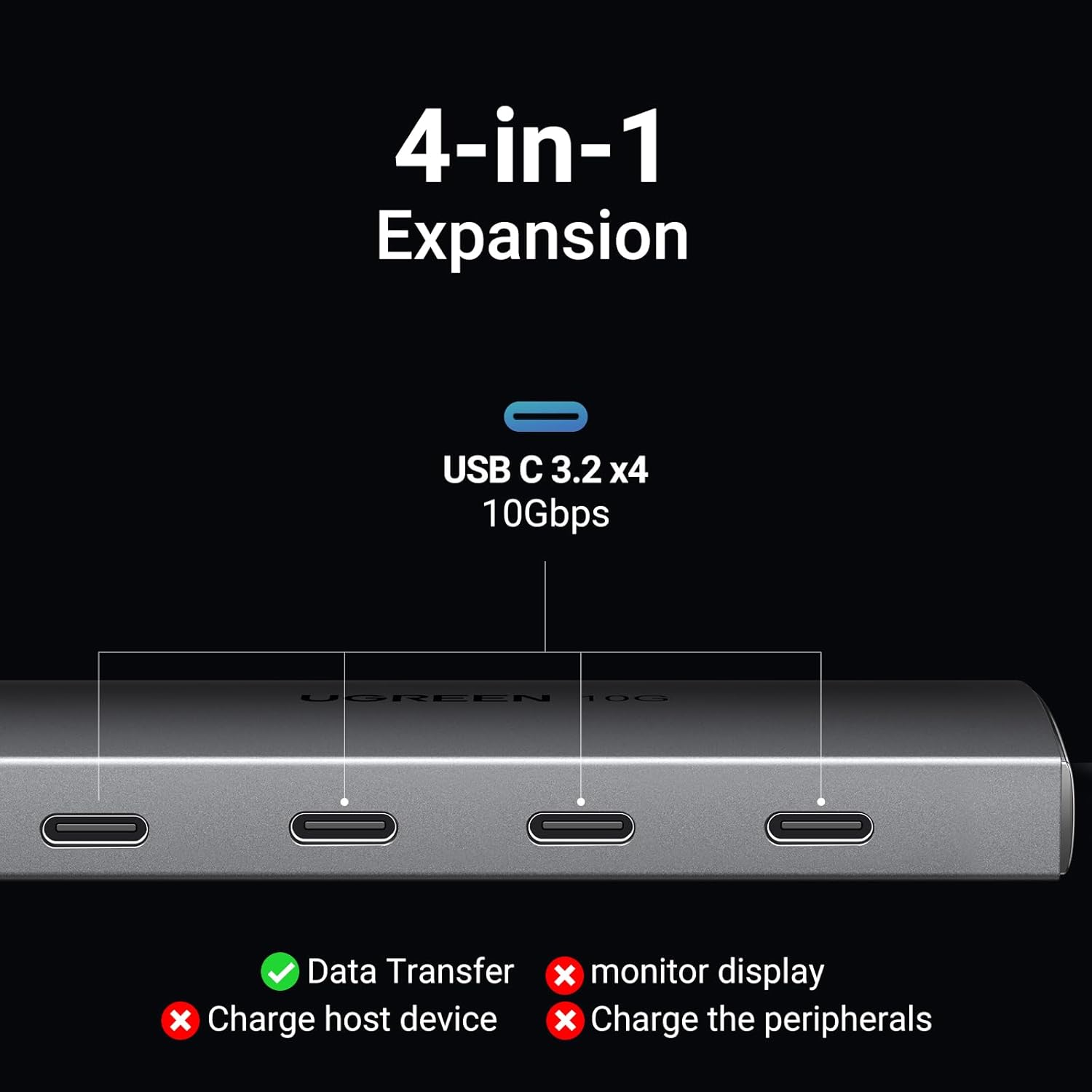
Image: The UGREEN Revodok USB C Hub, a sleek grey device with a short braided USB-C cable, shown on a dark surface.
3. Características
- Transferencia de datos de 10 Gbps: Equipped with four USB 3.2 Gen 2 ports, supporting data transfer speeds up to 10Gbps. This allows for rapid transfer of large files, como por ejemplo 20 GB file en aproximadamente 16.4 segundos. Note: This hub is exclusively for data transfer and does not support charging or external monitor display.
- Compatibilidad universal: Compatible with a wide range of USB-C 3.2/3.1/3.0 devices, including SSDs, flash drives, and audio interfaces. It is compatible with operating systems such as Android, Linux, Windows, iPad OS, and macOS. Not compatible with Thunderbolt 3/4 monitors, HDMI adapters, or DisplayLink docks.
- True 10 Gbps Speed: All four ports can achieve USB 3.2 Gen 2 (10 Gbps) speeds simultaneously when used with UASP-enabled SSDs or similar high-speed devices. Actual speeds may vary based on the host device and connected cables.
- Funcionalidad Plug & Play: Requires no driver installation for operation. Simply connect the hub to your device, and it is ready for use.
- Compact Aluminum Design: Features an aircraft-grade aluminum shell that aids in heat dissipation and provides a durable, stylish finish. The integrated 1 ft braided cable is designed to reduce strain on the host device's port.

Image: A close-up of the UGREEN Revodok USB C Hub, highlighting its four USB-C 3.2 ports and indicating 'Data Transfer' is supported, while 'monitor display', 'Charge host device', and 'Charge the peripherals' are not.

Image: A visual representation of data flowing rapidly from the UGREEN Revodok USB C Hub to a connected device, illustrating the 10Gbps transfer speed.
4. Configuración
- Desempaquetar el Hub: Carefully remove the UGREEN Revodok USB C Hub from its packaging.
- Conectarse al dispositivo host: Conecte el cable USB-C integrado del concentrador a un puerto USB-C disponible en su computadora portátil, tableta o teléfono inteligente.
- Conectar periféricos: Insert your USB-C data devices (e.g., SSDs, flash drives, card readers) into the available USB-C ports on the hub.
- Verificar conexión: Your operating system should automatically detect the connected devices. No additional drivers are required.

Image: The UGREEN Revodok USB C Hub connected to a MacBook, with multiple USB-C devices plugged into the hub, demonstrating its plug-and-play functionality.
5. Instrucciones de funcionamiento
The UGREEN Revodok USB C Hub operates on a plug-and-play basis. Once connected, it functions as an extension of your device's USB-C ports for data transfer.
- Transferencia de datos: Connect your USB-C storage devices (e.g., external SSDs, USB flash drives) to the hub's ports. You can then access and transfer files between your host device and the connected storage devices at up to 10Gbps.
- Conectividad periférica: Connect other USB-C peripherals such as keyboards, mice, or card readers to the hub for expanded functionality.
- Uso simultáneo: All four ports can be used simultaneously for data transfer, maintaining high speeds for compatible devices.
Video: An official UGREEN video demonstrating the setup and high-speed data transfer capabilities of the UGREEN 10Gbps USB C Hub, showing a user connecting multiple devices and transferring files rápido.

Image: A diagram illustrating the wide compatibility of the UGREEN Revodok USB C Hub with various peripherals (Hard Drive, Flash Drive, Card Reader, Camera, Smartphone, Keyboard, Mouse, Printer, USB Fan) and operating systems (Windows, macOS, Android, Linux, iPad OS, iOS).
6. Mantenimiento
- Limpieza: Utilice un paño suave y seco para limpiar el concentrador. Evite usar limpiadores líquidos o aerosoles.
- Almacenamiento: Guarde el concentrador en un lugar fresco y seco, alejado de la luz solar directa y de temperaturas extremas.
- Manejo: Avoid dropping the hub or subjecting it to strong impacts. Do not bend the integrated cable excessively.
7. Solución de problemas
- Dispositivo no reconocido:
- Asegúrese de que el conector USB-C del concentrador esté completamente insertado en el dispositivo host.
- Intente conectar el periférico directamente a su dispositivo host para confirmar que funciona.
- Test the hub with a different USB-C port on your host device, if available.
- Reinicie su dispositivo host.
- Transferencia lenta de datos:
- Ensure both your host device's USB-C port and the connected peripheral support USB 3.2 Gen 2 (10Gbps) speeds.
- Verifique que los cables utilizados estén clasificados para transferencia de datos de 10 Gbps.
- Avoid connecting multiple high-bandwidth devices simultaneously if you experience performance degradation.
- Hub Not Providing Power:
- This hub is designed for data transfer only and does not provide power to charge host devices or connected peripherals.
- Sin salida de vídeo:
- This hub does not support video output. For video functionality, a different type of USB-C hub or adapter is required.
8. Especificaciones
| Atributo | Detalle |
|---|---|
| Marca | UGREEN |
| Número de modelo | 15651 |
| Interfaz de hardware | USB tipo C |
| Número de puertos | 4 |
| Velocidad de transferencia de datos | Hasta 10 Gbps (USB 3.2 Gen 2) |
| Compatibilidad del sistema operativo | Android, Linux, Windows, iPad OS, macOS |
| Peso del artículo | 3.87 onzas |
| Dimensiones del producto (LxAnxAl) | 3.94 x 1.5 x 0.39 pulgadas |
| Color | Gris |
| Característica especial | Conectar y usar |
| Dispositivos compatibles | Keyboards, Laptops, Mouse, Tablets, USB Flash Drives |

Image: The UGREEN Revodok USB C Hub, showcasing its aluminum alloy case for durability and heat dissipation, and its braided cable for enhanced safety and longevity.

Image: A visual reminder that the UGREEN Revodok USB C Hub supports data transfer only, explicitly showing it does not support video transmission or charging.
9. Garantía y soporte
Los productos UGREEN incluyen una garantía estándar del fabricante. Para obtener información detallada sobre la garantía, consulte la tarjeta de garantía incluida con el producto o visite el sitio web oficial de UGREEN. website. If you encounter any issues or have questions regarding your UGREEN Revodok USB C Hub, please contact UGREEN customer support through their official channels.
Oficial de UGREEN Websitio: www.ugreen.com


