Introducción
Thank you for choosing the Coby Mini True Wireless Bluetooth Earbuds. These lightweight, in-ear headphones are designed for convenience and high-quality audio, perfect for work, travel, or daily use. This manual provides detailed instructions to help you get the most out of your new earbuds, ensuring optimal performance and longevity.

Image: Coby Mini True Wireless Bluetooth Earbuds in their charging case, with a US dime and quarter placed nearby to illustrate their compact size.
¿Qué hay en la caja?
Verifique el contenido del paquete para asegurarse de que todos los artículos estén presentes:
- Auriculares inalámbricos Coby Mini (izquierdo y derecho)
- Estuche de carga
- Cable de carga USB
- S/M/L Ear Gels (pre-installed or in separate bag)
- Acollador
- Manual de usuario (este documento)
Configuración
1. Carga de los auriculares y el estuche
Before first use, fully charge both the earbuds and the charging case. The case provides additional charges for the earbuds on the go.
- Place the earbuds into the charging case, ensuring they are correctly seated in their respective L (Left) and R (Right) slots. The earbuds will begin charging automatically.
- Connect the provided USB charging cable to the charging port on the case and the other end to a USB power source (e.g., computer USB port, wall adapter).
- The indicator lights on the case and/or earbuds will show charging status. Refer to the specific light patterns in the troubleshooting section if issues arise.
- Una carga completa suele tardar entre 1 y 2 horas para los auriculares y entre 2 y 3 horas para el estuche.

Image: The Coby Mini Earbuds are shown inside their charging case, illustrating the charging process with glowing indicators.
2. Emparejamiento con un dispositivo Bluetooth
Siga estos pasos para emparejar sus auriculares con su teléfono inteligente, tableta u otro dispositivo con Bluetooth:
- Asegúrese de que los auriculares estén cargados y colocados en el estuche de carga.
- Abra el estuche de carga. Los auriculares entrarán automáticamente en modo de emparejamiento, lo que se indicará mediante una luz LED parpadeante en uno o ambos auriculares.
- On your device, go to the Bluetooth settings and turn Bluetooth on.
- Buscar available devices. You should see "Coby Mini Earbuds" or a similar name appear in the list.
- Select the earbuds from the list to connect. Once connected, the LED indicator on the earbuds will stop flashing or change to a solid light, and you may hear an audible confirmation.
- If pairing fails, turn off Bluetooth on your device, place the earbuds back in the case, close the lid, wait a few seconds, then reopen and try again.
3. Lograr un ajuste seguro y cómodo
The Coby Mini Earbuds are designed to be miniature and discreet, providing a comfortable fit for extended wear. Experiment with the included S/M/L ear gels to find the size that best seals your ear canal for optimal sound quality and secure placement.

Image: A Coby Mini Earbud is shown inserted into an ear, demonstrating its compact and discreet design with a measurement of 0.59 inches.
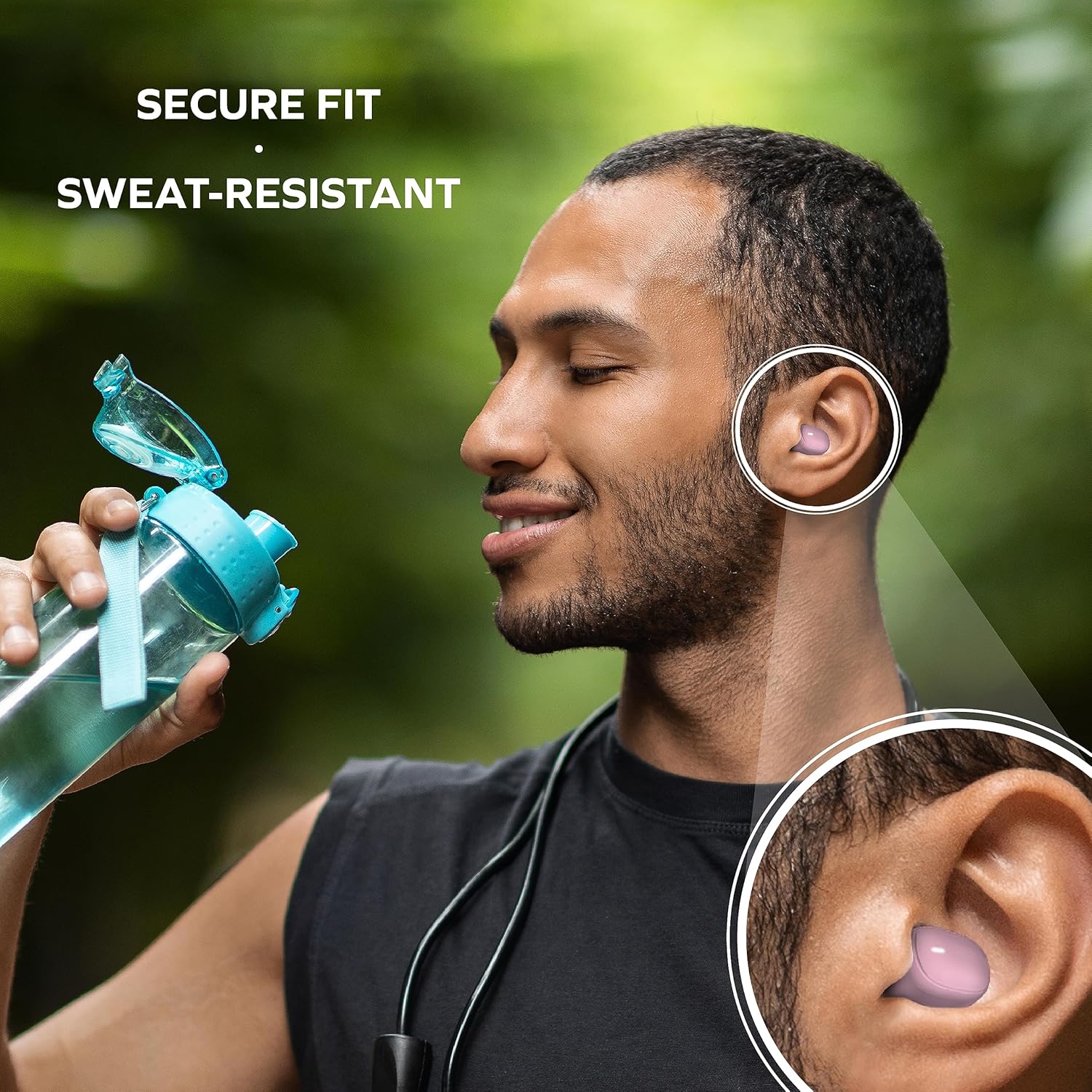
Image: A man is shown wearing the earbuds while exercising, emphasizing their secure fit and sweat-resistant design, suitable for active use.
Operación de los auriculares
Controles táctiles
The Coby Mini Earbuds feature intuitive touch controls on each earbud for easy management of your audio and calls without needing to interact with your smartphone.
| Acción | Control |
|---|---|
| Reproducir/Pausar música | Un solo toque en cualquiera de los auriculares |
| Pista siguiente | Toque dos veces el auricular derecho |
| Pista anterior | Toque dos veces el auricular izquierdo |
| Responder/Finalizar llamada | Un solo toque en cualquiera de los auriculares |
| Rechazar llamada | Mantenga presionado cualquiera de los auriculares durante 2 segundos |
| Activar Asistente de Voz | Toque tres veces en cualquiera de los auriculares |
Llamadas manos libres
With the built-in microphone, you can make and receive calls directly through your earbuds. Use the touch controls as described above to manage your calls.
Compatibilidad con asistente de voz
The earbuds are compatible with popular voice assistants like Siri and Google Assistant. Simply triple tap an earbud to activate your device's voice assistant and issue commands.

Image: A user is shown with the earbuds while using a laptop, highlighting their compatibility with voice assistants like Siri and Google Assistant for hands-free control.
Mantenimiento
Limpieza de los auriculares
La limpieza regular ayuda a mantener la calidad del sonido y la higiene:
- Limpie suavemente los auriculares y el estuche de carga con un paño suave, seco y sin pelusa.
- For earwax or debris, use a dry cotton swab or a small, soft brush to carefully clean the ear tips and speaker mesh.
- Do not use abrasive cleaners, alcohol, or harsh chemicals. Avoid getting moisture into any openings.
Almacenamiento
When not in use, always store the earbuds in their charging case to protect them from dust, damage, and to keep them charged for your next use. Store in a cool, dry place away from extreme temperatures.
Solución de problemas
If you encounter issues with your Coby Mini Earbuds, please refer to the following common solutions:
- Los auriculares no se emparejan ni se conectan:
- Asegúrese de que ambos auriculares estén cargados.
- Desactive el Bluetooth en su dispositivo y luego vuelva a activarlo.
- Forget/delete the earbuds from your device's Bluetooth list and attempt to re-pair.
- Place earbuds back in the case, close the lid for 5 seconds, then reopen to reset pairing mode.
- Sin sonido o volumen bajo:
- Verifique el nivel de volumen tanto en su dispositivo como en los auriculares.
- Ensure earbuds are properly seated in your ears and the correct ear gel size is used.
- Confirm the earbuds are connected to your device and not another nearby device.
- Problemas de carga:
- Asegúrese de que el cable de carga esté conectado de forma segura tanto al estuche como a la fuente de alimentación.
- Pruebe con un puerto USB o adaptador de corriente diferente.
- Limpie los contactos de carga de los auriculares y el interior del estuche con un hisopo de algodón seco.
- Los auriculares se desconectan con frecuencia:
- Asegúrese de que su dispositivo esté dentro del alcance de Bluetooth de 10 metros.
- Evite obstrucciones físicas entre los auriculares y su dispositivo.
- Minimiza la interferencia de otros dispositivos inalámbricos.
Presupuesto
Detailed technical specifications for the Coby Mini True Wireless Bluetooth Earbuds:
| Característica | Detalle |
|---|---|
| Nombre del modelo | Mini auriculares |
| Número de modelo del artículo | CETW536BK |
| Tecnología de conectividad | Inalámbrico |
| Tecnología de comunicación inalámbrica | Bluetooth |
| Versión de Bluetooth | 5.3 |
| Alcance de Bluetooth | 10 metros |
| Duración de la batería (auriculares) | Up to 12 Hours of Total Playtime |
| Estuche de transporte Capacidad de la batería | 300 miliamp Horas |
| Tipo de control | Control táctil |
| Nivel de resistencia al agua | Resistente al agua (resistente al sudor) |
| Control de ruido | Cancelación activa de ruido |
| Peso del artículo | 5.3 onzas |
| Dimensiones del producto (caja) | 0.99 x 1.85 x 2.44 pulgadas |
Información de seguridad
Please read and follow these safety guidelines to prevent damage to your earbuds and ensure your personal safety:
- Do not expose earbuds or case to extreme temperatures, direct sunlight, or high humidity.
- Avoid dropping, impacting, or disassembling the device. This can void the warranty and cause damage.
- Mantener fuera del alcance de niños y mascotas. Las piezas pequeñas pueden representar peligro de asfixia.
- Do not use the earbuds at excessively high volumes for prolonged periods, as this can cause hearing damage.
- Tenga en cuenta su entorno cuando utilice auriculares, especialmente en el tráfico u otras situaciones potencialmente peligrosas.
Garantía y soporte
Para obtener información sobre la garantía y atención al cliente, consulte la documentación incluida con su compra o visite el sitio web oficial de Coby. webSitio. Conserve su comprobante de compra para cualquier reclamación de garantía.
For further assistance, you may contact Coby customer service through their official channels. Details are typically available on the product packaging or the brand's websitio.


