Introducción
This manual provides comprehensive instructions for the Headwolf Fpad3 Mini Tablet. It covers essential information regarding product setup, operation, maintenance, and troubleshooting to ensure optimal performance and longevity of your device. Please read this manual thoroughly before using the tablet.

Imagen: Frente view of the Headwolf Fpad3 Mini Tablet, showcasing su pantalla.
Configuración
1. Contenido del paquete
Al desembalar, verifique que se incluyan los siguientes elementos:
- Headwolf Fpad3 Mini Tablet
- Cable de carga USB-C
- PD10W Charger
- Herramienta de expulsión de SIM
- Manual de usuario (este documento)
2. Exceso de físicoview

Image: Diagram illustrating the location of the headphone jack, rear camera, volume button, reset button, power button, SIM/SD card slot, and Type-C port on the Headwolf Fpad3 Mini Tablet.
Familiarícese con los componentes físicos de la tableta:
- Botón de encendido: Ubicado en el lateral, se utiliza para encender/apagar o activar/suspender el dispositivo.
- Botones de volumen: Ajustar el volumen del audio.
- Puerto USB tipo C: Para carga y transferencia de datos.
- Toma de auriculares de 3.5 mm: Para conectar auriculares con cable.
- Ranura para tarjeta SIM/MicroSD: For inserting Nano SIM cards and a MicroSD card.
- Cámara frontal: Ubicado encima de la pantalla.
- Cámara trasera: Ubicado en la parte posterior de la tableta.
3. Carga del dispositivo
Before first use, fully charge the tablet. Connect the provided USB Type-C cable to the tablet's Type-C port and the other end to the PD10W charger. Plug the charger into a power outlet. The charging indicator will typically appear on the screen.
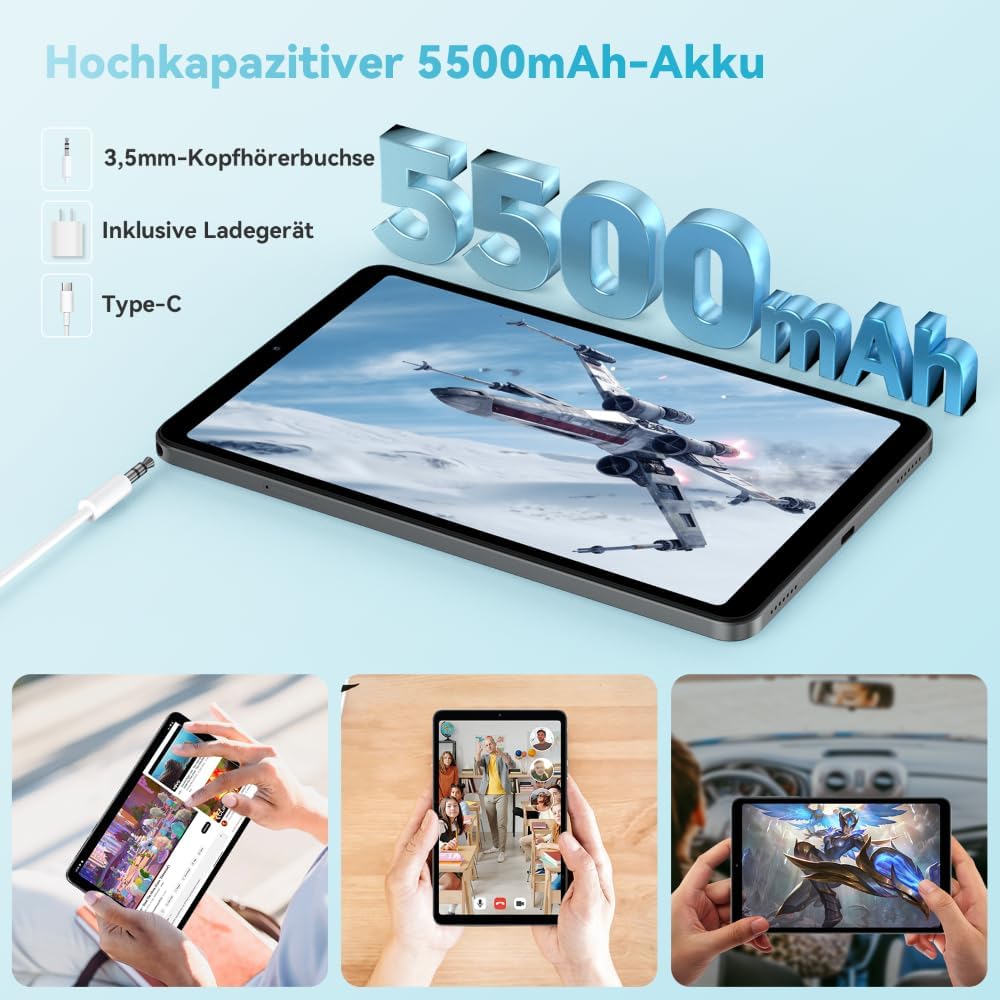
Image: The Headwolf Fpad3 Mini Tablet connected to a charger, highlighting its 5500mAh battery capacity and Type-C charging port.
4. Encendido / apagado
- Para encender: Mantenga presionado el botón de encendido hasta que aparezca el logotipo de Headwolf.
- Para apagar: Mantenga presionado el botón de Encendido hasta que aparezca el menú de opciones de energía, luego seleccione "Apagar".
- Para reiniciar: Mantenga presionado el botón de Encendido hasta que aparezca el menú de opciones de energía, luego seleccione "Reiniciar".
5. Configuración inicial
Upon first power-on, the tablet will guide you through the initial setup process. This includes selecting your language, connecting to a Wi-Fi network, setting up your Google account, and configuring security options. The tablet runs on Android 13 and is Google GMS certified, ensuring access to Google Play services.
6. Instalación de la tarjeta SIM y la tarjeta MicroSD
The Headwolf Fpad3 supports dual Nano SIM cards for 4G LTE connectivity and a MicroSD card for expandable storage up to 2TB.
- Localice la ranura para tarjeta SIM/MicroSD en el costado de la tableta.
- Inserte la herramienta de extracción de SIM en el pequeño orificio al lado de la bandeja para abrirla.
- Extraiga la bandeja con cuidado.
- Coloque las tarjetas Nano SIM y/o MicroSD en las ranuras designadas en la bandeja, asegurándose de que la orientación sea correcta.
- Empuje suavemente la bandeja hacia la tableta hasta que encaje en su lugar.
Instrucciones de funcionamiento
1. Pantalla y experiencia visual
The tablet features an 8.4-inch FHD IPS In-Cell display with a resolution of 1920 x 1200 pixels, offering clear and vibrant visuals. It supports Widevine L1 for high-definition streaming from compatible services.

Image: The Headwolf Fpad3 Mini Tablet display showing high-definition content, emphasizing Widevine L1 support for streaming services like YouTube, Prime Video, Disney+, Hulu, and HBO Max.
2. Rendimiento y almacenamiento
Powered by an Unisoc T616 Octa-Core processor (2x A75 at 2.0GHz + 6x A55 at 1.8GHz) and 8GB of RAM (4GB + 4GB virtual expansion), the Fpad3 ensures smooth multitasking and efficient operation. It comes with 128GB of UFS 2.2 internal storage, which can be expanded up to 2TB using a MicroSD card.

Image: An illustration detailing the Headwolf Fpad3 Mini Tablet's powerful Octa-Core Unisoc T616 processor, Mali-G57 GPU, and Android 13 operating system, with a benchmark comparison.

Image: A visual representation of the Headwolf Fpad3 Mini Tablet's 8GB RAM (with 4GB virtual expansion) and 128GB ROM, highlighting its expandability up to 2TB via an SD card.
3. Conectividad
La tableta ofrece opciones de conectividad versátiles:
- Wifi: Supports dual-band 2.4G/5G Wi-Fi for stable and fast internet access.
- 4G LTE: Dual Nano SIM support for cellular data and phone call functionality.
- Bluetooth 5.0: For connecting wireless peripherals like headphones, keyboards, and mice.
- GPS: Integrated GPS, Beidou, and Galileo for accurate navigation.
- OTG (para llevar): Allows connecting USB devices such as flash drives or external keyboards.
4. Cámaras
Captura momentos con las cámaras duales de la tableta:
- Cámara trasera: 13MP
- Cámara frontal: 8MP
The tablet also supports Face Unlock for convenient and secure access.

Imagen: Una explosión view of the Headwolf Fpad3 Mini Tablet's dual cameras (8MP front, 13MP rear) and the Face Unlock feature, with exampLes de escenarios de uso.
5. audio
Experience immersive audio with dual box speakers. A 3.5mm headphone jack is also available for private listening.
6. Google Kids Space
The tablet includes support for Google Kids Space, providing a safe and engaging environment for children with access to over 10,000 real-time resources.
Mantenimiento
1. Limpieza del dispositivo
Utilice un paño suave y sin pelusa para limpiar la pantalla y el cuerpo de la tableta. Evite usar productos químicos agresivos o materiales abrasivos que puedan dañar la superficie.
2. Actualizaciones de software
Revise e instale periódicamente las actualizaciones del sistema para asegurarse de que su tableta cuente con las últimas funciones, parches de seguridad y mejoras de rendimiento. Vaya a Configuración > Sistema > Actualización del sistema para comprobar si hay actualizaciones.
3. Cuidado de la batería
- Evite exponer la tableta a temperaturas extremas.
- No deje que la batería se descargue por completo con frecuencia.
- Utilice el cargador y cable originales para una carga óptima.
- Para almacenamiento a largo plazo, cargue la batería entre el 50 y el 60 % aproximadamente.
Solución de problemas
Problemas comunes y soluciones
| Problema | Posible solución |
|---|---|
| El dispositivo no se enciende. | Ensure the battery is charged. Press and hold the Power button for at least 10-15 seconds. If unresponsive, connect to charger and try again. |
| No se puede conectar al wifi. | Check if Wi-Fi is enabled in settings. Restart the tablet and the Wi-Fi router. Ensure you are entering the correct password. |
| Las aplicaciones fallan o se congelan. | Clear the app's cache (Settings > Apps > [App Name] > Storage > Clear cache). Restart the tablet. Ensure the app is updated to its latest version. |
| La tableta es lenta o no responde. | Close unnecessary background apps. Clear cache of frequently used apps. Restart the tablet. Consider performing a factory reset as a last resort (backup data first). |
| Tarjeta SIM no detectada. | Asegúrese de que la tarjeta SIM esté correctamente insertada en la bandeja. Reinicie la tableta. Compruebe si la tarjeta SIM está activa con su operador. |
Si los problemas persisten, comuníquese con el servicio de atención al cliente.
Presupuesto
| Característica | Detalle |
|---|---|
| Marca | Lobo de cabeza |
| Número de modelo | FPad3 Ulta |
| Sistema operativo | Androide 13 |
| Marca del procesador | Unisoc |
| Modelo de procesador | T616 de ocho núcleos |
| RAM | 8 GB (4 GB + 4 GB virtuales) |
| Almacenamiento interno | 128 GB UFS 2.2 |
| Almacenamiento expandible | Hasta 2 TB mediante MicroSD |
| Tamaño de pantalla | 8.4 pulgadas |
| Resolución de pantalla | 1920 x 1200 Pixels (FHD IPS In-Cell) |
| Marca del chipset gráfico | Arm Mali G57 |
| Cámara trasera | 13 MP |
| Cámara frontal | 8 MP |
| Capacidad de la batería | Polímero de litio de 5500 mAh |
| Puerto de carga | USB Type-C (PD10W Fast Charging) |
| Conectividad inalámbrica | 802.11a/b/g/n/ac (2.4G/5G WiFi), Bluetooth 5.0 |
| Conectividad celular | Dual 4G LTE (Nano SIM) |
| Navegación | GPS, Beidou, Galileo |
| Características especiales | Stereo Speakers, Expandable Storage, Phone Call Functionality, Fast Charging, Card Reader, Face ID, Widevine L1 |
| Dimensiones (L x An x Al) | 25.4 x 15.24 x 7.62 cm |
| Peso | 610 gramos |
Garantía y soporte
The Headwolf Fpad3 Mini Tablet comes with a one-year warranty from the date of purchase. For any technical assistance, product inquiries, or warranty claims, please contact Headwolf customer service. We offer 24/7 customer support to assist you.
Please refer to your purchase documentation for specific warranty terms and contact information, or visit the official Headwolf websitio.


