1. Introducción
The OWON OWM5500 is a versatile digital anemometer designed for precise measurement of various environmental parameters. This portable instrument is ideal for HVAC professionals, outdoor enthusiasts, and anyone requiring accurate data on wind speed, airflow, temperature, and humidity. It features advanced data storage capabilities and PC synchronization for comprehensive analysis.
Características principales:
- Medidas integrales: Supports 7 types of measurements including wind speed, air volume, temperature, humidity, wet bulb temperature, dew point, and wind chill. Includes Beaufort scale evaluation.
- Advanced Data Storage: Built-in memory for 8000 data sets, with options for automatic or manual storage and one-click data deletion.
- Batería recargable: Integrated lithium battery, conveniently rechargeable via USB Type-C.
- Graphical Analysis & Remote Control: Features a graphical mode for trend analysis and statistics. Supports data export via PC software and remote control via a dedicated app.
- Customization & Energy Saving: Multiple gear settings for optimal customization. Automatic power-off function extends battery life.
2. Información de seguridad
Please read and understand all safety instructions before operating the OWON OWM5500 Digital Anemometer. Failure to follow these instructions may result in electric shock, fire, or personal injury.
- No opere el dispositivo en atmósferas explosivas o cerca de gases inflamables.
- Evite exponer el dispositivo a temperaturas extremas, luz solar directa o alta humedad.
- Mantenga el dispositivo seco. No lo sumerja en agua ni en otros líquidos.
- Utilice únicamente el tipo de batería y el método de carga especificados.
- No intente desmontar ni modificar el dispositivo. Encargue cualquier reparación a personal cualificado.
- Mantener fuera del alcance de los niños.
3. Contenido del paquete
Verifique que todos los artículos estén presentes y en buen estado al abrir el paquete:
- OWON OWM5500 Digital Anemometer
- Acollador
- Cable USB tipo C
- Manual de usuario

Image: Product Parameters and Accessories, showing the anemometer, lanyard, USB cable, and manual.
4. Producto terminadoview
Familiarize yourself with the components of your OWON OWM5500 Digital Anemometer:

Image: Diagram of the OWON OWM5500 with numbered labels pointing to its various parts, including the impeller, LCD display, buttons, temperature sensor, humidity sensor, and USB port.
- Impulso: Mide la velocidad del viento.
- Impeller Hood: Protects the impeller.
- Área de visualización LCD: Shows measurement readings and settings.
- Agujero de cordón: Para fijar el cordón incluido.
- Área de botones: Contains control buttons for operation.
- Sensor de temperatura: Mide la temperatura ambiente.
- Sensor de humedad: Mide la humedad relativa.
- Tapa de la batería: Asegura el compartimento de la batería.
- Agujero fijo: For mounting on a tripod or other fixture.
- Switch Buckle of Battery Cover: Libera la tapa de la batería.
- Isobaric Chamber: Componente interno.
- Type-C Charge and Communication Port: Para cargar y conectar a PC.
5. Configuración
5.1. Instalación de la batería
The OWM5500 uses an integrated lithium battery. Ensure the device is charged before first use.
- Localice la tapa de la batería en la parte posterior del dispositivo.
- Slide the switch buckle to unlock and remove the battery cover.
- If replacing, ensure the new battery is inserted with correct polarity.
- Replace the battery cover and slide the switch buckle to lock it.
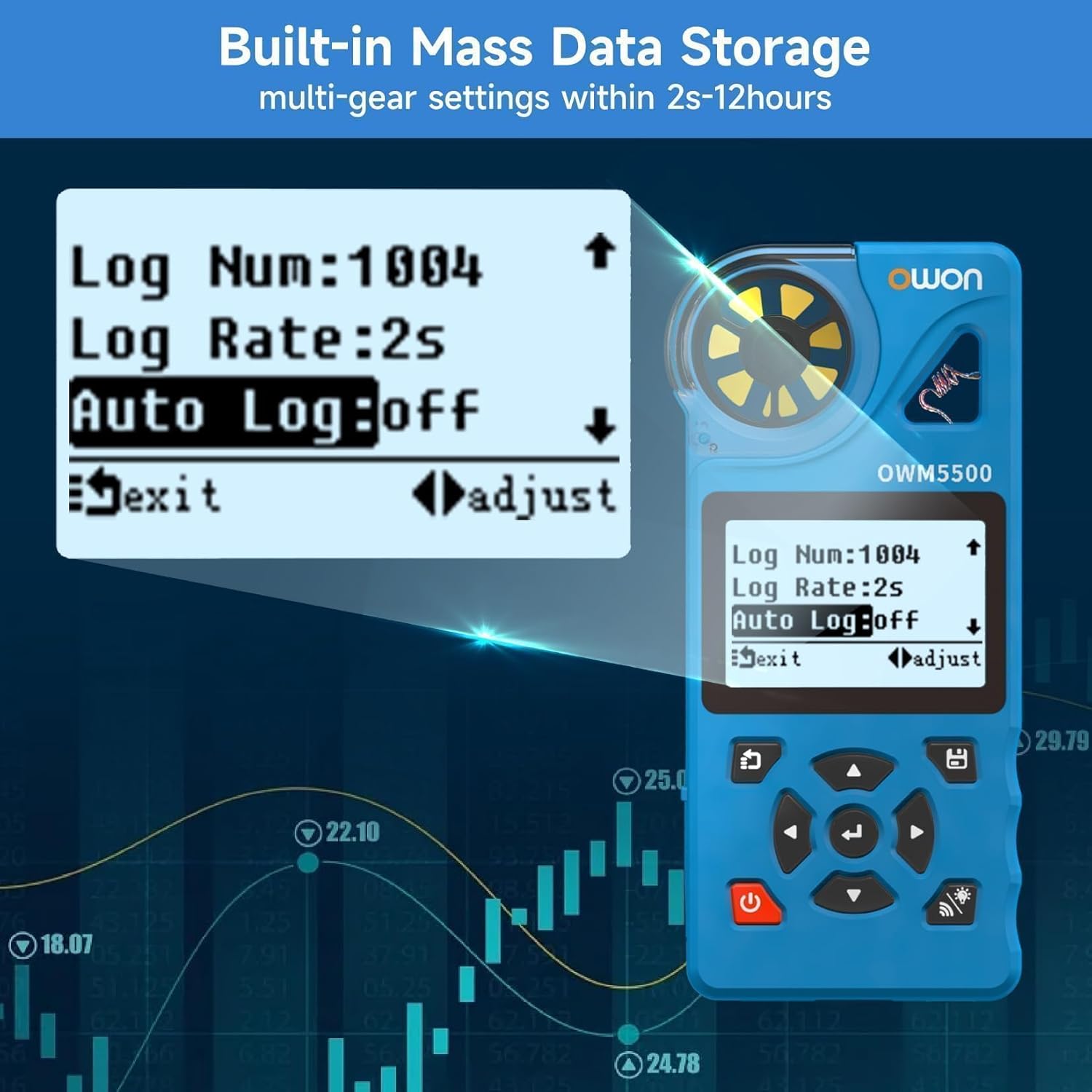
Image: A person installing AAA batteries into the battery compartment of the anemometer.
5.2. Carga del dispositivo
Connect the supplied USB Type-C cable to the charging port (12) on the device and to a standard USB power adapter (not included) or a PC USB port. The battery indicator on the display will show charging status.
5.3. Encendido y apagado
Mantenga pulsado el Fuerza botón ( ) for approximately 2 seconds to turn the device ON or OFF.
6. Instrucciones de funcionamiento
6.1. Medidas básicas
Upon powering on, the device will display real-time measurements. The OWM5500 can measure:
- Wind Speed (WIND SPD)
- Air Flow (AIR FLOW)
- Temperatura (TEMP)
- Humidity (HUMIDITY)
- Wet Bulb Temperature (WET BULB)
- Dew Point (DEW POINT)
- Wind Chill (WIND CHILL)

Image: The anemometer display showing various measurement values like wind speed, air flow, temperature, and humidity.
6.2. Selección de unidad
Presione el UNIDAD button to cycle through different wind speed units (m/s, km/h, ft/s, kts, mph). Press the ° C / ° F button to switch between Celsius and Fahrenheit for temperature readings.

Image: The anemometer display showing wind speed in different units (m/s, km/h, kts, ft/s, mph) as the 'UNIT' button is pressed.
6.3. Registro y análisis de datos
The OWM5500 can store up to 8000 sets of data. Data can be stored manually or automatically at set intervals (2 seconds to 12 hours).
- Almacenamiento manual: Refer to the device's on-screen prompts for manual data saving.
- Almacenamiento automático: Configure logging rate and auto-log settings via the device menu.
- PC Synchronization: Connect the device to a PC using the USB Type-C cable. Use the provided PC software to monitor the anemometer and export recorded data for further analysis.

Image: The anemometer display showing data logging settings and a laptop connected via USB, displaying data analysis software.
6.4. Trend Chart and Statistics
The device can display trend charts and statistical data (maximum, minimum, and average values) for wind speed measurements.
- Presione el GAMA button to cycle through MAX, MIN, and AVG values.
- Access the trend chart mode through the device menu to visualize measurement data over time.

Image: Two anemometer displays, one showing a wind speed trend graph and the other showing statistical values (MAX, MIN, AVG) for wind speed.
6.5. Luz de fondo
Presione el Iluminar desde el fondo botón ( ) to turn the LCD backlight ON or OFF for improved visibility in low-light conditions.
7. Mantenimiento
7.1. Limpieza
Para limpiar el dispositivo, límpielo con un paño suave.amp cloth. Do not use abrasive cleaners, solvents, or harsh chemicals. Ensure the impeller is free from dust and debris for accurate readings.
7.2. Almacenamiento
When not in use for extended periods, store the anemometer in a cool, dry place, away from direct sunlight and extreme temperatures. If storing for a long time, ensure the battery is partially charged (around 50%) to prolong its lifespan.
8. Solución de problemas
If you encounter issues with your OWON OWM5500, refer to the following common problems and solutions:
- El dispositivo no se enciende: Check battery charge level. Ensure the battery is properly installed.
- Lecturas inexactas: Ensure the impeller is clean and rotates freely. Verify that the device is held correctly in the airflow. Check for environmental factors affecting sensors.
- La pantalla está oscura o ilegible: Activate the backlight. Check battery level.
- Cannot connect to PC/App: Ensure the USB cable is securely connected. Verify that Bluetooth is enabled on your mobile device and the app is correctly installed.
If the problem persists, contact OWON customer support for assistance.
9. Especificaciones
Detailed technical specifications for the OWON OWM5500 Digital Anemometer:
| Tipo de medida | Unidad | Rango | Resolución | Exactitud | Tiempo de respuesta |
|---|---|---|---|---|---|
| Velocidad del viento | m/s, km/h, ft/s, kt, mph | 0.6 - 40 m/s | 0.1 m/s | ±3% + 0.1 | 0.5 segundos |
| Temperatura | °C, °F | -10 - 50 °C | 0.1 °C | ±1.0 °C | 0.5 segundos |
| Humedad | %RH | 5 - 95 %RH | 0.1 % de humedad relativa | ± 5.0% RH | 0.5 segundos |
| Punto de rocío | °C, °F | -40 - 50 °C | 0.1 °C | ±2.0 °C | 0.5 segundos |
| Temperatura del bulbo húmedo | °C, °F | -40 - 50 °C | 0.1 °C | ±2.0 °C | 0.5 segundos |
| Sensación térmica | °C, °F | -40 - 50 °C | 0.1 °C | ±2.0 °C | 0.5 segundos |
| Volumen de aire | CMS, CFS | 0.001 - 300.0 CMS | 0.001 CMS | N / A | 0.5 segundos |
Dimensiones (L x An x Al): 136.5 mm x 30 mm x 64.5 mm
Weight (without package): 0.2 kilos
Material: PC
10. Garantía y soporte
OWON products are manufactured to the highest quality standards. This product is covered by a limited warranty against defects in materials and workmanship. For detailed warranty terms and conditions, please refer to the warranty card included with your product or visit the official OWON websitio.
For technical support, troubleshooting assistance, or service inquiries, please contact OWON customer support through their official channels. Provide your product model (OWM5500) and purchase details when contacting support.