1. Introducción
This manual provides detailed instructions for the assembly, operation, and maintenance of your Barska Winbest Pursuit-200 Metal Detector Field Kit. Please read this manual thoroughly before using the product to ensure proper function and longevity.
The Pursuit-200 Metal Detector Field Kit is designed for detecting various metals and includes a main metal detector with an LCD display, a handheld wand detector, headphones, a folding shovel, and a soft carrying case.
2. Contenido del paquete
Verifique que todos los artículos que se enumeran a continuación estén presentes en su paquete:
- Barska Winbest Pursuit-200 Metal Detector (Main Unit)
- Surveyor-100 Handheld Wand Metal Detector
- Auriculares
- Folding Shovel with Compass
- Estuche blando para transporte
- Manual de usuario (este documento)
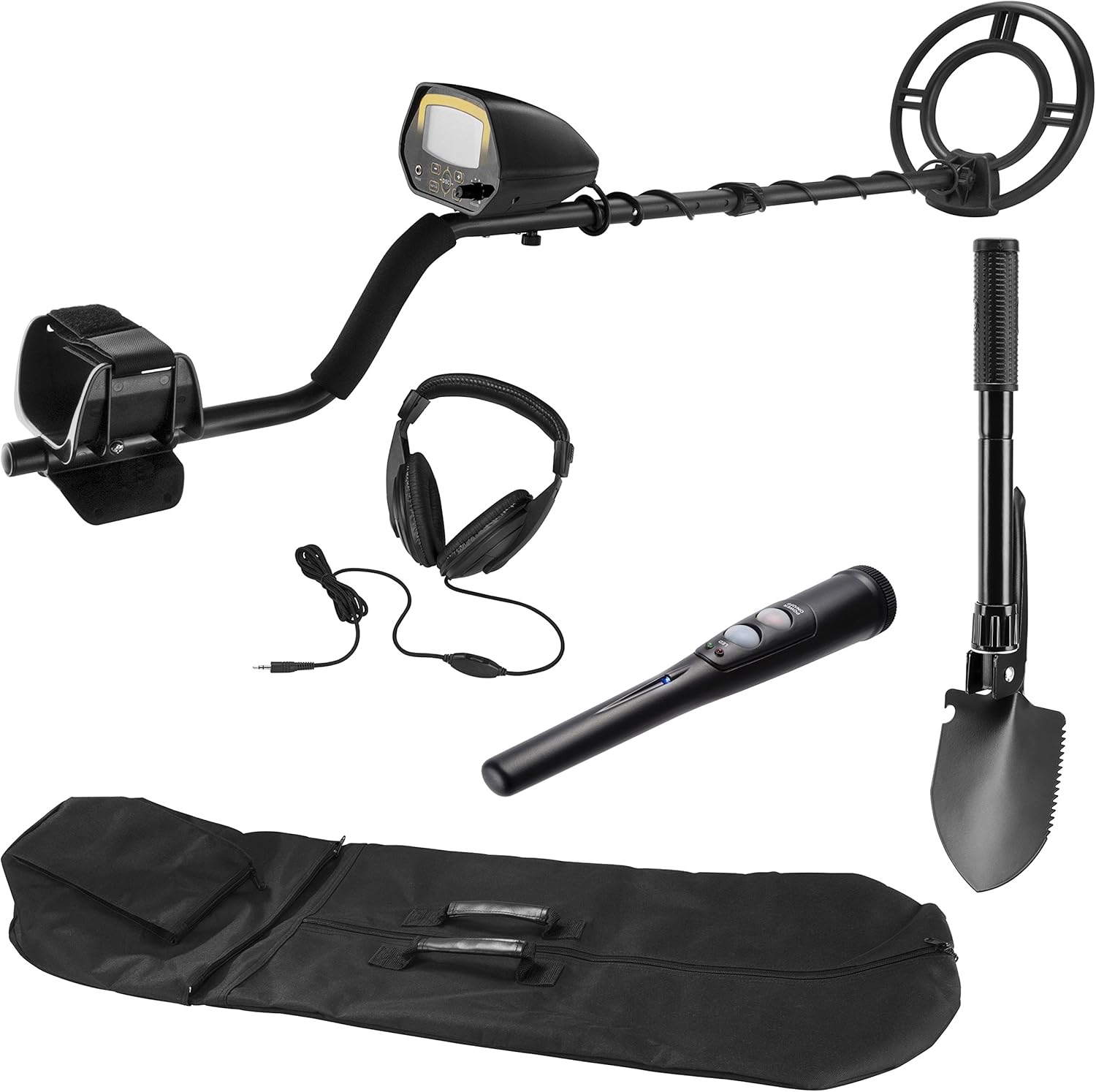
Imagen 2.1: All components of the Barska Winbest Pursuit-200 Metal Detector Field Kit, including the main detector, wand detector, headphones, shovel, and carrying case.
3. Configuración
3.1. Assembling the Main Metal Detector
- Coloque la bobina de búsqueda: Secure the search coil to the lower stem using the provided bolt and nut. Ensure it is firmly attached but allows for slight angle adjustment.
- Conecte los tallos inferior y medio: Insert the lower stem into the middle stem and secure it with the spring clip or locking mechanism.
- Attach the Control Housing: Slide the control housing onto the upper stem. Adjust the armrest for comfort and secure the control housing in place.
- Envuelva el cable: Carefully wrap the search coil cable around the stem, ensuring it is not too tight or loose, and plug the connector into the control housing.
- Instale las baterías: Open the battery compartment on the control housing and insert the required batteries (refer to specifications for battery type).

Imagen 3.1: The main metal detector fully assembled, showing the search coil, stem, armrest, and control housing.
3.2. Preparing the Wand Detector
The Surveyor-100 Wand Metal Detector typically requires battery installation. Open the battery compartment, insert the correct batteries, and close the compartment securely.
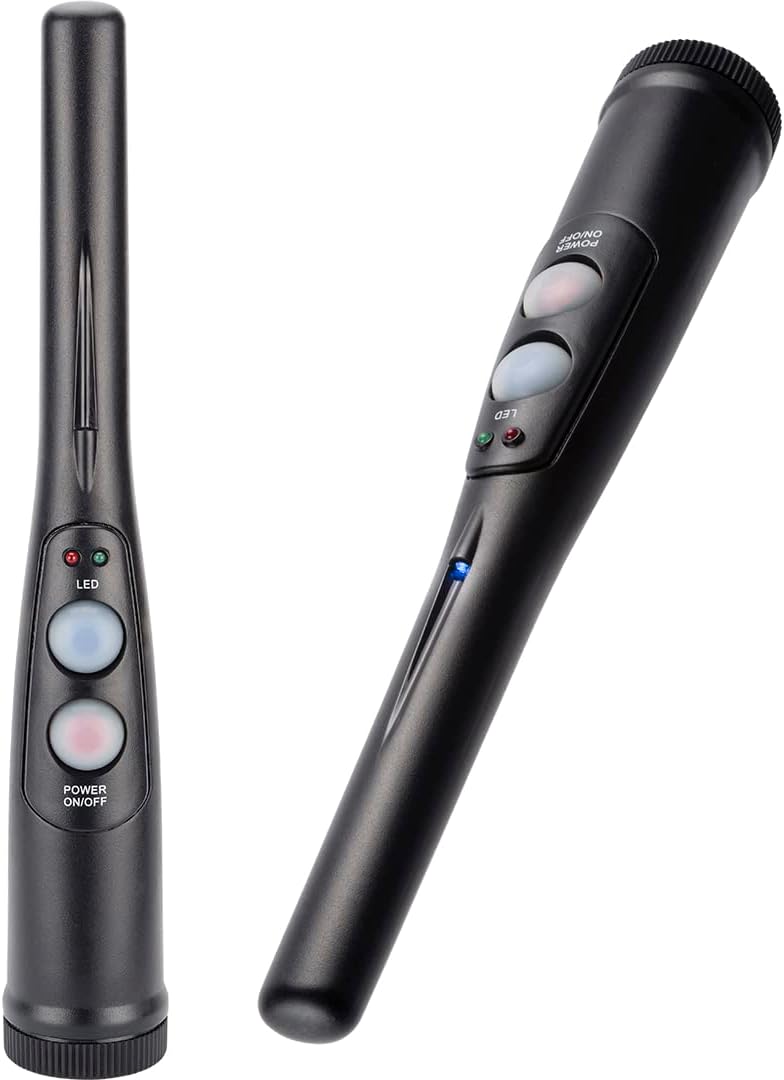
Imagen 3.2: The handheld wand metal detector, showing its compact design and control buttons.
3.3. Preparing the Folding Shovel
Unfold the shovel and secure its locking mechanisms to ensure it is rigid for use. The shovel can be configured as a shovel or a pick. The compass is integrated into the handle.

Imagen 3.3: The multi-use folding shovel, shown in both shovel and pick configurations.
4. Instrucciones de funcionamiento
4.1. Main Metal Detector Operation

Imagen 4.1: Close-up of the Pursuit-200 metal detector's LCD display and control panel, showing buttons for DISC, NOTCH, SENS, and volume knob.
- Encendido: Turn the VOLUME knob clockwise to power on the detector.
- Ajustar la sensibilidad (SENS): Press the SENS button and use the '+' and '-' buttons to adjust the sensitivity level. Higher sensitivity increases detection depth but may also increase false signals.
- Discriminación (DISC): Press the DISC button and use '+' and '-' to set the discrimination level. This feature allows the detector to ignore certain types of metal (e.g., iron). The LCD will show the target ID.
- Notch: Use the NOTCH function to selectively eliminate specific metal categories from detection.
- Auriculares: Plug the included headphones into the 'PHONE' jack for private listening and clearer audio signals.
- General: Sostenga el detector con la bobina de búsqueda paralela al suelo, a unos 1-2 cm por encima de la superficie. Mueva la bobina lentamente de un lado a otro en arcos superpuestos.
- Indicación de objetivo: When a metal object is detected, the detector will emit an audible tone, and the LCD display will show a target ID and signal strength.
- Bobina de búsqueda a prueba de agua: The 10-inch search coil is weather-sealed and can be submerged in shallow water for detection. Ensure the control housing is not submerged.
4.2. Wand Detector Operation

Imagen 4.2: A hand holding the Surveyor-100 wand detector, demonstrating its ergonomic design for pinpointing targets.
- Encendido: Press the Power ON/OFF button to activate the wand detector.
- Localización: After locating a general area with the main detector, use the wand detector to precisely pinpoint the target's location in the soil.
- Indicación: The wand detector will typically use audible alerts and/or vibration, along with LED indicators, to signal the presence of metal.
4.3. Shovel Usage
Use the folding shovel to excavate detected targets. Its compact design and pick function are useful for breaking up tough ground. The integrated compass can assist with navigation.
5. Mantenimiento
- Limpieza: Wipe down the detector and accessories with a damp Paño después de cada uso. Evite los limpiadores abrasivos.
- Almacenamiento: Store the kit in the provided soft carrying case in a dry, cool place when not in use.
- Cuidado de la batería: Remove batteries from both detectors if they will not be used for an extended period to prevent leakage.
- Inspección de cables: Revise periódicamente el cable de la bobina de búsqueda para detectar cualquier signo de desgaste o daño.
6. Solución de problemas
| Problema | Posible causa | Solución |
|---|---|---|
| No power to main detector/wand detector | Baterías agotadas o mal instaladas | Reemplace las baterías por otras nuevas, asegurándose de la polaridad correcta. |
| Señales erráticas o falsos positivos | High sensitivity, electromagnetic interference, mineralized ground | Reduce sensitivity. Move away from power lines or other electronic devices. Use discrimination settings. |
| El detector no encuentra metal | Low sensitivity, incorrect discrimination settings, search coil not parallel to ground | Increase sensitivity. Adjust discrimination settings. Ensure search coil is swept correctly. |
| No hay sonido de los auriculares | Headphones not plugged in correctly, volume too low, faulty headphones | Ensure headphones are fully plugged in. Increase volume. Test with another pair of headphones if available. |
7. Especificaciones
- Modelo: Pursuit-200 (BE12748)
- Marca: Barca
- Tamaño de la bobina de búsqueda: 10 inches (Waterproof)
- Mostrar: Pantalla LCD
- Fuente de energía: Funciona con pilas (se necesitan pilas: Sí)
- Longitud ajustable: Yes, up to 47 inches
- Material: Metal
- Peso del artículo: Aproximadamente 0.4 kilogramos (14.1 onzas)
- Dimensiones del producto: 10" de largo x 9.5" de ancho x 48.42" de alto (ensamblado)
- Clasificación de protección internacional: IP541 (para bobina de búsqueda)
- Accesorios incluidos: Surveyor-100 Wand Detector, Headphones, Folding Shovel with Compass, Soft Carrying Case
8. Información de seguridad
- Obtenga siempre permiso antes de buscar en propiedad privada.
- Be aware of local regulations regarding metal detecting.
- Tenga cuidado al excavar para evitar dañar los servicios subterráneos o artefactos históricos.
- Do not use the metal detector near live electrical wires or in hazardous environments.
- Mantenga las baterías fuera del alcance de los niños y deséchelas de forma adecuada.
9. Garantía y soporte
For warranty information and customer support, please refer to the official Barska webSitio web o contacte con el departamento de atención al cliente. Conserve su recibo de compra como comprobante.
Barska Official Websitio: www.barska.com