Introducción
Gracias por la compraasing the Swan Nordic 40cm Tripod Pedestal Fan. This manual provides important information regarding the assembly, operation, maintenance, and safety of your new fan. Please read these instructions carefully before use and retain them for future reference.

Imagen: Frente view of the Swan Nordic 40cm Tripod Pedestal Fan, showcasing its grey finish and wooden tripod legs.
Instrucciones de seguridad importantes
Para reducir el riesgo de incendio, descarga eléctrica o lesiones, siga siempre estas precauciones básicas de seguridad:
- Asegúrese del volumentagEl voltaje indicado en la etiqueta de clasificación coincide con el voltaje de su suministro de red.tage.
- Do not operate any fan with a damaged cord or plug. If the supply cord is damaged, it must be replaced by the manufacturer, its service agent, or similarly qualified persons to avoid a hazard.
- Desenchufe el ventilador del tomacorriente cuando no esté en uso, antes de limpiarlo o antes de moverlo.
- No sumerja el ventilador, el enchufe ni el cable en agua ni en otros líquidos.
- No permita que los niños jueguen con el ventilador. Es necesaria una supervisión estricta cuando cualquier aparato sea utilizado por niños o cerca de ellos.
- Evite el contacto con piezas móviles.
- No opere el ventilador en presencia de humos explosivos y/o inflamables.
- Coloque el ventilador sobre una superficie estable y nivelada para evitar que se vuelque.
- No introduzca los dedos ni otros objetos a través de la rejilla cuando el ventilador esté en funcionamiento.
Contenido del paquete
Por favor, revise el contenido de la caja. Si falta algún artículo o está dañado, contacte con su vendedor.
- Fan Head Assembly (including motor, blades, and grilles)
- Polo principal
- Tripod Leg Assembly (3 wooden legs and connecting bracket)
- Fixing Screws and Washers
- Manual de instrucciones
Montaje y configuración
Follow these steps to assemble your pedestal fan:
- Attach Tripod Legs: Carefully attach the three wooden tripod legs to the main pole's connecting bracket using the provided screws and washers. Ensure they are securely tightened to form a stable base.
- Insert Main Pole: Insert the main pole into the assembled tripod base. Secure it with any provided locking mechanisms or screws.
- Cabezal del ventilador de montaje: Place the fan head assembly onto the top of the main pole. Ensure it clicks into place or is secured with the designated screw/knob.
- Posicionamiento: Place the assembled fan on a firm, level surface. Ensure there is adequate space around the fan for proper air circulation and to prevent obstruction of the grilles.

Image: The Swan Nordic 40cm Tripod Pedestal Fan positioned in a modern living space, demonstrating its stable tripod base.
Instrucciones de funcionamiento
This section details how to use your fan.
Encendido y control de velocidad
- Conectarse a la energía: Conecte el cable de alimentación del ventilador a una toma eléctrica adecuada.
- Seleccionar velocidad: Locate the rotary switch on the motor housing at the back of the fan head. Turn the switch to select your desired speed setting:
- "O": Apagado
- "I":Baja velocidad
- "II": Velocidad media
- "III":Alta velocidad
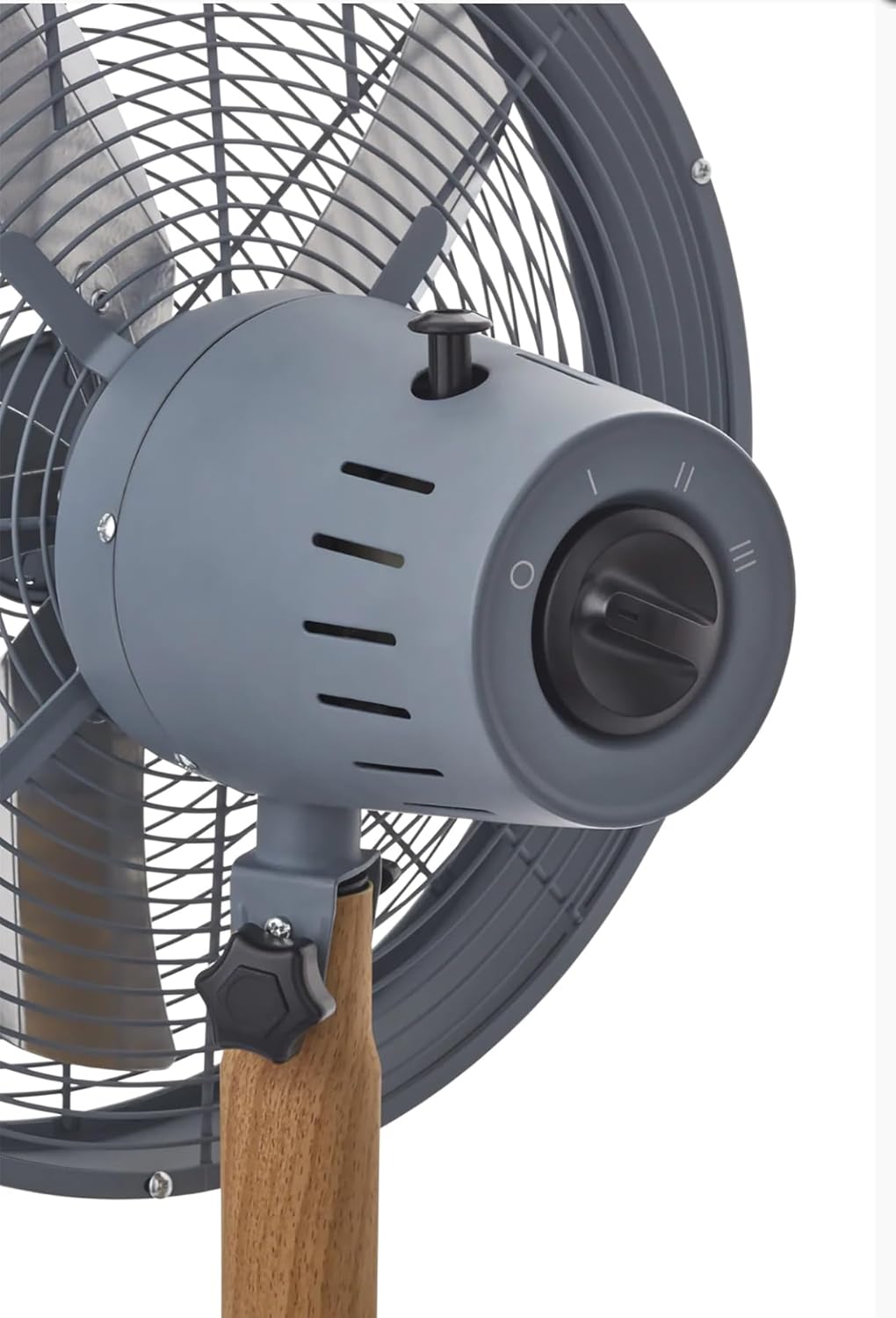
Imagen: Un detalle view of the fan's control panel, showing the rotary switch for speed selection and the oscillation pull-pin.
Función de oscilación
The fan features an oscillation function to distribute air over a wider area.
- To Start Oscillation: Push down the oscillation pin located on top of the motor housing.
- To Stop Oscillation: Pull up the oscillation pin. The fan will then blow air in a fixed direction.
Ajuste del ángulo de inclinación
The fan head can be tilted to direct airflow upwards or downwards.
- Para ajustar: Loosen the tilt adjustment knob located on the side of the fan head support. Adjust the fan head to the desired angle, then securely tighten the knob to fix its position.
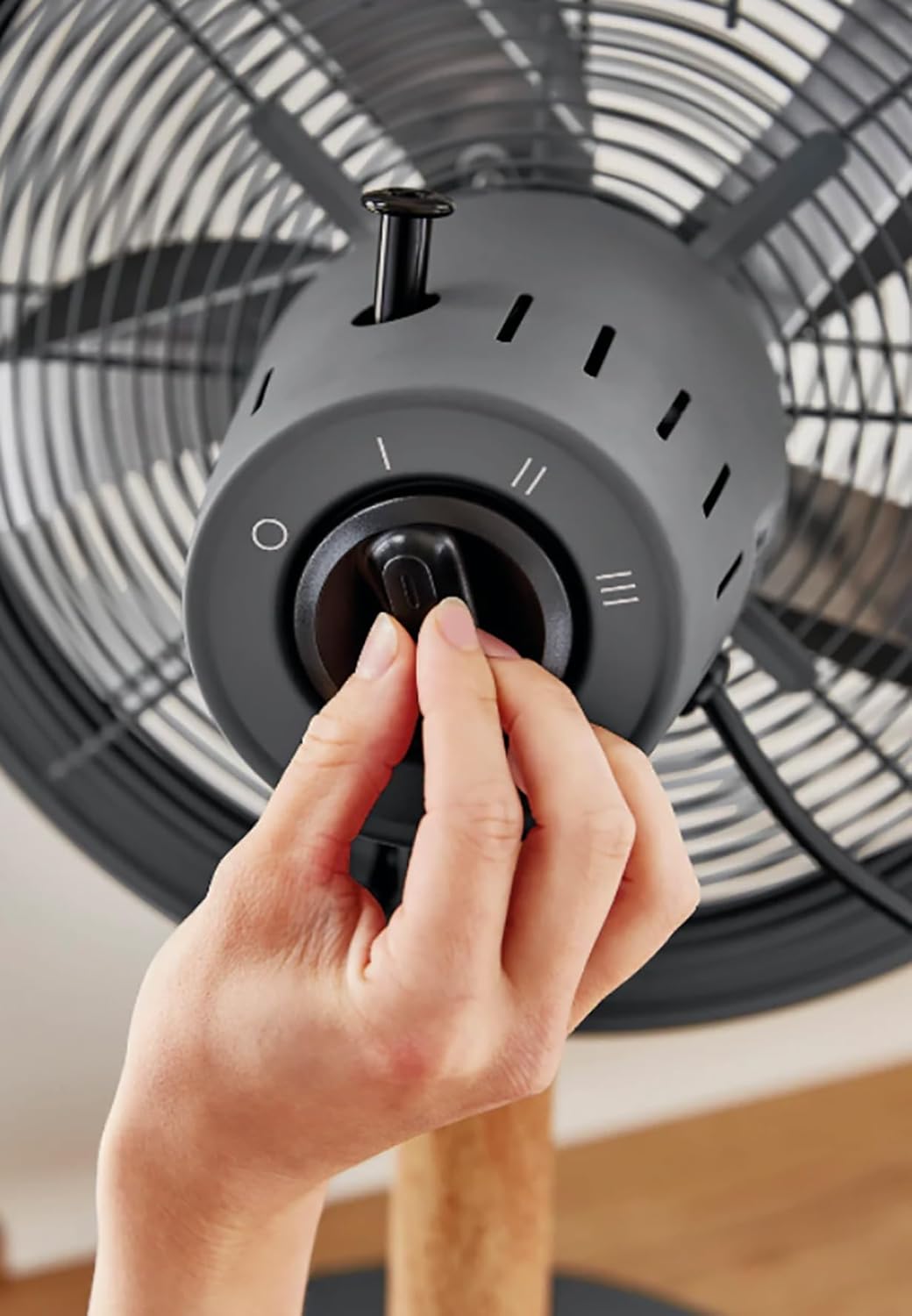
Image: A hand demonstrating the operation of the rotary switch to select fan speed.
Mantenimiento y limpieza
La limpieza y el mantenimiento regulares garantizarán un rendimiento óptimo y prolongarán la vida útil de su ventilador.
- Desconecte siempre el ventilador de la toma de corriente antes de limpiarlo.
- Limpieza exterior: Utilice un paño suave y seco.amp Paño para limpiar las superficies exteriores del ventilador. No utilice limpiadores abrasivos ni disolventes.
- Rejilla y aspas: Dust can accumulate on the grilles and blades. Use a vacuum cleaner with a brush attachment or a soft, dry cloth to remove dust. For thorough cleaning, the front grille may be removed by unscrewing the retaining clips/screws (refer to assembly instructions in reverse). Ensure all parts are dry before reassembling and operating.
- Almacenamiento: Cuando no utilice el ventilador durante períodos prolongados, guárdelo en un lugar fresco y seco, preferiblemente en su embalaje original.
Solución de problemas
Si tiene problemas con su ventilador, consulte los siguientes problemas y soluciones comunes:
| Problema | Posible causa | Solución |
|---|---|---|
| El ventilador no se enciende. | No hay suministro de energía. El ventilador no está enchufado. Speed switch is OFF. | Verifique la toma de corriente. Asegúrese de que el enchufe esté completamente insertado. Turn the speed switch to I, II, or III. |
| Flujo de aire débil. | Configuración de baja velocidad. Las rejillas o aspas están sucias. | Aumente el ajuste de velocidad. Clean the grilles and blades as per maintenance instructions. |
| El ventilador hace ruido. | Partes sueltas. El ventilador no está sobre una superficie nivelada. | Check all screws and connections are tight. Coloque el ventilador sobre una superficie estable y nivelada. |
| La oscilación no funciona. | Oscillation pin not engaged. | Push down the oscillation pin firmly. |
Si el problema persiste después de probar estas soluciones, comuníquese con el servicio de atención al cliente.
Presupuesto
- Marca: Cisne
- Modelo: Nordic 40cm Tripod Pedestal Fan
- Potencia / Wattage: 50 vatios
- Volumentage: 220 voltios (CA)
- Número de velocidades: 3
- Material: Metal (housing), Wood (tripod legs)
- Peso del artículo: 5.5 kilogramos
- Dimensiones del producto: Approximately 50D x 50W centimetres
- Características especiales: Adjustable tilting head, Oscillation function, High quality metal housing, Tripod legs, Rotary switch.
Garantía y soporte
Los detalles específicos de la garantía generalmente se proporcionan con la documentación de compra o se pueden encontrar en el sitio web oficial del fabricante. webSitio web. Conserve su comprobante de compra para cualquier reclamación de garantía.
For technical support, spare parts, or service, please contact Swan customer service through their official channels. Contact information can usually be found on the product packaging or the brand's websitio.