1. Introducción
Thank you for choosing the MOJOGEAR Wireless Powerbank 10,000 mAh. This portable power bank is designed to provide convenient and efficient charging for your mobile devices, featuring both wireless magnetic charging capabilities and traditional wired charging ports. It includes an integrated stand for enhanced usability.
Lea este manual detenidamente antes de utilizar el producto para garantizar un funcionamiento correcto y maximizar su vida útil.
2. Contenido del paquete
- MOJOGEAR Wireless Powerbank 10,000 mAh
- MagSafe Compatible Magnetic Ring
- USB-A to USB-C Cable (25 cm)
3. Producto terminadoview
The MOJOGEAR Wireless Powerbank offers a versatile charging experience. Key features include:
- 10,000 mAh Capacidad: Provides 1.5 to 4 full charges for most smartphones, depending on the model.
- Carga inalámbrica magnética: Compatible with MagSafe devices (iPhone 12 series and newer) for secure and cable-free charging up to 15W (7.5W for iPhone).
- Carga con cable: Equipped with a USB-C port (20W output, 18W input) and a USB-A port (22.5W output) for fast charging multiple devices simultaneously.
- Soporte plegable integrado: Allows the power bank to function as a desktop stand, enabling hands-free viewmientras se carga.
- Diseño compacto: Dimensions of 10.6 x 7 x 1.6 cm and a weight of 202 grams make it highly portable.
- Carga de transferencia: Charge your device while the power bank itself is being recharged.

Image: The MOJOGEAR Wireless Powerbank demonstrating wireless charging with a phone on its integrated stand.
4. Configuración
4.1 Carga inicial del Powerbank
- Antes del primer uso, cargue completamente el banco de energía.
- Connect the supplied USB-A to USB-C cable to the power bank's USB-C port.
- Conecte el otro extremo del cable a un adaptador de pared USB compatible (no incluido).
- The LED indicators on the bottom of the power bank will illuminate to show the charging status. All four LEDs will be solid when fully charged.
5. Instrucciones de funcionamiento
5.1 Carga inalámbrica (compatible con MagSafe)
- Ensure your device is compatible with MagSafe or wireless charging.
- Align your MagSafe-compatible smartphone (e.g., iPhone 12, 13, 14, 15 series) with the magnetic charging pad on the power bank. The magnets will automatically snap the phone into place.
- Charging will begin automatically. The power bank delivers up to 15W wireless charging (7.5W for iPhones).
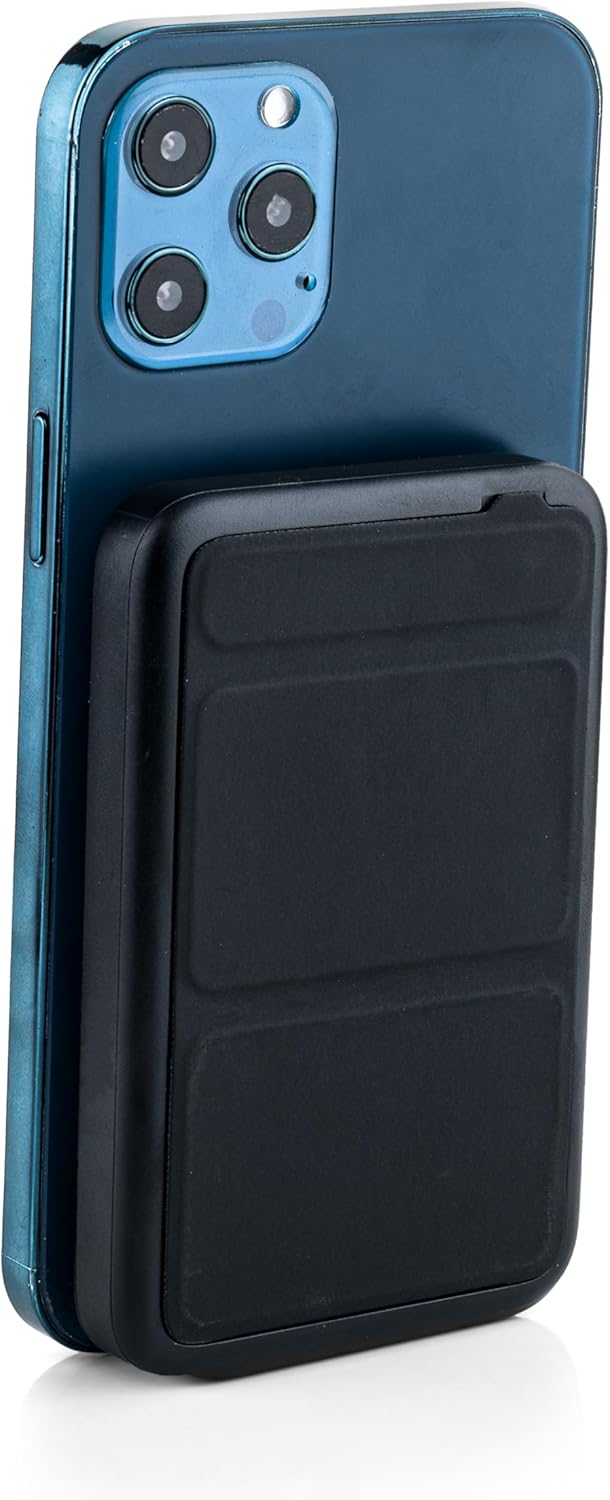
Image: The power bank magnetically attached to the back of a smartphone for wireless charging.
5.2 Wired Charging (USB-C and USB-A)
- Connect your device's charging cable to either the USB-C port (output up to 20W) or the USB-A port (output up to 22.5W) on the power bank.
- Connect the other end of the cable to your smartphone, tablet, e-reader, action camera, or wireless headphones.
- The power bank can charge up to three devices simultaneously (one wirelessly, two wired).
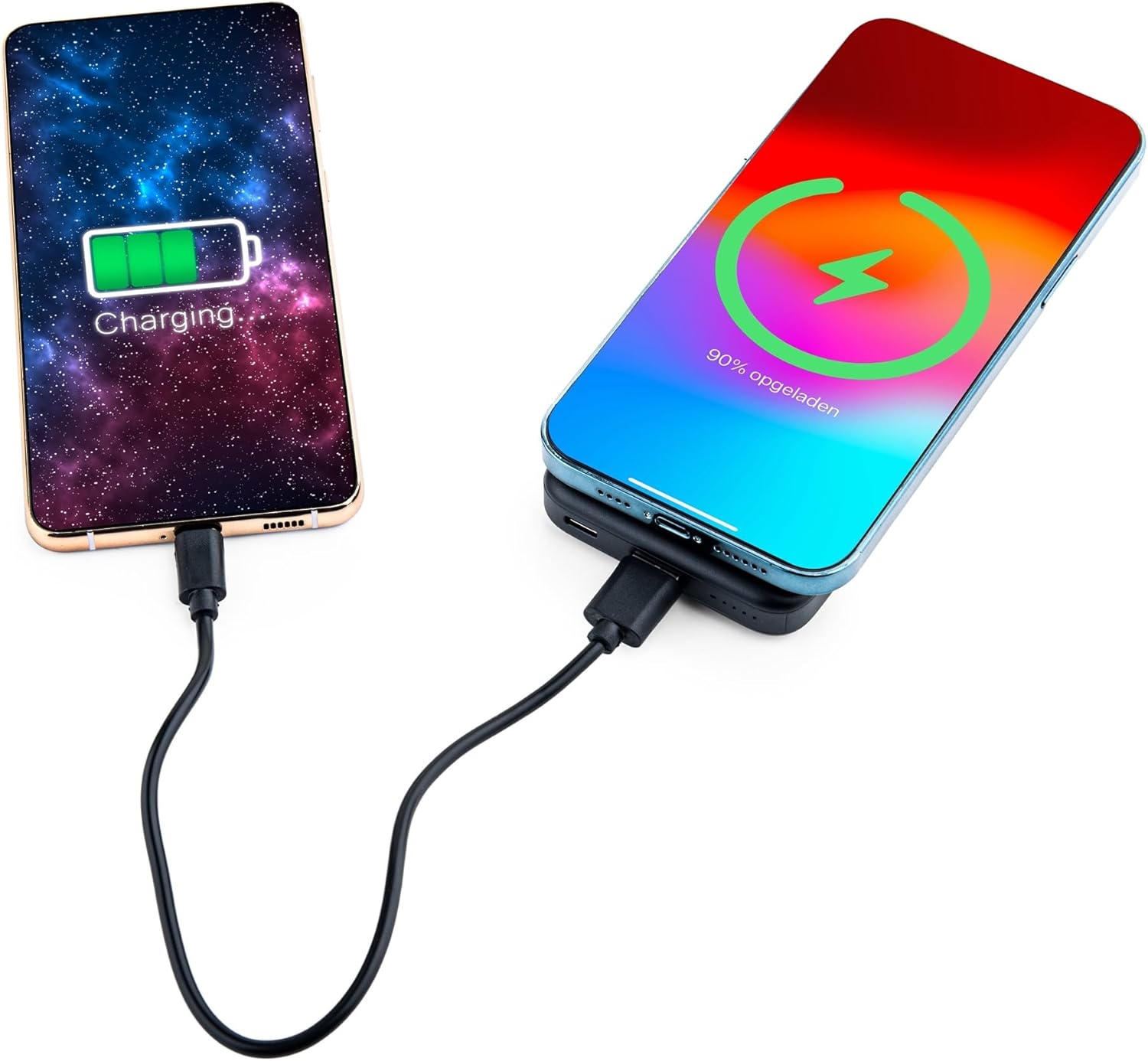
Image: Demonstrating simultaneous charging of two devices, one wirelessly and one via cable.
5.3 Uso del soporte integrado
- Localice el soporte plegable en la parte posterior del banco de energía.
- Gently pull out the stand to deploy it. It can be adjusted to two different viewángulos de ing.
- Attach your MagSafe-compatible phone to the power bank's magnetic surface. The stand allows you to prop up your phone for hands-free viewmientras se carga.

Image: A smartphone positioned on the power bank's stand for convenient viewing during wireless charging.
5.4 Estado del indicador LED
The power bank features four LED status lights on the bottom to indicate the remaining battery level and charging status:
- 4 LED fijos: 75-100% cargado
- 3 LED fijos: 50-75% cargado
- 2 LED fijos: 25-50% cargado
- 1 LED sólido: 0-25% cargado
- LED parpadeantes: Indica que el banco de energía se está cargando actualmente.
6. MagSafe Compatibility for Non-MagSafe Devices
If your smartphone does not have built-in MagSafe compatibility, you can still utilize the magnetic attachment feature using the included magnetic ring:
- Limpie bien la superficie posterior de su teléfono o la funda del teléfono.
- Retire con cuidado el papel adhesivo del anillo magnético.
- Center the magnetic ring on the back of your phone or phone case. Ensure it does not obstruct any cameras or sensors.
- Presione firmemente para asegurar el anillo.
- Once the ring is attached, your phone can magnetically connect to the power bank for wireless charging.
7. Información de seguridad
Para garantizar un funcionamiento seguro y evitar daños, tenga en cuenta lo siguiente:
- No exponga el banco de energía a temperaturas extremas, luz solar directa o fuego.
- Evite dejar caer, desmontar o modificar el dispositivo.
- Mantener alejado del agua y de la humedad alta.
- No lo utilice si el banco de energía está dañado o hinchado.
- Mantener fuera del alcance de los niños.
- This power bank is tested and protected against overcharge, over-discharge, overcurrent, and short circuits.
- The power bank is suitable for air travel.
8. Mantenimiento
To maintain the performance and longevity of your power bank:
- Limpie la batería externa con un paño suave y seco. No utilice productos químicos agresivos ni materiales abrasivos.
- Conservar en un lugar fresco y seco cuando no esté en uso.
- Recharge the power bank at least once every three months if unused for extended periods to preserve battery health.
9. Solución de problemas
- El dispositivo no se carga de forma inalámbrica:
- Ensure your device supports wireless charging and is correctly aligned with the power bank's charging pad.
- Retire cualquier funda gruesa del teléfono que pueda interferir con la carga inalámbrica.
- Compruebe si el banco de energía tiene suficiente carga.
- El dispositivo no se carga mediante el cable:
- Verifique que el cable esté conectado de forma segura tanto al banco de energía como a su dispositivo.
- Try a different cable or port to rule out a faulty cable or port.
- Compruebe si el banco de energía tiene suficiente carga.
- El banco de energía no carga:
- Ensure the charging cable is properly connected to the power bank's USB-C input and a working power source.
- Try a different wall adapter or cable.
10. Especificaciones
| Número de modelo | MG-PB-8-BLACK |
| Capacidad de la batería | 10,000 mAh |
| Entrada USB-C | Máximo 18 W |
| Salida USB-C | Máximo 20 W |
| Salida USB-A | Máximo 22.5 W |
| Salida inalámbrica | Max 15W (iPhone Max 7.5W) |
| Dimensiones | 10.6 x 7 x 1.6 cm |
| Peso | 202 gramos |
| Material | Plástico, metal |
| Color | Negro |
| Características especiales | MagSafe Compatible, Integrated Stand, Wireless Charging, Pass-Through Charging, Air Travel Approved |
11. Garantía y soporte
The MOJOGEAR Wireless Powerbank 10,000 mAh comes with a 2 año de garantía Desde la fecha de compra. Esta garantía cubre defectos de fabricación y asegura el correcto funcionamiento del producto en condiciones normales de uso.
For technical support, warranty claims, or any questions regarding your product, please contact MOJOGEAR customer service through the retailer where you purchased the product or visit the official MOJOGEAR websitio para información de contacto.


