1. Másview
The JOBY Fly X Mini Drone is a compact quadcopter designed for ease of use and aerial photography. It features a 6-axis gyroscope for stable flight, one-button takeoff and landing, and the ability to perform 360-degree flips. Equipped with an HD camera, it captures 720p video and JPEG images, transmitting footage via Wi-Fi to a compatible smartphone.

Image 1.1: The JOBY Fly X Mini Drone, showcasing its compact design and integrated camera.
2. ¿Qué hay en la caja?
Asegúrese de que todos los componentes estén presentes antes de continuar con la configuración:
- JOBY Fly X Mini Drone con cámara HD
- Mando a distancia
- 2 baterías de iones de litio (para dron)
- Cable de carga USB
- Hélices de repuesto
- Manual de instrucciones (este documento)
3. Configuración
3.1 Instalación y carga de la batería
- Bateria de Drone: Locate the battery compartment on the drone. Carefully insert one of the provided Lithium Ion batteries. Ensure it is securely connected.
- Cargando: Connect the drone battery to the USB charging cable. Plug the USB cable into a compatible USB power source (e.g., computer, wall adapter). The indicator light on the cable will show charging status. Charge until fully indicated.
- Baterías del controlador: Open the battery compartment on the remote control. Insert the required batteries (not specified in product data, typically AA or AAA, refer to physical product for exact type).
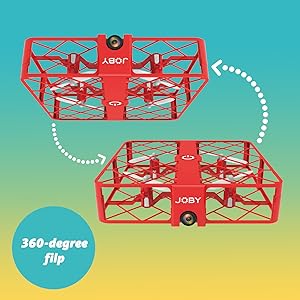
Image 3.1: Drone with its battery compartment open for installation.
3.2 Instalación de la aplicación y conexión Wi-Fi
To utilize the HD camera and view vivir footage, download the dedicated drone control application on your smartphone (compatible with iPhone/Android). Refer to the packaging or a QR code on the drone for the specific app name.
- Encender el dron: Press the power button on the drone. The indicator lights will flash.
- Conectarse a Wi-Fi: On your smartphone, go to Wi-Fi settings and connect to the drone's Wi-Fi network (usually named something like "JOBY_DRONE_XXXX").
- Ejecutar aplicación: Open the drone control app. You should see the live camera feed from the drone.
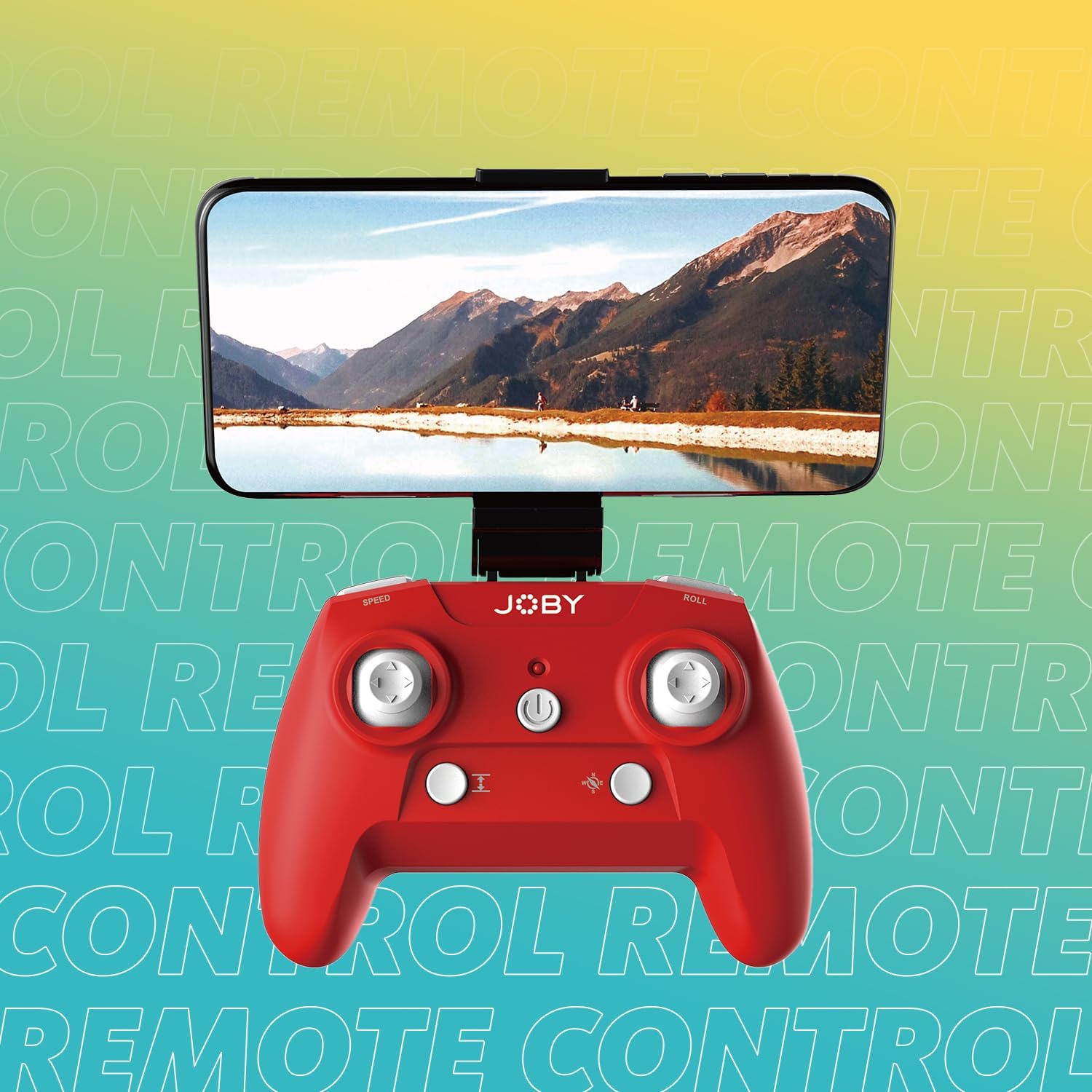
Image 3.2: Remote control with a smartphone attached, showing the live camera view.
4. Instrucciones de funcionamiento
4.1 Encendido y emparejamiento
- Encender el dron: Press the power button on the drone. The lights will flash, indicating it's ready for pairing.
- Controlador de encendido: Presione el botón de encendido en el control remoto.
- Emparejamiento: Empuja el joystick izquierdo (acelerador) completamente hacia arriba y luego completamente hacia abajo. Las luces del dron dejarán de parpadear y se iluminarán fijas, lo que indica que el emparejamiento se realizó correctamente.
4.2 Despegue y aterrizaje
- Despegue con un solo botón: After pairing, press the dedicated one-button takeoff/landing button on the controller. The drone will automatically ascend to a stable hovering height.
- Aterrizaje con un solo botón: Press the same one-button takeoff/landing button during flight, and the drone will automatically descend and land.
- Throw to Launch: For experienced users, the drone can be gently tossed into the air after pairing, and it will automatically stabilize.
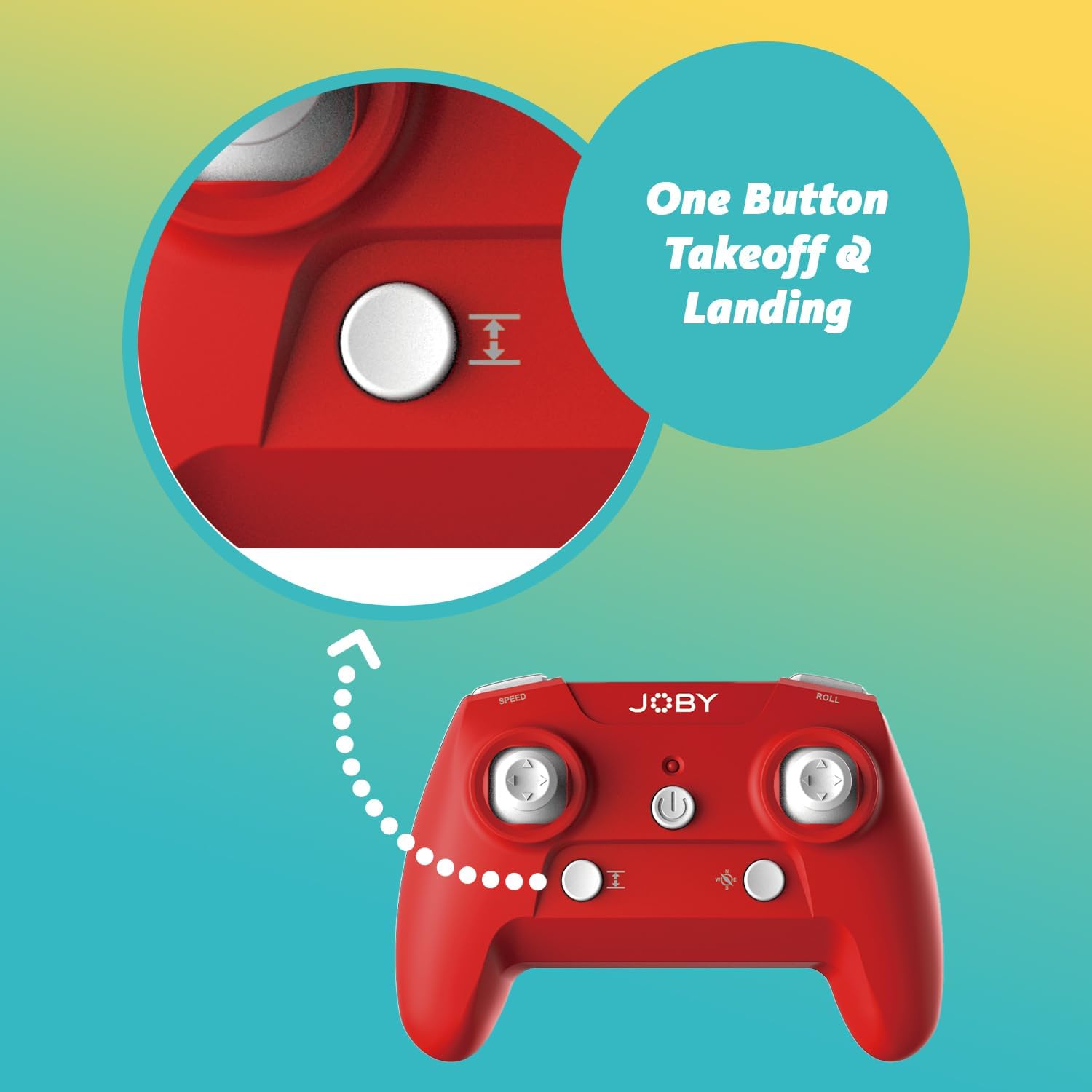
Image 4.1: Remote control highlighting the one-button takeoff/landing button.
4.3 Controles de vuelo
Utilice los joysticks del control remoto para maniobrar el dron:
- Joystick izquierdo (acelerador): Up/Down for ascend/descend; Left/Right for yaw (rotate).
- Joystick derecho (Dirección): Up/Down for forward/backward; Left/Right for left/right strafe.
4.4 Funciones especiales
- Giro de 360 grados: Press the dedicated "Flip" button on the controller, then push the right joystick in the desired direction to perform an aerial flip.
- Aterrizaje de emergencia: In case of an emergency, activate the emergency landing function (refer to controller button layout for specific button) to quickly bring the drone down safely.

Image 4.2: Visual representation of the 360-degree flip feature.
4.5 Operación de la cámara
The integrated HD camera captures 720p video and JPEG images. Control camera functions via the smartphone app:
- Captura de fotos: Tap the camera icon in the app to take a still photograph.
- Grabación de vídeo: Toca el ícono de video para comenzar a grabar. Toca de nuevo para detenerlo.
- ViewMedios de comunicación: Access recorded photos and videos directly through the app's gallery.
Image 4.3: Detail of the drone's HD camera.
4.6 Vídeo instructivo
Video 4.4: This video demonstrates the unboxing, battery installation, pairing process, and various flight maneuvers of the JOBY Fly X Mini Drone, including indoor and outdoor flight exampLes.
5. Mantenimiento
El mantenimiento regular garantiza un rendimiento óptimo y la longevidad de su dron:
- Inspección de la hélice: Regularly check propellers for damage (cracks, bends). Replace any damaged propellers using the spare parts provided.
- Limpieza: Utilice un paño suave y seco para limpiar el cuerpo del dron y la lente de la cámara. Evite el uso de productos químicos o líquidos agresivos.
- Cuidado de la batería: Store batteries in a cool, dry place. Do not overcharge or completely drain batteries. Remove batteries from the drone and controller during extended periods of non-use.
- Almacenamiento: Store the drone in a safe place, away from direct sunlight and extreme temperatures.
6. Solución de problemas
- El dron no se enciende: Asegúrese de que la batería esté completamente cargada y correctamente insertada.
- El controlador no responde: Check controller batteries. Ensure the drone and controller are properly paired (refer to Section 4.1).
- Vuelo inestable: Perform a calibration (refer to the app or controller instructions for calibration steps). Check propellers for damage or obstructions.
- No hay señal de cámara/mala calidad: Ensure your smartphone is connected to the drone's Wi-Fi network. Check for app updates. Ensure the camera lens is clean.
- Tiempo de vuelo corto: Batteries may not be fully charged or may be nearing the end of their lifespan.
7. Especificaciones
| Característica | Detalle |
|---|---|
| Marca | Joby |
| Nombre del modelo | Fly X Mini |
| Número de modelo del artículo | JB01966-BWW |
| Dimensiones | 5.12" de largo x 5.12" de ancho x 1.18" de alto |
| Peso del artículo | 2.24 onzas |
| Resolución de captura de video | 720p |
| Resolución de salida de video | 1280x720 píxeles |
| Formato de captura de video | MP4 |
| Formato de imagen admitido | JPEG |
| Tecnología de conectividad | Wifi |
| Tecnología de control remoto | Wifi |
| Alcance máximo | 100 pies (aprox. 30 metros) |
| Baterías | 2 baterías de iones de litio (incluidas) |
| Material | Plástico |
| Nivel de habilidad | Principiante |
8. Garantía y soporte
For warranty information and customer support, please refer to the official Joby webSitio web o contacte directamente con el servicio de atención al cliente. Conserve su comprobante de compra para cualquier reclamación de garantía.
Puedes visitar el Joby Store on Amazon para obtener información adicional sobre el producto y recursos de soporte.


