1. Introducción
This user manual provides comprehensive instructions for the SYLVOX 15.6 inch Kitchen Smart TV. It covers setup, operation, maintenance, and troubleshooting to ensure optimal performance and user experience. Please read this manual thoroughly before using the product.
Producto terminadoview
The SYLVOX 15.6 inch Kitchen Smart TV is designed for versatile use in kitchen environments, offering entertainment and smart functionalities. Its compact and foldable design allows for various installation options, including under-cabinet and wall mounting. Featuring a 1080P Full HD display, Google TV with voice assistant, built-in speakers, and multiple connectivity options, it provides a high-quality viewing and interactive experience.
2. Información de seguridad
Always adhere to the following safety guidelines to prevent electric shock, fire, or damage to the device:
- Asegúrese de que la fuente de alimentación voltage coincide con los requisitos del producto.
- No exponga el televisor a la lluvia o la humedad.
- Evite bloquear las aberturas de ventilación para evitar el sobrecalentamiento.
- No intente reparar el dispositivo usted mismo. Deje todas las reparaciones a personal cualificado.
- Mantenga el televisor alejado de la luz solar directa y de fuentes de calor.
3. ¿Qué hay en la caja?
Verifique que todos los componentes estén presentes al desembalar:
- Televisor inteligente de 15.6 pulgadas
- Adaptador
- Mando a distancia
- Manual del usuario
- base de control remoto
- Fixed Fittings
- Pilas (para control remoto)

Image: All items included in the SYLVOX 15.6 inch Kitchen Smart TV package, including the TV, remote, adapter, and mounting accessories.
4. Configuración e instalación
Opciones de montaje
The SYLVOX Kitchen TV offers flexible installation to suit your space:
- Montaje debajo del gabinete: The TV features a foldable bracket that allows it to be neatly tucked away under kitchen cabinets when not in use. It can fold from 0-90 degrees.
- Montaje en pared: For a fixed position, the TV can be mounted on a wall. The bracket allows for horizontal adjustment of ±45 degrees.
- Colocación de la mesa: The TV can also be placed on a countertop or table using its integrated stand.

Image: The SYLVOX Kitchen TV shown with its foldable bracket extended, ready for under-cabinet or wall mounting.

Image: Diagram illustrating the dimensions of the SYLVOX Kitchen TV, including screen size and overall unit measurements.

Imagen: Lateral view of the SYLVOX Kitchen TV, highlighting its slim profile and the dimensions of the mounting bracket.

Imagen: Trasera view of the SYLVOX Kitchen TV, displaying the various input and output ports available for connectivity.
Conexión de energía
Connect the provided adapter to the TV's power input and then plug it into a standard electrical outlet. Ensure the connection is secure.
5. Instrucciones de funcionamiento
Mando a distancia
The SYLVOX Kitchen TV comes with a Bluetooth remote control featuring voice control capabilities. Insert the provided batteries into the remote control before first use.
- Botón de encendido: Enciende o apaga el televisor.
- Pad de navegación: Use the directional arrows and center 'OK' button to navigate menus and select options.
- Botón de control de voz: Press and hold to activate the voice assistant for commands and searches.
- Botones de volumen: Ajustar el volumen del audio.
- Botones de canal: Change TV channels (if connected to an antenna/cable).
- Botones de acceso directo de la aplicación: Botones dedicados para servicios de transmisión populares como Netflix y YouTube.
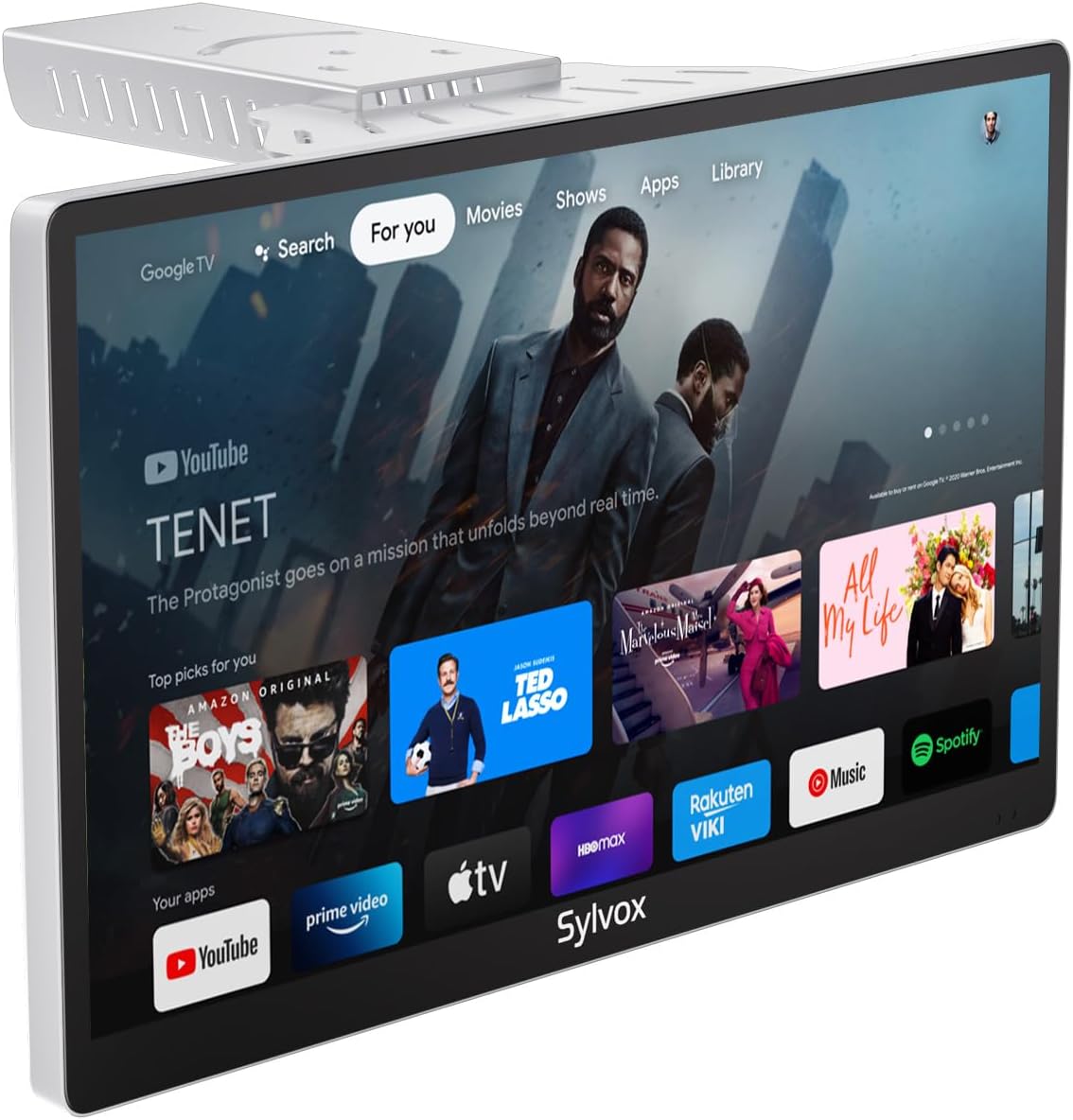
Image: The SYLVOX Kitchen TV screen showing the Google TV interface with various streaming app icons.
Interfaz de Google TV
The TV runs on Google TV, providing access to a vast library of content and applications. The main interface offers personalized recommendations and easy access to your installed apps.
- Para ti: Recomendaciones de contenido personalizadas.
- Vivir: Access to live TV channels (requires antenna or compatible service).
- Aplicaciones: Explorar y ejecutar aplicaciones instaladas.
- Biblioteca: Accede a tu contenido comprado o alquilado.
Conectividad
El televisor admite varias opciones de conectividad:
- Wifi: Conéctese a su red inalámbrica doméstica para acceder a Internet y transmitir.
- Bluetooth: Pair with external audio devices like headphones or speakers.
- Chromecast integrado: Transmite contenido directamente desde tu teléfono inteligente o tableta al televisor.
- Puertos HDMI: Connect external devices such as gaming consoles, Blu-ray players, or set-top boxes.
- Puertos USB: Reproducir medios files desde unidades USB.
- Coaxial Antenna Input: Conecte una antena para canales de transmisión por aire.

Image: A user casting content from a smartphone to the SYLVOX Kitchen TV, demonstrating the built-in Chromecast feature.
6. Mantenimiento y cuidado
- Limpieza: Utilice un paño suave y seco para limpiar la pantalla y el exterior. Para manchas difíciles, limpie ligeramenteampEnjuague el paño con agua. Evite productos químicos agresivos o materiales abrasivos.
- Ventilación: Ensure adequate airflow around the TV to prevent overheating. Do not cover ventilation slots.
- Almacenamiento: If storing the TV for an extended period, disconnect it from power and store it in a cool, dry place.
7. Solución de problemas
| Problema | Posible causa | Solución |
|---|---|---|
| Sin poder | Power cable not connected; Outlet not working. | Verifique la conexión del cable de alimentación; pruebe con una toma de corriente diferente. |
| Sin imagen | Incorrect input source; Loose HDMI/antenna cable. | Select correct input source; Secure cable connections. |
| Sin sonido | Volumen demasiado bajo o silenciado; problema con el dispositivo de audio externo. | Increase volume/unmute; Check external audio connections. |
| El control remoto no responde | Batteries dead; Remote not paired. | Replace batteries; Re-pair remote control (refer to Google TV pairing instructions). |
| Problemas de conexión Wi-Fi | Contraseña incorrecta; Enrutador demasiado lejano; Problema de red. | Verify password; Move TV closer to router; Restart router. |
8. Especificaciones
| Característica | Detalle |
|---|---|
| Marca | SYLVOX |
| Modelo | 15.6 inch Kitchen Smart TV |
| Tamaño de pantalla | 15.6 pulgadas |
| Tecnología de visualización | CONDUJO |
| Resolución | 1080p Full HD |
| Frecuencia de actualización | 60 Hz |
| Sistema operativo | Google TV |
| Características especiales | Google TV, Foldable bracket, Under-cabinet/Wall mountable, Lightweight, Voice Remote Control, Chromecast Built-in, Built-in Speakers |
| Conectividad | Ethernet, Wireless, WiFi, Bluetooth, HDMI, USB |
| Peso del artículo | 6.25 libras |
| Dimensiones del producto | 1.4 x 14.28 x 8.76 pulgadas |
| Consumo de energía en modo encendido | 16.0 vatios |
| Consumo de energía (anual) | 23040 Watt-hours per year |
9. Garantía y soporte
SYLVOX offers the following support for your product:
- 12-month free defect protection: Cubre defectos de fabricación durante un año a partir de la fecha de compra.
- Free returns for quality issues: If the product has quality-related issues, free returns are available.
- 30-day hassle-free returns: Returns for any reason are accepted within 30 days, requiring original packaging.
For further assistance, please refer to the official SYLVOX websitio o póngase en contacto con el servicio de atención al cliente.
10. Vídeos de productos
Watch these official product videos for visual guides and demonstrations:
No hay videos oficiales del vendedor disponibles para incrustar en este momento.


