Introducción
Gracias por la compraasing the ThermoPro TempSpike Wireless Meat Thermometer. This manual provides detailed instructions on how to set up, operate, and maintain your device to ensure accurate temperature monitoring for perfect cooking results. Please read this manual thoroughly before use.
Contenido del paquete
- 1 x TempSpike Wireless Meat Probe
- 1 x Booster (Receiver/Charger)
- 1 x cable de carga USB
- 1 x Manual de usuario

Image: The main components of the ThermoPro TempSpike system, including the wireless probe, the booster unit displaying temperature, and a smartphone screen showing the accompanying app interface.
Producto terminadoview
TempSpike Wireless Probe
- Sensores duales: Measures both internal meat temperature and ambient cooking temperature.
- Construcción duradera: Made with 304 stainless steel and a zirconia ceramic handle, resistant to temperatures up to 1050°F (565°C).
- Impermeable: IP67 rated for easy cleaning.
- Ultra-Thinner Design: Allows for precise temperature readings.

Imagen: Un detalle view of the TempSpike probe, illustrating its robust construction with high heat resistant zirconia ceramic and 100% waterproof IP67 rating.
Unidad de refuerzo
- Pantalla LCD: Shows real-time internal and ambient temperatures.
- Rango extendido: Boosts Bluetooth signal up to 600 ft (180m) in open air.
- Parte trasera magnética: Permite una cómoda fijación a superficies metálicas.
- Recargable: Proporciona una batería de larga duración para un uso prolongado.

Image: The TempSpike booster unit demonstrating its ease of placement with built-in strong magnets, shown attached to an oven and a grill.
Configuración
Charging the Probe and Booster
- Ensure the probe is clean and dry before placing it into the booster for charging.
- Connect the USB charging cable to the booster and a power source.
- The booster and probe will begin charging. A full charge provides approximately 36 hours of probe use and over 3 months of booster battery life. A 15-minute charge provides 2 hours of probe use.
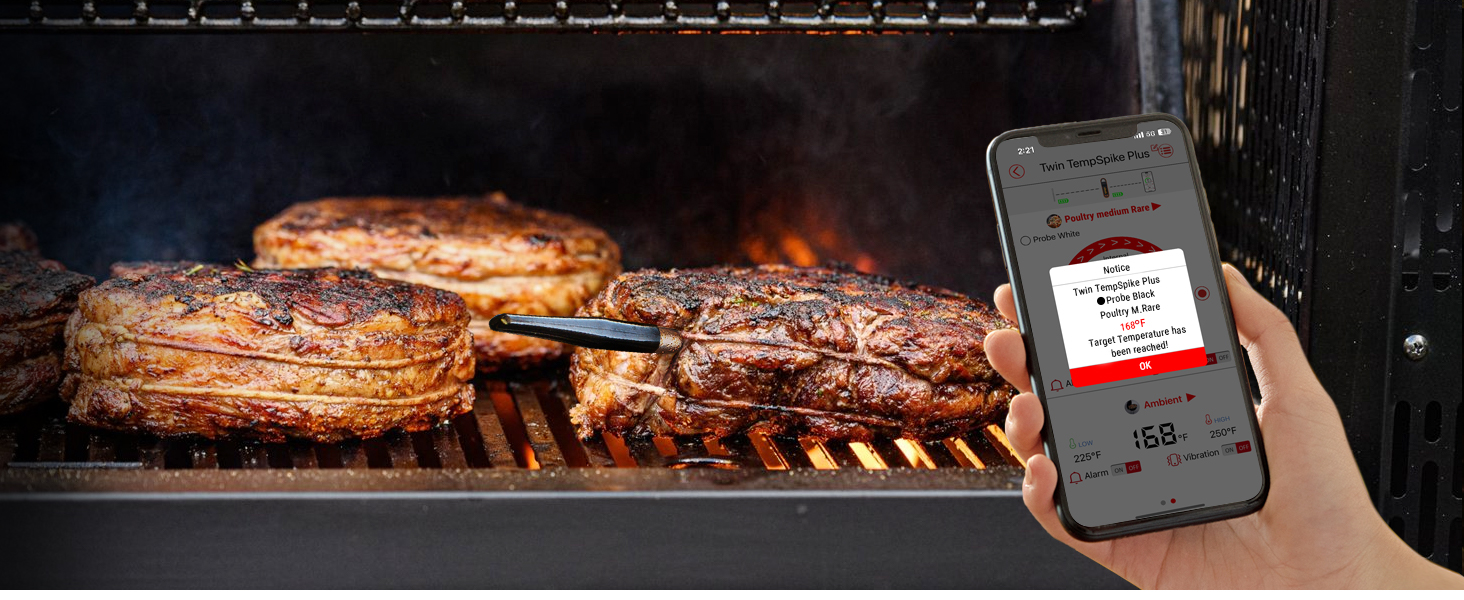
Image: The TempSpike booster connected to a USB charging cable, illustrating its battery life capabilities: 3+ months for the booster and 36 hours for the probe, with a quick 15-minute charge yielding 2 hours of probe use.
Descargar la aplicación
- Buscar "TempSpike" in the Apple App Store (for iOS 9.0 or later, including Apple Watch S6 or later) or Google Play Store (for Android 4.4 or later).
- Download and install the application. No account registration or Wi-Fi connection is required for initial setup.

Image: The TempSpike app interface shown on both a smartphone and an Apple Watch, indicating compatibility with iOS 9.0+ and Android 4.4+ devices, including Apple Watch Series 6 or later.
Emparejamiento del dispositivo
The TempSpike probe and booster come pre-paired from the factory. Simply turn on the booster, and it will automatically connect to the probe when it's removed from the booster. The booster will then connect to your smartphone via Bluetooth 5.2.

Image: A user monitoring their grill with the TempSpike system, highlighting the extended 600 ft Bluetooth 5.2 range for stable connection.
Instrucciones de funcionamiento
Inserción de la sonda
Insert the probe into the thickest part of the meat, ensuring the ceramic handle is outside the cooking vessel. The probe has two sensors: one for internal meat temperature and one for ambient temperature. Make sure both sensors are properly positioned for accurate readings.

Image: The TempSpike probe correctly inserted into a cut of salmon, demonstrating proper placement for accurate temperature measurement.

Image: A diagram illustrating the two temperature sensing zones on the probe: the internal test range (max 212°F) and the ambient test range (max 572°F).
Monitoreo de temperaturas
You can monitor temperatures directly on the booster's LCD display or through the TempSpike app on your smartphone. The booster provides real-time updates, allowing you to quickly check progress without needing your phone.

Image: A user checking the temperature directly on the TempSpike booster's display while preparing other ingredients, highlighting the convenience of not always needing a phone.
Using the App for Smart Cooking
The TempSpike app enhances your cooking experience with customizable alerts and USDA-recommended temperature guidelines. You can set target temperatures, receive notifications when your food is ready, and track cooking progress over time.
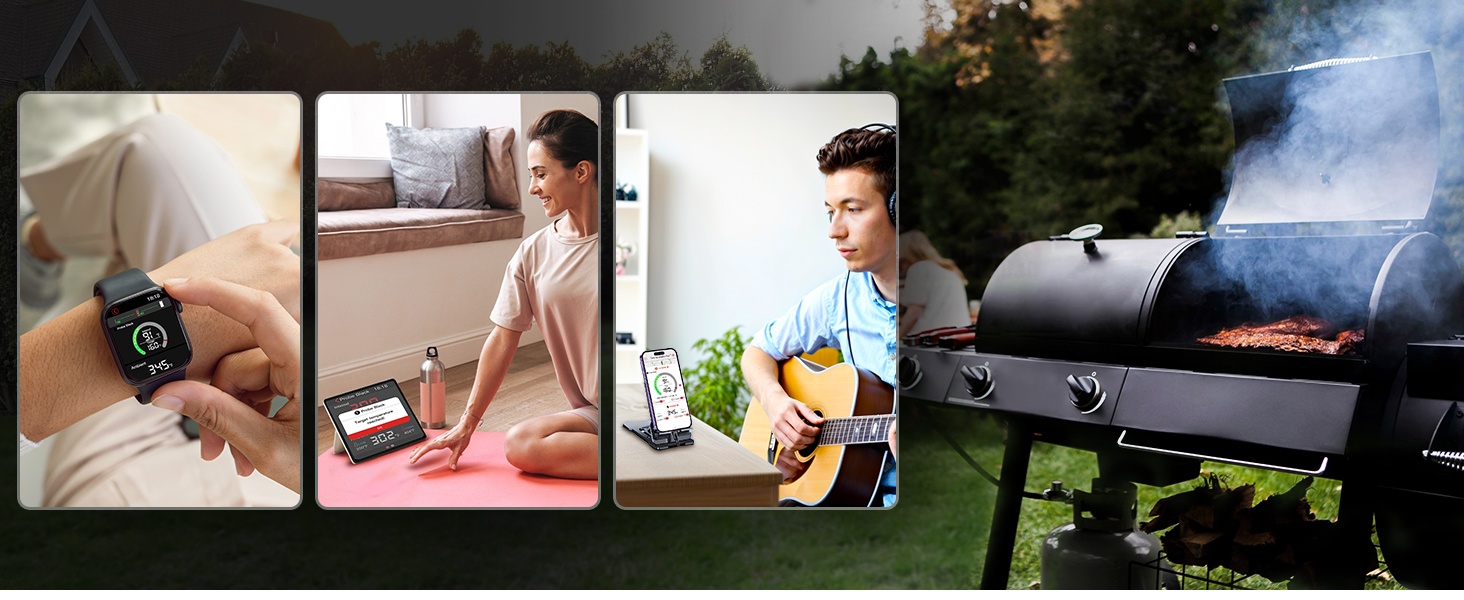
Image: A smartphone screen showing the TempSpike app interface, demonstrating the ability to select cooking profiles and set target temperatures for various meats.
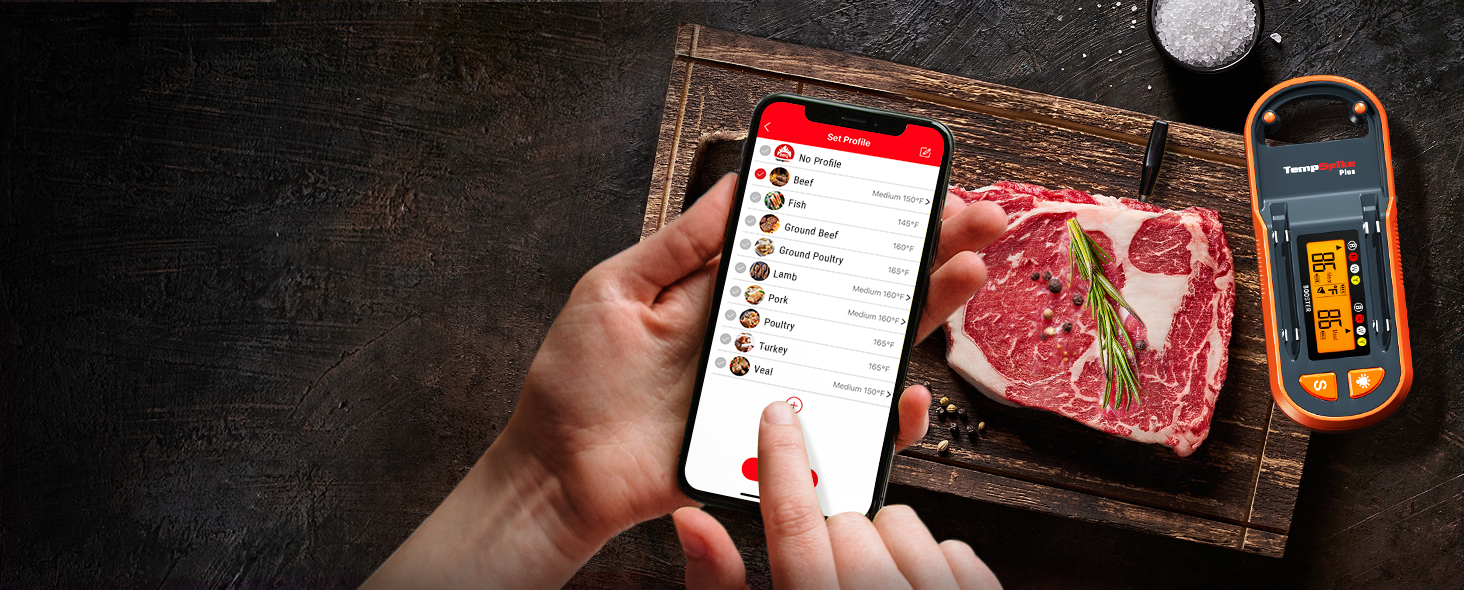
Image: A smartphone displaying a notification from the TempSpike app, indicating that the target temperature for the meat has been reached, with cooked meat visible in the background.
Aplicaciones
The ThermoPro TempSpike is versatile and can be used in various cooking environments:
- Interrogatorio intenso: Perfect for monitoring steaks, chicken, and other grilled meats.
- De fumar: Ideal for long smoking sessions, ensuring consistent low and slow temperatures.
- Oven Roasting: Use for roasts, poultry, and casseroles in your oven.
- Freír al aire: Monitor internal temperatures of foods cooked in air fryers.
- Al vacío: Can be used to verify water bath temperatures or internal food temperatures after searing.
- Asador: Suitable for monitoring large cuts of meat on a rotisserie.
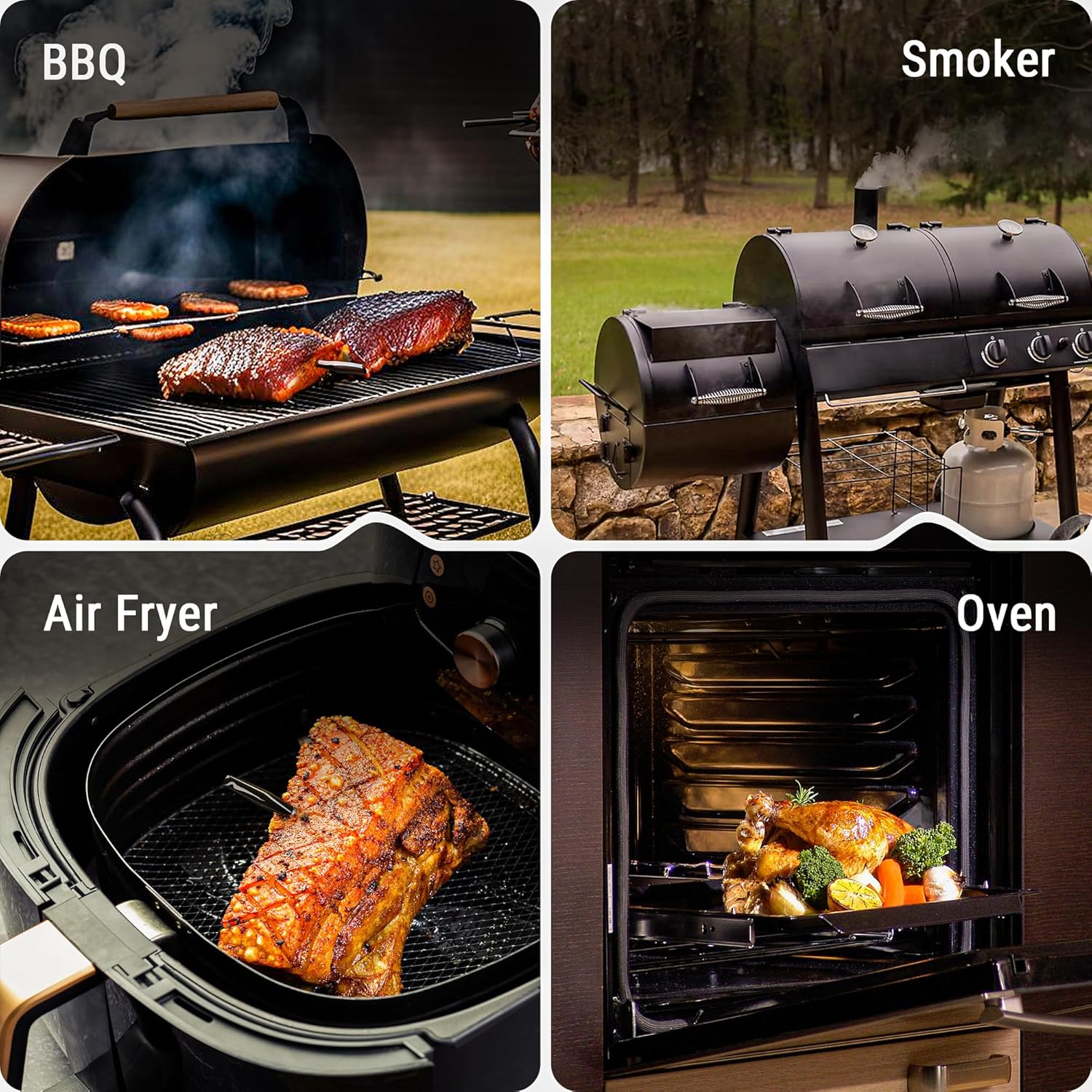


Image: Various cooking applications for the TempSpike, including BBQ, smoking, oven roasting, air frying, pan cooking, sous vide, rotisserie, and kamado grilling.
Mantenimiento y cuidado
- Limpieza de la sonda: After each use, clean the probe thoroughly with soap and water. The probe is IP67 waterproof and can be rinsed under running water. Ensure it is completely dry before storing or charging.
- Cleaning the Booster: Limpie la unidad de refuerzo con publicidad.amp Paño. No sumerja el amplificador en agua.
- Almacenamiento: Store the probe in the booster unit when not in use to keep it charged and protected. Store the device in a cool, dry place.
- Cuidado de la batería: For optimal battery life, avoid fully discharging the probe and booster frequently. Recharge them regularly.

Image: A hand washing the TempSpike probe under running water, demonstrating its waterproof feature for easy cleaning.
Solución de problemas
| Problema | Posible causa | Solución |
|---|---|---|
| No temperature reading on booster/app. | Probe not properly inserted into booster or meat; low battery; out of range. | Ensure probe is fully seated in booster for charging. Insert probe deeply into meat, leaving ceramic handle exposed. Move booster closer to probe/phone. Recharge probe and booster. |
| Lecturas de temperatura inexactas. | Probe not inserted correctly; probe damaged; extreme ambient temperatures. | Ensure probe tip is in the thickest part of the meat, away from bone. Avoid exposing the probe's internal sensor to direct flame or temperatures exceeding 572°F (300°C). If damaged, contact support. |
| Problemas de conexión Bluetooth. | Booster/phone out of range; Bluetooth disabled; interference. | Move booster closer to your phone. Ensure Bluetooth is enabled on your phone. Minimize obstacles between booster and phone. Restart app and/or phone. |
| La aplicación no responde o se bloquea. | Software glitch; outdated app version; phone compatibility. | Close and restart the app. Check for app updates in your app store. Ensure your phone meets the minimum OS requirements (iOS 9.0+ / Android 4.4+). |
Presupuesto
| Característica | Detalle |
|---|---|
| Nombre del modelo | TP971 |
| Marca | ThermoPro |
| Tecnología de conectividad | Bluetooth 5.2 |
| alcance inalámbrico | Hasta 600 pies (180 m) al aire libre |
| Material de la sonda | 304 Stainless Steel, Zirconia Ceramic |
| Clasificación de impermeabilidad | IP67 (Sonda) |
| Internal Temp Range | 14 °F a 212 °F (-10 °C a 100 °C) |
| Rango de temperatura ambiente | 14 °F a 572 °F (-10 °C a 300 °C) |
| Tiempo de respuesta | 3 segundos |
| Fuente de poder | Funciona con pilas (2 pilas de iones de litio incluidas) |
| Duración de la batería de refuerzo | 3+ meses |
| Duración de la batería de la sonda | 36 Hours (2 hours from 15-min charge) |
| Componentes incluidos | Temperature Probe, Booster, USB Charging Cable, Manual |
Vídeo oficial del producto
Watch the official ThermoPro product video for a visual guide on using your TempSpike Wireless Meat Thermometer.
Video: An official product video demonstrating the features and usage of the ThermoPro TempSpike Plus Wireless Meat Thermometer.
Garantía y soporte
For warranty information, product registration, or technical support, please visit the official ThermoPro website or contact their customer service. Details are typically provided on the product packaging or the manufacturer's official online resources.
You can visit the ThermoPro Store on Amazon for more information: ThermoPro Store


