1. Producto terminadoview
The YoYoFit Smartwatch HT15 is a versatile wearable device designed to enhance your daily life with communication, health monitoring, and fitness tracking features. It connects seamlessly with your smartphone to keep you informed and active.
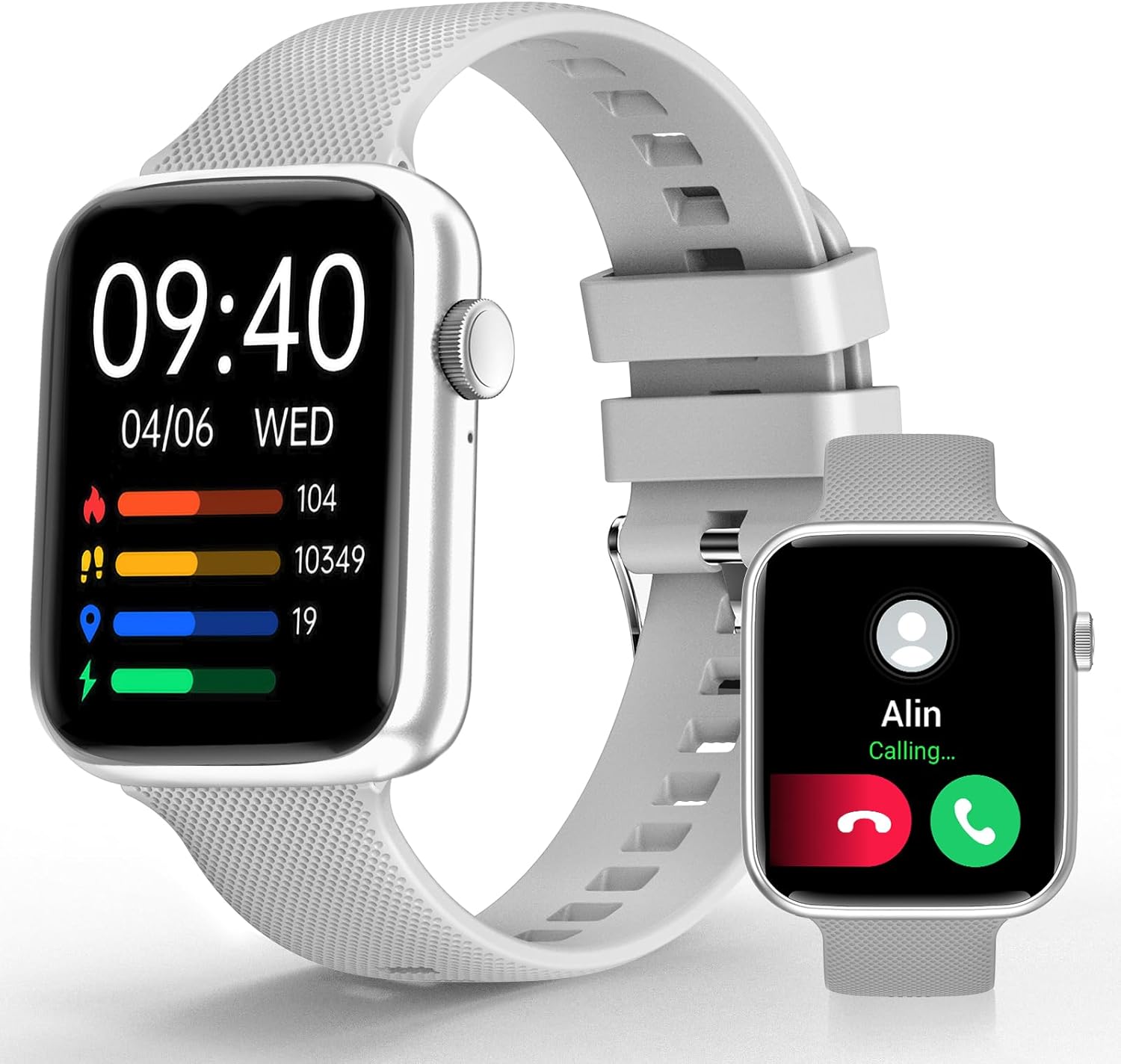
Image 1: YoYoFit Smartwatch HT15. This image displays the smartwatch in grey, showing the time, date, and various activity metrics like heart rate, steps, and calories. An inset image shows an incoming call notification.
2. Contenido del paquete
Asegúrese de que todos los artículos estén presentes en el paquete:
- YoYoFit Smartwatch HT15 (Grey)
- Correa de reloj
- Cable de carga magnética
- Manual de usuario (este documento)
3. Guía de configuración
3.1 Carga del reloj inteligente
Antes del primer uso, cargue completamente su reloj inteligente. Conecte el cable de carga magnético a los puntos de carga de la parte posterior del reloj y conecte el extremo USB a un adaptador de corriente (no incluido) o al puerto USB de una computadora.
- Tiempo de carga: Aproximadamente 2 horas.
- Battery Life: Up to 7-10 days of normal use, 15+ days on standby.

Image 2: Smartwatch charging. The image illustrates the magnetic charging cable connected to the smartwatch, with text indicating "Up to 7 days+ for normal use" and "Up to 15 days+ on low power setting."
3.2 Descarga y emparejamiento de la aplicación
To unlock all features, download and connect your smartwatch to the "FitCloudPro" app.
- Scan the QR code in the manual or search for "FitCloudPro" in the App Store (iOS) or Google Play Store (Android).
- Instala la aplicación en tu teléfono inteligente.
- Asegúrese de que Bluetooth esté habilitado en su teléfono.
- Open the "FitCloudPro" app and follow the on-screen instructions to add your device.
- Seleccione "HT15" de la lista de dispositivos disponibles.
- Confirme la solicitud de emparejamiento tanto en su teléfono como en el reloj inteligente.

Image 3: App download and pairing steps. This image shows a sequence of smartphone screens demonstrating how to download the "FitCloudPro" app, enable Bluetooth, search for the device, and confirm the pairing request.
3.3 Compatibilidad
The YoYoFit Smartwatch HT15 is compatible with:
- Android 5.1 y superior
- iOS 8.5 y superior
- Requires Bluetooth 5.0 for connection.
4. Instrucciones de funcionamiento
4.1 Navegación básica
The smartwatch features a 1.85-inch HD color full touch screen. Swipe across the screen to navigate through menus and functions. The side button typically serves as a power button or a return-to-home function.

Image 4: Smartwatch screen details. This image focuses on the 1.85-inch HD touch screen, emphasizing its full-color display and touch functionality.
4.2 Funcionalidad de llamada
Once paired via Bluetooth, you can manage calls directly from your wrist:
- Responder/Hacer llamadas: Use the built-in speaker and microphone to answer incoming calls or dial out from your watch.
- Mensajes: Read incoming messages and social media notifications.
- Contactos: Store frequently used contacts for quick dialing.
- Historial de llamadas: View sus registros de llamadas recientes.

Image 5: Stay Connected On-wrist. This image shows a woman using the smartwatch to answer a call, alongside visual representations of message notifications, built-in mic & speaker, and reminder functions.
4.3 Monitoreo de Salud
El reloj inteligente proporciona un seguimiento completo de la salud:
- Frecuencia cardíaca: Monitoreo continuo durante todo el día.
- Oxígeno en sangre (SpO2): Mide los niveles de oxígeno en sangre.
- Presión arterial: Monitorea los niveles de presión arterial.
- Seguimiento del sueño: Automatically tracks sleep patterns (deep sleep, light sleep, awake time) and provides quality analysis.
- Seguimiento del ciclo menstrual: Records and reminds you of your menstrual period.
Nota: Este dispositivo no es un dispositivo médico. Los datos de salud son solo de referencia y no deben utilizarse para diagnósticos ni tratamientos médicos.

Image 6: Keep Track of Your Health. This image shows the smartwatch displaying heart rate, blood pressure, and blood oxygen measurements, with a person wearing the watch.

Image 7: Tools for Better ZZZs. This image illustrates the smartwatch's sleep tracking capabilities, showing deep sleep, light sleep, and awake times, along with smart alarm and Do Not Disturb settings.
4.4 Seguimiento de actividad
The HT15 tracks your daily activity and supports 18 sports modes:
- Daily Metrics: Realiza un seguimiento preciso de los pasos, la distancia y las calorías quemadas.
- Modos deportivos: Includes walking, running, cycling, hiking, yoga, basketball, football, and more. Exercise data is recorded and displayed separately for each workout.

Image 8: Sweat the Smart Way. This image features a woman exercising, with the smartwatch displaying various sports modes (e.g., walking, running, cycling) and all-day activity tracking metrics like steps, calories, and distance.
4.5 Asistente de voz con IA
Utilize the built-in AI voice assistant for hands-free control:
- Establecer recordatorios y alarmas.
- Controlar la reproducción de música.
- Get weather updates.
- Ask questions and receive translations.
4.6 Otras características prácticas
- Esferas de reloj personalizables: Choose from 100+ cloud watch faces or upload personal photos via the FitCloudPro app.
- Pronóstico del tiempo: Check current weather conditions directly on your wrist.
- Temporizador y cronómetro: Útil para entrenamientos o tareas diarias.
- Control de música: Reproducir, pausar y saltar pistas en su teléfono conectado.
- Encontrar teléfono: Localice su teléfono inteligente extraviado activando un sonido de alerta.
- Alarmas: Set multiple customizable alarms.
- Recordatorios de sedentarismo y de beber agua: Indicaciones para mantenerse activo e hidratado.
- Control remoto de la cámara: Utilice su reloj para activar de forma remota la cámara de su teléfono.

Image 9: More Practical Features. This image highlights the smartwatch's diverse functionalities, including customizable watch faces, weather display, music control, timer, stopwatch, and the "Find Phone" feature.
5. Mantenimiento
5.1 Limpieza de su reloj inteligente
Regularly clean your smartwatch and watch band to ensure optimal performance and hygiene.
- Limpie la pantalla y el cuerpo del reloj con un paño suave.amp, paño sin pelusa.
- For the silicone strap, you can use mild soap and water, then rinse thoroughly and dry completely.
- Evite utilizar productos químicos agresivos o materiales abrasivos.
5.2 Resistencia al agua
The smartwatch is designed to withstand daily activities like hand washing and sweating. However, it is not recommended for swimming or showering, as prolonged exposure to water or hot steam may damage the device.
6. Solución de problemas
6.1 El dispositivo no se enciende
- Asegúrese de que el reloj esté completamente cargado. Conéctelo al cargador magnético durante al menos 30 minutos.
- Press and hold the side button for several seconds to power on.
6.2 Problemas de emparejamiento
- Asegúrese de que Bluetooth esté habilitado en su teléfono inteligente.
- Asegúrese de que el reloj inteligente esté dentro del alcance de su teléfono.
- Reinicie tanto el teléfono como el reloj inteligente.
- Forget the device in your phone's Bluetooth settings and try pairing again through the "FitCloudPro" app.
- Check if the "FitCloudPro" app has necessary permissions enabled on your phone.
6.3 Lecturas de salud inexactas
- Asegúrese de que el reloj esté ajustado cómodamente en su muñeca, ni demasiado apretado ni demasiado suelto.
- Limpie los sensores en la parte posterior del reloj.
- Evite movimientos excesivos durante las mediciones.
- Remember that readings are for reference and not for medical use.
6.4 Notificaciones que no aparecen
- Verify that the smartwatch is connected to your phone via Bluetooth.
- Verifique la configuración de notificaciones dentro de la aplicación "FitCloudPro" para asegurarse de que las aplicaciones deseadas estén habilitadas.
- Confirm that your phone's notification settings allow the "FitCloudPro" app to display alerts.
7. Especificaciones
| Característica | Detalle |
|---|---|
| Número de modelo | HT15 |
| Tamaño de pantalla | Pantalla a color HD de 1.85 pulgadas |
| Dimensiones del producto | 10 x 1.52 x 0.43 pulgadas |
| Peso del artículo | 3.68 onzas |
| Tipo de batería | Polímero de litio (1 requerido, incluido) |
| Capacidad de la batería | 0.18 Amp Horas |
| Conectividad | Bluetooth 5.0 |
| Sistema operativo | Android (compatible con Android 5.1+), iOS (compatible con iOS 8.5+) |
| Características especiales | Heart Rate Monitor, Activity Tracker, Bluetooth Call Function, Blood Oxygen Monitor, Sleep Monitor, AI Voice Assistant |

Image 10: Smartwatch dimensions. This diagram provides detailed measurements of the smartwatch (1.8" x 1.52" x 0.43") and indicates the suitable wrist size range (4.9" ~ 8.3").
8. Vídeo del producto
Video 1: YoYoFit Smart Watch for Men and Women. This video provides a visual overview of the smartwatch's features and functionalities, including its design, health tracking, and connectivity options.


