Introducción
Thank you for choosing the YoYoFit Smartwatch. This manual provides essential information for setting up, operating, and maintaining your device. Please read it carefully to ensure optimal performance and longevity of your smartwatch.
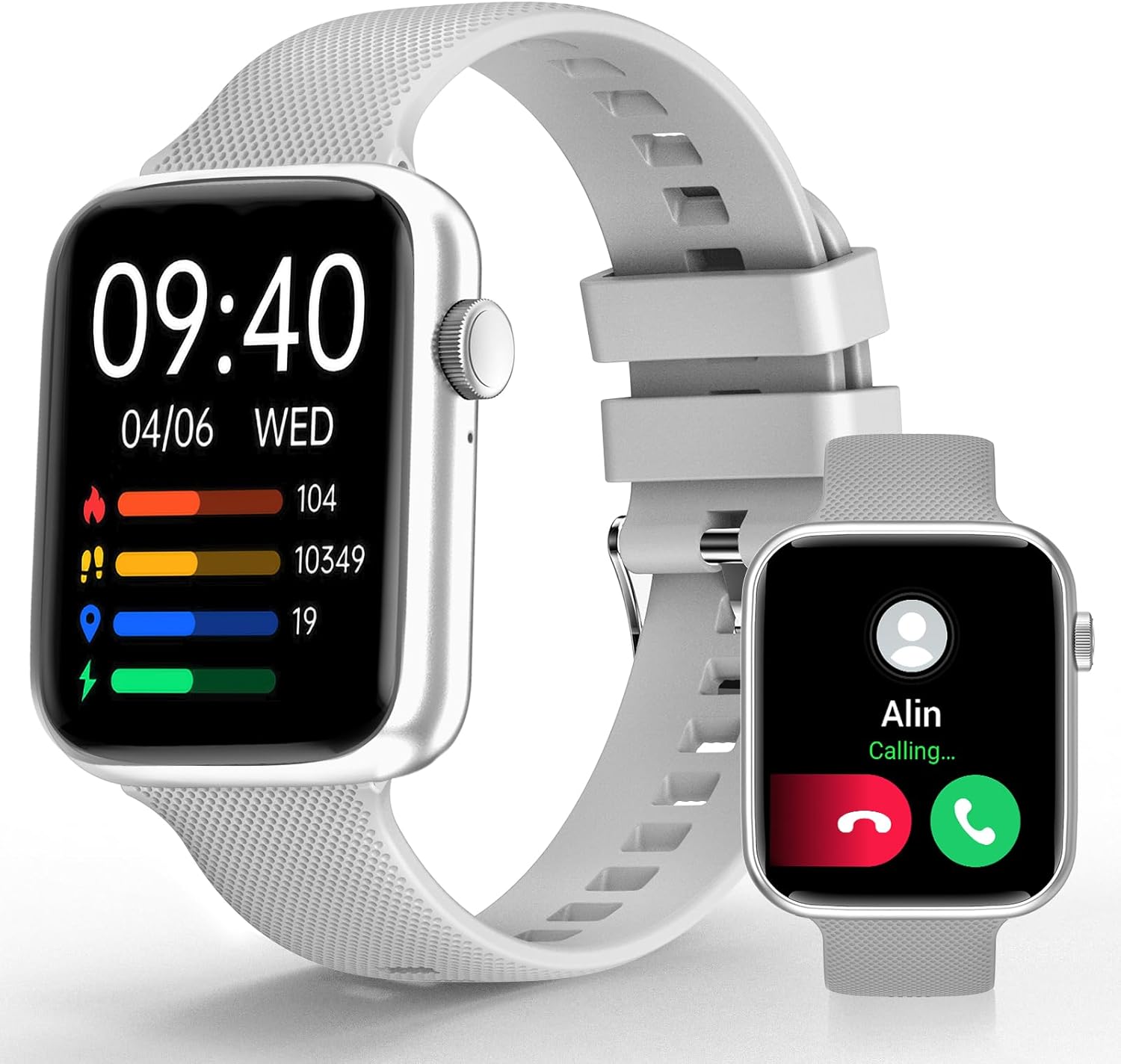
Image: YoYoFit Smartwatch, showcasing su elegante diseño y pantalla.
Primeros pasos: configuración y conexión
To begin using your YoYoFit Smartwatch, follow these steps to pair it with your smartphone.
1. Descarga y emparejamiento de la aplicación
- Download the "FitCloudPro" App: Buscar "FitCloudPro" in your smartphone's app store (compatible with Android 5.1 & iOS 8.5 and above).
- Habilitar Bluetooth: Encienda el Bluetooth en su teléfono inteligente.
- Abrir la aplicación y buscar: Open the "FitCloudPro" app and navigate to the device pairing section to search for your smartwatch (Model HT15).
- Confirmar emparejamiento: Follow the on-screen prompts in the app and on your smartwatch to confirm the pairing request.

Image: Visual guide for downloading the FitCloudPro app and initial Bluetooth pairing.
2. Bluetooth Connection Settings for Calls
To enable call functionality directly from your smartwatch:
- Acceder al modo de audio: On your smartwatch, slide the screen left to find the "Audio mode" icon.
- Configuración de Bluetooth del teléfono: En su teléfono inteligente, vaya a Configuración > Bluetooth.
- Pair "HT15 Call": Buscar and pair with "HT15 Call" in your Bluetooth device list.
- Contestar llamadas: Once connected, you can answer calls directly from your smartwatch.

Image: Steps to enable Bluetooth calling feature on your smartwatch.
Operación de su reloj inteligente
Your YoYoFit Smartwatch features a 1.85" HD color display with a full touch screen interface, providing a clear and responsive user experience.

Image: Details on the smartwatch's 1.85-inch HD display and touch capabilities.
Personalización de esferas de reloj
Personalize your smartwatch by choosing from over 100 cloud watch faces available in the FitCloudPro app, or upload your own personal photos to create a DIY watch face.

Image: Options for customizing your smartwatch's display with various watch faces.
Funciones de monitoreo de salud
The YoYoFit Smartwatch is designed to help you monitor your health with continuous tracking capabilities.
- Monitoreo de la presión arterial: Continuously monitor your blood pressure throughout the day.
- Seguimiento de la frecuencia cardíaca: Automatically monitors your heart rate every 5 minutes, with data charts available in the FitCloudPro app.
- Medición de oxígeno en sangre: Track your blood oxygen level at any time.
- Análisis de la calidad del sueño: Automatically tracks your sleep at night, providing comprehensive analysis of deep sleep, light sleep, and awake time.
- Seguimiento del ciclo menstrual: Record your current menstrual period and receive daily reminders.

Imagen: Más alláview of the smartwatch's health tracking capabilities including heart rate, blood pressure, and blood oxygen.

Image: Detailed sleep tracking analysis and smart wake alarm feature.
Note: The smartwatch is not a medical device. Health data is for reference only and cannot replace professional medical equipment.
Comunicación y funciones inteligentes
Stay connected and informed with your smartwatch's communication and smart functionalities.
- Llamadas Bluetooth: Answer or make calls directly from your wrist after pairing with your phone's Bluetooth.
- Notificaciones de mensajes: Receive notifications for messages and social media apps directly on your wrist, accompanied by vibration alerts.
- Asistente de voz con IA: Utilize the built-in speaker and mic to interact with your voice assistant for setting reminders, playing music, getting weather updates, and more.
- Practical Reminders: Set reminders for drinking water, moving, and calendar events.

Image: Features for staying connected, including call handling and message notifications.

Image: Demonstrating the intelligent voice assistant for various commands.
Fitness Tracking and Other Functions
The YoYoFit Smartwatch is your ideal companion for an active and organized lifestyle.
- 18 modos deportivos: Accurately track your steps, distance, calories burned, and other metrics across 18 different sports modes. Workout data is displayed separately for easy viewing y comparación.
- Pronóstico del tiempo: Check real-time weather updates directly on your wrist.
- Control de música: Control your smartphone's music playback from your smartwatch.
- Remote Camera Shooting: Utilice su reloj inteligente como obturador remoto para la cámara de su teléfono.
- Timer and Stopwatch: Convenient timing functions for various activities.
- Función de búsqueda de teléfono: Easily locate your misplaced smartphone.
- Alarmas personalizables: Set up to 5 alarms with customizable names and repeat options.
- Modo No molestar: Turn on DND to enjoy uninterrupted time.

Image: Visual representation of the 18 sports modes and all-day activity tracking.

Image: Features like weather reports, music control, and remote camera shooting.

Image: Additional tools including stopwatch, timer, and find phone function.
Duración de la batería
The YoYoFit Smartwatch is equipped with a large-capacity polymer lithium battery for extended use.
- Tiempo de carga: Aproximadamente 2 horas para una carga completa.
- Uso normal Up to 7-10 days of continuous use.
- Tiempo en espera: Over 15 days on low power setting.

Image: Information on the smartwatch's long-lasting battery performance.
Presupuesto
| Característica | Detalle |
|---|---|
| Dimensiones del producto | 10 x 1.52 x 0.43 pulgadas |
| Peso del artículo | 3.68 onzas |
| Número de modelo del artículo | HT15 |
| Baterías | Se requieren 1 baterías de polímero de litio (incluidas) |
| Tamaño de pantalla de pie | 1.85 pulgadas |
| Capacidad de almacenamiento de memoria | 128 MB |
| Sistema operativo | Androide |
| Característica especial | Heart rate watch, activity tracker, Bluetooth call watch |
| Capacidad de la batería | 0.18 Amp Horas |
| Tecnología de conectividad | Bluetooth |
| Estándar de comunicación inalámbrica | Bluetooth |
| Composición de las celdas de la batería | Polímero de litio |
| GPS | GPS a través de teléfono inteligente |
| Forma | Rectangular |
| Tamaño de pantalla | 1.85 pulgadas |

Image: Detailed dimensions and wrist size compatibility of the smartwatch.
Mantenimiento y cuidado
To ensure the longevity and optimal performance of your YoYoFit Smartwatch, follow these maintenance guidelines:
- Limpieza: Regularly wipe the watch screen and strap with a soft, dry cloth. For stubborn stains, a slightly damp Se puede utilizar un paño, pero asegúrese de que el reloj esté completamente seco antes de usarlo o cargarlo.
- Cargando: Use only the provided magnetic charging cable. Ensure the charging contacts on the watch and cable are clean and dry before charging. Avoid overcharging the battery.
- Resistencia al agua: While the watch is designed for daily wear and may withstand splashes, avoid prolonged submersion in water, hot water, or steam. Do not wear it during swimming or showering unless explicitly stated in product specifications.
- Almacenamiento: Cuando no utilice el reloj inteligente durante períodos prolongados, guárdelo en un lugar fresco y seco, alejado de la luz solar directa y de temperaturas extremas.
- Evite los productos químicos: No exponga el reloj a productos químicos fuertes, detergentes o solventes, ya que pueden dañar los materiales y el acabado.
Solución de problemas
If you encounter any issues with your YoYoFit Smartwatch, try the following troubleshooting steps:
- El reloj no se enciende: Asegúrese de que el reloj esté completamente cargado. Conéctelo al cargador durante al menos 30 minutos.
- No se puede emparejar con el teléfono:
- Asegúrese de que Bluetooth esté habilitado en su teléfono y en el reloj.
- Asegúrese de que el reloj esté dentro del alcance Bluetooth de su teléfono.
- Reinicie tanto el teléfono como el reloj inteligente.
- Olvide el dispositivo en la configuración de Bluetooth de su teléfono e intente emparejarlo nuevamente a través de la aplicación FitCloudPro.
- Datos de salud inexactos:
- Asegúrese de que el reloj esté ajustado cómodamente en su muñeca, ni demasiado suelto ni demasiado apretado.
- Limpie el sensor en la parte posterior del reloj.
- Recuerde que los datos son de referencia y no para diagnóstico médico.
- Notificaciones que no aparecen:
- Check app notification settings in the FitCloudPro app and your phone's system settings.
- Asegúrese de que el reloj esté conectado mediante Bluetooth.
- Desactive el modo “No molestar” en el reloj si está activo.
- Duración corta de la batería:
- Reducir el brillo de la pantalla.
- Limite la monitorización continua de la frecuencia cardíaca u otras funciones intensivas.
- Desactivar notificaciones innecesarias.
Si el problema persiste, consulte la sección de soporte o comuníquese con el servicio de atención al cliente.
Garantía y soporte
Your YoYoFit Smartwatch comes with a standard manufacturer's warranty. Please refer to the warranty card included in your product packaging for specific terms and conditions.
Atención al cliente
For technical assistance, warranty claims, or any other inquiries, please contact YoYoFit customer support through the following channels:
- Fabricante Websitio: Visit the official YoYoFit webSitio para preguntas frecuentes, recursos de soporte e información de contacto.
- Página del producto de Amazon: For common questions and community support, you can also refer to the product's detail page on Amazon.
Please have your product model (HT15) and purchase details ready when contacting support.


