1. Introducción
Thank you for choosing the Fazoxo Smart Bird Feeder with Camera. This innovative device allows you to observe and interact with wild birds in your backyard from anywhere, providing a unique birdwatching experience. Equipped with a high-definition camera, AI bird identification, and solar charging, this feeder is designed for convenience and accessibility. Please read this manual carefully before use to ensure proper installation, operation, and maintenance.
2. Producto terminadoview
2.1 Contenido del paquete
- Smart Bird Feeder Unit (with integrated camera)
- Panel solar
- Kit de montaje (tornillos, anclajes, correas)
- Manual de usuario
- Cable de carga USB
2.2 Características principales
- Full HD Waterproof Outdoor Bird Feeder Camera: Offers a 360° No-Gap View with QHD Image Sensor and 36pcs IR LEDs for exceptional image quality.
- Visión nocturna: Provides up to 33 feet of night vision for clear observation in low light.
- Audio bidireccional: Micrófono y altavoz incorporados para una comunicación clara.
- AI Smart Feeder: Works with a dedicated app for automatic recording, motion detection, and real-time notifications.
- Identificación de aves: Identifies bird species and alerts you when a bird approaches the feeder (AI function may require a subscription after a 30-day free trial).
- Opciones de almacenamiento: Supports TF Card storage up to 128GB (SD card not included) and cloud service (free first month trial).
- Energía solar: Equipped with a solar panel for continuous outdoor charging.
- Diseño resistente a la intemperie: La clasificación de impermeabilidad IP65 garantiza durabilidad en diversas condiciones climáticas.
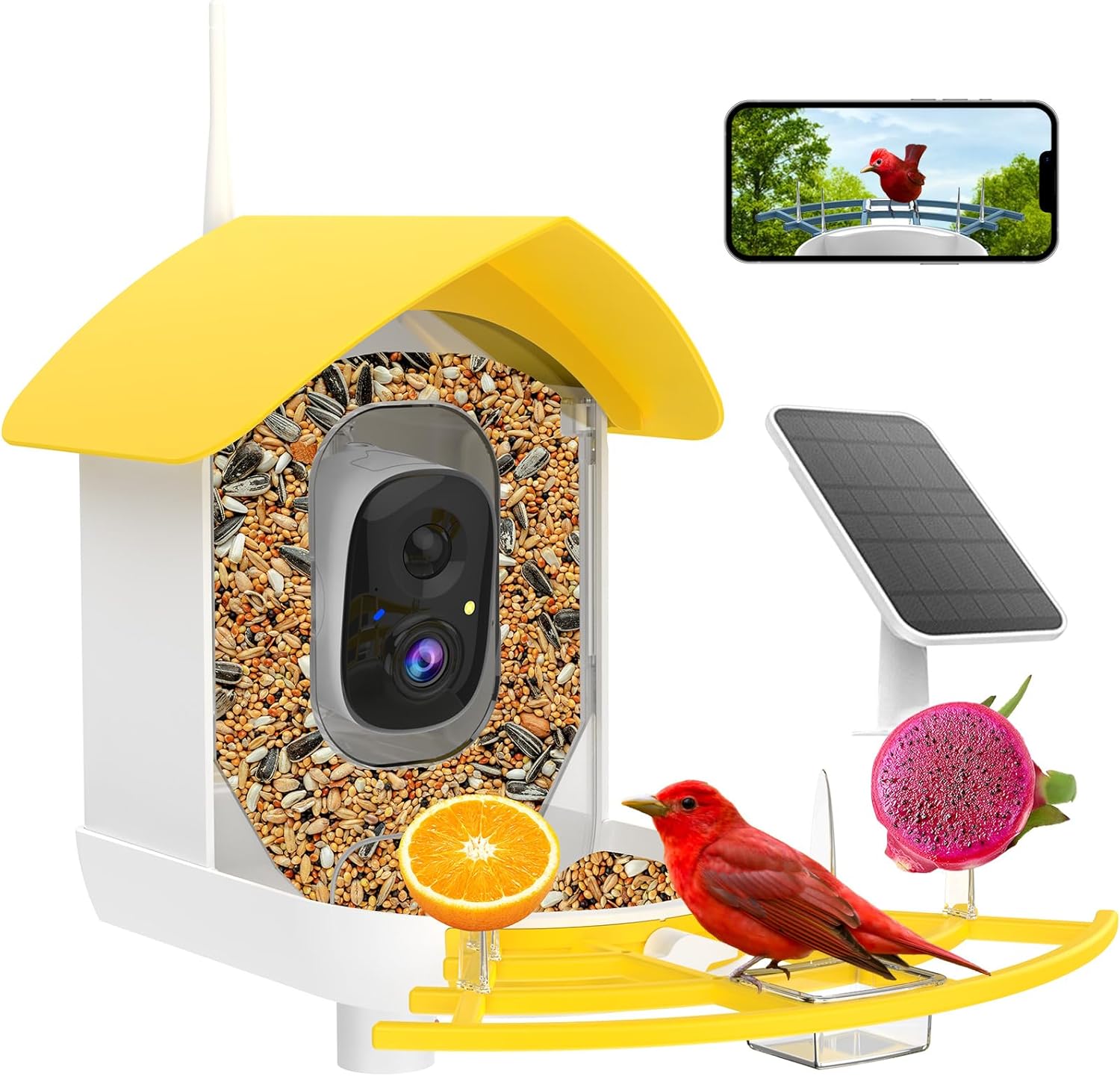
Figura 2.1: Sobreview of the Fazoxo Smart Bird Feeder with Camera, highlighting its main components.
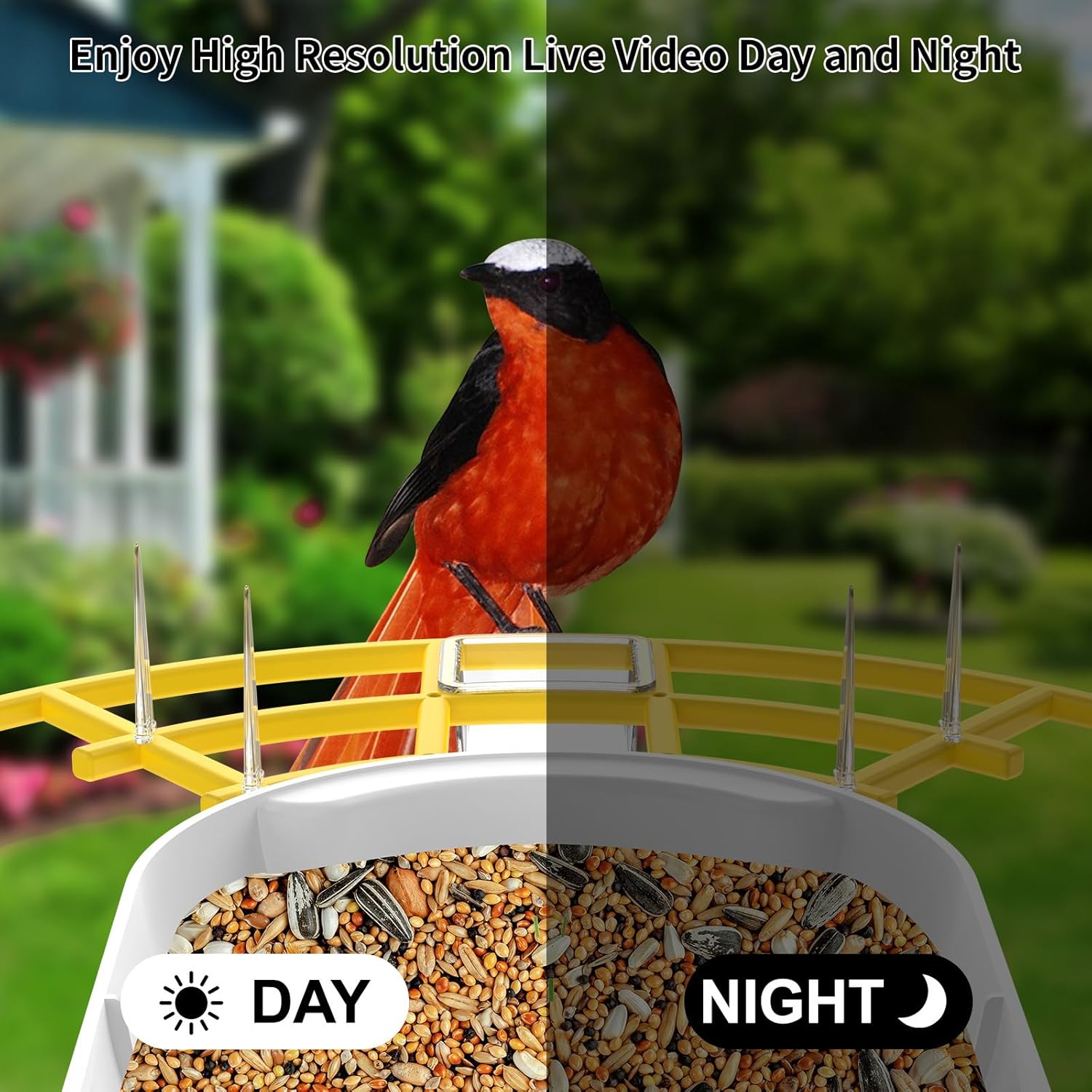
Figure 2.2: High-resolution live video day and night capabilities of the camera.
3. Configuración e instalación
3.1 Carga inicial
Before first use, fully charge the bird feeder's internal battery using the provided USB cable. Connect the cable to the charging port on the camera unit and a standard USB power adapter (not included). The charging indicator light will show status.
3.2 Instalación de la aplicación y conexión Wi-Fi
- Download the dedicated mobile application (e.g., 'Bird Lover' or similar, refer to packaging for exact app name) from your smartphone's app store (iOS or Android).
- Registre una cuenta e inicie sesión.
- Follow the in-app instructions to add your new device. Ensure your Wi-Fi network is 2.4 GHz, as the feeder only supports this frequency.
- The app will guide you through connecting the feeder to your home Wi-Fi network.
3.3 opciones de montaje
The Fazoxo Smart Bird Feeder offers versatile mounting options to suit your outdoor space:
- Montaje en poste: Attach the feeder to a suitable pole using the provided mounting hardware.
- Montaje en pared: Securely fasten the feeder to an exterior wall using screws and anchors.
- Monte en el árbol: Use the included straps to attach the feeder to a tree trunk.
Ensure the solar panel is positioned in an area that receives direct sunlight for most of the day to maximize charging efficiency.
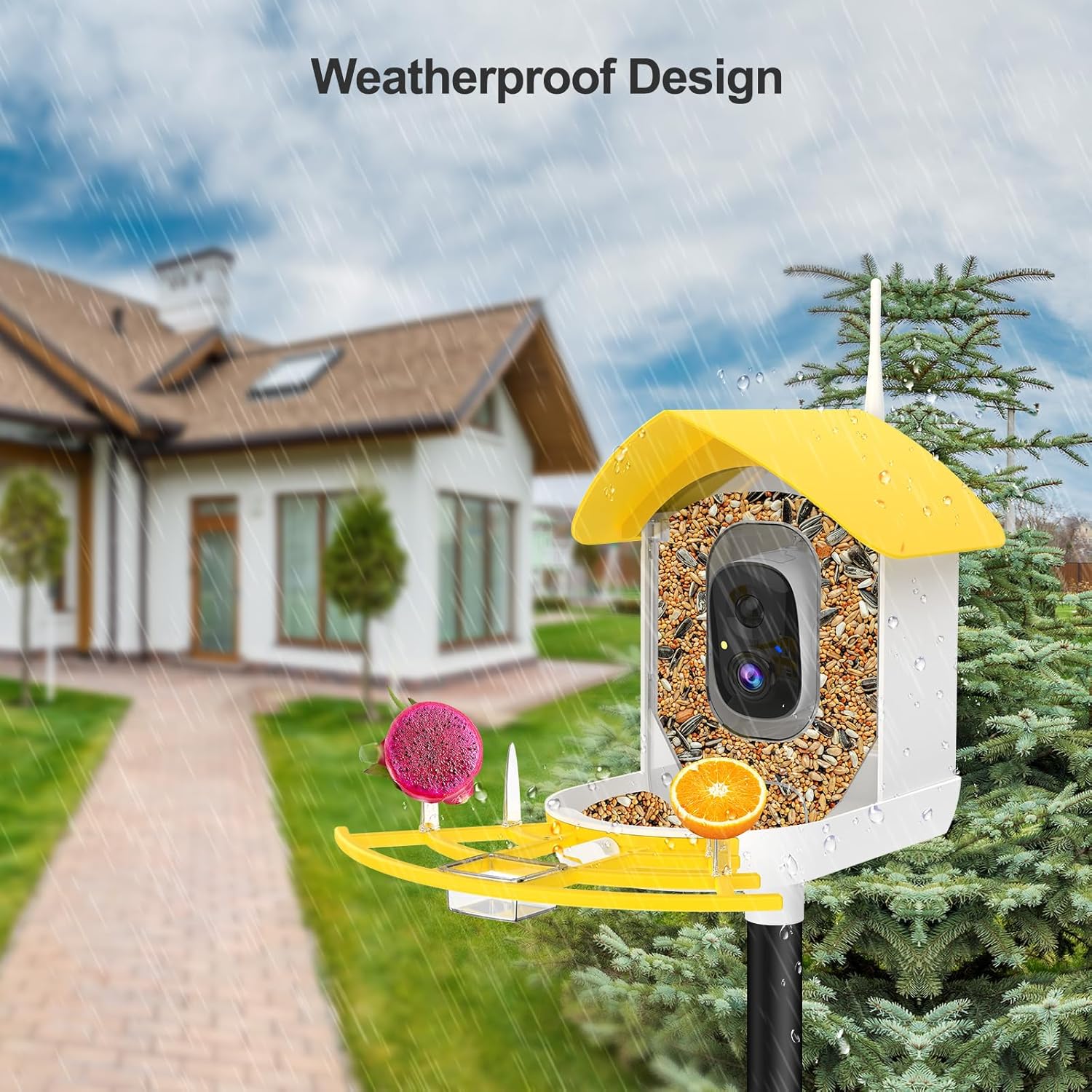
Figure 3.1: The weatherproof design allows for outdoor installation on a pole.

Figura 3.2: Example of wall mounting with the solar panel for continuous power.
4. Operación
4.1 Uso de la aplicación móvil
The mobile app is your primary interface for controlling and monitoring the bird feeder. Key functionalities include:
- Monitoreo en tiempo real: View live video feed from the camera at any time.
- Detección de movimiento y notificaciones: Receive instant alerts on your phone when a bird approaches the feeder.
- Identificación de aves por IA: The app can identify various bird species visiting your feeder. Note: This AI function requires a subscription after a 30-day free trial.
- Audio bidireccional: Listen to bird sounds and speak through the feeder's speaker.
- Video & Photo Capture: Manually record videos or take snapshots of visiting birds.
- Reproducción: Acceder a foo grabadotagy almacenados en la tarjeta TF o en la nube.
- Intercambio: Share access to your feeder's live feed and recordings with family and friends through the app.

Figure 4.1: Real-time notifications alert you when birds are present.

Figure 4.2: The AI feature identifies bird species for an enhanced birdwatching experience.

Figure 4.3: Share your birdwatching hobby with family and friends.
5. Mantenimiento
5.1 Limpieza del alimentador
Regular cleaning is crucial for the health of visiting birds and the longevity of your feeder. Always wash your hands after handling the feeder.
- Empty any remaining seeds.
- Disassemble the feeder components as per the quick start guide for thorough cleaning.
- Wash all parts with warm, soapy water. A mild disinfectant solution (e.g., 1 part bleach to 9 parts water) can be used for deeper cleaning, followed by thorough rinsing.
- Ensure all parts are completely dry before refilling with fresh birdseed.
- Limpie la lente de la cámara suavemente con un paño suave y seco.
5.2 Cuidado de la batería y el panel solar
The solar panel is designed to keep the feeder charged. Periodically wipe the solar panel surface with a damp cloth to remove dust or debris that might obstruct sunlight absorption. If the feeder's battery level drops significantly due to prolonged cloudy weather, you can manually charge it using the USB cable.
6. Solución de problemas
If you encounter issues with your Fazoxo Smart Bird Feeder, please refer to the following common solutions:
- El alimentador no se conecta al Wi-Fi: Ensure your Wi-Fi network is 2.4GHz. Check Wi-Fi signal strength at the feeder's location. Restart your router and the feeder.
- Mala calidad de video: Check for obstructions on the camera lens. Ensure adequate lighting (daytime) or that night vision is active (nighttime). Verify your internet connection speed.
- La batería no se carga: Ensure the solar panel is clean and receiving direct sunlight. Check the connection between the solar panel and the feeder. If using USB, ensure the cable and adapter are functional.
- Alertas de detección de movimiento: Verify motion detection settings in the app are enabled. Adjust sensitivity if necessary. Ensure the feeder is within Wi-Fi range.
- AI identification not working: Confirm your subscription status for the AI feature. Ensure the camera has a clear view of the bird.
For further assistance, please contact Fazoxo customer support.
7. Especificaciones
| Característica | Especificación |
|---|---|
| Marca | Fazoxo |
| Número de modelo | B1 |
| Dimensiones del producto | 9" de largo x 6.5" de ancho x 9" de alto |
| Peso del artículo | 4.16 libras |
| Material | ABS, policarbonato |
| Fuente de poder | Solar Powered; Battery Powered (1 Lithium Ion battery included) |
| Capacidad | 1.3 litros |
| Características especiales | Easy-Refill Top, Long Lasting, Rain Proof, Weatherproof |
| Tipo de montaje | Pole Mount; Wall Mount; Tree Mount |
| Especies objetivo | Northern Cardinal; Mourning Dove; American Robin; American Crow; Blue Jay; Sparrow; Goldfinch |

Figura 7.1: Dimensiones detalladas del producto para la planificación de la instalación.
8. Información de seguridad
Please adhere to the following safety guidelines for safe and responsible use of your bird feeder:
- Always wash your hands after handling the feeder, especially when refilling or cleaning.
- Clean the feeder regularly to maintain a safe and hygienic environment for birds.
- Do not use food that may harm specific bird species. Research appropriate birdseed for your local avian population.
- Follow local regulations regarding feeding wildlife.
- Keep the feeder out of reach of pets and small children to prevent accidental ingestion of seeds or damage to the unit.
- Ensure the feeder is securely mounted to prevent it from falling, especially in windy conditions.
9. Garantía y soporte
Fazoxo provides a standard warranty for this product. For specific warranty terms and conditions, please refer to the warranty card included in your package or visit the official Fazoxo website. If you experience any issues or have questions not covered in this manual, please contact Fazoxo customer support through the contact information provided on our websitio o dentro de la aplicación móvil.


