1. Introducción
This manual provides essential information for setting up, operating, and maintaining your Beelink SER5 MAX Mini PC. The Beelink SER5 MAX is a compact desktop computer powered by an AMD Ryzen 7 6800U processor, designed for various applications including office work, home entertainment, graphic design, and light gaming. It features high-speed memory, ample storage, and extensive connectivity options to enhance your productivity and multimedia experience.

Imagen: Más alláview of the Beelink SER5 MAX Mini PC, showcasing su diseño compacto y características clave.
2. ¿Qué hay en la caja?
Por favor, revise el contenido de su paquete para asegurarse de que todos los artículos están presentes:
- 1 x SER5 MAX 6800U Mini PC
- 1 cable HDMI (100 cm)
- 1 x adaptador de corriente
- 1 x Manual de usuario
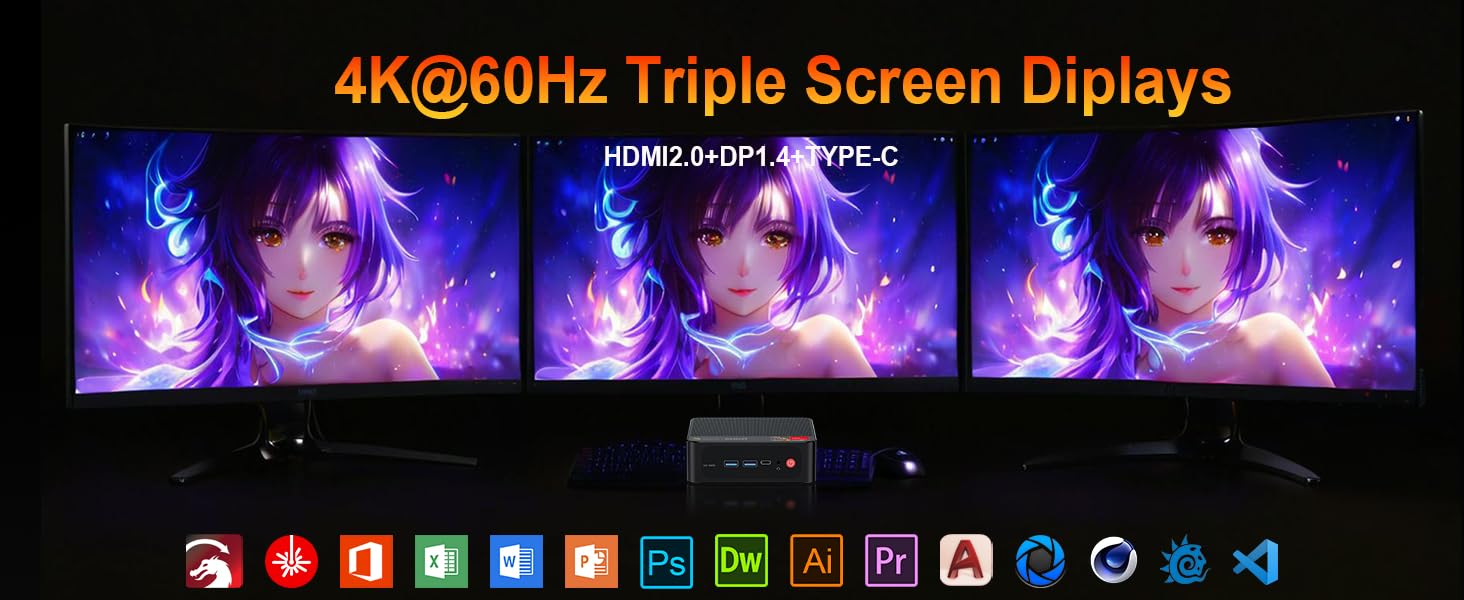
Image: Contents included in the Beelink SER5 MAX Mini PC package, showing the mini PC, power adapter, HDMI cable, and user manual.
3. Características del producto
The Beelink SER5 MAX Mini PC is equipped with advanced components for optimal performance:
- Procesador: AMD Ryzen 7 6800U (8 Cores/16 Threads, up to 4.7GHz, 16MB L3 Cache, 28W TDP).
- Gráficos: Integrated AMD Radeon RDNA 2 Graphics (12 Cores, 2200MHz).
- Memoria: 24GB LPDDR5 6300MHz RAM (2x12GB, non-replaceable).
- Almacenamiento: 500GB M.2 2280 PCIe 4x4 SSD. Supports dual SSDs up to 8TB total (Max 4TB each SSD).
- Salida de pantalla: Supports 4K@60Hz Triple Display via DP1.4, HDMI 2.0, and Type-C.
- Conectividad inalámbrica: WiFi 6 (802.11ax) for speeds up to 1200Mbps, Bluetooth 5.2.
- Conectividad por cable: Gigabit Ethernet (RJ45 1000Mbps LAN).
- Puertos:
- 3 x USB 3.2 Gen2 Tipo-A (10 Gbps)
- 1 x USB 2.0 Tipo-A
- 1 x Type-C (Data & Video Output)
- 1 x HDMI 2.0
- 1 x DisplayPort (DP1.4)
- 1 x DC Jack (Power Input)
- 1 conector de audio de 3.5 mm (HP y MIC)
- 1 x CLR CMOS Reset button
- Sistema de enfriamiento: MSC2.0 Cooling System with heat pipe, heat sink, and silent fan.
- Dimensiones: 4.9 x 4.4 x 1.6 pulgadas (126 x 113 x 42 mm).

Imagen: delantera y trasera view of the Beelink SER5 MAX Mini PC, highlighting its various connectivity ports.

Image: A Beelink SER5 MAX Mini PC connected to three monitors, demonstrating its triple display capability for multitasking.
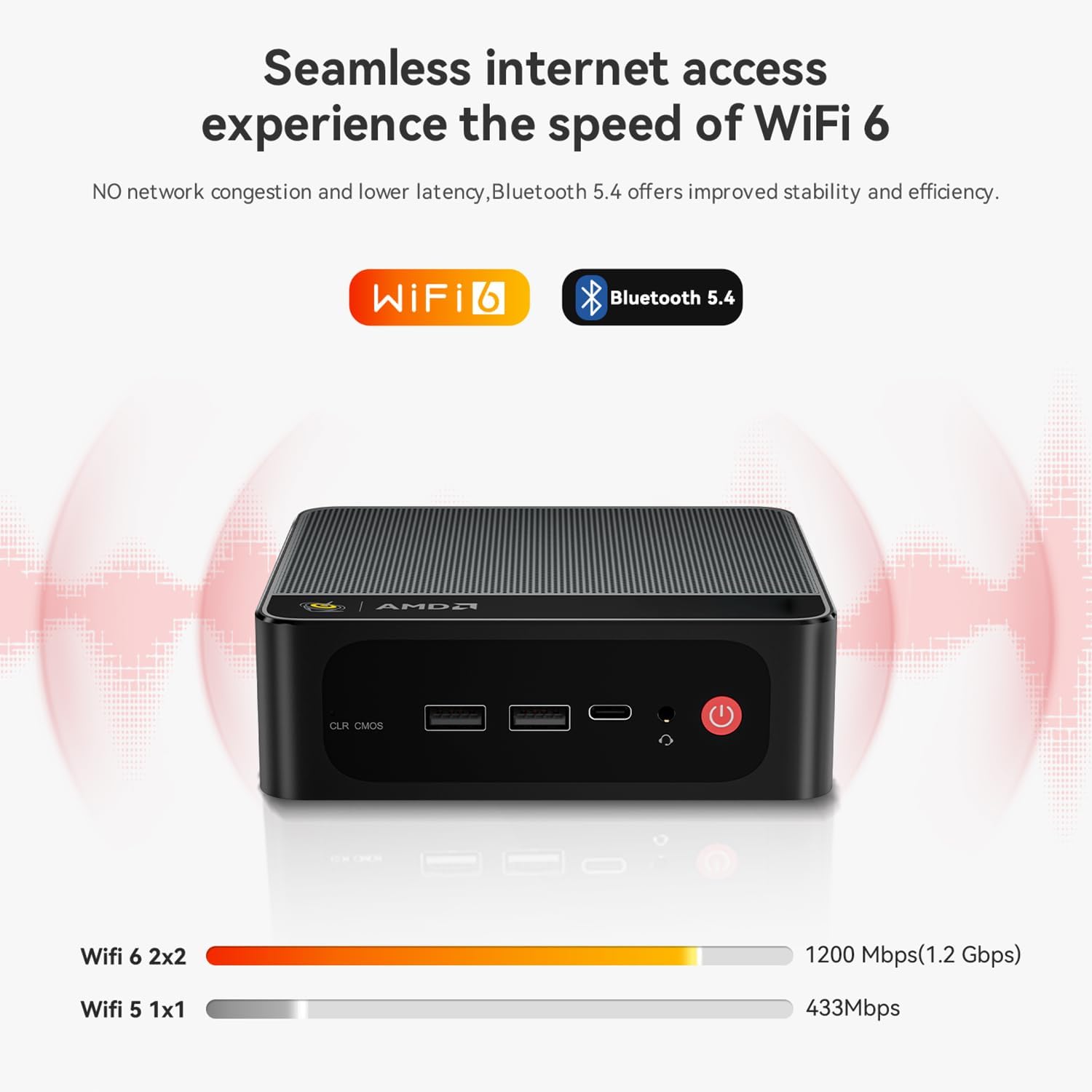
Image: Diagram illustrating the efficient MSC2.0 cooling system of the Beelink SER5 MAX, featuring a heat pipe, heat sink, and silent fan.
Vídeo del producto terminadoview
Vídeo: Un funcionario sobreview of the Beelink SER5 MAX 6800U Mini PC, highlighting its design, features, and performance capabilities.
4. Guía de configuración
Siga estos pasos para configurar su mini PC Beelink SER5 MAX:
- Conectar periféricos: Connect your monitor(s) using the HDMI, DisplayPort, or Type-C ports. Connect your keyboard and mouse to the available USB ports.
- Conecte la electricidad: Plug the power adapter into the DC Jack on the back of the Mini PC, then plug the adapter into a power outlet.
- Encendido: Presione el botón de encendido ubicado en la parte frontal de la mini PC. El sistema se iniciará.
- Configuración inicial: Siga las instrucciones en pantalla para completar la configuración inicial de Windows 11 Pro, incluido el idioma, la región, la conexión de red y la creación de la cuenta de usuario.
- Conexión de red: For wired internet, connect an Ethernet cable to the LAN port. For wireless internet, select your Wi-Fi network during setup or via Windows settings.
5. Instrucciones de funcionamiento
Your Beelink SER5 MAX Mini PC comes pre-installed with Windows 11 Pro, offering a familiar and intuitive operating environment.
- Uso básico: Navigate the Windows interface using your mouse and keyboard. Launch applications from the Start Menu or desktop shortcuts.
- Configuración de pantalla triple: To utilize multiple monitors, connect them to the available HDMI, DisplayPort, and Type-C video outputs. Windows will automatically detect the displays. You can configure display settings (e.g., extend, duplicate) via Configuración > Sistema > Pantalla.
- Conexión de dispositivos Bluetooth: To pair Bluetooth devices (e.g., headphones, speakers), go to Configuración > Bluetooth y dispositivos, turn on Bluetooth, and select 'Add device'.
- USB 3.2 Gen2: Utilize the high-speed USB 3.2 Gen2 ports for fast data transfer with compatible external storage devices. The Type-C port also supports data and video output.
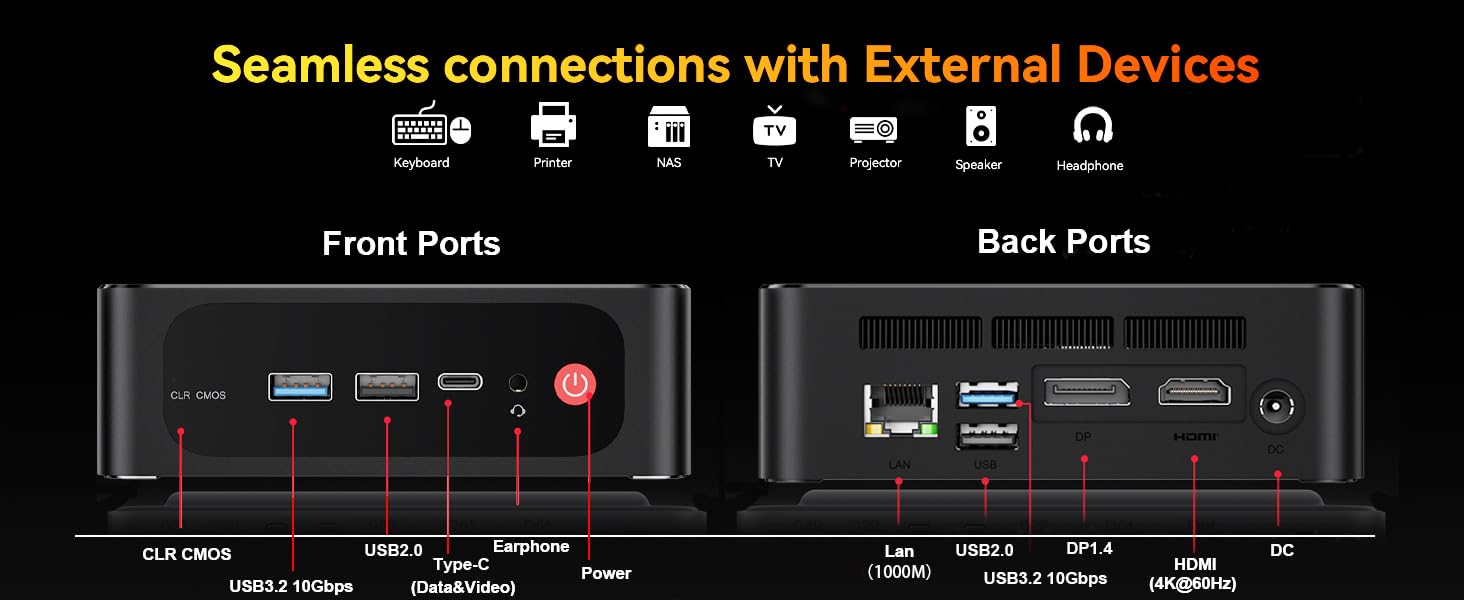
Image: The Beelink SER5 MAX Mini PC running multiple productivity applications simultaneously, demonstrating its multitasking capabilities.
6. Mantenimiento
Un mantenimiento adecuado garantiza la longevidad y el rendimiento óptimo de su Mini PC:
- Limpieza: Regularly clean the exterior of the Mini PC with a soft, dry cloth. Use compressed air to clear dust from the ventilation grilles to maintain efficient cooling.
- Ventilación: Asegúrese de que la minicomputadora esté ubicada en un área bien ventilada, alejada de la luz solar directa y de fuentes de calor. No bloquee las rejillas de ventilación.
- Actualización de almacenamiento: The Mini PC supports dual M.2 2280 PCIe 4x4 SSDs. To upgrade or add storage, carefully open the chassis and install the new SSD. Refer to the detailed instructions provided with your device for specific steps.
- Actualizaciones de software: Keep your Windows operating system and drivers updated to ensure security and performance.

Imagen: interna view of the Beelink SER5 MAX Mini PC, showing the dual M.2 2280 PCIe 4.0 SSD slots for storage expansion.
7. Solución de problemas
If you encounter issues with your Beelink SER5 MAX Mini PC, refer to the following common solutions:
- Sin energía:
- Asegúrese de que el adaptador de corriente esté conectado de forma segura tanto a la mini PC como a una toma de corriente que funcione.
- Verifique que la toma de corriente funcione enchufando otro dispositivo.
- Sin pantalla:
- Check all video cable connections (HDMI, DP, Type-C) between the Mini PC and the monitor(s).
- Asegúrese de que el monitor esté encendido y configurado en la fuente de entrada correcta.
- Intente conectarlo a un monitor diferente o utilizar un cable de video diferente.
- Sin conexión a Internet:
- Para Wi-Fi, verifique si Wi-Fi está habilitado en la configuración de Windows y si está conectado a la red correcta.
- Para la conexión por cable, asegúrese de que el cable Ethernet esté conectado correctamente y de que su enrutador funcione.
- Reinicie su enrutador y módem.
- Ralentización del sistema:
- Cierre las aplicaciones innecesarias que se ejecutan en segundo plano.
- Busque e instale cualquier actualización de Windows pendiente.
- Asegúrese de que haya una ventilación adecuada para evitar el sobrecalentamiento.
- CLR CMOS Reset: If the system experiences boot issues or incorrect settings, locate the CLR CMOS button (often a small pinhole) on the front panel and press it with a paperclip for a few seconds while the device is off. This will reset BIOS settings to default.
8. Especificaciones
Especificaciones técnicas detalladas de la mini PC Beelink SER5 MAX:
| Componente | Especificación |
|---|---|
| Procesador | AMD Ryzen 7 6800U (8C/16T, 2.7GHz base, up to 4.7GHz boost) |
| Gráficos | AMD Radeon 680M (12 núcleos, 2200 MHz) |
| RAM | 24GB LPDDR5 6300MHz (2x12GB SODIMM) |
| Almacenamiento | 500GB M.2 2280 PCIe 4x4 SSD (Expandable up to 8TB total) |
| Sistema operativo | Windows 11 Pro |
| Conectividad inalámbrica | Wi-Fi 6 (802.11ax), Bluetooth 5.2 |
| Conectividad por cable | Gigabit Ethernet (RJ45 1000Mbps LAN) |
| Salida de vídeo | 1x HDMI 2.0 (4K@60Hz), 1x DisplayPort 1.4 (4K@144Hz), 1x Type-C (4K@120Hz) |
| Puertos USB | 3x USB 3.2 Gen2 Type-A, 1x USB 2.0 Type-A, 1x Type-C (Data&Video) |
| Audio | 1 conector de audio de 3.5 mm (HP y micrófono) |
| Entrada de potencia | DC Jack (19V-3.42A, 65W) |
| Dimensiones | 126 x 113 x 42 mm (4.9 x 4.4 x 1.6 pulgadas) |
| Peso | Aprox. 1.94 libras |
| Otras características | Wake On LAN, Auto Power On, CLR CMOS |

Image: A detailed table summarizing the technical specifications of the Beelink SER5 MAX Mini PC.
9. Garantía y soporte
Beelink ofrece soporte integral para su Mini PC:
- Soporte técnico de por vida: Acceso a asistencia técnica durante la vida útil de su producto.
- Servicio al cliente: 7/24 hours customer service available.
- Garantía: Consulte la documentación de compra para obtener detalles sobre el período de garantía específico.
Cómo contactar con el servicio de asistencia:
- Inicie sesión en su cuenta de Amazon.
- Vaya a "Su cuenta".
- Vaya a "Sus pedidos".
- Select the Beelink SER5 MAX Mini PC and choose "Ask Product Question" to contact Beelink USA directly.

Image: Information on how to contact Beelink USA for after-sales service and support.


