1. Introducción
This manual provides detailed instructions for the installation, operation, and maintenance of your Vrabocry Mini Bluetooth LED Controller SP621E USB. This controller is designed for use with addressable LED strips such as WS2811, WS2812B, and SK6812, offering versatile lighting control via a smartphone application.
2. Producto terminadoview
2.1 Características principales
- Supports 5V WS2812B and 12V/24V WS2811 LED strips or chains.
- USB input for convenient power supply (5V-24V operating voltagmi).
- Compatible with iOS/Android app control via Bluetooth connection.
- Offers 18 music modes and 142 lighting effects.
- Music control timer function to synchronize lights with audio.
- Color calibration feature for consistent color display between app and LED strip.
- Certified by FCC, CE, RoHS, ensuring product quality and safety.
2.2 Especificaciones
| Marca | Vrabocry |
| Número de modelo | SP621E |
| Estilo | USB |
| Vol de funcionamientotage | USB 5V ~ 24V |
| Corriente maxima | 2.9 A |
| Temperatura de funcionamiento | -20 ℃ ~ 60 ℃ |
| Dimensiones (controlador) | Approx. 35mm x 14mm x 7mm (L x W x H) |
| Peso del artículo | 18.1 gramos |
| Color claro | RGB (Addressable Pixel) |
| Tipo de controlador | Control de aplicaciones (Bluetooth) |
| Uso interior/exterior | Interior |
3. Información de seguridad
Lea y comprenda todas las instrucciones de seguridad antes de usar este producto. No seguirlas podría provocar descargas eléctricas, incendios u otros peligros.
- Asegúrese de que la fuente de alimentación voltage matches the requirements of your LED strip and controller (5V-24V).
- Do not exceed the maximum current rating of 2.9A for the controller. Overloading can cause damage or fire.
- This product is designed for indoor use only. Avoid exposure to moisture, water, or extreme temperatures.
- Do not attempt to open or modify the controller. This will void the warranty and may lead to safety risks.
- Mantener fuera del alcance de los niños.
4. Contenido del paquete
El paquete incluye:
- 1 x Vrabocry Mini Bluetooth LED Controller SP621E USB
5. Configuración
5.1 Conexión de hardware
- Conecte la tira LED: Identify the data (D), ground (G), and positive (+) wires on your addressable LED strip. Connect them to the corresponding pins on the SP621E controller's output connector. Ensure correct polarity.
- Conecte la electricidad: Plug the USB connector of the SP621E controller into a compatible USB power source (e.g., USB wall adapter, power bank, computer USB port) that provides 5V-24V.

Figure 1: Connection Diagram and Controller Dimensions. This image illustrates how to connect the USB power source to the controller and the controller to the LED light strip, along with the physical dimensions of the SP621E controller.
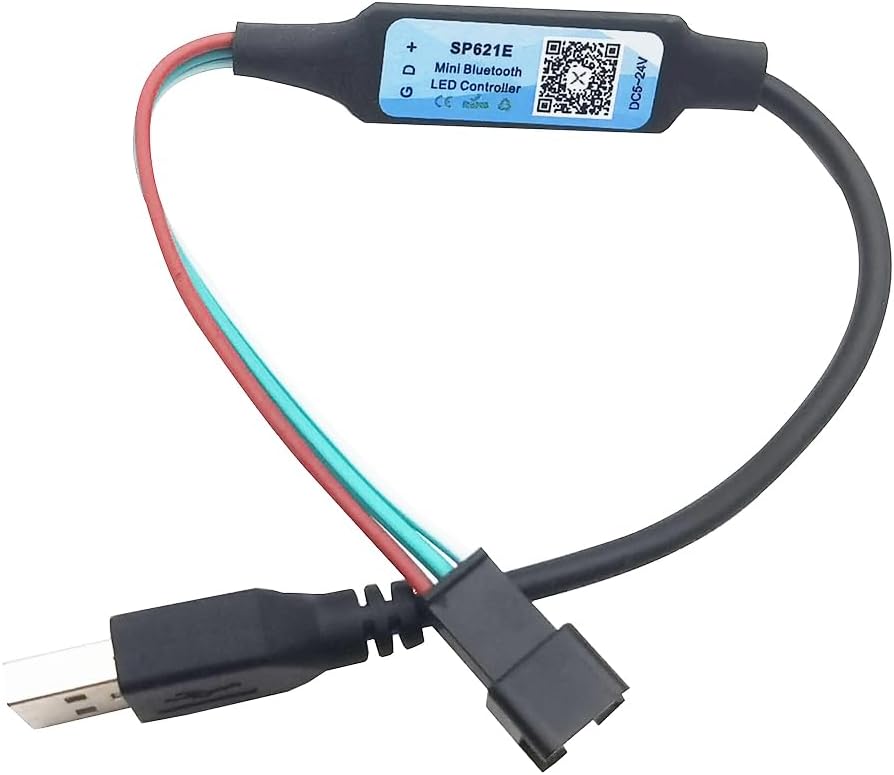
Figure 2: Vrabocry SP621E USB Controller. This image displays the compact design of the USB-powered LED controller with its input and output connectors.
5.2 Instalación y emparejamiento de la aplicación
- Descargar la aplicación: Scan the QR code on the controller or visit https://download.ledhue.com/page/scenex/ to download the compatible control application for your iOS or Android device.
- Instala la aplicación: Siga las instrucciones que aparecen en pantalla para instalar la aplicación en su teléfono inteligente.
- Pair with Controller:
- Asegúrese de que Bluetooth esté habilitado en su teléfono inteligente.
- Open the control application.
- The app should automatically detect and list available SP621E controllers. Select your controller from the list to pair.
- Once paired, the app interface will become active, allowing you to control your LED strip.
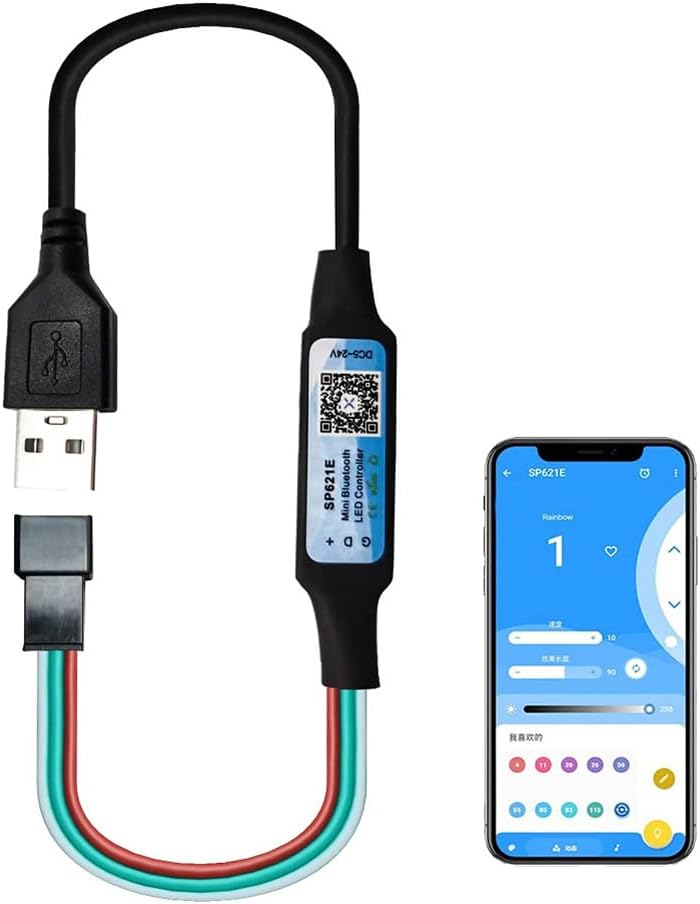
Figure 3: App Control Interface. This image shows the SP621E controller in operation, with a smartphone displaying the user interface of the control application, demonstrating how to manage lighting effects.
6. Instrucciones de funcionamiento
6.1 Control básico
Once connected and paired, use the smartphone application to:
- Select Effects: Browse through 142 pre-programmed lighting effects.
- Ajustar brillo/velocidad: Modify the brightness and speed of the selected effects.
- Elija colores: Select static colors or color palettes.
6.2 modos de música
The controller features 18 music modes that synchronize your LED lights with audio. To use this function:
- Select a music mode within the application.
- The app can utilize your phone's microphone to pick up ambient sound or integrate with your music player to create dynamic light patterns.
- Adjust sensitivity or other parameters if available in the app for optimal synchronization.
6.3 Calibración de color
If the colors displayed on your LED strip do not match the colors selected in the app, perform a color calibration:
- Navigate to the color calibration section within the app settings.
- The app will typically display a series of colors (e.g., Red, Green, Blue).
- Match the displayed color in the app to the actual color shown on your LED strip by selecting the correct option in the app. This ensures accurate color representation.
7. Mantenimiento
To ensure the longevity and proper functioning of your Vrabocry SP621E controller:
- Limpieza: Limpie suavemente el controlador con un paño seco y suave. No utilice limpiadores líquidos ni disolventes.
- Almacenamiento: Guarde el controlador en un lugar fresco y seco, alejado de la luz solar directa y de temperaturas extremas cuando no esté en uso.
- Inspección: Periodically check connections for any signs of wear or damage.
8. Solución de problemas
8.1 Problemas comunes y soluciones
- Los LED no se encienden:
- Check if the USB power source is active and providing sufficient power (5V-24V).
- Verify that the LED strip is correctly connected to the controller (data, ground, positive).
- Ensure the LED strip is compatible with the SP621E (WS2811, WS2812B, SK6812).
- Confirm the app is paired and an effect is selected.
- Controller not pairing with app:
- Asegúrese de que Bluetooth esté habilitado en su teléfono inteligente.
- Asegúrese de que el controlador esté encendido.
- Reinicie la aplicación e intente realizar el emparejamiento nuevamente.
- Intente reiniciar su teléfono inteligente.
- Los colores son incorrectos o inconsistentes:
- Perform a color calibration as described in Section 6.3.
- Check the wiring of your LED strip for any loose connections or incorrect polarity.
- Music mode not responding:
- Ensure your phone's microphone is not blocked and has permission for the app.
- Adjust the sensitivity settings within the app.
9. Garantía y soporte
The Vrabocry SP621E controller is certified by FCC, CE, and RoHS, indicating compliance with relevant safety and environmental standards.
For technical support or further inquiries, please refer to the product's official support channels or the application download page at https://download.ledhue.com/page/scenex/.
Los detalles específicos de la garantía pueden variar según la región y el vendedor. Conserve su comprobante de compra para cualquier reclamación de garantía.

