1. Producto terminadoview
La CZEview 3K 5MP Indoor Security Camera is a versatile device designed for home surveillance, pet monitoring, and baby monitoring. It offers crystal-clear 3K 5MP resolution, dual-band 2.4/5GHz Wi-Fi connectivity, and advanced features such as remote pan, tilt, and zoom capabilities. The camera includes night vision for low-light conditions, motion detection with auto-tracking, and two-way audio communication. It is also compatible with Alexa for convenient voice control.


2. ¿Qué hay en la caja?
Verifique el contenido del paquete para asegurarse de que todos los artículos estén presentes:
- 2x República Checaview Cámara panorámica/inclinable
- Adaptador de corriente
- Guía de inicio rápido
- Tornillo de montaje
- Placa de montaje
3. Guía de configuración
3.1 Configuración inicial
- Conexión de energía: Connect the camera to the power adapter using the provided micro-USB cable and plug it into a power outlet. The camera will power on and initiate its startup sequence.
- Descarga de la aplicación: Download the designated mobile application (e.g., 'Elemage Cam' or as specified in the Quick Start Guide) from your device's app store (compatible with Android and iOS).
- Registro de cuenta: Abra la aplicación y siga las instrucciones en pantalla para registrar una nueva cuenta o iniciar sesión si ya tiene una.
- Agregar dispositivo: Within the app, select the option to add a new device. Follow the prompts to scan the QR code on the camera or manually select your camera model.
3.2 Conexión Wi-Fi
La CZEview camera supports both 2.4GHz and 5GHz Wi-Fi networks, offering flexibility and improved performance.

- Selección de red: Ensure your smartphone is connected to the Wi-Fi network you intend to connect the camera to.
- Entrada de contraseña: Enter your Wi-Fi password accurately into the app when prompted. Double-check for typos.
- Proceso de conexión: The app will guide you through the connection process, which may involve displaying a QR code on your phone screen for the camera to scan, or emitting an audible tone.
- Confirmación: Once connected, the camera will typically indicate a successful connection (e.g., a voice prompt or LED indicator change), and the app will confirm the device is online.
3.3 Montaje de la cámara
The camera is designed for indoor use and can be ceiling-mounted for optimal coverage.
- Ubicación: Elija una ubicación que proporcione lo deseado viewángulo de visión y está dentro del alcance de su red Wi-Fi.
- Instalación: Use the provided mounting plate and screws to secure the camera to a ceiling or wall. If mounting into wood, pre-drilling pilot holes is recommended.
4. Instrucciones de funcionamiento
4.1 Panorámica, inclinación y zoom (PTZ)
The camera offers a 355° horizontal rotation and 100° vertical rotation, allowing for comprehensive coverage of your indoor space. It also features 4x digital zoom.
- Control: Use the directional controls within the mobile app to remotely adjust the camera's viewángulo de ing.
- Zoom: Pinch-to-zoom on the live feed within the app to digitally zoom in on specific areas.

4.2 Visión nocturna
Equipped with infrared LEDs, the camera provides clear video footage even in low-light or complete darkness.
- Activación automática: La visión nocturna se activa automáticamente cuando los niveles de luz ambiental son bajos.
- Claridad: The 3K 5MP resolution ensures details are visible in night vision mode.
4.3 Detección de movimiento y seguimiento automático
The camera can detect motion and sound, sending instant notifications to your phone. It also features auto-tracking to follow detected movement.
- Notificaciones: Enable motion and sound alerts in the app settings to receive real-time notifications.
- Seguimiento automático: When enabled, the camera will automatically pan and tilt to keep a moving subject within its field of view.

4.4 Conversación bidireccional
Communicate with family members or pets through the camera using the two-way talk feature.
- Activación: Toque el icono del micrófono en vivo view interface of the app to speak through the camera's speaker.
- Escuchando: El micrófono incorporado de la cámara le permite escuchar audio desde la ubicación de la cámara.

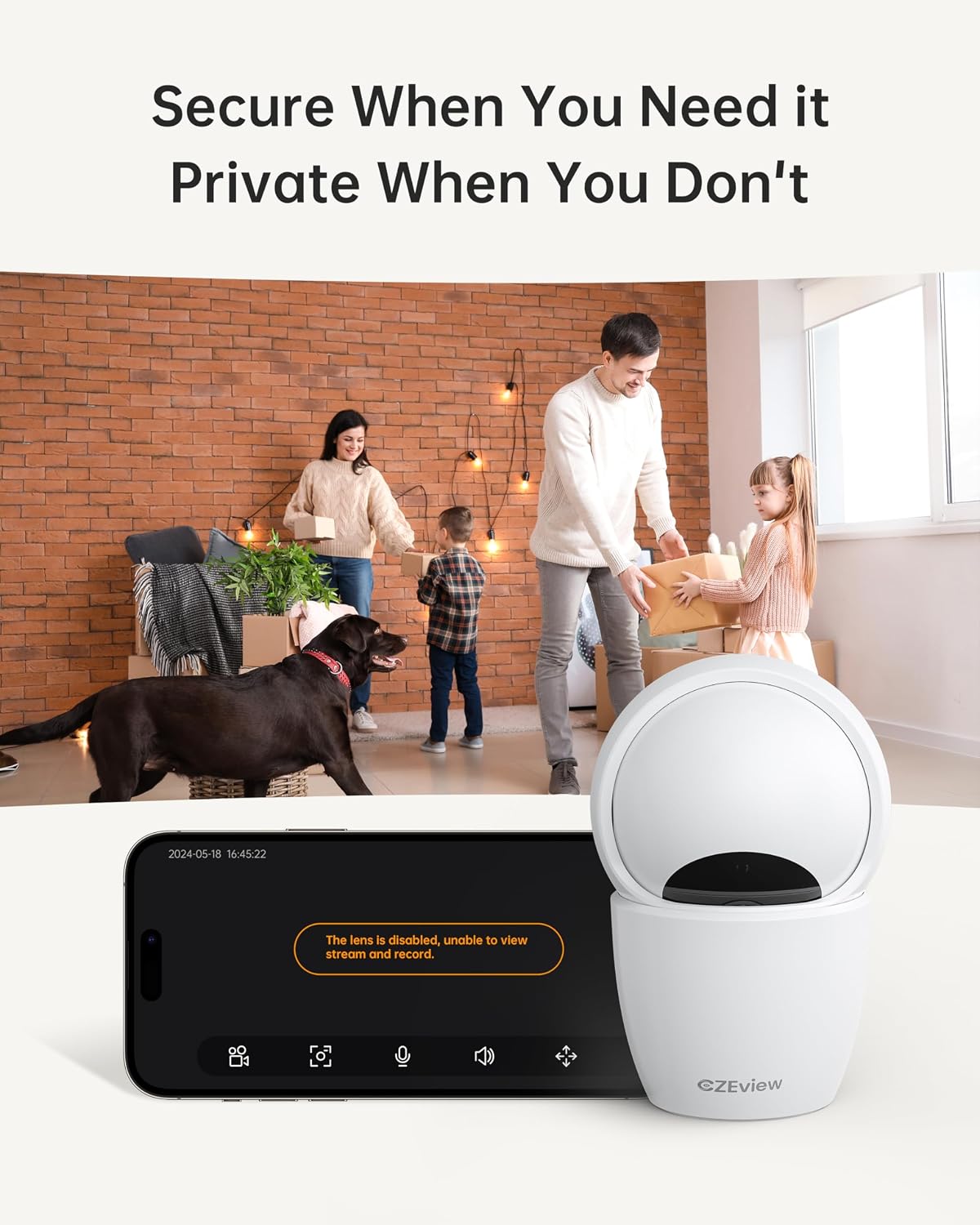
4.5 Modo de privacidad
To ensure privacy, the camera can be deactivated with a single click in the app, physically turning the lens away.
- Activación: Locate the privacy mode option in the app settings or live view screen. Activating it will disable video streaming and recording.
- Programación: Some app versions may allow scheduling privacy mode for specific times.

4.6 Grabación y almacenamiento
The camera supports local storage via a Micro SD card (up to 128GB, not included) and offers optional cloud storage plans for continuous 24/7 recording.
- Tarjeta micro SD: Insert the Micro SD card into the slot. To locate the slot and reset button, gently tilt the camera's 'eyeball' (lens housing) upward.
- Almacenamiento en la nube: Refer to the app for details on available cloud storage plans and subscription options.
4.7 Integración con Alexa
The camera works with Alexa, allowing for voice-activated control and viewEn.
- Vinculación de cuenta: Follow the instructions in the Alexa app to enable the CZEview skill and link your camera account.
- Comandos de voz: Utilice comandos como "Alexa, muéstrame el [nombre de la cámara]" para view the live feed on compatible Alexa devices with screens.
5. Mantenimiento
- Limpieza: Utilice un paño suave y seco para limpiar la lente y el cuerpo de la cámara. Evite limpiadores abrasivos o disolventes.
- Actualizaciones de software: Regularly check the mobile app for firmware updates to ensure optimal performance and security. Follow the in-app instructions for updating.
- Colocación: Ensure the camera is placed in a stable, dry indoor environment, away from direct sunlight, extreme temperatures, and sources of vibration.
6. Solución de problemas
| Problema | Posible causa | Solución |
|---|---|---|
| La cámara no se conecta al Wi-Fi | Incorrect Wi-Fi password; Camera too far from router; Router band incompatibility; Network congestion. | Double-check Wi-Fi password. Move camera closer to router. Ensure router supports 2.4GHz or 5GHz (whichever you are connecting to). Try restarting your router and camera. |
| Mala calidad de imagen | Lente sucia; Iluminación insuficiente; Problemas de ancho de banda de red. | Clean the camera lens with a soft cloth. Ensure adequate lighting or verify night vision is active in low light. Check your internet speed. |
| Sin alertas de detección de movimiento | Motion detection disabled in app; Sensitivity too low; App notifications blocked. | Enable motion detection in the app settings. Adjust sensitivity level. Check your phone's notification settings for the app. |
| Two-way talk audio issues | Microphone/speaker muted in app; Network delay; Obstruction. | Ensure microphone and speaker are enabled in the app. Check network connection stability. Ensure no physical obstructions are blocking the microphone or speaker. |
| Camera is unresponsive / needs reset | Error de software; error de configuración. | Unplug the camera, wait 10 seconds, then plug it back in. If issues persist, locate the reset button (by tilting the lens upward) and press it for 5-10 seconds until the camera resets. You may need to re-add the camera to the app after a factory reset. |
7. Especificaciones
| Característica | Detalle |
|---|---|
| Nombre del modelo | ZY-D4 |
| Uso en interiores y exteriores | Interior |
| Resolución de imágenes fijas efectiva | 5 MP (3K) |
| Resolución de captura de video | 1920p |
| Protocolo de conectividad | Wi-Fi (2.4/5Ghz Dual Band) |
| Fuente de poder | Eléctrico con cable |
| Tipo de controlador | Aplicación Elemage Cam |
| Tipo de montaje | Montaje en el techo |
| Rango de movimiento horizontal y vertical | 355 ° Horizontal, Vertical ° 100 |
| Zoom digital | 4x |
| Opciones de almacenamiento | Tarjeta Micro SD (hasta 128 GB, no incluida), almacenamiento en la nube (opcional) |
| Características especiales | Night Vision, Motion Sensor, Dual Band Wi-Fi, Auto Tracking, Two-Way Talk, Privacy Mode, Alexa Compatible |
| Dimensiones del producto | 3 x 3 x 5 pulgadas |
| Peso del artículo | 1.37 libras |
8. Garantía y soporte
For warranty information and technical support, please refer to the Quick Start Guide included in your product packaging or visit the official CZEview webLos datos de contacto del servicio de atención al cliente suelen estar en el sitio web del fabricante. websitio.


