1. Introducción
This manual provides detailed instructions for the DUSONLAP Smartwatch P66E. Please read this manual thoroughly before using the device to ensure proper operation and to maximize its features. Keep this manual for future reference.
2. Información de seguridad
- No intente desmontar, reparar ni modificar el dispositivo. Esto podría causar daños, descargas eléctricas o incendios.
- Mantenga el dispositivo alejado de temperaturas extremas, luz solar directa y humedad alta.
- Evite exponer el dispositivo a impactos fuertes o caídas.
- Consult a medical professional before starting any new exercise regimen, especially if you have pre-existing health conditions. The health data provided by this device is for reference only and should not be used for medical diagnosis or treatment.
- Mantenga el dispositivo y sus accesorios fuera del alcance de los niños.
- Deseche el dispositivo y su batería de acuerdo con la normativa local. No los tire junto con la basura doméstica.
3. Contenido del paquete
Por favor revise el paquete para ver los siguientes artículos:
- DUSONLAP Smartwatch P66E (1 unit)
- Cable de carga magnético (1 unidad)
- Manual de usuario (1 unidad)
4. Producto terminadoview
Familiarize yourself with the components and display of your DUSONLAP Smartwatch P66E.

Image 4.1: Smartwatch Main Display and Call Interface. This image illustrates the primary watch face displaying essential information such as time, date, weather, heart rate, calories burned, distance covered, and step count. It also shows the interface for incoming calls, including options to accept or reject, and a dialer keypad.
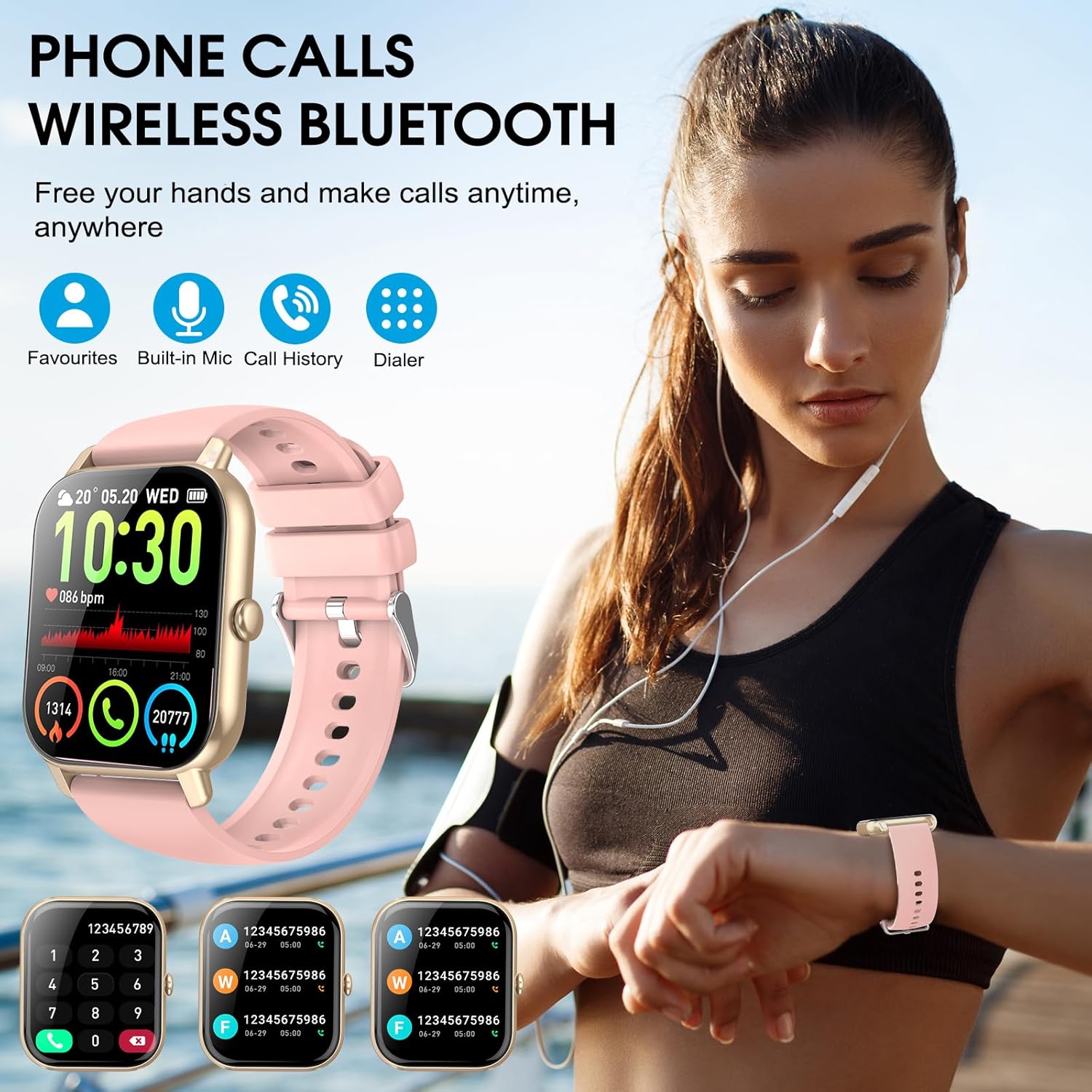
Image 4.2: Bluetooth Call Feature. This image shows a user wearing the DUSONLAP Smartwatch P66E, highlighting its Bluetooth call capability. The watch face displays call-related information, and the surrounding graphics indicate features like favorites, built-in mic, call history, and dialer, emphasizing hands-free communication.
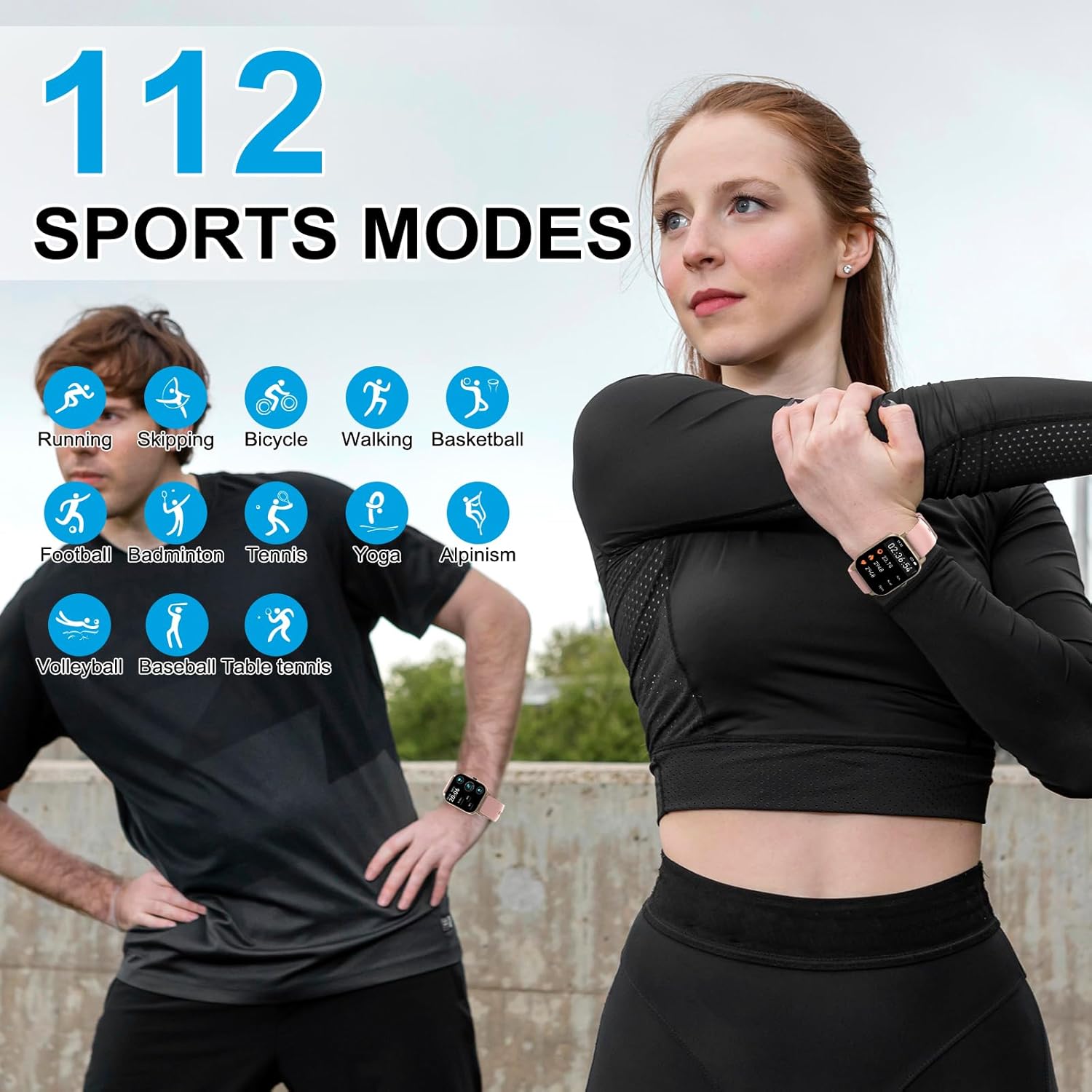
Imagen 4.3: 112 modos deportivos. This image depicts two people engaged in physical activity, illustrating the versatility of the DUSONLAP Smartwatch P66E with its extensive range of over 112 sports modes. Icons for various activities like running, skipping, cycling, walking, basketball, football, badminton, tennis, yoga, alpinism, volleyball, baseball, and table tennis are displayed.

Imagen 4.4: Resistencia al agua IP68. This image shows the DUSONLAP Smartwatch P66E being exposed to water splashes, visually confirming its IP68 life water-resistant capability. The text indicates that the watch can withstand daily water exposure like hand washing and rain.

Image 4.5: Heart Rate and Sleep Monitoring. This image is divided into two sections. The top section shows individuals running, with the watch and a smartphone app displaying real-time heart rate data. The bottom section shows a person sleeping, with the watch and app illustrating automatic sleep monitoring, including sleep stages, to help assess sleep quality.

Image 4.6: Battery Life, Display, and Special Features. This image highlights the DUSONLAP Smartwatch P66E's battery performance (2 hours charging for 7 days use, 30 days standby) and its 1.85-inch HD display with customizable watch faces. It also showcases additional features such as weather forecast, music player control, alarm clock, camera remote control, sedentary reminder, and time display options.
5. Configuración
5.1 Carga del reloj inteligente
Before initial use, fully charge your smartwatch. Connect the magnetic charging cable to the charging contacts on the back of the watch and plug the USB end into a power adapter (not included) or a computer's USB port. A full charge typically takes approximately 2 hours.
5.2 Instalación de la aplicación
To unlock the full potential of your DUSONLAP Smartwatch P66E, download and install the companion application on your smartphone. Buscar "Fitness Tracker" (or the specific app name if known, otherwise use generic) in your smartphone's app store (Google Play Store for Android or Apple App Store for iOS).
- Scan the QR code provided in the quick start guide (if available) or search for "Fitness Tracker" in your app store.
- Descargue e instale la aplicación.
- Abra la aplicación y siga las instrucciones en pantalla para crear una cuenta y configurar su cuenta profesional.file.
5.3 Emparejamiento con su teléfono inteligente
Ensure your smartwatch is charged and your smartphone's Bluetooth is enabled.
- Open the "Fitness Tracker" app on your smartphone.
- Navigate to the device pairing section (usually found under "Device" or "Profile").
- The app will search for available devices. Select "DUSONLAP P66E" from the list.
- Confirme la solicitud de emparejamiento tanto en su teléfono inteligente como en el reloj inteligente si se le solicita.
- Una vez emparejado, el reloj sincronizará los datos con la aplicación.
Nota: For Bluetooth call functionality, you may need to pair the watch a second time through your phone's native Bluetooth settings. Look for a device named "P66E_CALL" or similar and connect to it.
6. Instrucciones de funcionamiento
6.1 Navegación básica
- Pantalla táctil: Desliza el dedo hacia la izquierda o la derecha para navegar entre las pantallas principales (p. ej., datos de actividad, frecuencia cardíaca, clima). Desliza el dedo hacia arriba o hacia abajo para acceder a la configuración rápida o las notificaciones.
- Botón lateral: Press once to return to the main watch face or to wake the screen. Press and hold to power on/off or access system options.
6.2 Llamadas y notificaciones por Bluetooth
- Haciendo llamadas: Once paired for calls, access the dialer or contact list on your watch to initiate a call.
- Recibir llamadas: When an incoming call is received, the watch will ring and vibrate. You can answer or reject the call directly from the watch screen.
- Notificaciones de mensajes: Ensure app notifications are enabled in your smartphone's settings and the "Fitness Tracker" app. The watch will display notifications from various apps like Facebook, InstagRAM y Twitter.
6.3 modos deportivos
The DUSONLAP P66E supports over 112 sports modes. To access:
- Swipe on the watch face to find the "Sports" or "Workout" icon.
- Tap to enter and browse the list of available activities.
- Select your desired sport to start tracking. The watch will record duration, calories, heart rate, and other relevant metrics.
- Swipe right or press the side button to pause or end a workout.
6.4 Monitoreo de Salud
- Monitor de frecuencia cardíaca: El reloj monitorea continuamente tu frecuencia cardíaca. View real-time data on the watch or detailed historical data in the app. The watch can alert you to abnormal heart rate readings.
- Monitor de sueño: Wear the watch to bed for automatic sleep tracking. The app provides a comprehensive analysis of your sleep patterns, including deep sleep, light sleep, and awake times.
- Podómetro: El reloj registra automáticamente tus pasos diarios, la distancia y las calorías quemadas.
NUNCA personalización
- Caras de reloj: The "Fitness Tracker" app offers over 200 watch faces. You can also upload a custom photo from your phone to set as your watch face.
- Otras características: Explore the app and watch settings for features like alarm clock, sedentary reminders, water intake reminders, weather forecasts, and music control.
7. Mantenimiento
7.1 Limpieza
Limpie regularmente su reloj inteligente y su correa para evitar irritaciones en la piel y mantener el rendimiento del dispositivo. Use un paño suave que no deje pelusa. Si es necesario, límpielo ligeramente.ampLave el paño con agua. No utilice productos químicos agresivos ni materiales abrasivos.
7.2 Resistencia al agua (IP68)
The DUSONLAP P66E Smartwatch has an IP68 water resistance rating. This means it is resistant to dust and can withstand immersion in fresh water up to 1.5 meters for up to 30 minutes. It is suitable for daily use, such as washing hands, sweating, and exposure to rain.
- No Utilice el reloj en agua caliente, saunas o baños de vapor.
- No Presione los botones bajo el agua.
- Avoid prolonged exposure to salt water or chemicals. If exposed, rinse with fresh water and dry thoroughly.
- La resistencia al agua no es una condición permanente y puede disminuir con el tiempo con el uso y desgaste normal.
8. Solución de problemas
| Asunto | Posible solución |
|---|---|
| El reloj no enciende | Asegúrese de que el reloj esté completamente cargado. Conéctelo al cargador magnético durante al menos 10 minutos. |
| No se puede emparejar con el teléfono inteligente |
|
| No se recibieron notificaciones |
|
| Datos de salud inexactos |
|
| Duración corta de la batería |
|
9. Especificaciones
| Marca | DUSONLAP |
| Número de modelo | P66E |
| Tamaño de pantalla | 1.85 pulgadas |
| Tecnología de conectividad | Bluetooth 5.3 |
| Clasificación de resistencia al agua | IP68 |
| Tipo de batería | Polímero de litio |
| Tiempo de carga | Aproximadamente 2 horas |
| Duración de la batería (uso típico) | Hasta 7 días |
| Tiempo de espera | Hasta 30 días |
| Dispositivos compatibles | Teléfonos inteligentes (Android, iOS) |
| Características especiales | Heart Rate Monitor, Sleep Monitor, Pedometer, Bluetooth Calls, 112 Sports Modes, Customizable Watch Faces |
10. Garantía y soporte
DUSONLAP is committed to providing quality products. If you encounter any issues with your DUSONLAP Smartwatch P66E that cannot be resolved through this manual or standard return processes, please contact our customer support directly. We will work to resolve your problem promptly and ensure your rights and interests are protected.
For support, please refer to the contact information provided with your purchase or on the official DUSONLAP websitio.
