1. Introducción
Welcome to the user manual for your TUINYO Open Ear Headphones. These Bluetooth 5.4 wireless earbuds are designed to provide a premium sound experience while allowing you to stay aware of your surroundings. With an LED display for battery status and IPX5 waterproofing, they are ideal for sports, driving, and office use.

Figure 1: TUINYO Open Ear Headphones in their charging case, showcasing the sleek black design and the digital display for battery percentage.
2. Características principales
- Diseño de oído abierto: Allows you to hear ambient sounds for increased situational awareness and safety.
- Conectividad Bluetooth 5.4: Ensures stable, fast, and seamless wireless connection.
- Pantalla LED: Provides real-time battery status of the charging case.
- Tiempo de juego extendido: Hasta 25 horas de tiempo de reproducción total con el estuche de carga.
- Clasificación de impermeabilidad IPX5: Resistente al sudor y salpicaduras ligeras, adecuado para entrenamientos y actividades al aire libre.
- Sonido Premium: Equipped with 12mm speakers for Hi-Fi stereo bass.
- Ultraligero: Each earbud weighs approximately 5.3g for comfortable, all-day wear.
- Modo de juego de baja latencia: Optimized for gaming and video conferencing with a latency of 50ms.

Figure 2: Demonstrates the comfortable and secure fit of the open-ear design, allowing for awareness of surroundings.
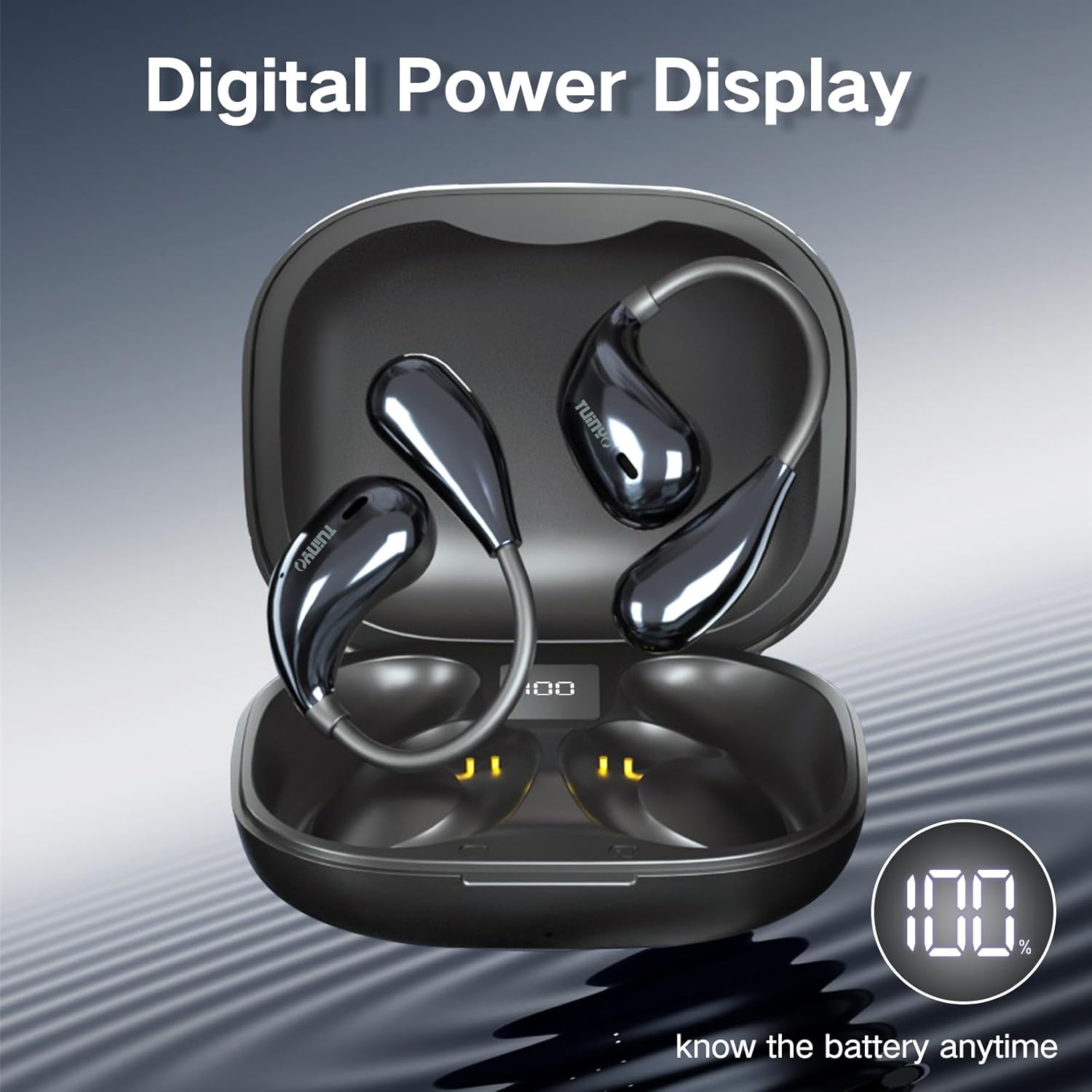
Figure 3: The charging case features a digital LED display, indicating the battery percentage for convenient monitoring.

Figura 4: Un interno view of the earbud highlighting the 12mm speaker, responsible for delivering Hi-Fi stereo bass.
3. ¿Qué hay en la caja?
Al abrir el paquete de su producto, debe encontrar los siguientes elementos:
- 2 x TUINYO Open-ear True Wireless Earbuds
- 1 x Estuche de carga
- 1 x Manual de usuario (este documento)
- 1 x cable de carga tipo C

Figure 5: Visual representation of the package contents, including the charging case, earbuds, and charging cable.
4. Guía de configuración
4.1 Carga inicial
Before first use, fully charge the earbuds and the charging case. Connect the provided Type-C charging cable to the charging port on the case and a USB power source. The LED display on the case will show the charging progress.
4.2 Cómo usar los auriculares
For optimal sound and comfort, ensure the earbuds are worn correctly. The open-ear design sits comfortably over your ear, directing sound without blocking your ear canal.

Figure 6: Step-by-step guide on how to properly wear the open-ear headphones for a secure and comfortable fit.
4.3 Emparejamiento Bluetooth
- Abre el estuche de carga. Los auriculares entrarán automáticamente en modo de emparejamiento.
- En su dispositivo (teléfono inteligente, tableta, etc.), habilite Bluetooth.
- Buscar "TUINYO S08" in the list of available Bluetooth devices.
- Select "TUINYO S08" to connect. Once connected, you will hear an audible confirmation.
Nota: Los auriculares se volverán a conectar automáticamente al último dispositivo emparejado cuando se saquen del estuche, si Bluetooth está habilitado en el dispositivo.
5. Instrucciones de funcionamiento
The TUINYO S08 headphones feature touch controls on each earbud for easy management of audio playback and calls.

Figura 7: Sobreview of the touch control functions on the earbuds.
| Función | Acción (auricular izquierdo/derecho) |
|---|---|
| Reproducir/Pausa | Double tap (x2 L/R) |
| Bajar volumen | Single tap (x1 L) |
| Subir volumen | Single tap (x1 R) |
| Canción anterior | Triple tap (x3 L) |
| Próxima canción | Triple tap (x3 R) |
| Responder/colgar llamada | Double tap (x2 L/R) |
| Modo de juego activado / desactivado | Press and hold for 2 seconds (2s L) |
| Activar Asistente de Voz | Press and hold for 2 seconds (2s R) |
5.1 Vídeo oficial del producto
Video 1: An official product video demonstrating the features and usage of the TUINYO S08 Open Ear Bluetooth Headphones. This video provides a visual guide to the product's design, key functionalities, and how it integrates into daily life.
6. Mantenimiento
- Limpieza: Utilice un paño suave y seco para limpiar los auriculares y el estuche de carga. No utilice limpiadores abrasivos ni disolventes.
- Resistencia al agua: The earbuds are IPX5 waterproof, meaning they can resist a sustained, low-pressure water jet spray. They are suitable for protection against sweat and light rain. Do not submerge them in water or expose them to high-pressure water.
- Almacenamiento: Guarda los auriculares en su estuche de carga cuando no los uses para protegerlos y mantenerlos cargados. Evita temperaturas extremas.
- Cuidado de la batería: Para prolongar la vida útil de la batería, evite descargarla por completo con frecuencia. Cárguela regularmente, incluso si no la usa durante períodos prolongados.
7. Solución de problemas
| Problema | Posible solución |
|---|---|
| Los auriculares no se emparejan |
|
| Sin sonido de un auricular |
|
| Bajo volumen |
|
| El estuche de carga no carga |
|
8. Especificaciones
| Característica | Detalle |
|---|---|
| Nombre del modelo | S08 |
| Versión de Bluetooth | 5.4 |
| Colocación de orejas | Oído abierto |
| Duración de la batería (auriculares) | 5 Hours (single use) |
| Tiempo total de reproducción (con estuche) | 25 horas |
| Clasificación de impermeabilidad | IPX5 |
| Tipo de control | Control táctil y multimedia |
| Peso del artículo | 4.2 onzas (paquete total) |
| Dimensiones del paquete | 4.72 x 3.62 x 1.57 pulgadas |
| Rango de frecuencia | 20 Hz - 20,000 Hz |
| Impedancia | 31.98 ohmios |
9. Garantía y soporte
TUINYO products are designed and manufactured to the highest quality standards. For information regarding warranty coverage, technical support, or customer service, please refer to the contact information provided on the product packaging or visit the official TUINYO websitio.
For further assistance, you may also refer to the product's detail page on Amazon.com: https://www.amazon.com/dp/B0CXSW131H


