Introducción
The Edifier W830NB Wireless Over Ear Headphones offer a premium audio experience with advanced features designed for comfort and performance. These headphones are equipped with cutting-edge technology to deliver high-resolution sound, effective noise cancellation, and extended playtime, making them ideal for various listening environments.

Figure 1: Edifier W830NB Wireless Over Ear Headphones.
Características principales:
- Audio de alta resolución con LDAC: Features 40mm large dynamic drivers and supports LDAC high-definition decoding for Hi-Res Wireless audio, transmitting at a transfer rate of 990kbps, offering 3X music detail of standard Bluetooth codes.
- -45dB Active Noise Cancellation: Upgraded hybrid digital noise-canceling technology achieves noise reduction of up to -45dB, with four selectable ANC modes.
- Audio espacial inmersivo: Utilizes a three-dimensional sound stage algorithm for a cinema-level surround atmosphere.
- Tiempo de reproducción extendido y carga rápida: Offers up to 94 hours of continuous music playback with ANC off, and 10 hours of use from a 15-minute charge.
- DNN Noise Reduction for Clear Calls: Deep Neural Network (DNN) technology intelligently separates human voices from noise for clear conversations.
- All-day Comfort & Foldable Design: Ergonomic design with soft earpads and an adjustable headband, weighing approximately 265g, with a fully foldable design for portability.
- Última tecnología Bluetooth V5.4: Ensures a more stable and smooth connection.
- Conexión multipunto: Capable of connecting to two Bluetooth audio devices simultaneously (feature disabled by default, enable via EDIFIER ConneX App).
- Configuraciones personalizables: Three preset EQs available in the EDIFIER ConneX App, which also supports custom EQs.
Configuración
Carga de los auriculares
Before first use, fully charge your Edifier W830NB headphones. Connect the included USB-C audio cable to the charging port on the headphones and the other end to a compatible USB power source. A full charge provides up to 94 hours of playback with Active Noise Cancellation (ANC) off, or 54 hours with ANC on. For quick power, a 15-minute charge can provide up to 10 hours of listening time.

Figure 2: Charging and Playtime Overview.
Emparejamiento Bluetooth
Para emparejar sus auriculares con un dispositivo:
- Asegúrese de que los auriculares estén cargados y encendidos.
- Activate Bluetooth on your source device (e.g., smartphone, laptop).
- The headphones should appear in the list of available Bluetooth devices as "EDIFIER W830NB". Select it to connect.
- Una vez conectado, un mensaje de voz confirmará que el emparejamiento se realizó correctamente.
The W830NB headphones feature the latest Bluetooth V5.4 technology for a stable and smooth connection. They also support multipoint connection, allowing simultaneous connection to two devices. This feature can be enabled via the EDIFIER ConneX App.

Figure 3: Bluetooth V5.4 and Multipoint Connection.
Funcionamiento de los auriculares
Controles sobreview
The Edifier W830NB headphones feature intuitive button controls located on the earcup. Refer to the diagram below for specific functions:

Figure 4: Headphone Control Diagram.
Modos de cancelación activa de ruido (ANC)
The W830NB headphones offer upgraded hybrid digital noise-canceling technology, reducing noise by up to -45dB. You can switch between four ANC modes to suit your environment:
- Cancelación de alto ruido: For maximum noise reduction in very noisy environments.
- Cancelación de bajo ruido: For moderate noise reduction.
- Reducción del viento: Specifically designed to minimize wind noise.
- Sonido ambiental: Le permite escuchar su entorno mientras disfruta del audio.
Press the dedicated ANC button on the earcup to cycle through these modes.

Figure 5: Active Noise Cancellation Features.
Audio espacial
Experience immersive audio with the three-dimensional sound stage algorithm. This feature creates a cinema-level surround atmosphere, enhancing your listening experience for movies, games, and music.

Figure 6: Immersive Spatial Audio.
Calidad de llamada nítida
The integrated Deep Neural Network (DNN) noise reduction technology ensures your calls are crystal clear, even in noisy environments. It intelligently recognizes speech and precisely separates human voices from background noise.

Figure 7: DNN Noise Reduction for Calls.
Modo de juego
Activate Game Mode for a more immersive gaming experience. With a low latency of 0.08 seconds and enhanced game sound effects, you'll enjoy responsive and engaging gameplay.

Figure 8: Game Mode for Enhanced Experience.
Mantenimiento
Cuidado general y limpieza
- Limpie los auriculares con un paño suave y seco. No utilice productos químicos agresivos ni materiales abrasivos.
- Evite exponer los auriculares a temperaturas extremas, humedad o luz solar directa.
- The headphones are not water resistant. Avoid contact with liquids.
- Store the headphones in their folded position in a protective case when not in use to prevent damage.
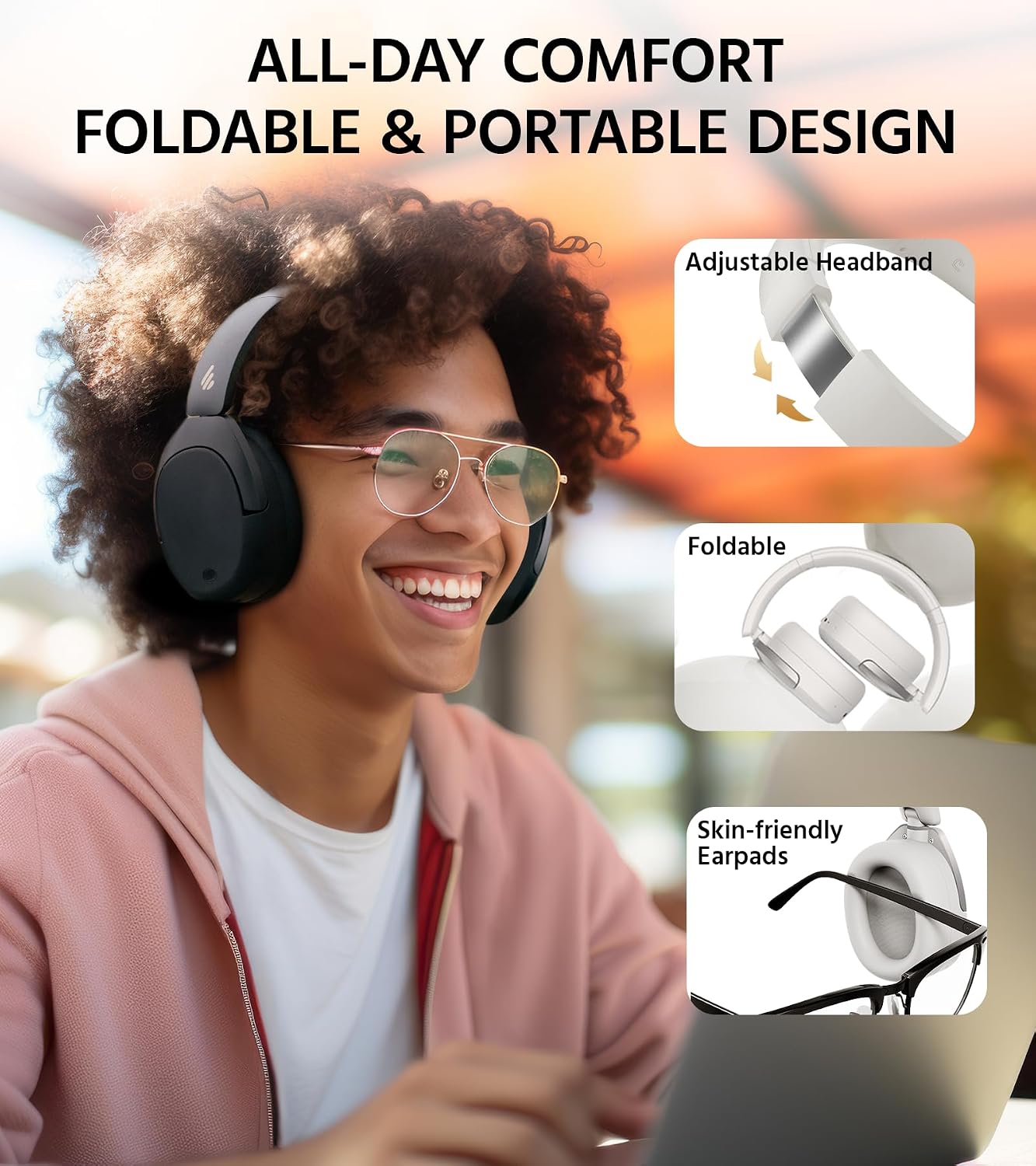
Figure 9: Comfort and Foldable Design.
Solución de problemas
Problemas comunes y soluciones
- Sin energía: Asegúrese de que los auriculares estén completamente cargados.
- No se puede emparejar: Asegúrate de que el Bluetooth esté activado en tu dispositivo y que los auriculares estén en modo de emparejamiento. Intenta reiniciar ambos dispositivos.
- Sin sonido: Comprueba el volumen de los auriculares y del dispositivo conectado. Asegúrate de que los auriculares estén correctamente emparejados.
- Mala calidad de sonido: Ensure there are no obstructions between the headphones and the device. Try moving closer to the device. Check if LDAC is enabled in the app for Hi-Res audio.
- ANC no es eficaz: Ensure the earcups form a good seal around your ears. Adjust the ANC mode via the controls or the EDIFIER ConneX App.
Aplicación EDIFIER ConneX
The EDIFIER ConneX App allows you to personalize your listening experience and manage various settings. It offers features such as:
- Adjusting ANC modes.
- Selecting from three preset EQs or creating custom EQs.
- Accessing the 'find my product' feature.
- Controlling other settings and features.

Figure 10: EDIFIER ConneX App Interface.
Presupuesto
| Característica | Especificación |
|---|---|
| Nombre del modelo | W830NB |
| Control de ruido | Cancelación activa de ruido |
| Tecnología de conectividad | Inalámbrico (Bluetooth V5.4) |
| Tamaño del controlador de audio | 40 milímetros (controlador dinámico) |
| Rango de frecuencia | 20 Hz - 40,000 Hz |
| Duración de la batería | 94 Hours (ANC Off) |
| Tiempo de carga | 15 minutes (for 10 hours use) |
| Toma de auriculares | Tipo C |
| Peso del artículo | 267 gramos (9.4 onzas) |
| Material | Plástico, metal |
| Nivel de resistencia al agua | No resistente al agua |
| Tipo de control | APP, Button |
| Colocación de orejas | Sobre la oreja |
Garantía y soporte
Garantía del producto
This product comes with a one-year warranty, guaranteeing its performance and providing you with reliable support. Please retain your proof of purchase for warranty claims.
Atención al cliente
For any inquiries, technical assistance, or warranty claims, please contact Edifier customer support through their official websitio web o la información de contacto proporcionada en el empaque de su producto. También puede visitar el Tienda Edifier en Amazon Para obtener más información y recursos.