Introducción
The JBL Live Flex 3 wireless in-ear Bluetooth earbuds offer a premium audio experience with advanced features designed for convenience and sound quality. This manual provides detailed instructions for setup, operation, and maintenance to ensure optimal performance of your earbuds.

Image: The JBL Live Flex 3 earbuds, featuring an open-back stick design, are shown alongside their smart charging case. The earbuds are black with metallic accents, and the case has a small display screen.
¿Qué hay en la caja?
Verifique que todos los componentes estén presentes en el paquete:
- 1 Pair of JBL Live Flex 3 Earbuds
- 4 Pairs of Ear Tips in Different Sizes
- 1 Cable de carga USB-C
- 1 Smart Charging Case
- 1 Factura de garantía/Advertencia
- 1 Guía rápida/Hoja de seguridad

Image: The JBL Live Flex 3 earbuds are placed inside their open charging case. Icons around the image highlight features such as wireless charging, Google Finder for locating lost earbuds, water and dust resistance, and control via the JBL Headphones app.
Configuración
1. Emparejamiento inicial
- Encendido: Abre el estuche de carga. Los auriculares entrarán automáticamente en modo de emparejamiento.
- Conexión Bluetooth: On your device (smartphone, tablet, computer), navigate to the Bluetooth settings and select "JBL Live Flex 3" from the list of available devices.
- FastPair (Android 6.0+): For Android devices running 6.0 or higher, a pop-up notification will appear on your screen when the earbuds are nearby. Tap to connect.
- Microsoft Swift Pair (Windows 10 v1803+): For Windows 10 devices (version 1803 or later), a notification will appear to facilitate quick pairing.
2. Aplicación de auriculares JBL
Enhance your listening experience by downloading the JBL Headphones app. The app allows you to customize audio settings, manage noise cancellation, and access additional features. Buscar "JBL Headphones" in your device's app store.
Instrucciones de funcionamiento
Controles táctiles
The JBL Live Flex 3 earbuds feature intuitive touch controls. Specific functions can be customized via the JBL Headphones app.
- Reproducir/Pausa: Toque una vez en cualquiera de los auriculares.
- Pista siguiente: Toca dos veces el auricular derecho.
- Pista anterior: Toque tres veces el auricular izquierdo.
- Responder/Finalizar llamada: Toque una vez en cualquiera de los auriculares.
- Rechazar llamada: Mantenga presionado cualquiera de los auriculares.
- Activar asistente de voz: Mantenga presionado el auricular derecho (personalizable).
Smart Charging Case Features
The innovative smart charging case provides direct control over your earbuds without needing your phone.

Image: The JBL Live Flex 3 smart charging case is shown with its display screen active, illustrating equalizer settings. The screen shows 'EQUALIZER' at the top, with 'JAZZ' selected, and a toggle switch for the equalizer function. The JBL logo is visible below the screen.
- Personalización de audio: Adjust equalizer settings directly from the case's touch screen.
- Control de ruido: Toggle True Adaptive Noise Cancellation or Ambient Aware modes.
- Sonido espacial: Enable or disable spatial audio features.
- Notificaciones: Administrar mensajes previosview ajustes.
- Gestión de llamadas: Answer or reject calls directly from the case.
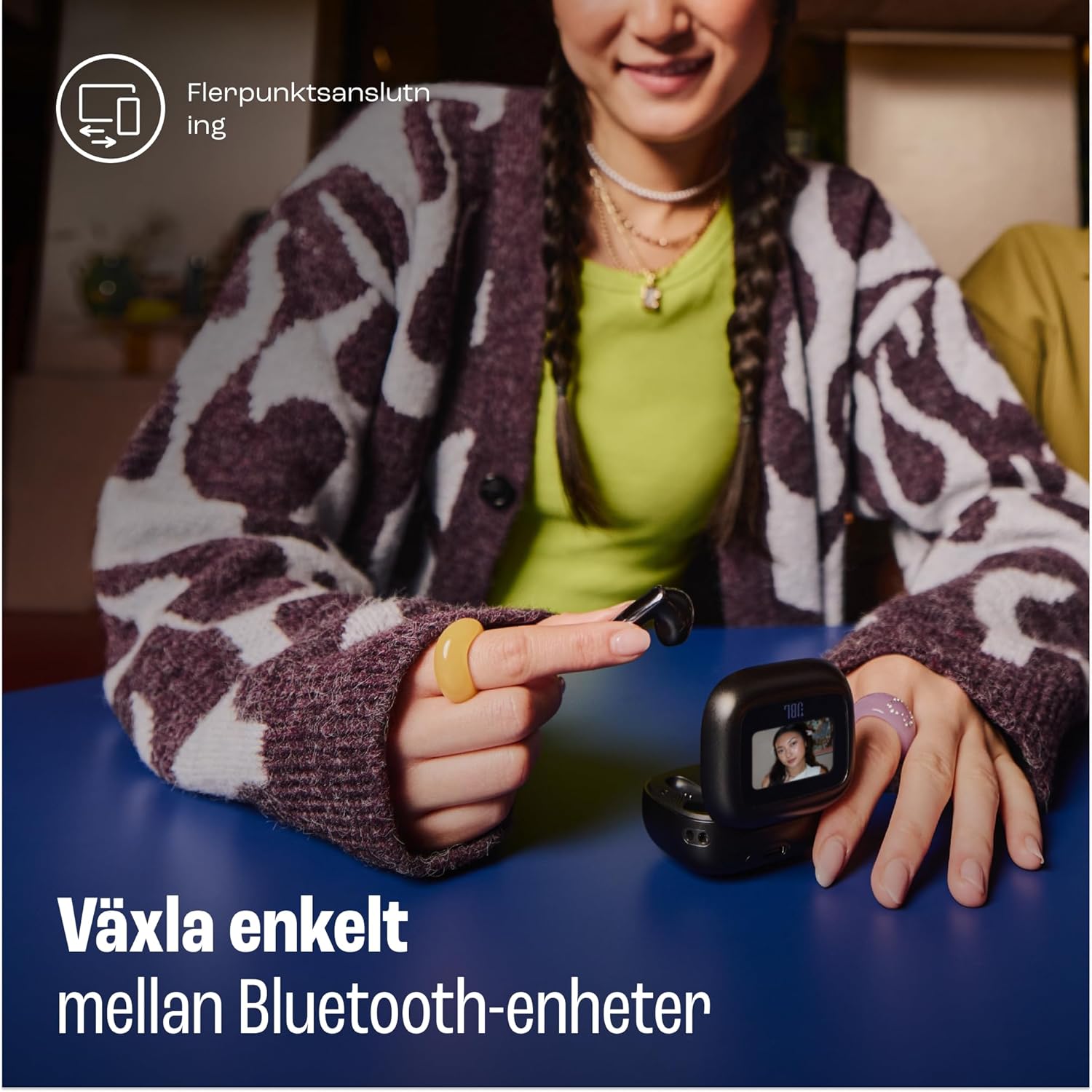
Image: A woman is shown using the touch screen of the JBL Live Flex 3 smart charging case to interact with her devices. The text on the image indicates the ability to easily switch between Bluetooth devices, highlighting the multi-point connection feature.
True Adaptive Noise Cancellation
The earbuds feature True Adaptive Noise Cancellation, which uses four noise-sensing microphones to adapt to your surroundings in real-time. This allows you to filter out external noise for an immersive listening experience.

Image: The JBL Live Flex 3 earbuds are depicted with a graphic of sound waves, illustrating the True Adaptive Noise Cancellation feature. The text emphasizes the ability to fine-tune your audio experience by adjusting noise reduction.
Multi-point Audio Switch Connection
Seamlessly switch between two Bluetooth devices. For example, you can transition from watching a video on your tablet to answering a call on your phone without re-pairing.
Buscador de Google
If you misplace your earbuds, utilize the Google Finder service to help locate them within a network of Android devices.
Resistencia al agua y al polvo
The JBL Live Flex 3 earbuds are IP54 rated, making them water and dust-resistant. This protection allows for use during outdoor activities in various weather conditions.
Carga y batería
The earbuds and charging case provide a combined playtime of up to 50 hours.

Image: The JBL Live Flex 3 charging case is open, displaying the earbuds inside. Text overlays indicate a total of 50 hours of uninterrupted playtime with wireless charging, broken down into 10 hours from the earbuds, an additional 40 hours from the charging case, and 4 hours of playtime from a 10-minute charge.
- Tiempo de reproducción de auriculares: Hasta 10 horas con una sola carga.
- Tiempo total de juego con estuche: Hasta 50 horas.
- Carga rápida: Una carga de 10 minutos proporciona aproximadamente 4 horas de tiempo de reproducción.
- Carga del estuche: Connect the provided USB-C cable to the charging port on the case and a power source. The case also supports wireless charging.
- Mantenimiento de la batería: To prolong battery life, fully charge the battery at least once every 3 months. Battery life may vary based on usage and environmental conditions.
Mantenimiento
- Limpieza: Regularly clean the earbuds and charging contacts with a dry, soft cotton swab. Avoid using harsh chemicals or abrasive materials.
- Almacenamiento: Cuando no los utilice, guarde los auriculares en su estuche de carga para protegerlos y mantenerlos cargados.
- Exposición al agua: While water-resistant, avoid prolonged submersion in water. Ensure earbuds are dry before placing them back in the charging case.
Solución de problemas
- Sin sonido: Ensure earbuds are charged and properly paired. Check device volume and earbud placement.
- Problemas de conexión: Prueba a desvincular y volver a vincular los auriculares. Asegúrate de que ningún otro dispositivo Bluetooth interfiera.
- Los auriculares no se cargan: Limpie los contactos de carga de los auriculares y del estuche. Asegúrese de que el cable de carga esté bien conectado.
- La cancelación de ruido no funciona: Verify that True Adaptive Noise Cancellation is enabled via the smart case or JBL Headphones app.
Presupuesto
| Característica | Especificación |
|---|---|
| Nombre del modelo | JBL Live Flex 3 |
| Tecnología de conectividad | Inalámbrico (Bluetooth 5) |
| Control de ruido | Cancelación de ruido adaptativa |
| Duración media de la batería | 50 horas (con estuche de carga) |
| Tiempo de carga | 15 minutes (for fast charge) |
| Nivel de resistencia al agua | IP54 (resistente al agua) |
| Peso del artículo | 72 gramos |
| Tipo de control | Control táctil |
| Componentes incluidos | Earbuds, Ear Tips, USB-C Cable, Charging Case, Warranty, Quick Guide |
Garantía y soporte
For warranty information and customer support, please refer to the warranty bill included in your package or visit the official JBL websitio. También puedes visitar el Tienda JBL en Amazon para obtener detalles adicionales del producto y recursos de soporte.


