X9 Full-Size Bluetooth Keyboard with Phone Holder
Model: X9RBBLKBDOCKS | Brand: X9 Performance
Introducción
The X9 Full-Size Bluetooth Keyboard with Phone Holder is a versatile input device designed for enhanced productivity across multiple platforms. It features a full 110-key layout, integrated phone/tablet holder, and multi-device connectivity via 2.4G wireless and Bluetooth. This manual provides detailed instructions for setting up, operating, maintaining, and troubleshooting your keyboard.
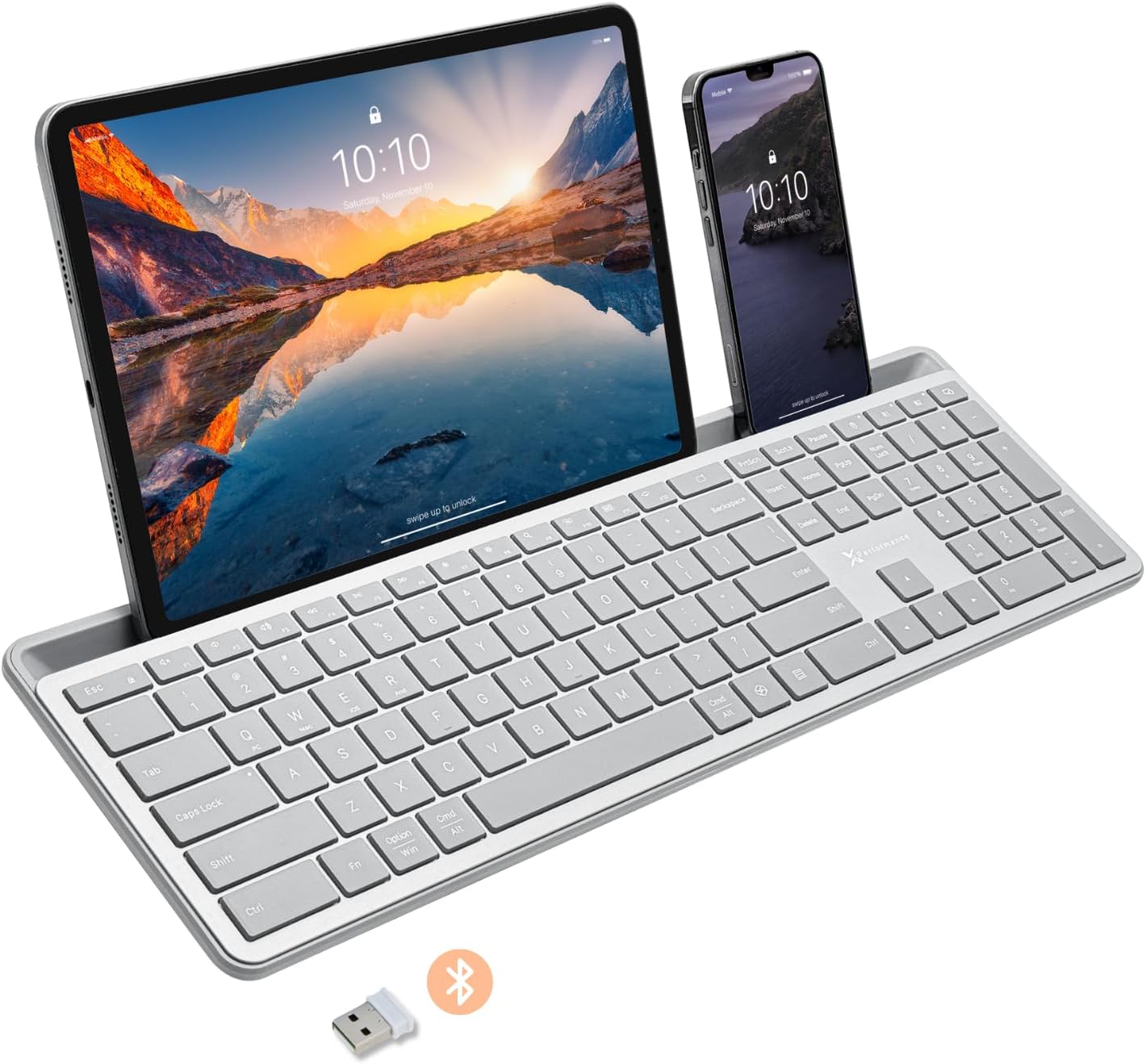
Image: The X9 Full-Size Bluetooth Keyboard in silver, featuring an integrated dock holding a tablet and a smartphone. A USB dongle and Bluetooth symbol are visible below the keyboard.
Características principales
- Conectividad de triple modo: Seamlessly connect up to three devices using 2.4G wireless (via included USB dongle) and two independent Bluetooth channels.
- Integrated Device Dock: An extra-long dock (16.75" long x 0.45" wide) securely holds your smartphone and tablet simultaneously, allowing for easy transitions between devices. Note: May not fit devices with thick cases.
- Teclas retroiluminadas: Crisp white LED backlighting with 3 adjustable brightness levels for comfortable typing in various lighting conditions.
- Batería recargable: Equipped with a 1000 mAh rechargeable battery for extended use, with a USB-C charging cable included.
- Diseño de tamaño completo: A complete 110-key layout including a numeric keypad for efficient data entry and productivity.
- Compatibilidad con varios sistemas operativos: Designed for Windows and Mac users, with seamless compatibility across macOS, iOS, and Android operating systems.
- Teclas silenciosas: Keys are designed for a quiet typing experience.

Image: Diagram illustrating the keyboard's ability to pair with up to three devices: a smartphone via Bluetooth (channel 1), a desktop monitor via 2.4GHz wireless (channel 2), and a laptop via Bluetooth (channel 3).

Imagen: Un primer plano view of the keyboard's integrated dock, highlighting its extra-long design and a note indicating its dimensions (0.45" width) and potential incompatibility with thick device cases.

Image: A close-up of the keyboard's side, showing a USB-C cable plugged into the charging port, with text indicating a 1000mAh rechargeable battery.
Contenido del paquete
Asegúrese de que todos los artículos estén presentes en el paquete:
- X9 Full-Size Bluetooth Keyboard
- Cable de carga USB-C
- Dongle inalámbrico USB 2.4G
Guía de configuración
1. Carga del teclado
Before first use, fully charge the keyboard. Connect the included USB-C charging cable to the keyboard's charging port and the other end to a USB power source (e.g., computer USB port, USB wall adapter). The charging indicator light will show charging status and turn off when fully charged.
2. Conexión a dispositivos
The X9 keyboard supports three connection channels: one 2.4G wireless channel and two Bluetooth channels (B1 and B2).
2.1. Conexión inalámbrica 2.4G
- Locate the 2.4G USB wireless dongle, typically stored in a compartment on the keyboard.
- Conecte el dispositivo USB a un puerto USB disponible en su computadora.
- Turn on the keyboard. The keyboard should automatically connect to your computer via the 2.4G dongle.
2.2. Bluetooth Connection (B1 / B2)
- Encienda el teclado.
- Mantenga pulsado el B1 or B2 key for 3-5 seconds until the corresponding indicator light (B1 or B2) starts blinking rapidly. This indicates the keyboard is in pairing mode.
- En su dispositivo (teléfono inteligente, tableta, computadora), vaya a la configuración de Bluetooth y habilite Bluetooth.
- Buscar new devices. The keyboard should appear as "X9 Keyboard" or similar.
- Select the keyboard from the list to pair. Follow any on-screen prompts to complete the pairing process. The indicator light will stop blinking and remain solid for a few seconds, then turn off, indicating successful connection.
- Repeat these steps for the second Bluetooth channel (B2) if you wish to connect another device.
Instrucciones de funcionamiento
1. Cambiar entre dispositivos conectados
To switch between your connected devices, simply press the corresponding connection key:
- Prensa 2.4G key to switch to the device connected via the USB dongle.
- Prensa B1 key to switch to the device connected via Bluetooth Channel 1.
- Prensa B2 key to switch to the device connected via Bluetooth Channel 2.
2. Adjusting Backlight Brightness
The keyboard features three levels of backlight brightness. To adjust:
- Presione el Fn tecla + Bombilla key (usually located near the F12 key) repeatedly to cycle through the brightness levels (Low, Medium, High, Off).

Image: A close-up of the keyboard in a dark setting, showcasing its clear backlit keys. Indicators for Low, Medium, and High brightness levels are shown below the keyboard.
3. Using the Copilot AI Key
The keyboard includes a dedicated Copilot AI key for quick access to AI functionalities on compatible systems. Press this key to activate Copilot or similar AI features.
4. Operating System Specific Functions
The keyboard is optimized for various operating systems. Some function keys may behave differently or require the Fn key to access secondary functions depending on your OS (Windows, macOS, iOS, Android).
- For optimal compatibility, ensure your device's operating system is updated.
- Some systems may require specific key combinations (e.g., Fn + Option + R for Android, as mentioned in customer reviews for specific app compatibility). Refer to your device's documentation for advanced keyboard settings.
Mantenimiento
To ensure the longevity and optimal performance of your X9 keyboard, follow these maintenance guidelines:
- Limpieza: Utilice un paño suave y sin pelusa ligeramente seco.ampLimpie la superficie del teclado con agua o una solución limpiadora suave. Evite la humedad excesiva. Para limpiar entre teclas, utilice aire comprimido.
- Almacenamiento: Guarde el teclado en un lugar fresco y seco, alejado de la luz solar directa y de temperaturas extremas.
- Cuidado de la batería: Avoid fully discharging the battery frequently. For long-term storage, charge the battery to about 50% to preserve its lifespan.
- Evite derrames: Mantenga los líquidos alejados del teclado para evitar daños a los componentes internos.
Solución de problemas
If you encounter issues with your X9 keyboard, refer to the following common problems and solutions:
| Problema | Posible causa / solución |
|---|---|
| El teclado no se enciende. | Battery is depleted. Connect the keyboard to a power source using the USB-C cable and allow it to charge. |
| El teclado no se conecta a través de Bluetooth. |
|
| 2.4G wireless connection not working. |
|
| Las teclas no responden o se escriben incorrectamente. |
|
| La luz de fondo no funciona. |
|
Presupuesto
| Característica | Detalle |
|---|---|
| Número de modelo | X9RBBLKBDOCKS |
| Tecnología de conectividad | 2.4G inalámbrico, Bluetooth |
| Dispositivos compatibles | Laptop, PC, Mac, iOS, Android (Smartphone, Tablet) |
| Disposición del teclado | Full-Size, 110-key |
| Contraluz | Single Color (White), 3 Brightness Levels |
| Capacidad de la batería | 1000 mAh (recargable) |
| Dimensiones del producto (L x An x Al) | 17.33" x 5.56" x 0.89" (44.02 cm x 14.12 cm x 2.26 cm) |
| Peso del artículo | 2.25 libras (1.02 kg) |
| Device Dock Dimensions (L x W) | 16.75" x 0.45" |
| Fabricante | Rendimiento del X9 |

Imagen: Una vista aérea view of the X9 keyboard with measurements indicating its length (17.3"), width (5.55"), and height (0.89").
Información de garantía
X9 Performance products are designed for reliability and performance. For specific warranty terms and conditions, please refer to the warranty card included with your product or visit the official X9 Performance webSitio. Normalmente, los productos están cubiertos contra defectos de materiales y mano de obra durante un período específico a partir de la fecha de compra.
Apoyo
For further assistance, technical support, or to inquire about replacement parts, please contact X9 Performance customer support:
- Websitio: Visit the official X9 Performance webSitio para preguntas frecuentes, controladores y recursos de soporte.
- Contacto: Consulte la información de contacto proporcionada en el embalaje del producto o en el sitio web oficial. webSitio para soporte telefónico o por correo electrónico.
Please have your product model number (X9RBBLKBDOCKS) and purchase details ready when contacting support.


