Introducción
This manual provides detailed instructions for the setup, operation, and maintenance of your VTech VG232 Cordless Phone with Answering System. Please read this manual thoroughly to ensure proper use and to take full advantage de todas las características.

Image: VTech VG232 Cordless Phone and Base Unit
¿Qué hay en la caja?
Verifique que su paquete contenga los siguientes elementos:
- Unidad base
- Auricular inalámbrico
- Adaptador de CA
- Paquete de batería
- Cable de línea telefónica
Configuración
1. Instalación de la batería
- Abra la tapa del compartimiento de la batería en la parte posterior del teléfono.
- Conecte el conector del paquete de batería de forma segura en el conector dentro del compartimiento.
- Place the battery pack with the label UP.
- Cierre la tapa del compartimento de la batería.
2. Conexión de la unidad base
- Plug the small end of the AC adaptor into the power jack on the back of the telephone base.
- Plug the large end of the AC adaptor into a wall outlet not controlled by a wall switch.
- Plug one end of the telephone line cord into the telephone jack on the back of the telephone base.
- Conecte el otro extremo del cable de la línea telefónica a una toma telefónica de pared.
3. Carga inicial
Place the handset in the telephone base to charge. The handset will display 'Charging' and the charge light on the handset will illuminate. Allow at least 16 hours for the battery to fully charge before initial use.
4. Opciones de colocación
The VTech VG232 base unit can be placed on a tabletop or mounted on a wall.

Image: VTech VG232 Cordless Phone Base Unit on a tabletop and wall-mounted
Instrucciones de funcionamiento
Sistema de contestador digital
The integrated digital answering system records messages when you are unavailable to answer calls. It offers up to 14 minutes of recording time.
- Reproduciendo mensajes: Prensa REPRODUCIR/DETENER en la unidad base.
- Skipping Messages: Prensa SALTAR to advance to the next message.
- Repeating Messages: Prensa REPETIR to replay the current message. Press twice to go to the previous message.
- Eliminar mensajes: Prensa BORRAR Durante la reproducción del mensaje.
- Contador de mensajes: La unidad base muestra el número de mensajes nuevos.

Image: VTech VG232 Cordless Phone with Digital Answering System

Image: VTech VG232 Cordless Phone indicating 14 minutes of recording time

Image: VTech VG232 Cordless Phone base unit with message counter displaying '12'
Identificador de llamadas/Llamada en espera
The phone displays the name, number, time, and date of incoming calls. It stores up to 50 calls in the Caller ID log.
- Reviewing Calls: Utilice el CID button to scroll through the Caller ID log.
- Devolver llamada: Prensa HABLAR / FLASH to call a number from the Caller ID log.

Image: VTech VG232 Cordless Phone displaying Caller ID information and storing 50 calls
Teléfono con altavoz y dúplex completo
Engage the speakerphone function for hands-free conversations. The full-duplex feature allows both parties to speak and be heard simultaneously.
- Activar el altavoz: Presione el HABLAR / FLASH button during a call to switch to speakerphone.
- Ajuste del volumen: Utilice el VOLUMEN botones en el auricular.
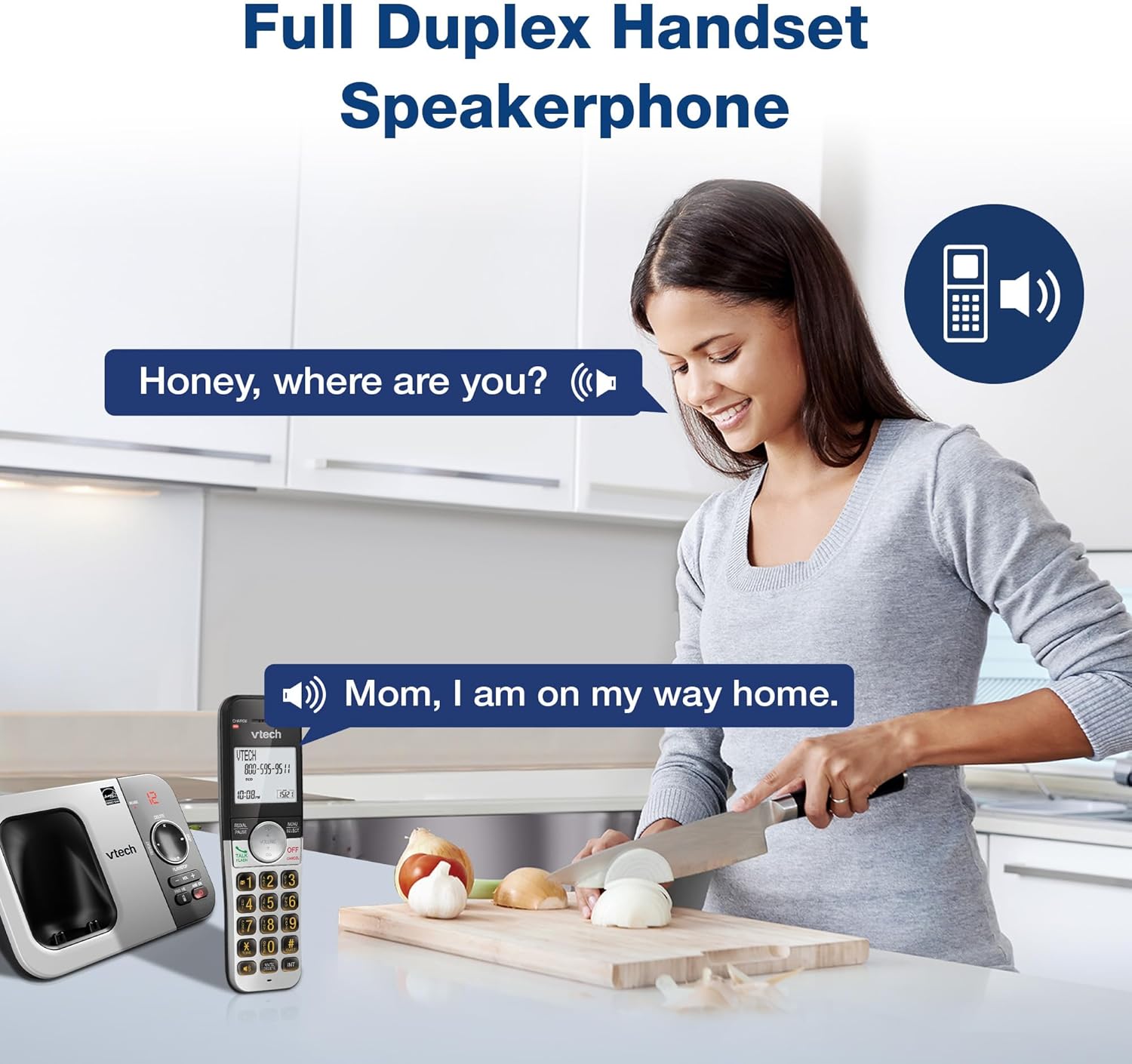
Image: VTech VG232 Cordless Phone with Full Duplex Handset Speakerphone in use
Backlit Keypad and Display
The handset features a backlit keypad and a large 2-inch white backlit LCD screen for improved visibility in low-light conditions.

Image: VTech VG232 Cordless Phone with illuminated keypad
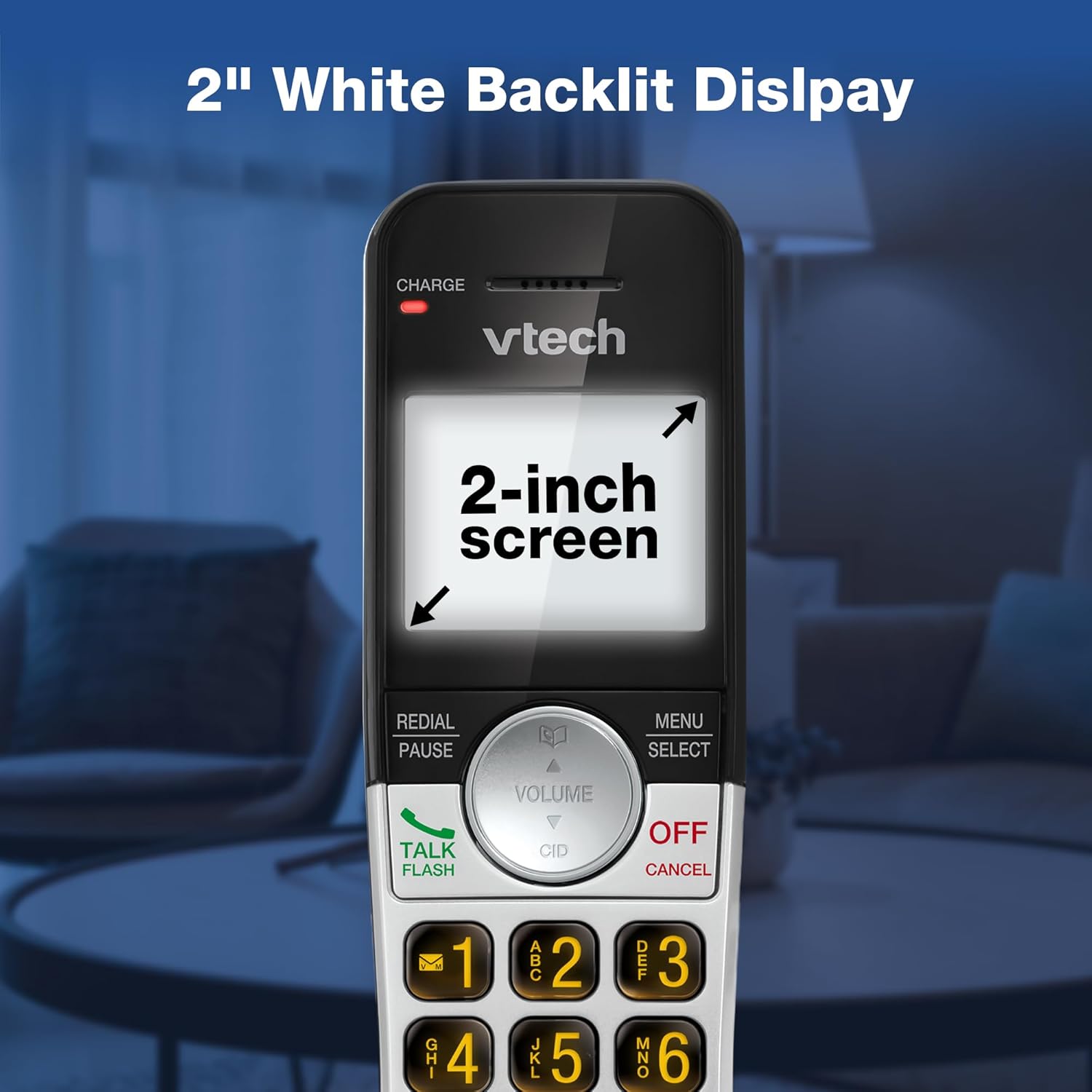
Image: VTech VG232 Cordless Phone with 2-inch white backlit display
Modo silencioso
Activate Quiet Mode to silence the ringer on the handset and base unit for a specified period, providing uninterrupted peace.
- Activating Quiet Mode: Mantenga pulsado el TRANQUILO button (usually #) on the handset. Follow the on-screen prompts to set the duration.

Image: VTech VG232 Cordless Phone showing Quiet Mode feature
Directorio telefónico
Almacene hasta 50 nombres y números en la agenda telefónica para marcar rápidamente.
- Agregar entradas: Prensa MENÚ/SELECCIONAR, navigate to Phonebook, and select 'Add New Entry'.
- Búsqueda de entradas: Use the alphabetical search function or scroll through the list.

Image: VTech VG232 Cordless Phone displaying 50 Name and Number Phonebook Contacts
Remarcación de los últimos 10 números
Quickly redial any of the last 10 numbers called.
- Rellamada: Prensa REMARCAR/PAUSA a view the last 10 numbers. Select a number and press HABLAR / FLASH marcar.

Image: VTech VG232 Cordless Phone showing Last 10 Number Redial feature
Intercom Between Handsets (if applicable)
Si tiene varios teléfonos, puede utilizar la función de intercomunicador para comunicarse entre ellos.
- Iniciando el intercomunicador: Prensa INT on the handset and select the desired handset to call.

Image: Two VTech VG232 Cordless Handsets communicating via intercom
Remote Access to Answering System
Access your answering system messages from an outside line.
- Accediendo: Dial your phone number from an external phone. When the answering system answers, enter your remote access code.

Image: VTech VG232 Cordless Phone showing remote access feature
Mantenimiento
To ensure the longevity and optimal performance of your VTech VG232 Cordless Phone, follow these maintenance guidelines:
- Limpieza: Clean the phone and base unit with a soft, damp Paño. No utilice aerosoles de limpieza ni productos químicos agresivos.
- Cuidado de la batería: Replace the battery pack when the handset indicates low battery or when performance significantly decreases. Use only the specified replacement battery.
- Condiciones ambientales: Evite exponer el teléfono a temperaturas extremas, luz solar directa o humedad.
Solución de problemas
If you experience issues with your phone, refer to the following common problems and solutions:
| Problema | Solución |
|---|---|
| Sin tono de marcado | Ensure the telephone line cord is securely connected to both the base unit and the wall jack. Check if the AC adaptor is properly connected to the base unit and a working power outlet. |
| Handset displays "Low Battery" | Place the handset in the base unit to charge. Allow at least 16 hours for a full charge. If the issue persists, the battery pack may need replacement. |
| No puedo escuchar a la persona que llama / La persona que llama no puede escucharme | Adjust the handset volume. Check the telephone line cord connection. If using speakerphone, ensure you are speaking clearly towards the handset. |
| El contestador automático no graba los mensajes | Asegúrese de que el contestador automático esté activado. Compruebe si la memoria está llena; borre los mensajes antiguos si es necesario. |
| El identificador de llamadas no se muestra | Asegúrese de estar suscrito al servicio de identificación de llamadas de su proveedor de servicios telefónicos. |
Presupuesto
| Característica | Detalle |
|---|---|
| Número de modelo | VG232 |
| Dimensiones del producto | 5.54 x 3.36 x 7.23 pulgadas |
| Peso del artículo | 1.1 libras |
| Tipo de teléfono | Sin cable |
| Tipo de sistema de contestación | Digital |
| Tiempo de grabación del contestador automático | Hasta 14 minutos |
| Memoria de identificación de llamadas | 50 llamadas |
| Capacidad de la agenda telefónica | 50 nombres y números |
| Mostrar | 2-inch White Backlit LCD |
| Teclado | Retroiluminado |
| Fuente de poder | Funciona con pilas (se incluye 1 pila específica del producto) |
| Material | Plástico |
| Color | Plata, Negro |
| Dispositivos compatibles | PSTN networks, VTech models |
Garantía y soporte
VTech products are manufactured with high-quality components and are designed to provide years of trouble-free operation. For specific warranty details, please refer to the warranty card included with your purchase or visit the official VTech websitio.
Para obtener asistencia técnica, registrar el producto o comprar accesorios, visite el soporte de VTech webSitio o póngase en contacto con atención al cliente:
- Soporte en línea: www.vtechphones.com/soporte
- Servicio al cliente: Consulte el embalaje de su producto para obtener la información de contacto más actualizada.


