1. Introducción
The Parsonver Smartwatch Z139 is designed to enhance your daily life with a variety of intelligent functions. This manual provides detailed instructions for setting up, operating, and maintaining your smartwatch to ensure optimal performance and user experience.
Key features include Bluetooth calling, comprehensive health monitoring (heart rate, blood oxygen, sleep), over 100 sports modes, and smart notifications.
2. Primeros pasos: Configuración
2.1 Contenido del paquete
- Parsonver Smartwatch Z139
- Cable de carga
- Manual de usuario
2.2 Carga del reloj inteligente
Antes del primer uso, cargue completamente su reloj inteligente. Conecte el cable de carga magnético a los contactos de carga en la parte posterior del reloj y conecte el extremo USB a un adaptador de corriente (no incluido) o al puerto USB de una computadora.
2.3 Instalación y emparejamiento de la aplicación
To unlock the full potential of your Parsonver Smartwatch, download the companion app on your smartphone. The app is compatible with iOS 9.0/Android 6.0 or above.
- Scan the QR code in the manual or search for "Parsonver" in your phone's app store (Google Play Store for Android, Apple App Store for iOS).
- Instalar y abrir la aplicación.
- Follow the on-screen instructions in the app to create an account and pair your smartwatch via Bluetooth. Ensure Bluetooth is enabled on your smartphone.
- During pairing, grant necessary permissions for notifications, location, and health data synchronization.

Image: The Parsonver Smartwatch Z139, showcasing its main display with time, date, and step count.
3. Instrucciones de funcionamiento
3.1 Llamadas Bluetooth y notificaciones inteligentes
Once connected via Bluetooth, you can manage calls directly from your smartwatch.
- Responder/Realizar llamadas: Use the watch's interface to answer incoming calls or dial numbers. The watch features high-quality speakers and a high-definition microphone for clear communication.
- Notificaciones: Receive alerts for SMS, WhatsApp, Facebook, emails, and other app notifications directly on your watch. The watch will vibrate to inform you of new messages.
- Asistente de voz: Utilize the integrated voice assistant for hands-free control and information access.
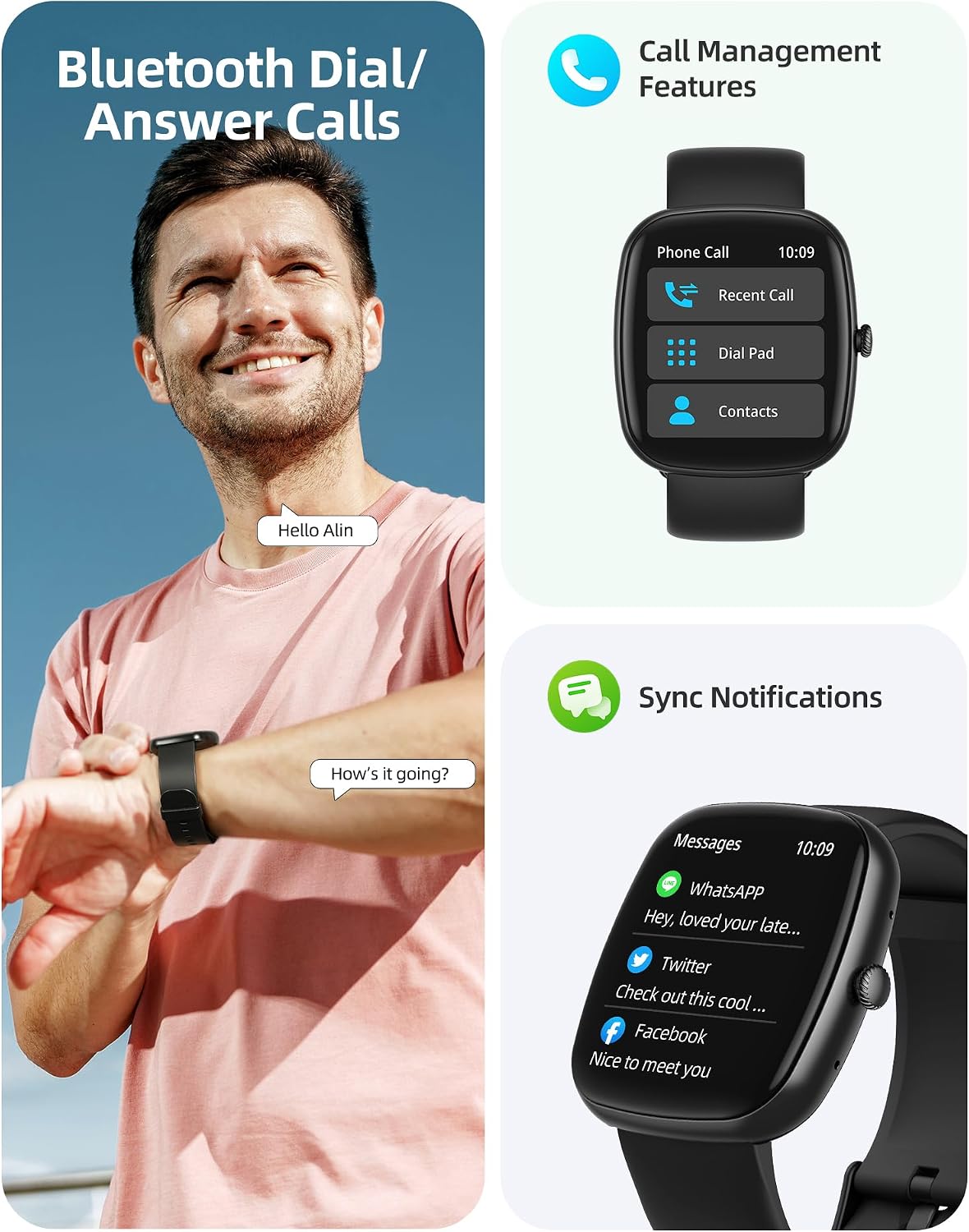
Image: A user interacting with the smartwatch for Bluetooth calls, demonstrating the call management interface.
3.2 Monitoreo de Salud
The smartwatch features advanced sensors for continuous health tracking.
- Monitoreo del ritmo cardíaco: Measures and records your heart rate throughout the day. The app displays trends and alerts for abnormal readings.
- Monitoreo de oxígeno en sangre (SpO2): Realiza un seguimiento de sus niveles de saturación de oxígeno en sangre.
- Monitoreo del sueño: Analyzes your sleep patterns, including deep sleep, light sleep, and awake times, to help optimize your sleep habits.
- Monitoreo del estrés: Proporciona información sobre sus niveles de estrés.
- Seguimiento de la salud de la mujer: Records menstrual cycles and ovulation periods.

Image: Visual representation of the smartwatch's health monitoring capabilities, including heart rate, blood oxygen, and pressure readings.
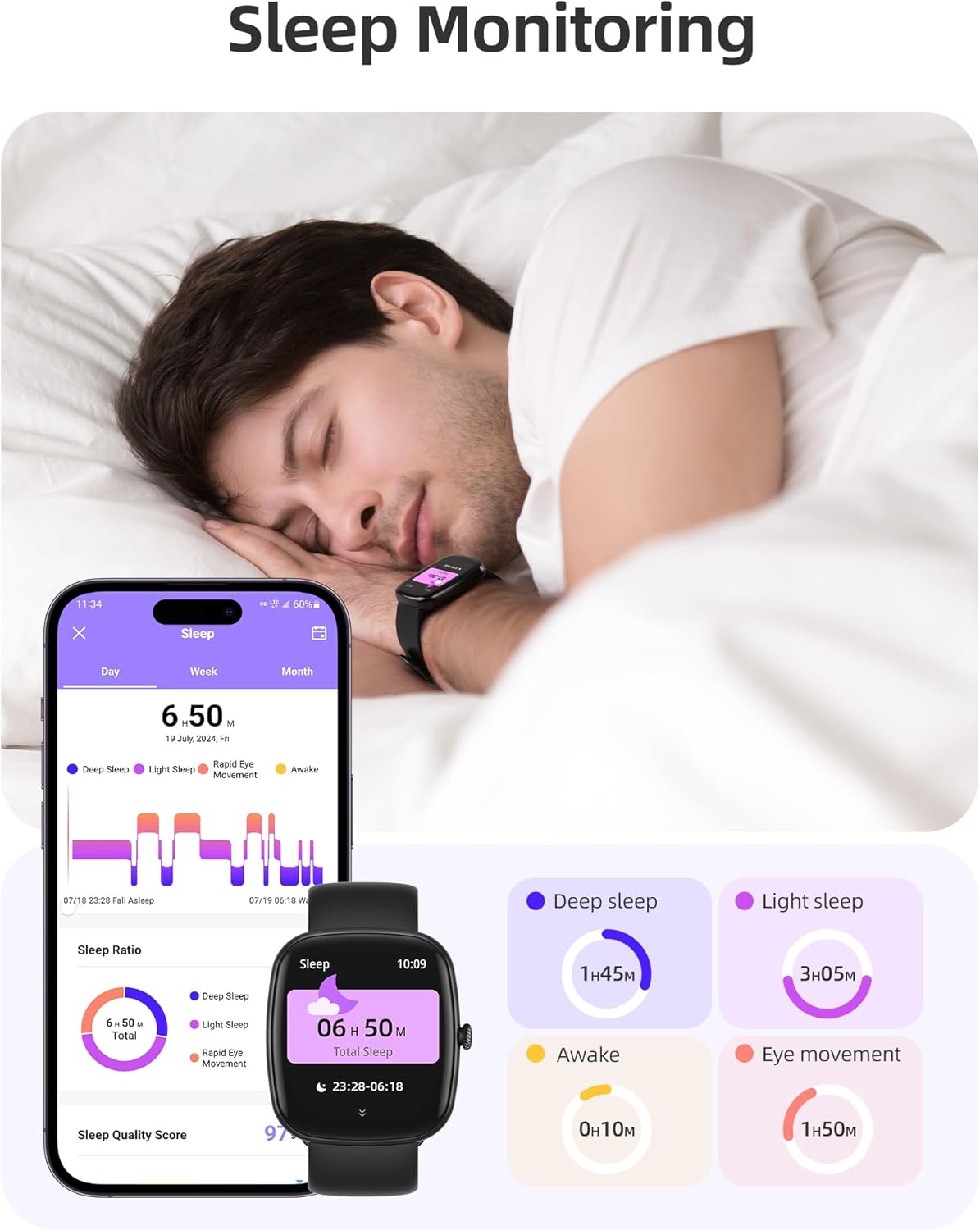
Image: The smartwatch monitoring sleep, with a detailed breakdown of sleep stages displayed on the companion app.
3.3 Modos deportivos y seguimiento de actividad
The activity tracker supports over 100 sports modes to monitor your workouts effectively.
- Modos disponibles: Includes yoga, running, jumping, cycling, badminton, football, rowing, and many more.
- Seguimiento de datos: Records steps, distance, calories burned, and real-time heart rate during exercise.
- Puntuación de preparación diaria: Provides a summary of your daily activity and recovery.

Image: The smartwatch tracking a user's activity during a run, displaying key metrics like calories, steps, heart rate, and distance.
3.4 App Experience and BMI Tracking
The companion app offers additional features for health management.
- Weight and BMI Tracking: Manually input your weight in the app to track changes and automatically calculate your Body Mass Index (BMI). View daily, weekly, monthly, and yearly weight trends.
- Cursos de formación: Access integrated training courses from beginner to advanced levels.
- Relaxation Features: Includes white noise, meditation exercises, and relaxation training.

Image: The companion app displaying weight and BMI tracking features, helping users monitor their body composition.
3.5 esferas de reloj personalizables
Personalize your smartwatch with over 200 different watch face designs available through the app.

Image: A selection of customizable watch faces, demonstrating the variety of styles and information layouts available.
3.6 Otras funciones prácticas
El reloj inteligente incluye otras funciones útiles:
- Pronóstico del tiempo: View Pronóstico del tiempo para 7 días.
- Control de música: Control music playback directly from your wrist.
- Control de cámara: Controla de forma remota la cámara de tu teléfono inteligente.
- Despertador: Establecer múltiples alarmas.
- Cronómetro y temporizador: Cronometraje preciso para diversas actividades.
- Recordatorio de sedentarismo: Te incita a moverte después de periodos de inactividad.
- Ejercicios de respiración: Guided exercises to reduce stress.
- Encontrar teléfono: Locate your paired smartphone with a tap on your watch.
- Ajuste de brillo: Continuously adjustable screen brightness for optimal visibility in any lighting condition.

Imagen: Una sobreview of the various practical functions available on the Parsonver Smartwatch Z139.
4. Mantenimiento
Proper care ensures the longevity and performance of your smartwatch.
- Limpieza: Limpie el reloj y la correa periódicamente con un paño suave y seco. Evite los productos químicos agresivos.
- Resistencia al agua: The smartwatch has an IP68 water resistance rating, meaning it can withstand hand washing, rain, and splashes. Do not use it for swimming, diving, or in saunas.
- Cargando: Use only the provided charging cable. Avoid exposing charging contacts to moisture.
- Almacenamiento: Guarde el reloj en un lugar fresco y seco cuando no esté en uso.
5. Solución de problemas
If you encounter issues with your smartwatch, try the following steps:
- El reloj no enciende: Asegúrese de que el reloj esté completamente cargado.
- No se puede emparejar con el teléfono:
- Asegúrese de que Bluetooth esté habilitado en su teléfono y en el reloj.
- Asegúrese de que el reloj esté dentro del alcance de su teléfono.
- Reinicie tanto el reloj como el teléfono.
- Intente desvincular y volver a vincular a través de la aplicación.
- Notificaciones no recibidas:
- Check app permissions on your phone to ensure notifications are allowed for the Parsonver app.
- Verify that notifications are enabled within the Parsonver app settings.
- Asegúrese de que el reloj esté conectado correctamente a través de Bluetooth.
- Datos de salud inexactos:
- Asegúrese de que el reloj esté ajustado cómodamente en su muñeca, ni demasiado apretado ni demasiado suelto.
- Limpie el sensor en la parte posterior del reloj.
- Evite movimientos excesivos durante las mediciones.
- La pantalla no responde: Intenta reiniciar el reloj. Si el problema persiste, contacta con atención al cliente.
6. Especificaciones
| Característica | Especificación |
|---|---|
| Marca | párroco |
| Número de modelo | Z139 |
| Tamaño de pantalla | 1.83 pulgadas |
| Compatibilidad del sistema operativo | Teléfonos inteligentes iOS 9.0/Android 6.0 o superior |
| Tecnología de conectividad | Bluetooth |
| Características especiales | Bluetooth Calls, 100+ Sports Modes, Heart Rate Monitoring, SpO2 Monitoring, Sleep Monitoring, IP68 Water Resistance, Music Control, Camera Control, Weather, Alarm, Timer, Stopwatch, Sedentary Reminder, Breathing Exercises, Find Phone, Brightness Adjustment, Women's Health Tracking |
| Composición de la batería | Polímero de litio |
| Capacidad de la batería | 230 mAh |
| Clasificación de resistencia al agua | IP68 (Not for swimming/diving/sauna) |
| Capacidad de almacenamiento de memoria | 512 MB |
| GPS | A través de un teléfono inteligente |
7. Garantía y soporte
Para obtener información sobre la garantía y asistencia al cliente, consulte la documentación incluida con su compra o visite el sitio web oficial de Parsonver. website. Typically, products are covered by a manufacturer's warranty against defects in materials and workmanship for a specified period from the date of purchase. Please retain your proof of purchase.
If you experience any issues not covered in this manual, or require further assistance, please contact Parsonver customer service.


